
Introduction
This manual provides detailed instructions for the Dyzeryk JS-01 MP3 Player. Please read this manual thoroughly before using the device to ensure proper operation and to maximize its features. Keep this manual for future reference.

Figure 1: Dyzeryk JS-01 MP3 Player, showing the device, a pair of white earphones, and a 4GB Micro SD card. The player is black and compact.
Specifications
The Dyzeryk JS-01 MP3 Player offers a compact design and essential features for portable audio playback.
- Dimensions: 3.3 x 0.9 x 0.4 inches (8.38 x 2.29 x 1.02 cm)
- Weight: 33.2g (1.17 ounces)
- Internal Memory: 4GB
- Expandable Memory: Supports TF card (Micro SD) from 128MB up to 64GB
- Connectivity: Hi-Speed USB 2.0 (functions as a flash disk)
- Battery: 180mAh Lithium Ion (included)
- Battery Life: Up to 10 hours of music playback
- Audio Formats: MP3, WMA, WAV
- Included Components: Music Player, Earphones, Lanyard
Package Contents
Verify that all items are present in the package:
- 1 x Dyzeryk JS-01 MP3 Player
- 1 x Earphones
- 1 x Lanyard
Setup
1. Charging the Device
Before initial use, fully charge the MP3 player. The device must be turned on for charging to occur. When the battery is low, the player will stop playing and shut down automatically, indicating that charging is required.
- Connect the MP3 player to a USB power source (e.g., computer USB port, mobile phone charger, power bank) using a compatible USB cable.
- During charging, a red light will flash.
- Once charging is complete, the red light will remain steadily on.
- Charging typically takes 60-90 minutes for a full charge, providing up to 10 hours of playback.
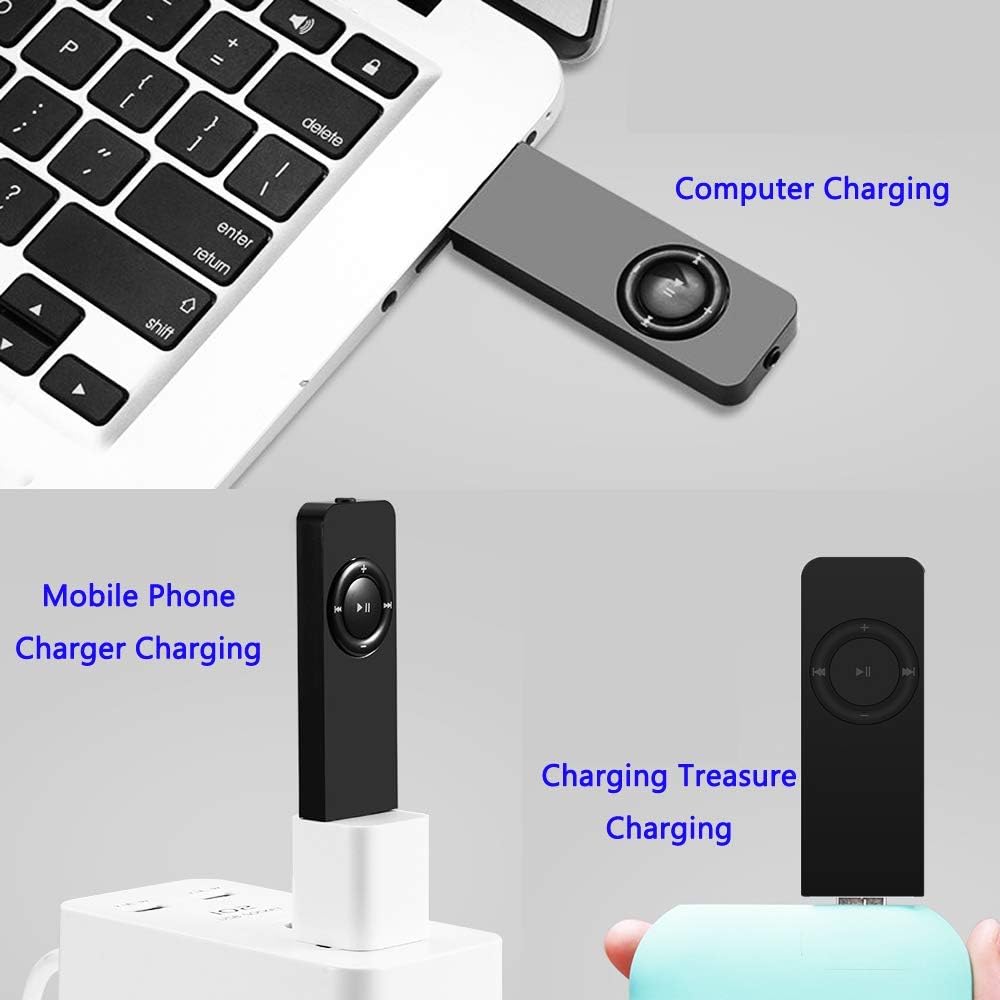
Figure 2: Various charging methods for the Dyzeryk JS-01 MP3 Player, including connection to a computer's USB port, a mobile phone charger, and a portable power bank.
2. Connecting to a Computer and Transferring Files
The MP3 player functions as a USB flash drive, allowing for easy file transfer.
- Ensure the MP3 player is powered on.
- Connect the MP3 player to your computer's USB port using a USB cable.
- The computer will recognize the device as a removable disk.
- Drag and drop your desired MP3, WMA, or WAV audio files into the player's storage folder.
- Once files are transferred, safely eject the device from your computer before disconnecting the USB cable.
3. Inserting a TF Card (Micro SD)
The device supports external memory expansion via a TF card (Micro SD card) up to 64GB.
- Locate the TF card slot on the side of the MP3 player.
- Gently insert the TF card into the slot until it clicks into place. Ensure the card is oriented correctly.
- To remove, gently push the card inward until it springs out.
Operating Instructions

Figure 3: Key description for the Dyzeryk JS-01 MP3 Player, illustrating the location and function of each button and port.
1. Power On/Off
- To power on, slide the ON/OFF switch to the "ON" position.
- To power off, slide the ON/OFF switch to the "OFF" position.
2. Basic Playback Controls
- Play/Pause: Press the central ►▮▮ button to play or pause the current track.
- Next Song: Press the ►►| button to skip to the next track.
- Previous Song: Press the |◀◀ button to go back to the previous track.
- Volume Up: Press the + button to increase volume.
- Volume Down: Press the - button to decrease volume.
3. Playback Modes
The device supports three playback modes, indicated by LED light patterns:
- Sequential Playback Mode: The green light flashes.
- Random Play Mode: The red light flashes. To switch to this mode, long press the Volume Up (+) button.
- Single Loop Mode: The green and red lights alternately flash. To switch to this mode, long press the Volume Down (-) button.
4. Folder Playback
To switch between folders containing music files, long press the central ►▮▮ (Play/Pause) button.
5. Connecting Earphones
Insert the 3.5mm jack of your earphones into the earphone port located on the device. Ensure a secure connection for optimal audio output.
Maintenance and Care
- Cleaning: Use a soft, dry cloth to clean the device. Avoid liquid cleaners or abrasive materials.
- Storage: Store the MP3 player in a cool, dry place away from direct sunlight and extreme temperatures.
- Water Exposure: This device is not waterproof. Avoid exposure to water or high humidity.
- Impact: Protect the device from drops and impacts, which can damage internal components.
- Battery Care: To prolong battery life, avoid fully discharging the battery frequently. Charge the device regularly, even if not in use for extended periods.
Troubleshooting
| Problem | Possible Cause | Solution |
|---|---|---|
| Device does not power on. | Battery is depleted. | Charge the device for at least 60-90 minutes. Ensure the ON/OFF switch is in the "ON" position during charging. |
| No sound from earphones. | Earphones not properly connected; Volume too low; Corrupted audio file. | Ensure earphones are fully plugged in. Increase volume using the '+' button. Try playing a different audio file. Test with another pair of earphones. |
| Cannot transfer files to the device. | Incorrect USB connection; Device not recognized by computer; Corrupted device storage. | Ensure the USB cable is securely connected to both the player and the computer. Try a different USB port or cable. Ensure the device is powered on. Reformat the device if necessary (this will erase all data). |
| Player shuts down unexpectedly. | Low battery. | Recharge the device. |
| Buttons are unresponsive or difficult to press. | Physical obstruction or manufacturing variation. | Ensure no debris is lodged around the buttons. Apply firm, direct pressure. If issues persist, contact customer support. |
Warranty and Support
The Dyzeryk JS-01 MP3 Player comes with a 12-month warranty from the date of purchase.
If you encounter any problems or have questions regarding your device, please contact our professional after-sales service team. You will receive a quick response and a satisfactory resolution.
For support, please refer to the contact information provided with your purchase or visit the official Dyzeryk support website.