
1. Introduction
The ThreeH 3D Digital Pedometer is a compact and lightweight activity tracker designed to help you monitor your daily physical activity. Utilizing advanced 3D acceleration sensor technology, it accurately counts your steps, calculates distance covered, and estimates calories burned. Its simple design and carabiner clip make it convenient for users of all ages to track fitness goals.
2. Product Overview
Familiarize yourself with the components of your ThreeH 3D Digital Pedometer:
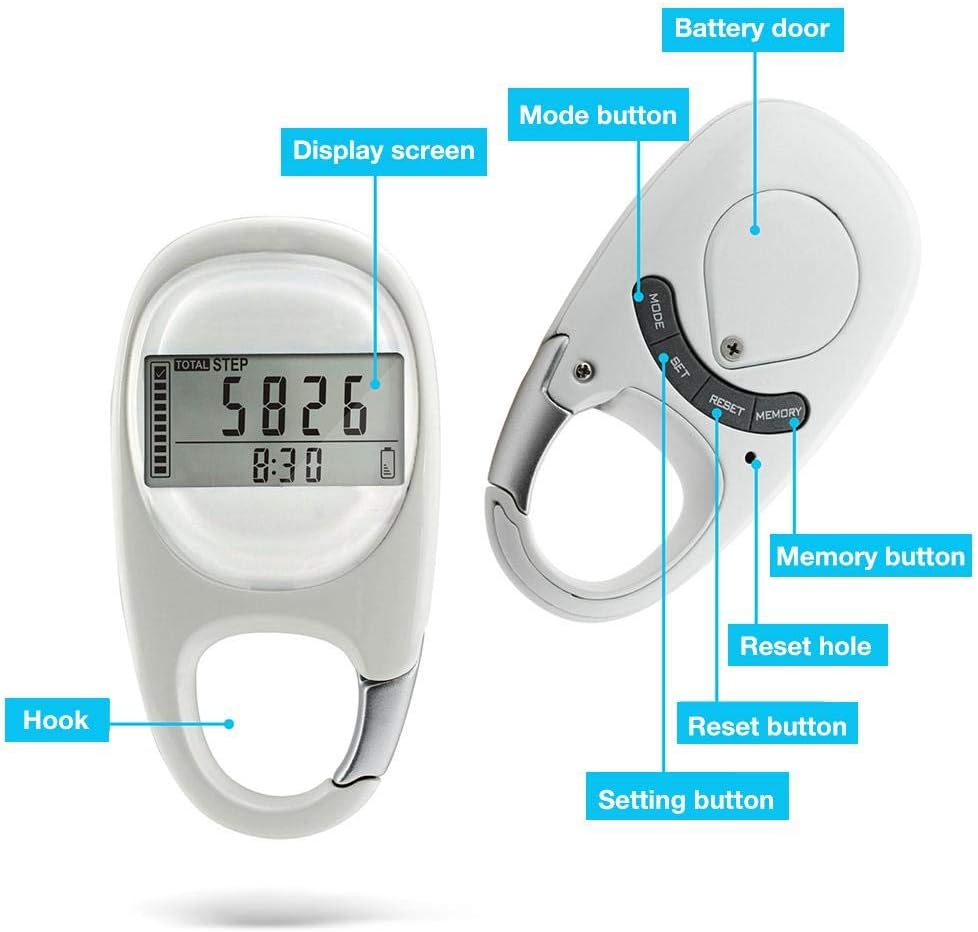
Image 2.1: Pedometer Components. This diagram identifies the display screen, mode button, set button, memory button, reset hole, reset button, battery door, and carabiner hook.
- Display Screen: Shows steps, distance, calories, and time.
- Mode Button: Cycles through different display modes (Steps, Distance, Calories, Time).
- Set Button: Used to enter setting mode and adjust values.
- Memory Button: Accesses historical data.
- Reset Button: Clears current day's data.
- Reset Hole: Used for a factory reset (requires a small pin).
- Battery Door: Access point for battery replacement.
- Carabiner Hook: For attaching the pedometer to clothing or bags.
3. Setup
3.1 Battery Installation / Activation
The pedometer comes with a pre-installed Lithium-ion battery. To activate it, locate the battery door on the back of the device. Gently slide or open the door and remove any protective plastic tab covering the battery. Close the battery door securely. The device should power on automatically.
3.2 Initial Settings (Time, Units, Step Goal)
Upon first activation or after a battery replacement, you may need to set the time and other preferences:
- Set Time: In time display mode, press and hold the SET button until the hour digits begin to flash. Use the MODE button to adjust the hour, then press SET to confirm and move to minutes. Repeat for minutes.
- Set Units: After setting the time, the unit setting (e.g., km/miles) may flash. Use the MODE button to select your preferred unit, then press SET.
- Set Step Goal: Some models allow setting a daily step goal. If prompted, use the MODE button to adjust the target steps and SET to confirm.
- Personal Information (if applicable): You might be asked to input personal data like stride length or weight for more accurate calorie and distance calculations. Follow on-screen prompts using MODE and SET buttons.
If the time is incorrect and cannot be adjusted via the SET button, a full factory reset might be required using the Reset Hole (see Troubleshooting section).
4. Operating Instructions
4.1 Wearing the Pedometer
The ThreeH 3D Digital Pedometer features a robust carabiner clip for versatile attachment. For optimal accuracy, attach the pedometer securely to your clothing, such as a waistband, belt loop, or pocket. It can also be clipped to a bag or backpack.

Image 4.1: Pedometer in Use. The pedometer can be conveniently clipped to your clothing or bag, making it suitable for daily walks and outdoor activities.
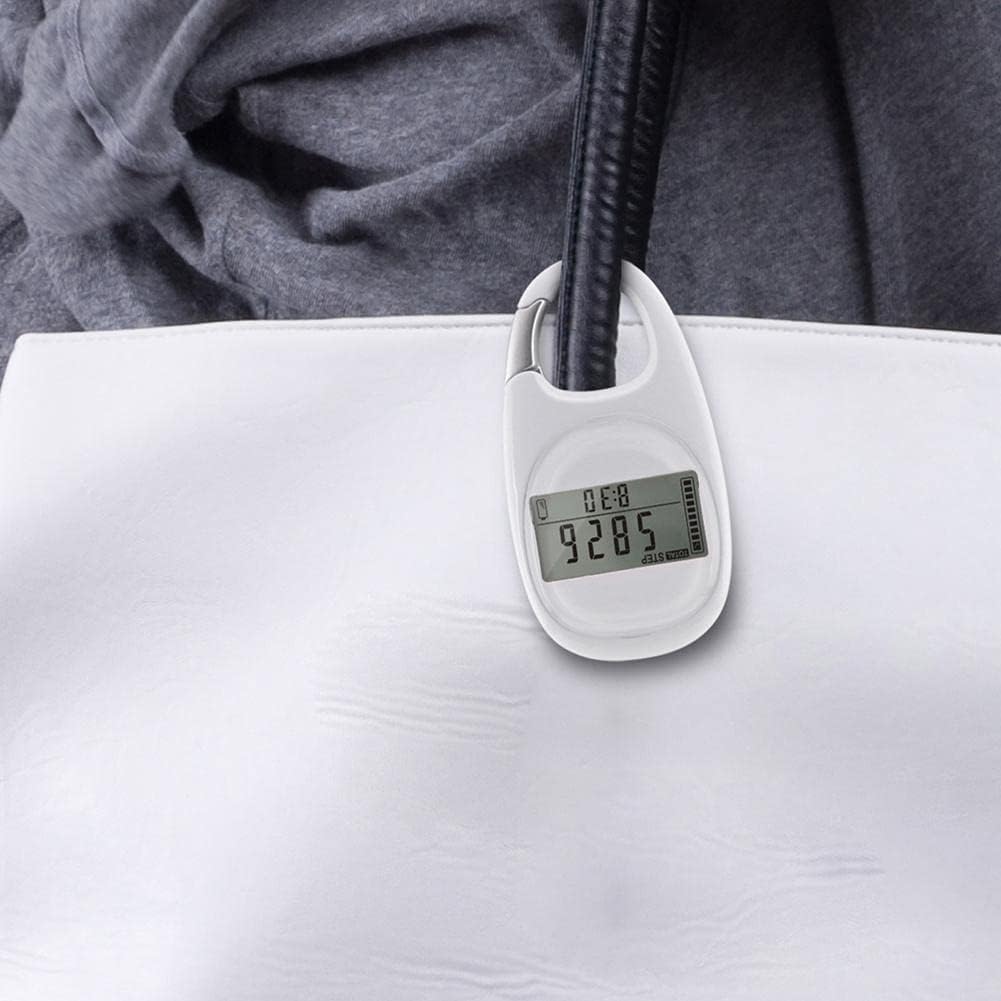
Image 4.2: Clipped to a Bag. The integrated carabiner clip allows for secure attachment to bags, ensuring the pedometer is always with you.
4.2 Basic Functions
- Step Counting: The pedometer automatically begins counting steps as soon as movement is detected.
- Mode Switching: Press the MODE button to cycle through the display of steps, distance, calories, and current time.
- Distance Tracking: Distance is calculated based on your steps and pre-set stride length (if configured).
- Calorie Tracking: Calories burned are estimated based on your activity and pre-set personal data (if configured).
4.3 Memory Function
The pedometer stores up to 7 days of activity data (steps, distance, calories). Press the MEMORY button to view historical records. The device automatically resets daily data at 12:00 AM (midnight) and stores it in memory.
4.4 Auto-Sleep and Auto-Wake
To conserve battery life, the pedometer will automatically enter sleep mode if no movement is detected for approximately 3 minutes. It will automatically wake up and resume tracking once movement is detected again.
5. Maintenance
- Cleaning: Wipe the pedometer with a soft, dry cloth. Do not use abrasive cleaners or immerse the device in water.
- Battery Replacement: When the battery indicator is low or the display fades, replace the Lithium-ion battery. Open the battery door on the back, remove the old battery, and insert a new one with the correct polarity.
- Storage: Store the pedometer in a cool, dry place when not in use for extended periods.
6. Troubleshooting
- Inaccurate Step Count:
- Ensure the pedometer is securely attached and not swinging excessively.
- The 3D sensor is designed to filter out non-step movements, but very subtle movements might not be registered.
- Avoid placing the pedometer in loose pockets where it can move freely without reflecting actual steps.
- Display Not Working / Blank Screen:
- Check the battery level. Replace the battery if it is low.
- Ensure the battery is inserted correctly with the correct polarity.
- The device might be in auto-sleep mode. Move the pedometer to wake it up.
- Cannot Set Time / Settings:
- Ensure you are in the correct mode (e.g., time display) before pressing and holding the SET button.
- If settings remain unresponsive, perform a factory reset by inserting a small pin into the Reset Hole. Note that this will clear all data and settings.
- No Data Recorded:
- Verify the pedometer is powered on and not in sleep mode.
- Ensure the pedometer is worn correctly and experiencing sufficient movement to register steps.
7. Specifications
| Brand: | ThreeH |
| Model Number: | H-AC62 |
| Material: | Plastic |
| Color: | White |
| Dimensions (L x W x H): | 7.6 cm x 4.5 cm x 1.1 cm |
| Weight: | 38 Grams |
| Screen Size: | 1.7 inches |
| Sensor Type: | 3D Pedometer |
| Battery Type: | Lithium-ion |
| Average Battery Life: | Up to 3 years |
| Country of Origin: | China |
8. Warranty and Support
ThreeH products are manufactured to high-quality standards. For information regarding warranty coverage or technical support, please refer to the documentation provided with your purchase or contact your retailer. Spare parts availability is generally supported for up to 3 years from the date of purchase.