
Introduction
This instruction manual provides essential information for the safe and effective use of your PDEEY 705927 12V AC Adapter Battery Charger. This charger is designed as a replacement for various generator batteries, including Generac 0G5744 and Briggs and Stratton 705927. Please read this manual thoroughly before operation and retain it for future reference.
Product Overview
The PDEEY 705927 battery charger is a compact and efficient power supply designed to charge 12V generator batteries. It features a standard AC input and a DC barrel tip round connector for compatibility with various models.
- Input: 100-230V, 50/60Hz
- Output: 12 Volt, 1 Amps
- Connector: DC barrel tip round connector
- Cable Length: 6.6 feet
- Safety Features: Built-in smart IC chip for over voltage, over current, and over-heat protection.

Image: The PDEEY 705927 battery charger connected to a generator, illustrating its use.

Image: The PDEEY 705927 battery charger with its cable coiled, showing its compact design.
Compatibility
This charger is compatible with various generator batteries and models, including but not limited to:
- Generac Generator Battery 0G5744
- Briggs and Stratton 705927 battery
- Westinghouse 7500
- Generac XG8000E, XG10000E, XG6500E
- Generac GP6500E, GP7000E, GP7500E, GP8000E
- Toro Generator 5871, 5819 (8000W models)
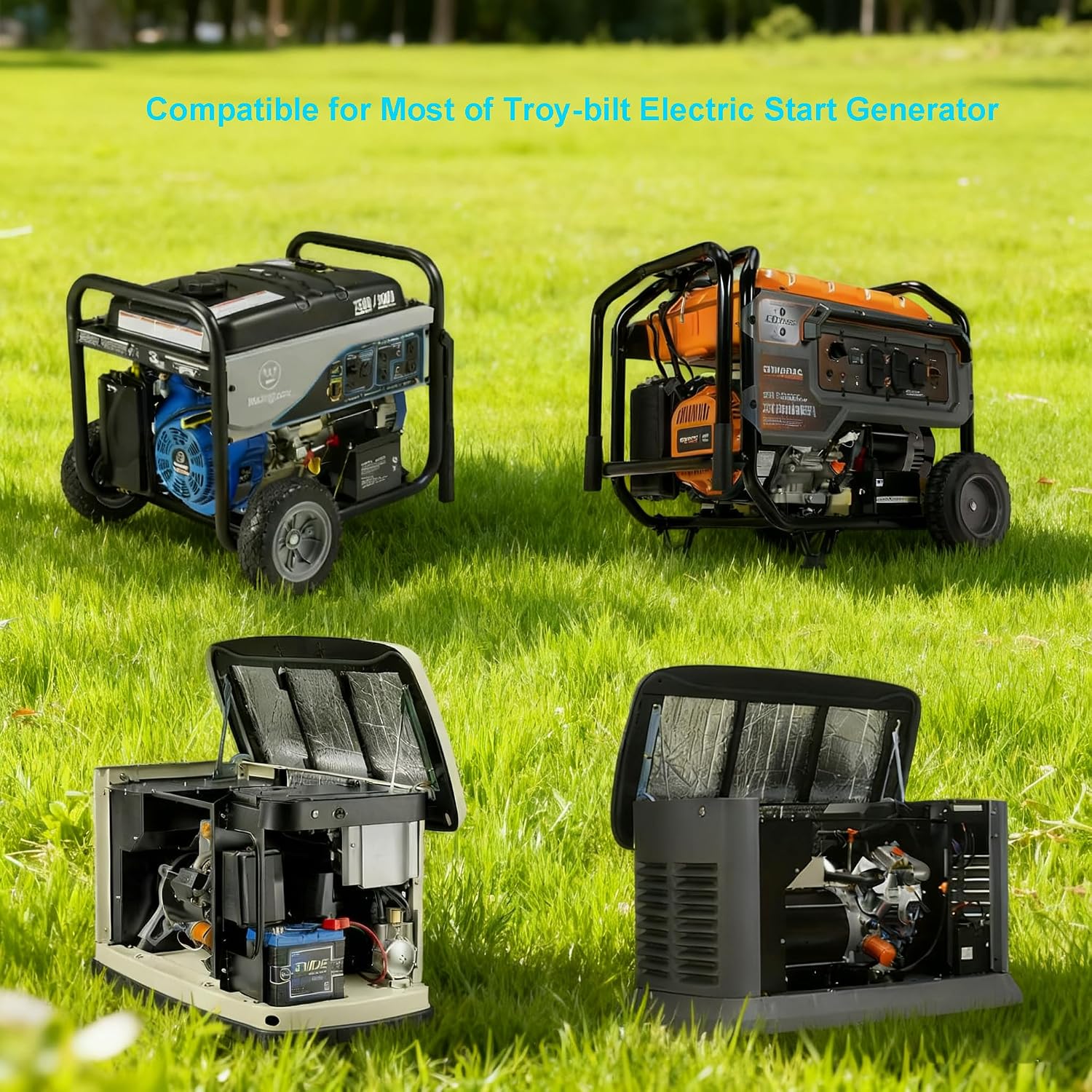
Image: Various generator models shown, indicating broad compatibility with the PDEEY 705927 charger.

Image: A close-up view of the charger's plug and DC barrel connector, highlighting its design.
Specifications
| Brand | PDEEY |
| Model Number | 705927 (GENERATOR-BATTERY-CHARGER) |
| Input Voltage | 100-230V AC, 50/60Hz |
| Output Voltage | 12 Volts DC |
| Output Current | 1 Amps |
| Connector Type | DC Barrel Connector |
| Cable Length | 6.6 feet |
| Safety Features | Over voltage, Over current, Over-Heat protection |
| Material | Plastic |
| Item Weight | 0.09 Kilograms |

Image: The charger with an overlay indicating its 6.6 feet cable length.

Image: A detailed view of the charger's label showing input, output, and connector type.
Setup
- Inspect the Charger: Before first use, visually inspect the charger and its cable for any signs of damage. Do not use if damaged.
- Locate the Charging Port: Identify the 12V DC charging port on your generator battery. Refer to your generator's manual if unsure.
- Connect to Battery: Insert the DC barrel tip round connector of the PDEEY charger firmly into the generator battery's charging port.
- Connect to Power Outlet: Plug the AC adapter into a standard 100-230V wall outlet.
- Verify Connection: Ensure both connections are secure. The charger is designed for plug-and-play operation.
Video: Demonstration of connecting and disconnecting the PDEEY 705927 battery charger. This video shows the physical handling and connection process of the charger.
Operating Instructions
- Once connected, the charger will automatically begin charging the generator battery.
- Monitor the charging process. Some generator batteries may have an indicator light to show charging status.
- The built-in smart IC chip provides protection against over-voltage, over-current, and over-heating, ensuring safe charging.
- When the battery is fully charged, disconnect the charger from the wall outlet first, then from the generator battery.
Note: This charger is designed to maintain the battery charge. For specific charging times or battery health indicators, refer to your generator's battery manual.
Maintenance and Care
- Keep the charger clean and dry. Avoid exposure to moisture or extreme temperatures.
- Store the charger in a cool, dry place when not in use.
- Do not attempt to open or modify the charger. This will void any potential warranty and could be unsafe.
- Regularly check the cable and connectors for wear or damage. Replace the charger if any damage is observed.
Troubleshooting
| Problem | Possible Cause | Solution |
|---|---|---|
| Charger not working / Battery not charging |
|
|
| Charger feels hot during use |
|
|
Warranty and Support
Warranty information for this product is not explicitly provided in the product details. For any support inquiries, technical assistance, or questions regarding compatibility, please contact the manufacturer, PDEEY, through their official channels or the retailer where the product was purchased.
You can visit the PDEEY Store on Amazon for more information.