
Baseus CGCN000001
Baseus 2-in-1 Jump Starter with Air Compressor User Manual
Model: CGCN000001
Product Overview
The Baseus 2-in-1 Jump Starter with Air Compressor is a versatile device designed for automotive emergencies and maintenance. It combines a powerful jump starter for vehicle batteries with an integrated air compressor for tire inflation. This unit is engineered for reliability and ease of use, providing a comprehensive solution for common roadside situations.

Image: The Baseus 2-in-1 Jump Starter unit, showcasing its compact design and LED display.
Package Contents
Upon unboxing, verify that all components are present and in good condition:
- Baseus 2-in-1 Jump Starter Unit
- Smart Jumper Cables (Red and Black clamps)
- USB Charging Cable
- Air Hose with various nozzle adapters
- Storage Pouch
- User Manual (this document)

Image: All components included in the Baseus 2-in-1 Jump Starter package: the main unit, jumper cables, charging cable, air hose with adapters, and storage pouch.
Setup and Charging
Before first use, fully charge the jump starter unit. It is recommended to keep the unit charged above 50% for optimal performance and battery longevity.
- Initial Charge: Connect the provided USB charging cable to the unit's charging port and to a suitable USB power adapter (not included). The LED display will show the charging progress.
- Full Charge Indication: The unit is fully charged when the LED display shows 100%.
- Storage: Store the unit in a cool, dry place, away from direct sunlight and extreme temperatures.

Image: An internal view of the Baseus 2-in-1 Jump Starter highlighting its 8000mAh battery capacity and long standby time.
Operating Instructions
A. Jump Starting a Vehicle
This device is designed to jump start 12V vehicles with up to 4.0L gas or 2.5L diesel engines.
- Prepare the Vehicle: Ensure the vehicle's ignition is off and all accessories (lights, radio, A/C) are turned off.
- Connect Jumper Cables:
- Connect the red (+) clamp to the positive (+) terminal of the vehicle's battery.
- Connect the black (-) clamp to the negative (-) terminal of the vehicle's battery.
- Connect to Jump Starter: Insert the smart jumper cable connector into the jump starter unit's port. Ensure a secure connection. The LED indicator on the smart cable will show connection status.
- Start the Vehicle: Once the smart cable indicator shows a ready state (e.g., solid green light), start the vehicle's engine.
- Disconnect: After the engine starts, immediately disconnect the smart jumper cable from the jump starter unit, then disconnect the black (-) clamp from the vehicle battery, followed by the red (+) clamp.
Important Safety Note: If the smart cable indicator shows an error (e.g., blinking red), check the connections for correct polarity. The device features reverse polarity protection and will sound an alarm if connected improperly.
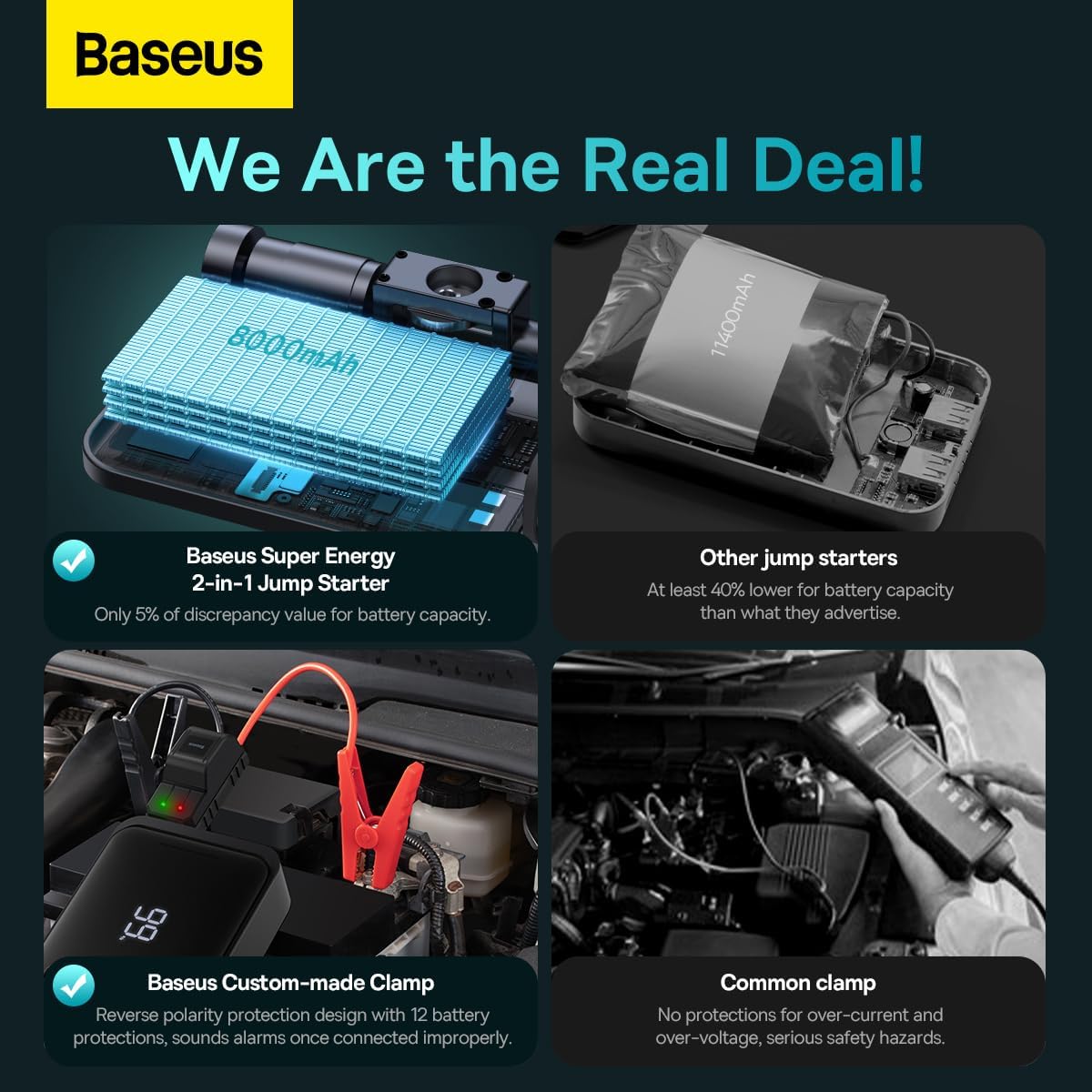
Image: The Baseus 2-in-1 Jump Starter connected to a car battery via its smart jumper cables, ready for operation.
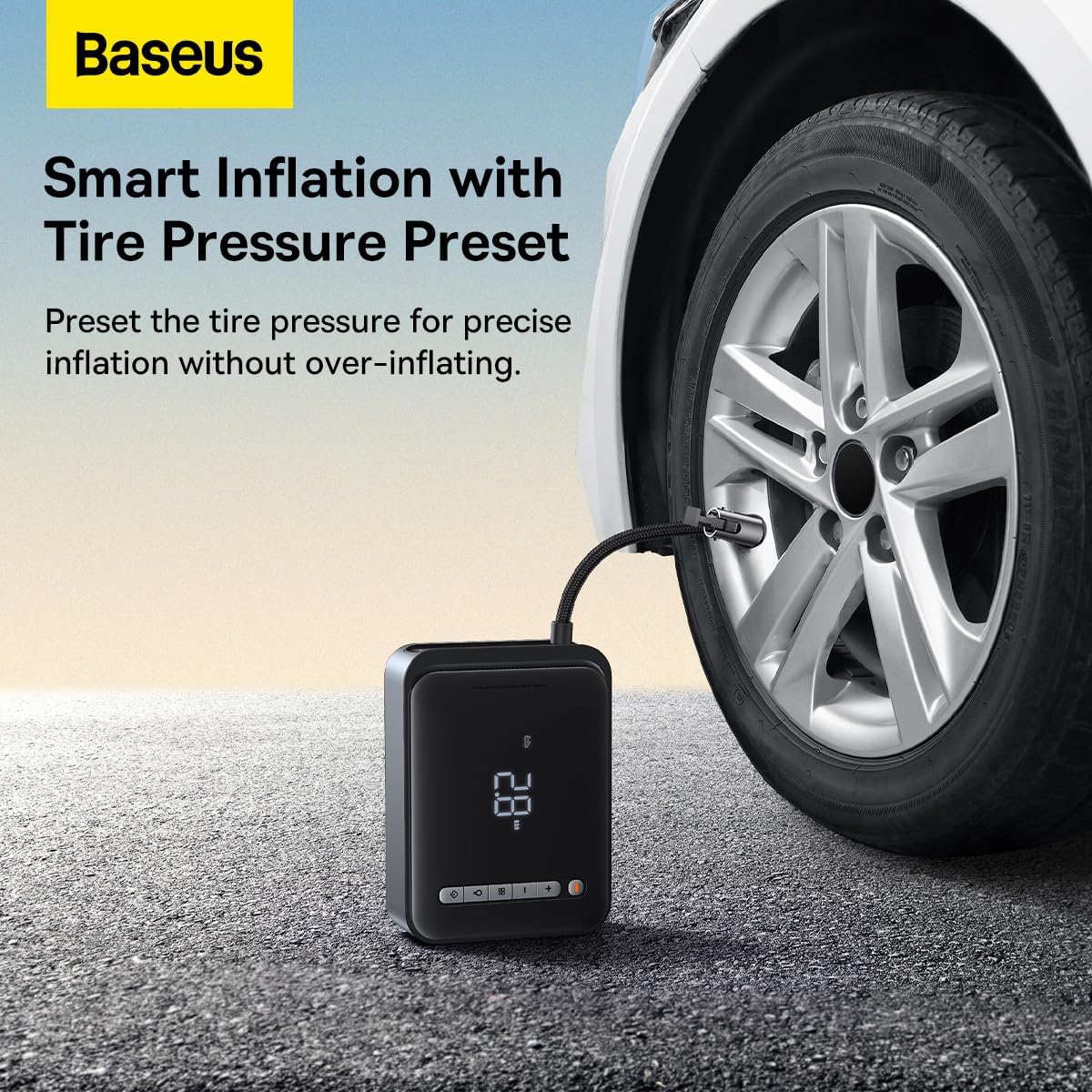
Image: A user demonstrating the process of jump starting a vehicle using the Baseus 2-in-1 Jump Starter, highlighting its ease of use for larger engines.
B. Using the Air Compressor
The integrated air compressor can inflate tires up to 150 PSI and is suitable for cars, motorcycles, bicycles, and other inflatables.
- Connect Air Hose: Screw the air hose securely onto the inflation port of the jump starter unit.
- Attach Nozzle: Select the appropriate nozzle adapter for your item (e.g., Schrader valve for car tires) and attach it to the other end of the air hose.
- Set Desired Pressure: Use the control buttons on the unit to set the target tire pressure. The LED display will show the current and target pressure.
- Start Inflation: Press the inflation button to begin inflating. The compressor will automatically stop once the preset pressure is reached.
- Disconnect: Disconnect the nozzle from the tire valve, then unscrew the air hose from the unit.
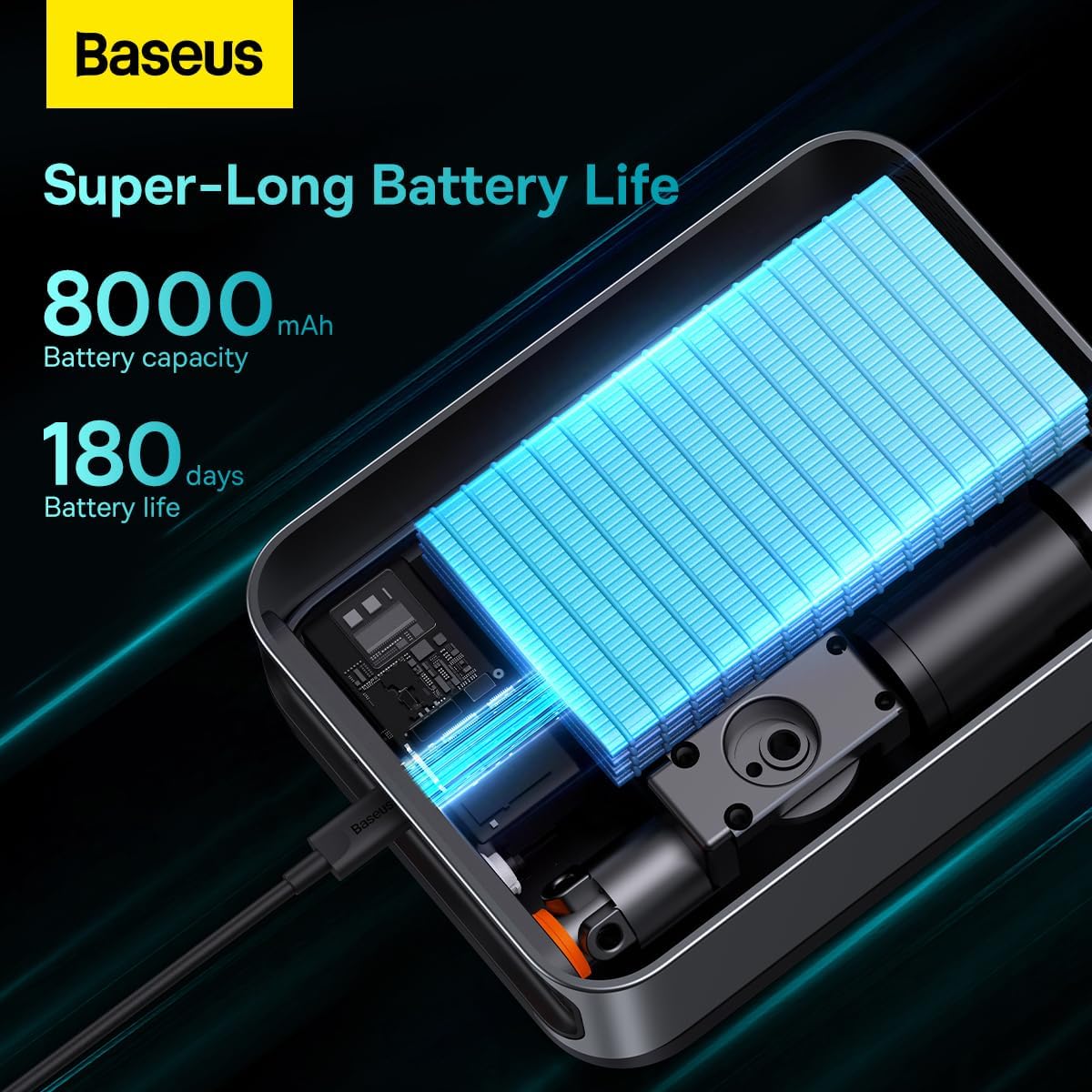
Image: The Baseus 2-in-1 Jump Starter actively inflating a car tire, demonstrating its smart inflation feature with tire pressure preset.
Maintenance
- Recharge Regularly: To maintain battery health, recharge the unit every 3-6 months, even if not used.
- Cleanliness: Keep the unit and accessories clean and free from dust and debris. Use a soft, dry cloth for cleaning.
- Storage: Store in a cool, dry environment. Avoid extreme temperatures and direct sunlight.
- Cable Inspection: Periodically inspect the jumper cables and air hose for any signs of damage or wear. Replace if necessary.
Troubleshooting
| Problem | Possible Cause | Solution |
|---|---|---|
| Unit does not turn on. | Battery is depleted. | Charge the unit fully. |
| Vehicle does not jump start. | Incorrect cable connection; Vehicle battery completely dead; Engine size exceeds capacity. | Check cable polarity (red to +, black to -); Ensure unit is fully charged; Verify vehicle engine size is within specifications (4.0L Gas / 2.5L Diesel). |
| Air compressor not inflating. | Air hose not securely connected; Nozzle adapter not properly attached; Unit battery low. | Ensure all connections are tight; Check unit battery level and recharge if necessary. |
| Smart cable indicator shows error. | Reverse polarity connection; Short circuit detected. | Disconnect immediately and re-connect cables with correct polarity. If error persists, contact support. |
Specifications
| Feature | Detail |
|---|---|
| Brand | Baseus |
| Model Number | CGCN000001 |
| Peak Current | 1000 Amps |
| Battery Capacity | 8000mAh |
| Vehicle Service Type | Passenger Car, Motorcycle, Truck |
| Engine Compatibility | Up to 4.0L Gas or 2.5L Diesel |
| Air Compressor Pressure | Up to 150 PSI |
| Operating Temperature | -20 to 60℃ |
| Product Dimensions | 10 x 5 x 3 cm (approx.) |
| Item Weight | 30 g (approx.) |
Warranty and Support
Baseus products are manufactured with high-quality standards. For warranty information and customer support, please refer to the official Baseus website or contact your point of purchase.
- Official Website: www.baseus.com
- Customer Service: Refer to the contact information provided on the product packaging or the official Baseus website for regional support.
Please retain your purchase receipt for warranty claims.
Related documentsCGCN000001


Ask a question about this manual
Ask about setup, troubleshooting, compatibility, parts, safety, or missing instructions. Manuals+ will review the question and use this page’s manual context to help answer it.