
VTech CS1551
VTech CS1551 DECT Cordless Phone User Manual
Model: CS1551
Brand: VTech
1. Introduction
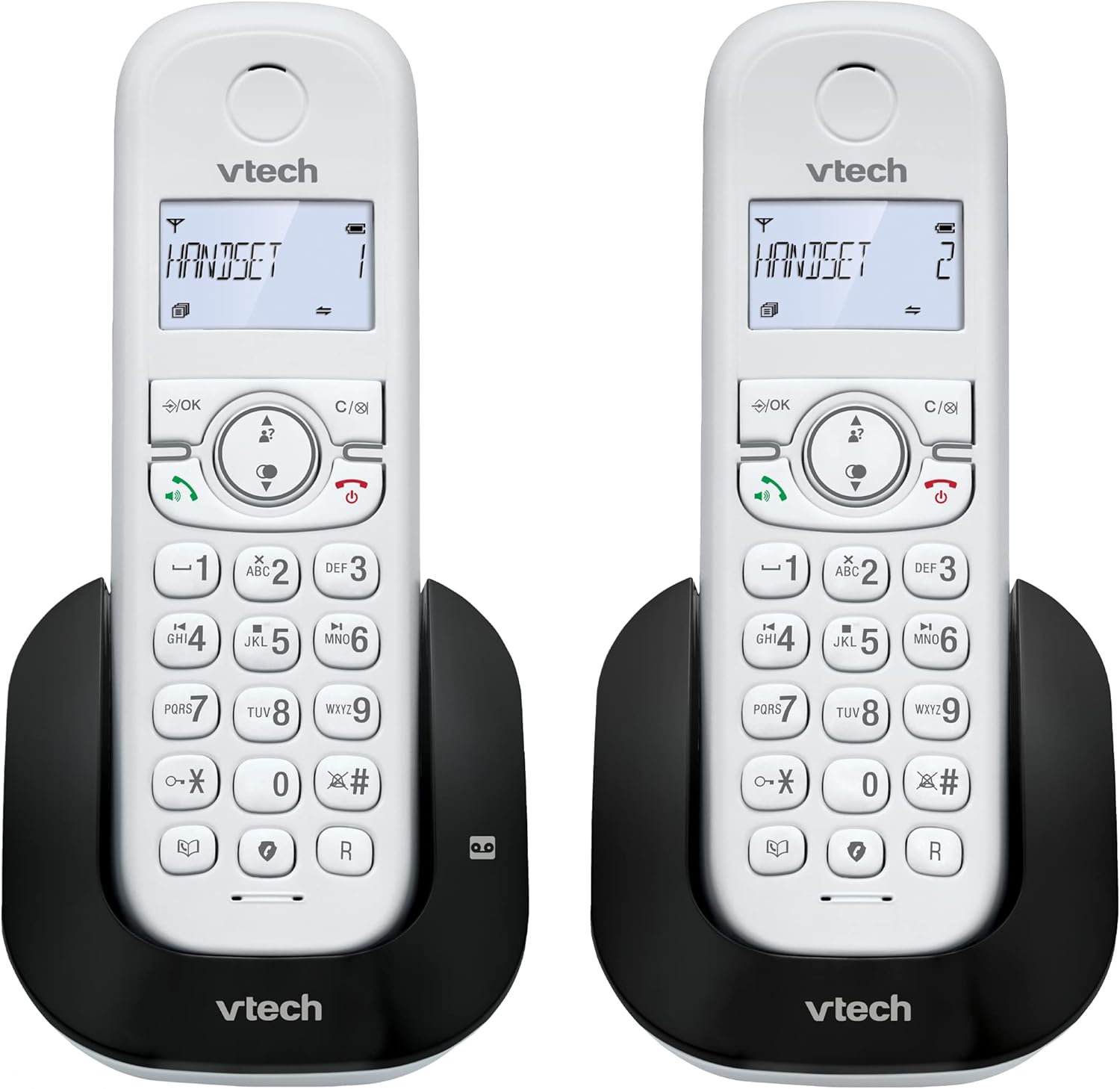
This manual provides detailed instructions for the VTech CS1551 DECT Cordless Phone, a versatile communication system featuring a digital answering machine, call blocking capabilities, and a dual-handset design for enhanced convenience. Please read this manual thoroughly before operating your new phone system to ensure proper setup and functionality.
Key Features:
- Handset Dual-charging Design: Innovative charging design allows users to charge the handset face-down or face-up for easy viewing or convenient placement.
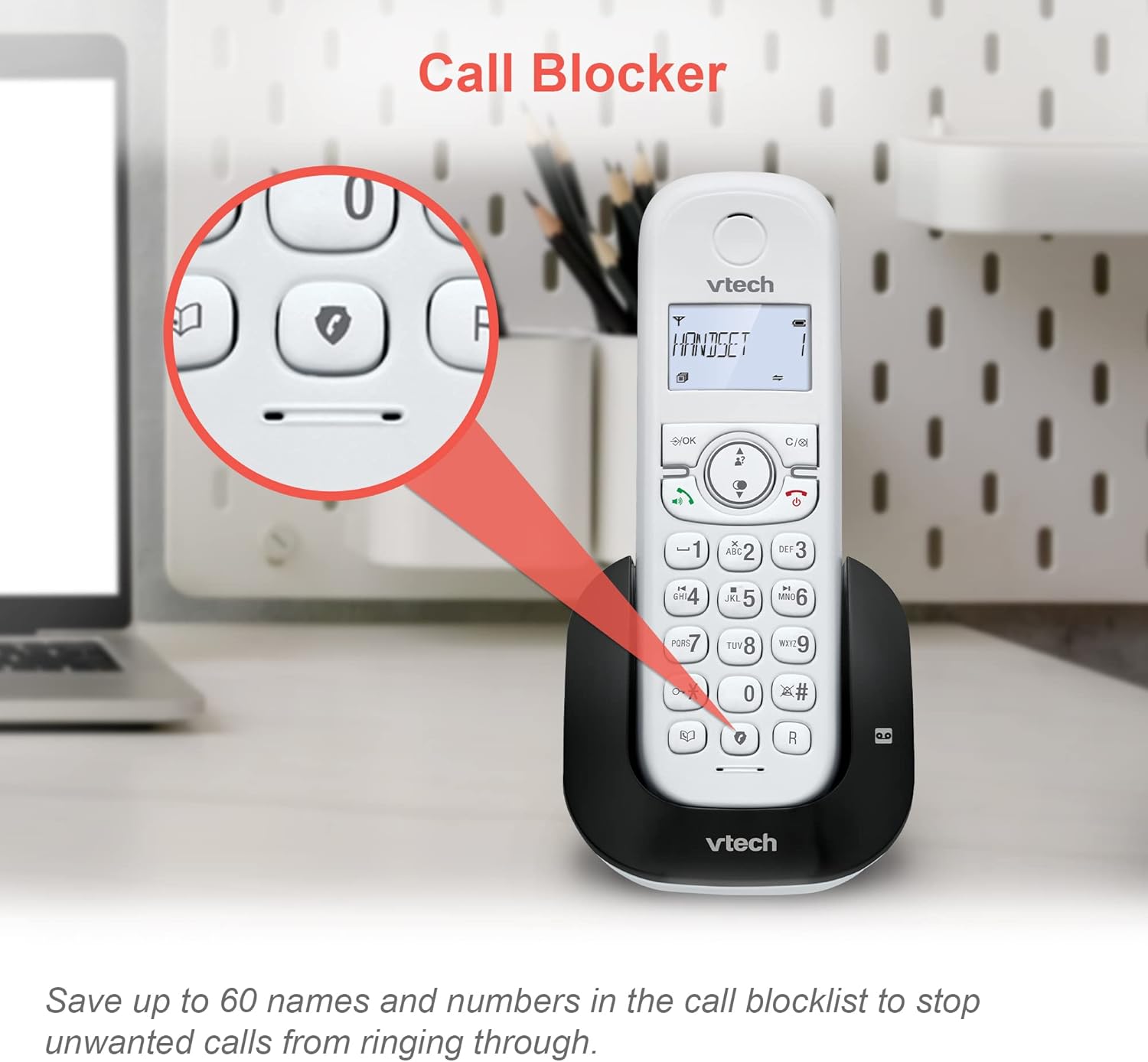
- Nuisance Call Blocker: Block up to 60 blacklisted numbers to avoid unwanted calls.
- Digital Answering Machine: Features 15 minutes of recording time for missed calls.
- 3-way conference: Handset call transfer and intercom allow multiple users to participate in a conversation.
- Additional Features: Backlit Display, 60 Name & Number phonebook, Handsfree Speakerphone.
2. What's in the Box
Verify that all items are present in your package:
- 1 Base Unit
- 2 cordless handsets
- 2 chargers
- 2 AC adaptors
- 2 battery packs
- Telephone line cord
- Quick start guide
3. Setup
3.1. Connecting the Base Unit
- Plug the small end of the telephone line cord into the TEL LINE jack on the back of the base unit.
- Plug the large end of the telephone line cord into a telephone wall jack.
- Plug the AC adaptor into the POWER jack on the back of the base unit.
- Plug the AC adaptor into a wall outlet not controlled by a wall switch.
3.2. Battery Installation and Charging
Each handset requires a battery pack for operation. Ensure batteries are fully charged before first use.
- Open the battery compartment cover on the back of the handset.
- Connect the battery pack plug into the jack inside the compartment, ensuring correct polarity.
- Place the battery pack into the compartment and replace the cover.
- Place the handset on the base unit or charger with the display facing up or down. The charging indicator on the handset will illuminate.
- Allow the handset to charge for at least 16 hours before initial use.

4. Operating Instructions
4.1. Making and Receiving Calls
- To Make a Call: Press TALK or any dial key, then dial the number.
- To Receive a Call: When the phone rings, press TALK.
- To End a Call: Press OFF or place the handset back on the base/charger.
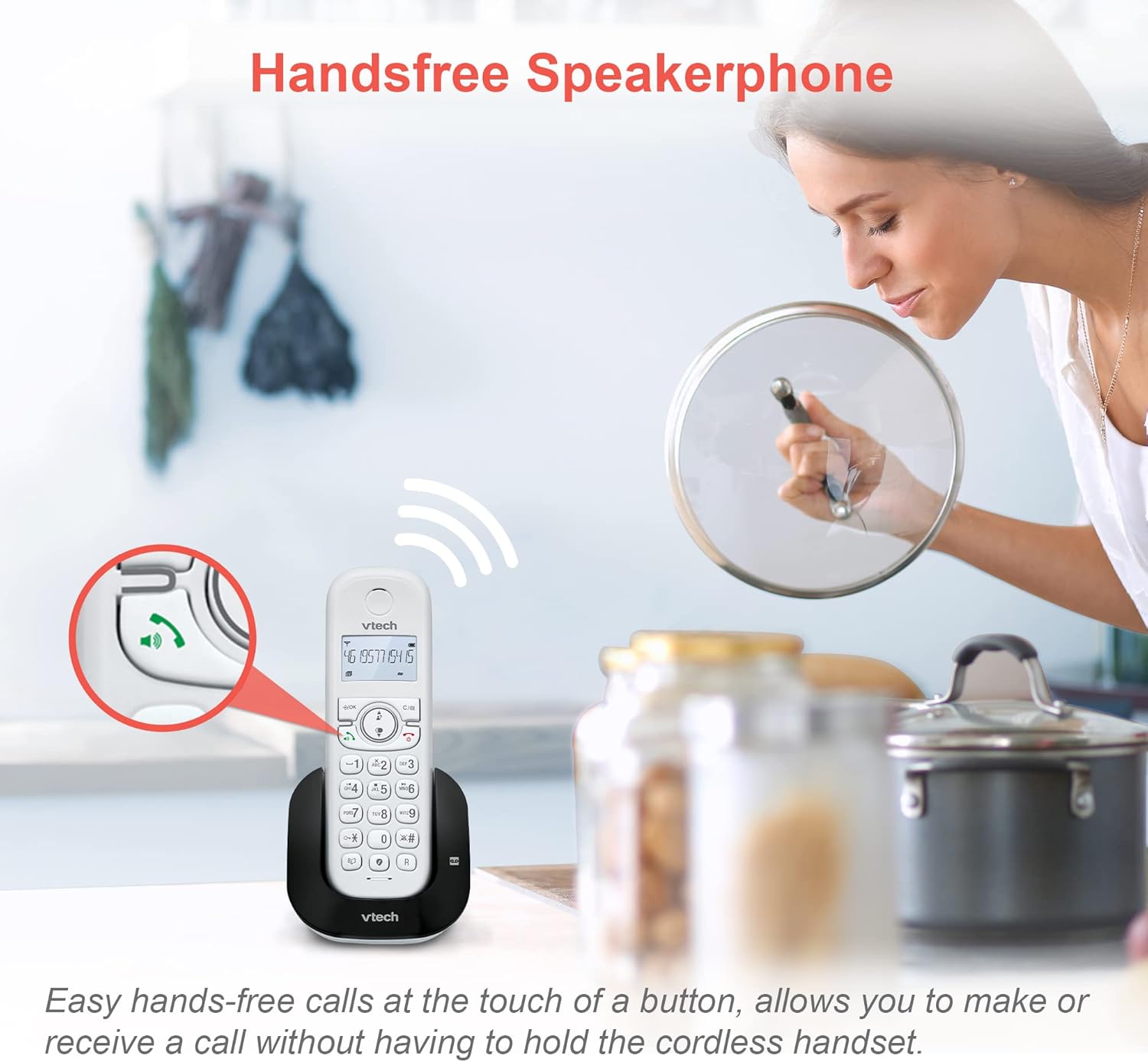
- Handsfree Speakerphone: During a call, press SPEAKER to activate the speakerphone. Press again to return to handset mode.
4.2. Digital Answering Machine
The integrated digital answering machine can record up to 15 minutes of messages.
- To Turn On/Off: Press ANS ON/OFF on the base unit.
- To Play Messages: Press PLAY/STOP on the base unit.
- To Record Outgoing Message: Follow instructions in the quick start guide for custom message recording.

4.3. Call Blocking
Block unwanted calls by adding numbers to the call block list (up to 60 entries).
- To Block a Number During a Call: Press CALL BLOCK.
- To Block a Number from Caller ID Log: Access the Caller ID log, select the number, then press CALL BLOCK.
- To Manually Add a Number: Navigate to the Call Block menu in the handset settings and enter the number.
4.4. Phonebook Management
Store up to 60 names and numbers in the phonebook for quick dialing.
- To Add a New Entry: Press MENU/SELECT, navigate to Phonebook, then select Add New Entry.
- To Search/Dial from Phonebook: Press PHONEBOOK, use UP/DOWN arrows to scroll, then press TALK to dial.

4.5. Caller ID and Call Waiting
The phone stores the last 20 Caller ID entries. Requires subscription to Caller ID service from your telephone service provider.
- To Review Caller ID Log: Press CID. Use UP/DOWN arrows to scroll.
- To Dial from Caller ID Log: Select the desired entry and press TALK.

4.6. Redial Function
The handset stores the last 10 numbers dialed for quick redialing.
- To Redial: Press REDIAL/PAUSE, then use UP/DOWN arrows to select the desired number, and press TALK.

4.7. 3-Way Conference Calls
Facilitate a three-way conversation between two internal handsets and an external line.
- During an external call, press INTERCOM to call another handset.
- Once the other handset answers, press CONF to establish the 3-way conference.

4.8. Adjusting Settings
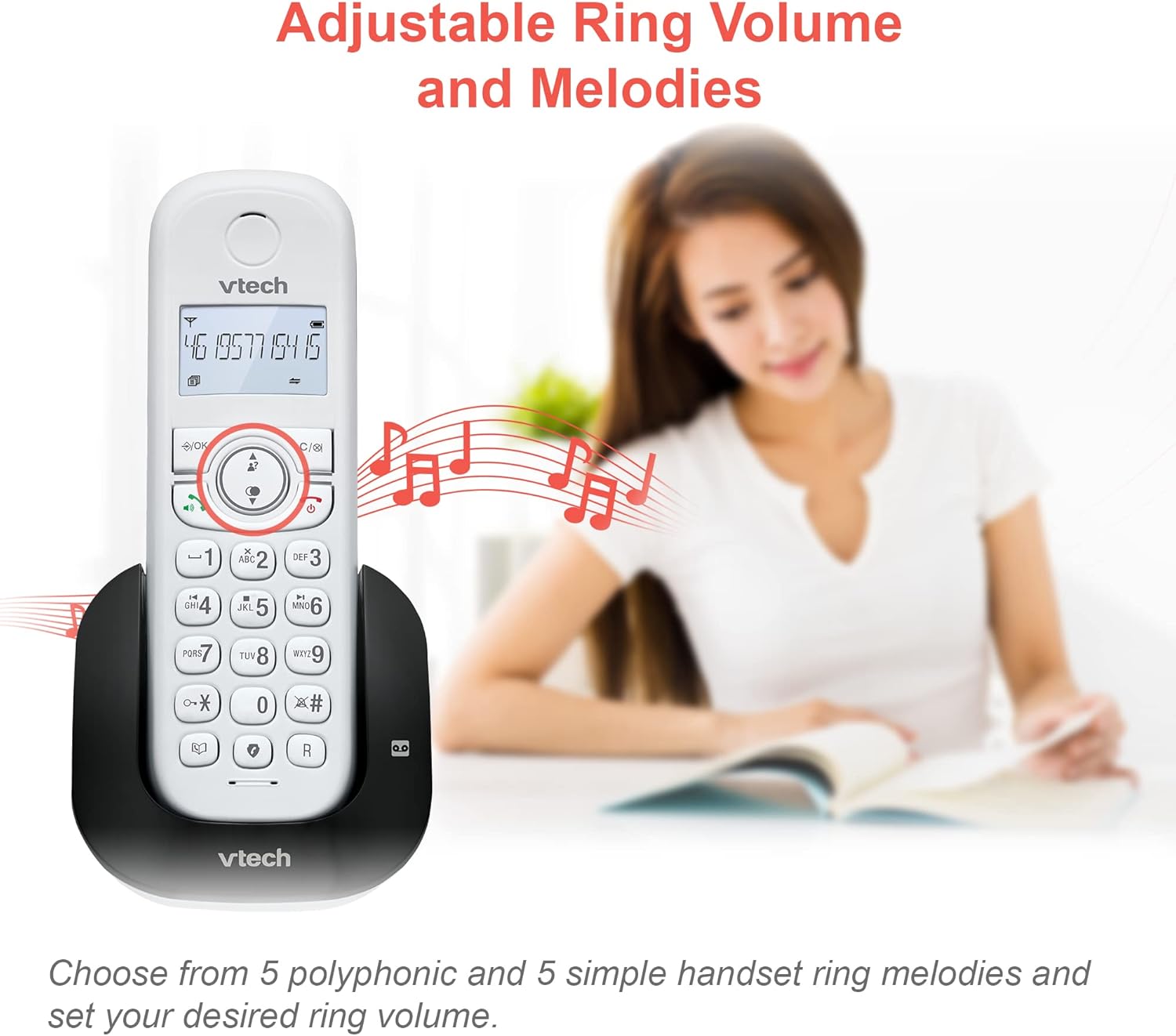
- Ring Volume and Melodies: Access the handset menu to select from 5 polyphonic and 5 simple ring melodies and adjust the ring volume.
- Alarm and Mute Function: Set convenient alarms on the handset or mute your voice during calls for privacy.

- ECO Power Mode: The phone automatically adjusts and minimizes radio frequency power when the handset is close to the base unit, conserving energy.

4.9. Display and Battery Life
- Backlit Display: The entire LCD illuminates, allowing for easier viewing in dim light conditions.

- Battery Life: The handset battery supports up to 13 hours of talk time and 200 hours of standby time.
- Reliable Long Range: Experience clear communication and extended coverage throughout your home.


5. Maintenance
To ensure optimal performance and longevity of your VTech CS1551 phone system, follow these maintenance guidelines:
- Cleaning: Wipe the phone and base unit with a soft, damp cloth. Do not use cleaning sprays or liquid cleaners.
- Battery Care: If the phone will not be used for an extended period, remove the battery from the handset. Store the battery in a cool, dry place.
- Environment: Avoid placing the phone in direct sunlight, near heat sources, or in areas with excessive moisture or dust.
6. Troubleshooting
If you experience issues with your phone, try the following troubleshooting steps:
| Problem | Solution |
|---|---|
| No dial tone | Ensure the telephone line cord is securely plugged into both the base unit and the wall jack. Check if the AC adaptor is properly connected to the base unit and a working power outlet. |
| Cannot make/receive calls | Check if the handset battery is charged. Ensure the base unit has power. If you have DSL internet, ensure a DSL filter is installed. |
| Poor sound quality / Static | Move the handset closer to the base unit. Avoid placing the base unit near other electronic devices (e.g., microwaves, Wi-Fi routers) that may cause interference. |
| Handset not charging | Ensure the handset is correctly seated in the base unit or charger. Clean the charging contacts on both the handset and the base/charger with a dry cloth. |
| Answering machine not recording | Check if the answering machine is turned ON. Ensure there is sufficient recording time available. |
7. Specifications
| Feature | Specification |
|---|---|
| Model Number | CS1551 |
| Telephone Type | Cordless DECT |
| Number of Handsets | 2 |
| Answering System Type | Digital |
| Answering Machine Recording Time | 15 Minutes |
| Phonebook Capacity | 60 Names & Numbers |
| Call Block Capacity | 60 Numbers |
| Caller ID History | 20 Calls |
| Redial Memory | 10 Last Numbers |
| Talk Time | Up to 13 Hours |
| Standby Time | Up to 200 Hours |
| Power Source | Battery Powered (2 Product Specific batteries included) |
| Compatible Devices | Standard Landline Networks (PSTN, ISDN) |
| Colour | White |
| Item Weight | 550 Grams |
| Package Dimensions | 36.2 x 26.4 x 9.9 cm |
8. Warranty and Support
VTech products are manufactured to high quality standards. For warranty information, technical support, or to purchase accessories, please refer to the contact details provided in your product's quick start guide or visit the official VTech website. Keep your purchase receipt as proof of purchase.
Related documentsCS1551


Ask a question about this manual
Ask about setup, troubleshooting, compatibility, parts, safety, or missing instructions. Manuals+ will review the question and use this page’s manual context to help answer it.