
PRUNUS J-170
PRUNUS Retro Vintage Radio Instruction Manual
Model: J-170 | Brand: PRUNUS
Introduction
Thank you for choosing the PRUNUS J-170 Retro Vintage Radio. This manual provides essential information for the safe and efficient operation of your device. Please read it thoroughly before use and retain it for future reference. This multi-functional device combines a classic radio with modern features, including Bluetooth connectivity, TF card, and USB playback, all powered by a rechargeable battery.
Safety Instructions
- Do not expose the device to rain, moisture, or extreme temperatures.
- Avoid dropping or subjecting the device to strong impacts.
- Do not disassemble, repair, or modify the device yourself. Refer all servicing to qualified personnel.
- Keep the device away from heat sources such as radiators, heat registers, stoves, or other apparatus (including amplifiers) that produce heat.
- Use only the specified charging cable and power adapter (DC 5V) to charge the device.
- Do not block any ventilation openings. Ensure proper airflow around the device.
- Dispose of the battery responsibly according to local regulations.
Package Contents
Please check the package for the following items:
- PRUNUS J-170 Retro Vintage Radio
- USB Charging Cable
- Owner's Manual

Image: The package contents, showing the PRUNUS J-170 radio, a USB charging cable, and the owner's manual.
Product Overview
Familiarize yourself with the components and controls of your PRUNUS J-170 radio.

Image: Front panel of the PRUNUS J-170 radio, highlighting its vintage design and controls.
Front Panel Controls:
- VOLUME Knob: Controls power ON/OFF and adjusts volume.
- TUNING Knob: Adjusts radio frequency for AM/FM/SW bands.
- MP3/SW/AM/FM Switch: Selects between MP3 playback mode (TF card/USB) and radio bands (SW, AM, FM).
- USB Port: For USB disk playback.
- TF Card Slot: For TF (Micro SD) card playback.
- LED Indicator: Shows charging status (red when charging).
- DC 5V Port: Charging input port.
- Playback Control Buttons: Skip backward, Play/Pause, Skip forward (for MP3/Bluetooth modes).


Image: Detailed views of the control knobs and media playback section.
Other Features:
- Telescopic Antenna: For improved radio reception.
- Carry Handle: For easy portability.
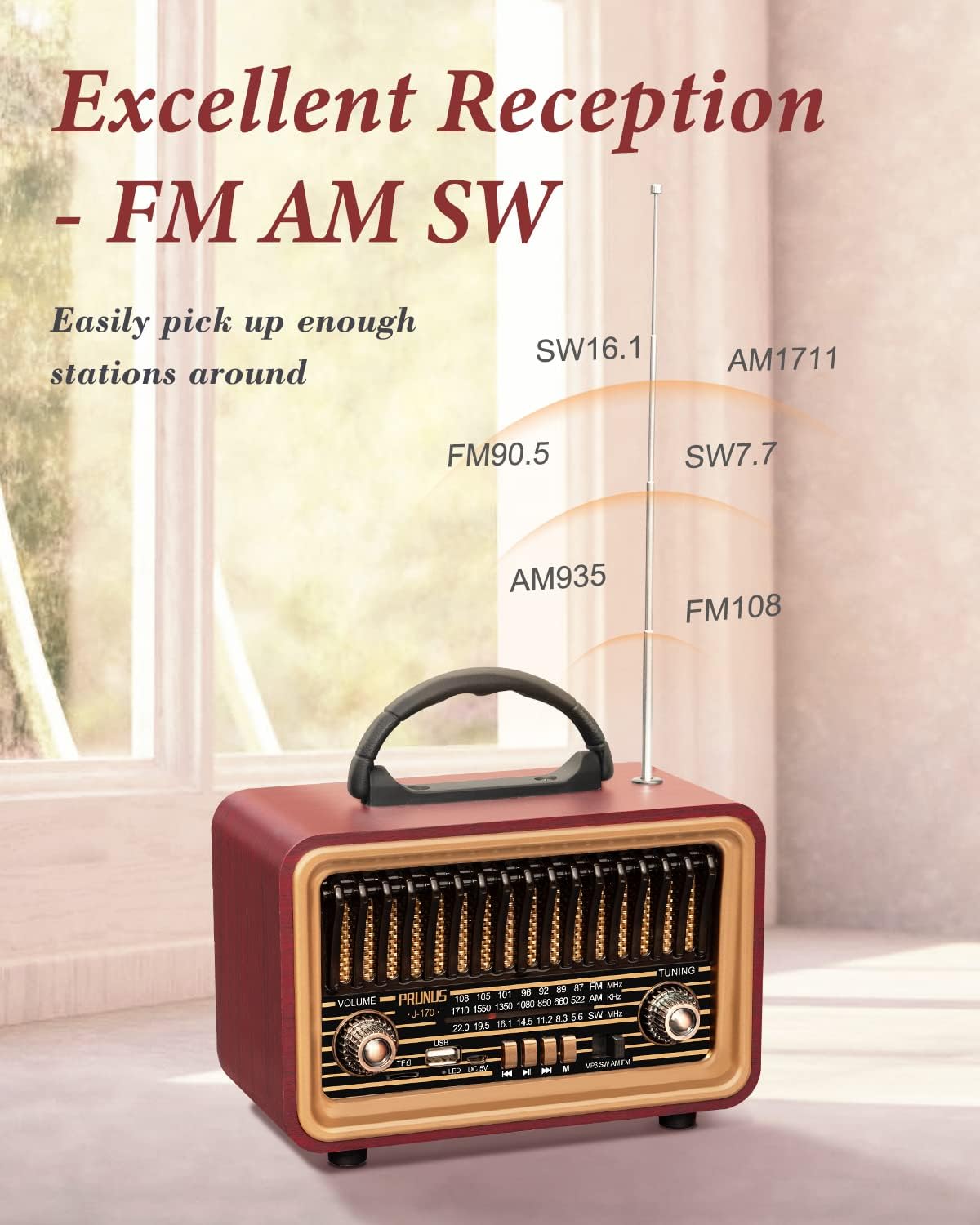
Image: The radio's portable design with a convenient carry handle.
Setup
Charging the Battery:
The PRUNUS J-170 radio is equipped with a built-in 1800mAh rechargeable battery. Before first use, it is recommended to fully charge the battery.
- Locate the DC 5V charging port on the front panel of the radio.
- Connect one end of the provided USB charging cable to the DC 5V port on the radio.
- Connect the other end of the USB charging cable to a compatible USB power adapter (not included) or a computer's USB port.
- The LED indicator will illuminate red during charging. The LED indicator will turn off when the battery is fully charged. Avoid charging for longer than a day to preserve battery life.
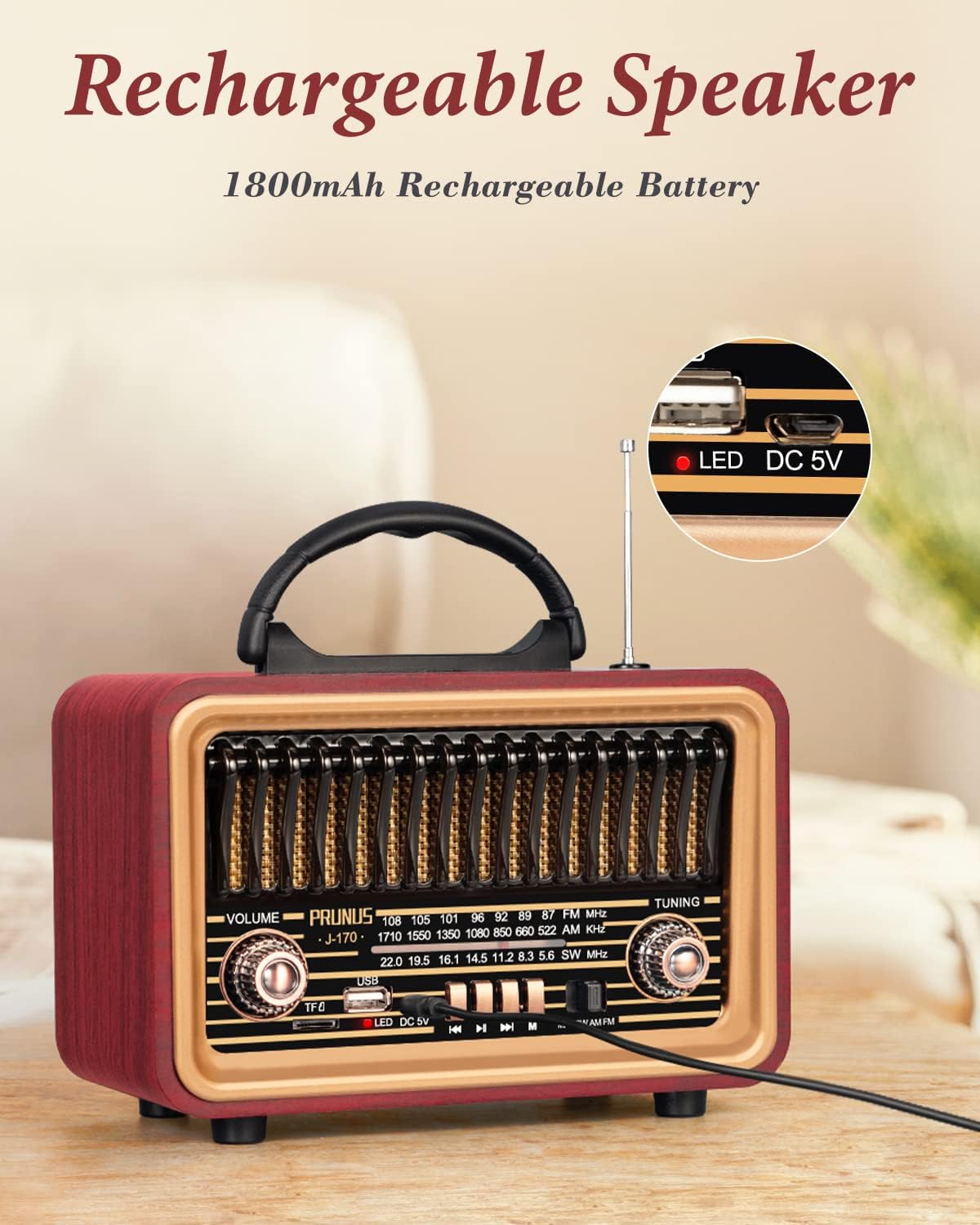
Image: The radio's charging port and LED indicator for charging status.
Powering On/Off:
To power on the radio, rotate the VOLUME knob clockwise until you hear a click. To power off, rotate the VOLUME knob counter-clockwise until it clicks off.
Operating Instructions
Radio Mode (AM/FM/SW):
- Turn on the radio using the VOLUME knob.
- Slide the MP3/SW/AM/FM switch to select your desired radio band (FM, AM, or SW).
- Extend the telescopic antenna for optimal reception, especially for FM and SW bands.
- Rotate the TUNING knob to scan for available radio stations.

Image: The radio's antenna extended for enhanced reception across multiple bands.
Bluetooth Mode:
The radio supports Bluetooth 5.0 for wireless audio streaming.
- Turn on the radio.
- Slide the MP3/SW/AM/FM switch to the "MP3" position. The radio will automatically enter Bluetooth pairing mode, indicated by an audible prompt.
- On your mobile device (smartphone, tablet, etc.), enable Bluetooth and search for available devices.
- Select "PRUNUS J-170" from the list of devices to pair. Once connected, you will hear a confirmation sound.
- You can now play audio from your device through the radio. Use the playback control buttons on the radio or your connected device to control music.
TWS (True Wireless Stereo) Pairing:
For an immersive stereo experience, you can pair two PRUNUS J-170 radios together.
- Ensure both radios are powered on and in Bluetooth mode (MP3 position).
- On one radio, press and hold the Play/Pause button until you hear a TWS pairing prompt.
- The two radios will automatically search for and connect to each other. Once connected, you will hear a confirmation sound.
- Connect your mobile device to one of the paired radios via Bluetooth as described above. Audio will now play in stereo through both units.

Image: Illustration of two PRUNUS J-170 radios paired for True Wireless Stereo sound.
TF Card / USB Disk Playback:
The radio supports playing MP3 audio files from a TF (Micro SD) card or a USB disk.
- Turn on the radio.
- Insert a TF card into the TF card slot or a USB disk into the USB port.
- Slide the MP3/SW/AM/FM switch to the "MP3" position. The radio will automatically detect the storage device and begin playing audio files.
- Use the playback control buttons (Skip backward, Play/Pause, Skip forward) to navigate through your music.
Video: Demonstrates the various functions of the PRUNUS J-170 radio, including FM/AM/SW radio tuning, Bluetooth pairing, TF card playback, USB disk playback, and charging. The video highlights the ease of use for each mode.
Maintenance
- Cleaning: Use a soft, dry cloth to clean the exterior of the radio. Do not use abrasive cleaners, waxes, or solvents.
- Storage: When not in use for extended periods, store the radio in a cool, dry place, away from direct sunlight and extreme temperatures.
- Battery Care: To prolong battery life, avoid fully discharging the battery frequently. If storing for a long time, charge the battery to about 50% every few months.
Troubleshooting
| Problem | Possible Cause | Solution |
|---|---|---|
| Radio does not power on. | Battery is depleted. | Charge the radio using the provided USB cable. |
| Poor radio reception. | Antenna not extended or weak signal. | Fully extend the telescopic antenna. Try repositioning the radio for better signal. |
| Bluetooth device cannot pair. | Radio not in Bluetooth mode or device too far. | Ensure the mode switch is on "MP3" and the radio is in pairing mode. Keep your device within 10 meters (33 feet) of the radio. |
| No sound from TF card/USB disk. | Incorrect file format or improperly inserted card/disk. | Ensure audio files are in MP3 format. Reinsert the TF card or USB disk securely. |
Specifications
| Feature | Detail |
|---|---|
| Model Number | J-170 |
| Product Dimensions | 7.87"L x 4"W x 5.7"H |
| Item Weight | 2 pounds |
| Connectivity Technology | AM/FM, Bluetooth, USB |
| Bluetooth Version | 5.0 |
| Radio Bands Supported | AM, FM, SW |
| Power Source | Rechargeable (1800mAh battery) |
| Color | Red |

Image: The compact dimensions of the PRUNUS J-170 radio in a home setting.
Warranty and Support
PRUNUS offers a 12-month warranty for this product. If you encounter any issues or have questions regarding your PRUNUS J-170 radio, please do not hesitate to contact our customer service team. We provide 24/7 customer service to ensure your satisfaction.
For support, please refer to the contact information provided on the product packaging or the official PRUNUS website.
Ask a question about this manual
Ask about setup, troubleshooting, compatibility, parts, safety, or missing instructions. Manuals+ will review the question and use this page’s manual context to help answer it.