
1. Introduction
This manual provides detailed instructions for the setup, operation, and maintenance of your ThreeH H-AC61Blue Walking Pedometer. Please read this manual thoroughly before using the device to ensure optimal performance and accurate tracking of your activity.
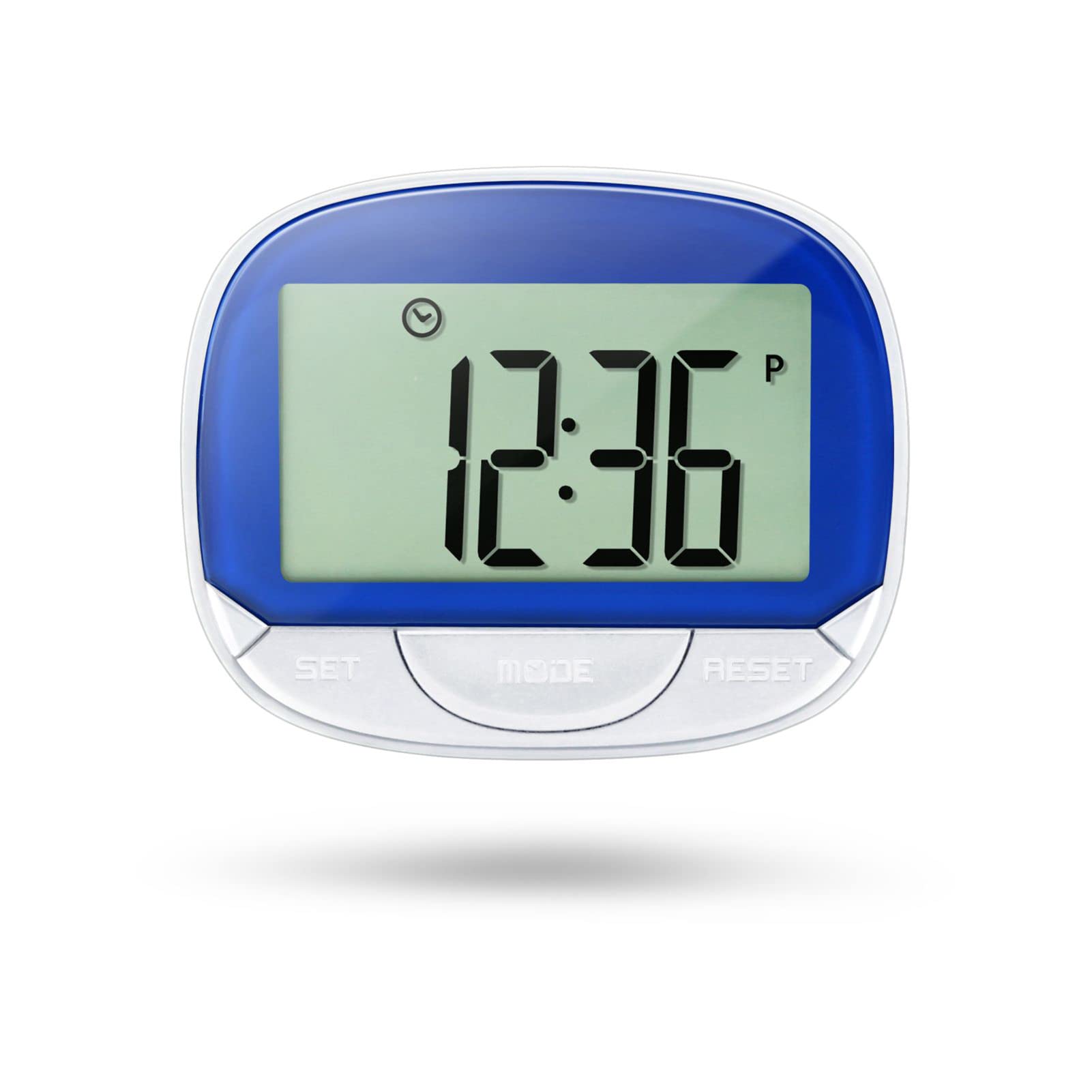
Image 1: ThreeH H-AC61Blue Walking Pedometer. This image shows the pedometer with its large LCD screen displaying "12:36" and three buttons labeled SET, MODE, and RESET. A person is seen running in the background, indicating its use for fitness tracking.
2. What's in the Box
- 1 x ThreeH H-AC61Blue Walking Pedometer
- 1 x User Manual (this document)
3. Product Features
- Large LCD Screen Display: A 55 mm (2.2 inch) screen for clear readability of data and current time.
- Multi-function Tracking: Tracks steps, distance traveled, and calories burned.
- Time Display: Shows current time even when not actively tracking, with 12/24 Hour Mode options.
- Accuracy Feature: Designed to avoid erroneous data by not recording the first 5 steps; subsequent steps are recorded along with the initial 5.
- Portable Design: Small and lightweight with a back clip for easy attachment to a waist belt, arm, leg, or pocket.
- Durable Construction: Made of ABS material for wear resistance and long-lasting use.
- Long Battery Life: Built-in DC 1.5V AG13 battery designed to last up to one year.
4. Device Overview
Familiarize yourself with the main components of your pedometer:
- LCD Screen: Displays time, steps, distance, and calories.
- SET Button: Used to enter setup mode and confirm settings.
- MODE Button: Used to switch between display modes (Step, Distance, Calories, Time).
- RESET Button: Used to clear data or adjust values during setup.
- Back Clip: For secure attachment to clothing.

Image 2: Dimensions of the ThreeH H-AC61Blue Pedometer. The image shows the pedometer with measurements indicating a width of 65mm (2.55 inches) and a height of 52mm (2.04 inches).
5. Setup Instructions
Before first use, or after replacing the battery, you may need to set the time, stride distance, and weight for accurate readings.
- Initial Power On: The device should power on automatically when the battery is inserted.
- Entering Setup Mode: Press and hold the SET button for a few seconds until the display changes to indicate setup mode (e.g., time setting).
- Setting Time (12/24 Hour Format):
- While in time setting, press the RESET button to toggle between 12-hour and 24-hour formats.
- Press SET to confirm and move to setting the hour.
- Use RESET to adjust the hour, then SET to confirm.
- Repeat for minutes.
- Setting Stride Distance:
- After time, the display will show stride distance (e.g., "IN" for inches or "CM" for centimeters).
- Press RESET to adjust the stride length. Measure your average stride length for accuracy.
- Press SET to confirm.
- Setting Weight:
- Next, the display will show weight (e.g., "Lb" for pounds or "KG" for kilograms).
- Press RESET to adjust your weight.
- Press SET to confirm and exit setup mode.
Note: Accurate stride distance and weight settings are crucial for precise distance and calorie calculations.
6. Operating Instructions
6.1 Wearing the Pedometer
For best accuracy, it is recommended to clip the pedometer onto your waist belt, ensuring it remains straight to the ground. It can also be clipped to an arm, leg, or placed in a pocket, but waist placement generally yields the most consistent results.

Image 3: ThreeH H-AC61Blue Pedometer clipped to a person's waist belt. This demonstrates the recommended wearing position for optimal step tracking.
6.2 Tracking Your Activity
- Start Tracking: Press the MODE button until the screen displays "STEP". The pedometer will automatically begin counting your steps as you move.
- Viewing Data: Press the MODE button repeatedly to cycle through different display modes:
- STEP: Displays the total number of steps taken.
- DISTANCE: Shows the total distance traveled based on your stride setting.
- CALORIES: Displays the estimated calories burned based on your weight and activity.
- TIME: Shows the current time.
- Resetting Data: To clear the current day's tracking data (steps, distance, calories), press and hold the RESET button until the digital display changes to zero. This will not affect your time settings.
Note: The pedometer is designed to ignore the first 5 steps to prevent recording accidental movements. If you continue walking, these initial 5 steps will be added to your count.
7. Maintenance
- Cleaning: Wipe the pedometer with a soft, dry cloth. Do not use abrasive cleaners or immerse the device in water.
- Battery Replacement: When the display becomes dim or unresponsive, it's time to replace the built-in DC 1.5V AG13 battery. Refer to the battery compartment for specific instructions on opening and replacing.
- Storage: Store the pedometer in a cool, dry place away from direct sunlight and extreme temperatures when not in use.
- Avoid Impact: While durable, avoid dropping the device or subjecting it to strong impacts, which could damage internal components.
8. Troubleshooting
| Problem | Possible Cause | Solution |
|---|---|---|
| Pedometer not counting steps accurately. | Incorrect wearing position, low battery, or incorrect stride setting. | Ensure the pedometer is clipped securely to your waist belt and remains straight. Replace the battery if low. Verify and adjust your stride setting in setup mode. |
| Display is dim or blank. | Low or depleted battery. | Replace the DC 1.5V AG13 battery. |
| Cannot reset data. | RESET button not held long enough. | Press and hold the RESET button for several seconds until the display clears to zero. |
| Time is incorrect. | Time not set correctly or battery removed/replaced. | Re-enter setup mode and adjust the time as per Section 5. |
9. Specifications
- Brand: ThreeH
- Model: H-AC61Blue
- Material: Plastic
- Color: Blue
- Screen Size: 2.2 Centimetres (LCD)
- Item Weight: 35 Grams
- Sensor Type: Pedometer
- Battery: Built-in DC 1.5V AG13 (Lithium-Ion)
- Exercise Time Tracking: 0 to 1440 minutes
- Dimensions (LxWxH): 6.3 x 5.2 x 2.3 Centimeters
10. Warranty and Support
Information regarding specific warranty terms and customer support contact details is not available in the provided product data. Please refer to the product packaging or the retailer's website for warranty information and support contacts.