
1. Introduction
Thank you for choosing the FIGERM Electric Heated Blanket. This manual provides essential information for the safe and efficient use of your new heated blanket. Please read all instructions carefully before use and retain this manual for future reference.
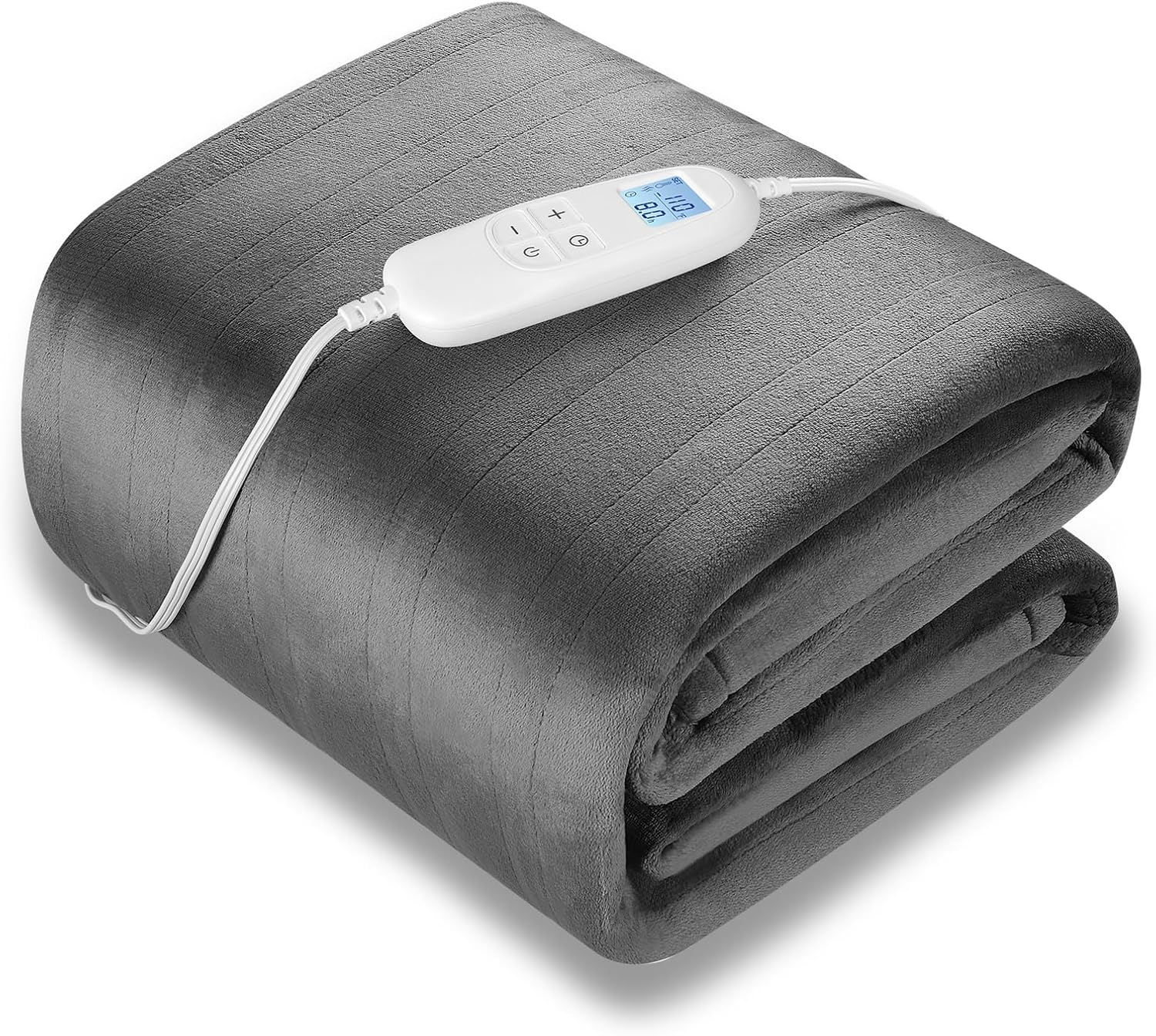
Image: The FIGERM Electric Heated Blanket, folded, with its detachable controller visible.
2. Important Safety Instructions
WARNING: To reduce the risk of burns, electric shock, fire, or injury, this product must be used in accordance with the following instructions:
- Do not use with an infant, a child, an incapacitated person, or anyone insensitive to heat.
- Do not use on areas of the body that are swollen, inflamed, or have open wounds.
- Do not use if the blanket is wet.
- Never use the blanket folded, bunched, or crumpled. This can cause overheating.
- Do not insert pins or other metallic objects into the blanket.
- Do not use with other heating devices.
- Always unplug the blanket when not in use.
- Inspect the blanket, cord, and controller regularly for any signs of wear or damage. If damaged, do not use and contact customer support.
- Keep the controller away from open windows or moisture.
- This appliance has a polarized plug (one blade is wider than the other). To reduce the risk of electric shock, this plug is intended to fit into a polarized outlet only one way. If the plug does not fit fully into the outlet, reverse the plug. If it still does not fit, contact a qualified electrician. Do not attempt to defeat this safety feature.
- The blanket features an automatic shut-off function and overheat protection for enhanced safety.
3. Product Features
The FIGERM Electric Heated Blanket is designed for comfort and warmth, offering a range of features:
- Queen Size: Generous 84" x 90" dimensions for full body coverage.
- 6 Heating Levels: Adjustable temperature settings from 85°F to 110°F for personalized warmth.
- Auto-Off Timer: Programmable timer from 1 to 8 hours for energy efficiency and safety.
- Fast Heating: Quickly reaches desired temperature.
- Ultra-Soft Flannel: Made from skin-friendly polyester flannel for superior comfort and heat retention.
- Machine Washable: Detachable controller allows for easy machine washing.
- Overheat Protection: Built-in safety system to prevent overheating.
- Long Power Cord: A 20-foot power cord provides flexible placement options.
- Certifications: ETL and FCC certified for guaranteed safety standards.
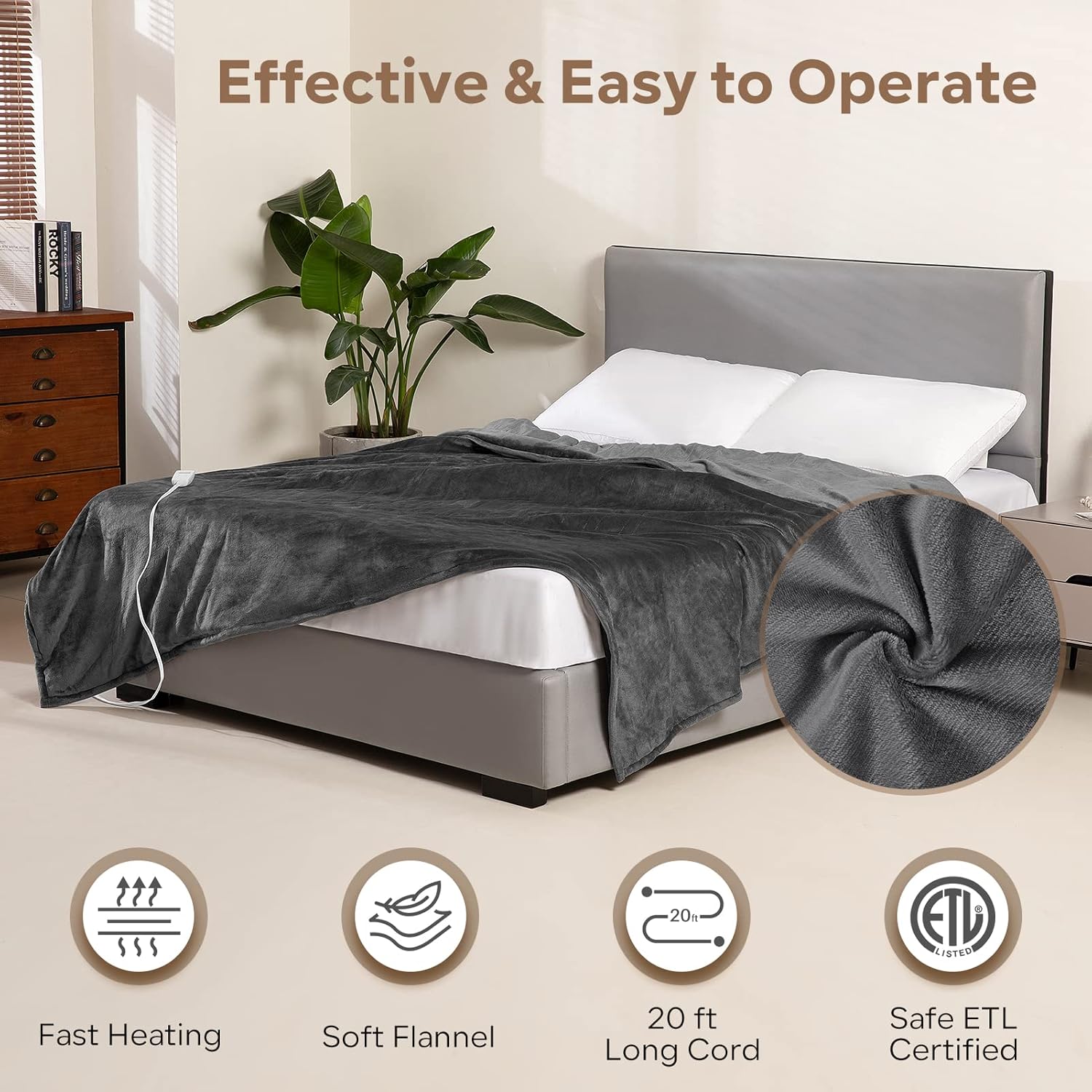
Image: The heated blanket on a bed, illustrating its key features.

Image: A couple enjoying the warmth and comfort of the blanket.

Image: Demonstrating the blanket's versatility for different uses.
4. Package Contents
Please check the package for the following items:
- 1 x FIGERM Electric Heated Blanket (Queen Size 84" x 90")
- 1 x Detachable Controller with Power Cord
- 1 x User Manual
5. Setup Instructions
- Unpack: Carefully remove the heated blanket and controller from the packaging.
- Inspect: Before first use, inspect the blanket, power cord, and controller for any signs of damage. Do not use if any damage is found.
- Position: Lay the heated blanket flat on your bed or desired surface. Ensure it is not folded, bunched, or crumpled.
- Connect Controller: Locate the connector on the blanket and the corresponding plug on the controller. Firmly push the controller plug into the blanket connector until it clicks securely into place.
- Plug In: Plug the power cord into a standard 120V AC electrical outlet. Ensure the outlet is easily accessible.
6. Operating Instructions
The controller allows you to manage the blanket's heating and timer settings.

Image: The controller displaying heating levels and timer settings.
6.1 Power On/Off
- To turn on, press the power button (O/I) on the controller. The display will illuminate.
- To turn off, press the power button again. The display will turn off.
6.2 Adjusting Heating Levels
- With the blanket powered on, press the '+' or '-' button to cycle through the 6 heating levels.
- The current heating level will be displayed on the controller screen.
- Levels range from 1 (lowest, approx. 85°F) to 6 (highest, approx. 110°F).
6.3 Setting the Auto-Off Timer
- Press the timer button (often labeled with a clock icon or 'TIMER').
- Each press will cycle through the available timer settings (e.g., 1 hour, 2 hours, up to 8 hours).
- The selected timer duration will be displayed. The blanket will automatically turn off after the set time.
7. Care and Maintenance
Proper care ensures the longevity and performance of your heated blanket.

Image: Demonstrating the machine washable feature and controller detachment.
7.1 Before Washing
- Ensure the blanket is unplugged from the wall outlet.
- Detach the controller from the blanket by gently squeezing the sides of the connector and pulling it apart.
7.2 Machine Washing
- Wash on a gentle cycle with cold water (max 30°C / 86°F).
- Use a mild detergent. Do not use bleach.
- Do not dry clean, as cleaning solvents may damage the insulation.
7.3 Drying
- Tumble dry on low heat or air dry.
- Ensure the blanket is completely dry before reattaching the controller and plugging it in.
- Do not iron the blanket.
7.4 Storage
- When not in use, store the blanket in a cool, dry place.
- Avoid folding the blanket tightly or placing heavy objects on it, which could damage the internal heating elements.
8. Troubleshooting
If you encounter any issues, please refer to the following common problems and solutions:
| Problem | Possible Cause | Solution |
|---|---|---|
| Blanket not heating. | Not plugged in; controller not connected; power outage; blanket folded. | Ensure power cord is securely plugged into outlet. Check controller connection to blanket. Verify power to outlet. Unfold blanket completely. |
| Controller display is off. | Blanket is off; power issue. | Press the power button on the controller. Check power connection. |
| Blanket heats unevenly. | Blanket is bunched or folded. | Lay the blanket flat and smooth out any wrinkles or folds. |
| Blanket turns off unexpectedly. | Auto-off timer activated; overheat protection activated. | Check timer setting. If overheat protection activated, unplug, let cool for 30 minutes, then try again. Ensure blanket is not folded. |
| Controller feels warm. | Normal operation. | A slight warmth in the controller during operation is normal. If it becomes excessively hot or emits a burning smell, unplug immediately and contact support. |
If the problem persists after trying these solutions, please contact FIGERM customer support.
9. Specifications
| Feature | Detail |
|---|---|
| Model | NA-B1212F |
| Size | Queen (84" x 90") |
| Material | Polyester Flannel |
| Heating Levels | 6 (approx. 85°F - 110°F) |
| Auto-Off Timer | 1-8 Hours |
| Power Cord Length | 20 feet |
| Certifications | ETL, FCC |
| Care Instructions | Machine Washable (controller detached) |
10. Warranty and Customer Support
FIGERM products are manufactured to high-quality standards. For information regarding warranty coverage, please refer to the product packaging or contact our customer support team.
If you have any questions, concerns, or require assistance with your FIGERM Electric Heated Blanket, please do not hesitate to contact us:
- Email: [Insert Customer Support Email Here]
- Phone: [Insert Customer Support Phone Number Here]
- Website: [Insert Company Website Here]
Please have your model number (NA-B1212F) and purchase date ready when contacting support.
