
Introduction
Thank you for choosing the BANTI Electric Standing Desk with Drawer, Model B-XW. This desk is designed to enhance your workspace by allowing seamless transitions between sitting and standing positions, promoting better posture and comfort. This manual provides essential information for the safe assembly, operation, and maintenance of your new desk. Please read it thoroughly before use and retain it for future reference.
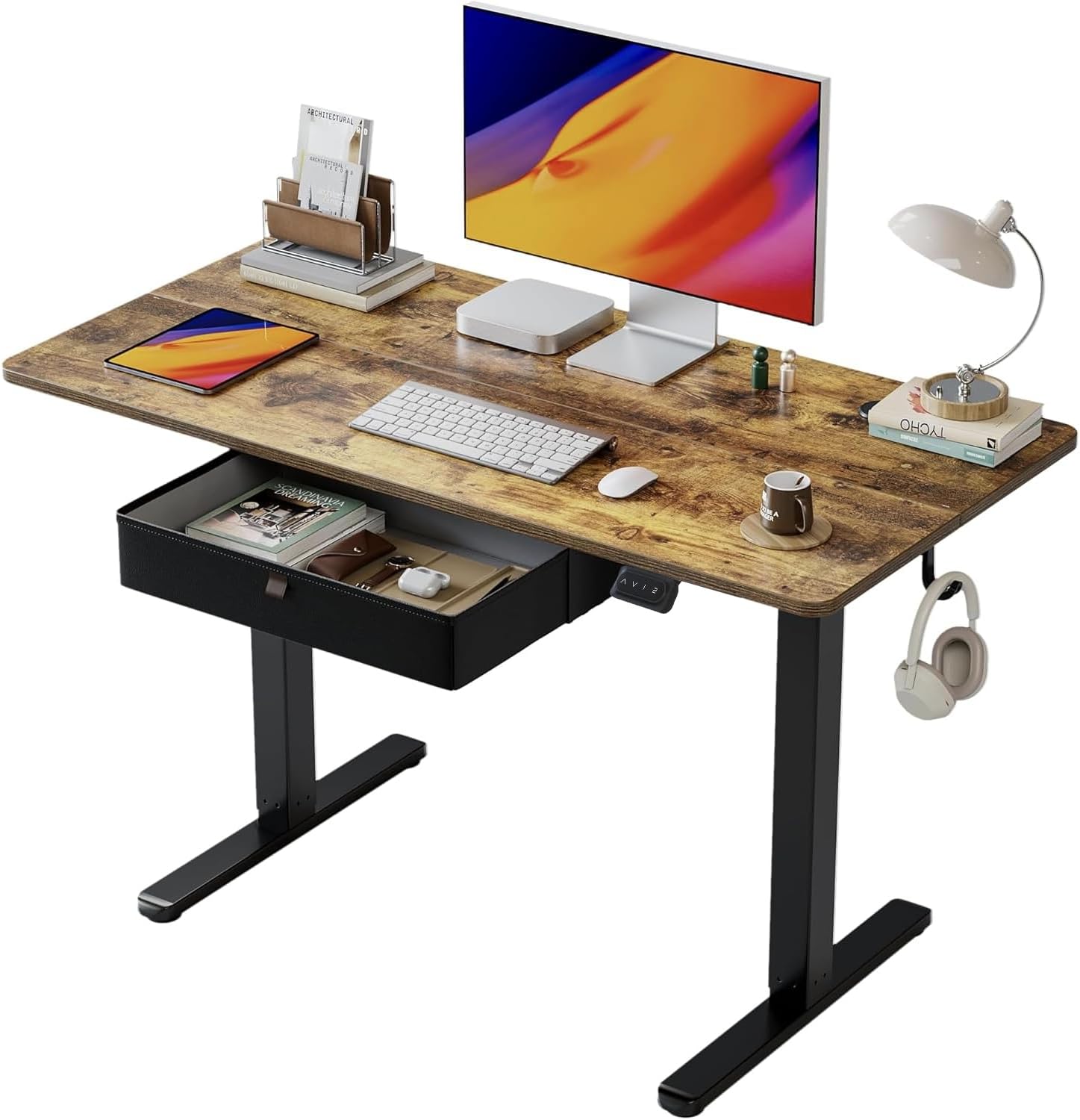
Image: The BANTI Electric Standing Desk with Drawer, showcasing its design and functionality in a typical office setup.
Safety Information
To ensure safe operation and prevent injury or damage, please observe the following precautions:
- Always take precautions while assembling the desk.
- Use appropriate tools as specified in the assembly instructions.
- Ensure a stable work surface during assembly and operation.
- Do not exceed the maximum weight limit of 155 pounds (70 kg) on the desktop.
- Be mindful of stability concerns, especially when the desk is at its maximum height.
- Keep children and pets away from the desk during operation to prevent accidents.
- Ensure no obstacles are in the path of the desk's movement (up or down).
Assembly Instructions
The BANTI Electric Standing Desk is designed for straightforward assembly. All necessary tools are included in the package. For detailed, step-by-step instructions, please refer to the separate assembly manual provided with your product.
- Recommended Assembly Personnel: 1 person.
- Tools Included: Yes, all required assembly tools are provided.
Follow the visual guides and written steps carefully to ensure correct and secure assembly.

Image: Components of the BANTI desk laid out with an instruction manual, highlighting the easy assembly process.
Operating Instructions
Height Adjustment
Your BANTI Electric Standing Desk offers smooth and quiet height adjustment, allowing you to switch between sitting and standing positions effortlessly. The desk can be adjusted from a minimum height of 28.35 inches (72 cm) to a maximum height of 46.46 inches (118 cm).

Image: Two desks illustrating the adjustable height range, from a lower sitting position to a higher standing position.
Control Panel and Memory Presets
The desk features a convenient control panel located on the underside of the desktop, allowing for easy height adjustments and saving preferred positions.

Image: The desk's control panel, showing the up and down arrow buttons, and two memory preset buttons.
- Up/Down Buttons (▲ / ▼): Press and hold these buttons to manually raise or lower the desk to your desired height.
- Memory Buttons (1, 2): The desk has 2 programmable memory height buttons.
- Adjust the desk to your desired height using the Up/Down buttons.
- Press and hold one of the memory buttons (1 or 2) until the display flashes or a beep is heard. This saves the current height to that preset.
- To recall a saved height, simply press the corresponding memory button (1 or 2). The desk will automatically move to the saved position.
Anti-Collision Technology
For safety, the BANTI Electric Standing Desk is equipped with an auto-sensing anti-collision system. If the motorized table encounters an obstacle while lifting or lowering, it will automatically move approximately 2 centimeters in the opposite direction to prevent potential damage or injury.

Image: Visual representation of the anti-collision technology, showing the desk retracting upon sensing an obstruction.
Storage Drawer
The integrated storage drawer provides a convenient space to organize your daily work and life supplies, helping to keep your desktop clean and comfortable. The drawer measures approximately 15.7 inches (40 cm) wide and 3.15 inches (8 cm) high.

Image: The upgraded leather drawer, neatly storing various office essentials.
Maintenance
To maintain the appearance and functionality of your BANTI Electric Standing Desk, follow these simple care instructions:
- Cleaning: Wipe the desk surfaces with a dry cloth. Avoid using harsh chemicals or abrasive cleaners that could damage the finish.
- Inspection: Periodically check all screws and connections to ensure they are tight. Retighten if necessary.
- Motor Care: The upright motor is designed for long-term performance (tested 50,000 times). No special user maintenance is required for the motor itself.
Troubleshooting
If you encounter any issues with your BANTI Electric Standing Desk, please refer to the following common troubleshooting tips:
- Desk Not Moving:
- Check that the power cable is securely plugged into both the desk and a working electrical outlet.
- Ensure there are no obstructions preventing the desk's movement.
- Uneven Movement:
- Verify that the desk is placed on a level surface.
- Check that all assembly screws are tightened evenly.
- Memory Presets Not Working:
- Re-program the memory presets by following the steps in the 'Operating Instructions' section.
- Anti-Collision System Triggering Unnecessarily:
- Ensure there are no loose cables or objects near the desk legs that could be mistaken for an obstruction.
If these steps do not resolve the issue, please contact customer support for further assistance.
Specifications
| Feature | Detail |
|---|---|
| Brand | BANTI |
| Model Number | B-XW |
| Product Dimensions (D x W x H) | 24"D x 48"W x 28"H (61cm D x 122cm W x 71cm H) |
| Minimum Height | 28.35 Inches (72 cm) |
| Maximum Height | 46.46 Inches (118 cm) |
| Maximum Weight Recommendation | 155 Pounds (70 kg) |
| Lifting Mechanism | Electric |
| Number of Height Positions | 2 (Programmable Memory) |
| Storage Drawer Dimensions (W x H) | 15.7 Inches x 3.15 Inches (40 cm x 8 cm) |
| Base Material | Alloy Steel |
| Top Material Type | Wood |
| Finish Type | Laminated (Vintage Brown) |
| Special Features | Adjustable Height, Easy Assembly, Ergonomic, Sturdy, Anti-Collision Technology, Headphone Hook |
| Required Assembly | Yes |
| Includes All Assembly Tools | Yes |

Image: Detailed dimensions of the BANTI Electric Standing Desk, illustrating its physical measurements.

Image: The BANTI desk shown at its maximum height, emphasizing its stability and robust construction.

Image: Detail of the desk's rounded corner design for safety and comfort, alongside a convenient headphone hook.
Warranty Information
The BANTI Electric Standing Desk comes with a limited manufacturer's warranty:
- Motor: 2 years
- Frame: 5 years
Please retain your proof of purchase for warranty claims.
Customer Support
For any questions, concerns, or assistance with your BANTI Electric Standing Desk, please contact BANTI customer support. We offer US-based product support to ensure you receive timely and helpful service.
Refer to the contact information provided in your product packaging or visit the official BANTI website for support details.


