
Freewell Versatile Bluetooth Smartphone Selfie Grip User Manual
Model: FW-SH-GRIP
1. Introduction
The Freewell Versatile Bluetooth Smartphone Selfie Grip is designed to enhance your mobile photography and videography experience. It functions as a comfortable grip, an extendable selfie stick, and offers various mounting options for accessories and tripods. This manual provides instructions for setup, operation, and maintenance of your device.

Image 1.1: The Freewell Versatile Bluetooth Smartphone Selfie Grip in its compact and extended forms.
2. What's in the Box
Verify that all items are present upon unboxing:
- Freewell Versatile Bluetooth Smartphone Selfie Grip
3. Specifications
| Feature | Detail |
|---|---|
| Product Dimensions | 4.65 x 5.31 x 1.57 inches (1.57"D x 4.65"W x 5.31"H) |
| Item Weight | 4.9 ounces (140 Grams) |
| Folded Size | 6 inches (l) x 2 inches (w) x 2 inches (h) |
| Smartphone Thickness Requirement | Maximum 11mm |
| Smartphone Width Requirement | 68-86mm |
| Maximum Weight (Selfie Stick Mode) | 350 grams |
| Bluetooth Version | 5.2 |
| Bluetooth Remote Battery | CR1620 (1 required) |
| Bluetooth Connection Distance | Up to 10 meters |
| Mounting Options | Arca Standard clamp, Cold Shoe Mount, 1/4"-20 threads (x6) |
| Color | Blue |

Image 3.1: Detailed diagram of the grip's features and smartphone compatibility requirements.
4. Setup
4.1 Mounting Your Smartphone
- Ensure your smartphone meets the size requirements: maximum thickness of 11mm and a width between 68-86mm.
- Gently pull open the spring-loaded phone clamp.
- Carefully insert your smartphone into the clamp, ensuring it is securely held and centered for balance.
- The grip allows for 360-degree rotation of the mounted smartphone for flexible shooting angles.

Image 4.1: Smartphone mounted on the grip, showing rotation and size compatibility.
4.2 Bluetooth Remote Pairing
The grip includes a detachable Bluetooth 5.2 remote shutter for wireless control.
- Locate the Bluetooth remote shutter on the grip and detach it if desired.
- Turn on the remote shutter using its dedicated ON/OFF switch.
- On your smartphone, navigate to the Bluetooth settings.
- Search for available devices. The remote will appear as "SHERPA".
- Select "SHERPA" to pair. Once connected, you can use the remote to trigger your smartphone's camera from up to 10 meters away.
- The remote uses a CR1620 button battery. Replace when necessary.

Image 4.2: Steps for pairing the Bluetooth remote shutter with your smartphone.
4.3 Attaching Accessories
The grip features multiple attachment points for external accessories:
- Cold Shoe Mount: Located on the top of the grip, this allows you to attach accessories such as external LED lights or microphones.
- 1/4"-20 Threads: Six standard 1/4"-20 mounting threads are integrated into the grip, providing versatile attachment points for additional gear or mounting solutions.

Image 4.3: Smartphone grip with an external microphone attached via the cold shoe mount.
5. Operating Modes
5.1 Handheld Grip
The ergonomic design provides a secure and comfortable hold for your smartphone, improving stability for handheld shooting.
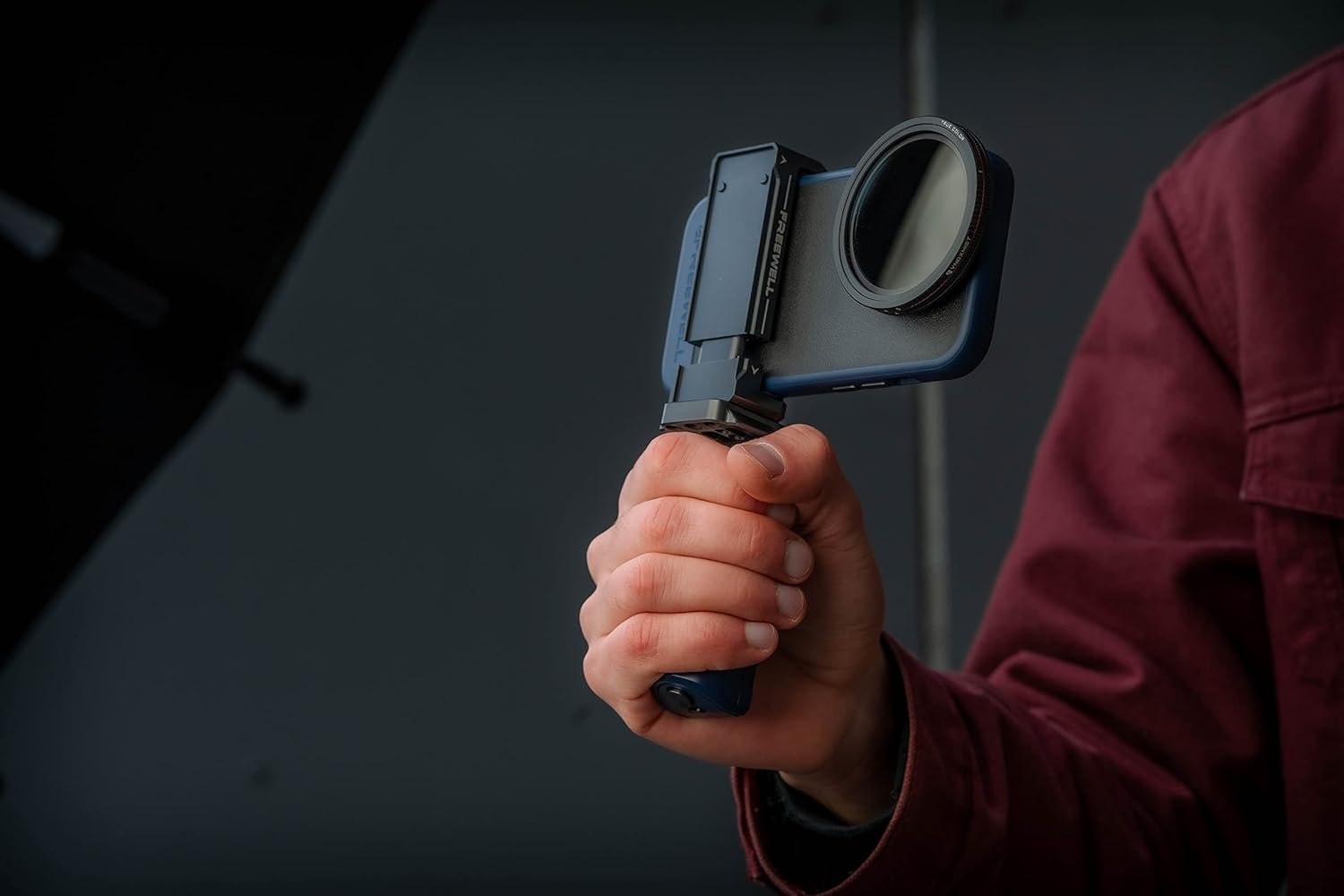
Image 5.1: Demonstrating the comfortable handheld use of the grip.
5.2 Selfie Stick
Extend the grip to transform it into a selfie stick, allowing for wider angles and group shots. Ensure the smartphone weight does not exceed 350 grams when used in this mode.

Image 5.2: The grip extended for use as a selfie stick.
5.3 Tripod Mount (Arca Standard)
The integrated Arca Standard clamp allows for quick and secure attachment to compatible tripods and gimbals, providing stable support for your smartphone.

Image 5.3: The grip mounted on a tripod using the Arca Standard clamp.
5.4 Mini Rig Functionality
The design allows the grip to be used as a mini rig, facilitating low-angle shots and creative camera movements.

Image 5.4: The grip's versatile design for various shooting scenarios, including mini rig use.
6. Maintenance
- Cleaning: Wipe the grip with a soft, dry cloth. Avoid using harsh chemicals or abrasive materials.
- Battery Replacement: The Bluetooth remote shutter uses a CR1620 button battery. To replace, carefully open the battery compartment, remove the old battery, and insert a new one with the correct polarity.
- Storage: Store the grip in a cool, dry place away from direct sunlight and extreme temperatures.
7. Troubleshooting
- Bluetooth Remote Not Connecting:
- Ensure the remote is turned ON.
- Check if the CR1620 battery needs replacement.
- Make sure Bluetooth is enabled on your smartphone.
- Try unpairing and re-pairing the device in your smartphone's Bluetooth settings.
- Smartphone Not Securely Held:
- Verify your smartphone's dimensions (thickness and width) are within the specified limits (max 11mm thickness, 68-86mm width).
- Ensure the phone is properly seated and centered in the spring-loaded clamp.
- Selfie Stick Extension Issues:
- Ensure no obstructions are preventing the extension mechanism from operating smoothly.
- Do not force the extension if it feels stiff.
8. Warranty and Support
Freewell products are manufactured to high-quality standards. For specific warranty details and support inquiries, please refer to the official Freewell website or contact their customer service directly. You can find more information and contact options by visiting the Freewell Store on Amazon.
