
1. Introduction
This manual provides detailed instructions for the installation, operation, and maintenance of your CUSP 3-in-1 Wireless CarPlay Adapter Magic AI Box. This device is designed to upgrade your vehicle's existing wired CarPlay or Android Auto system to a wireless Android system, offering enhanced multimedia and navigation capabilities. Please read this manual thoroughly before use to ensure proper functionality and safety.
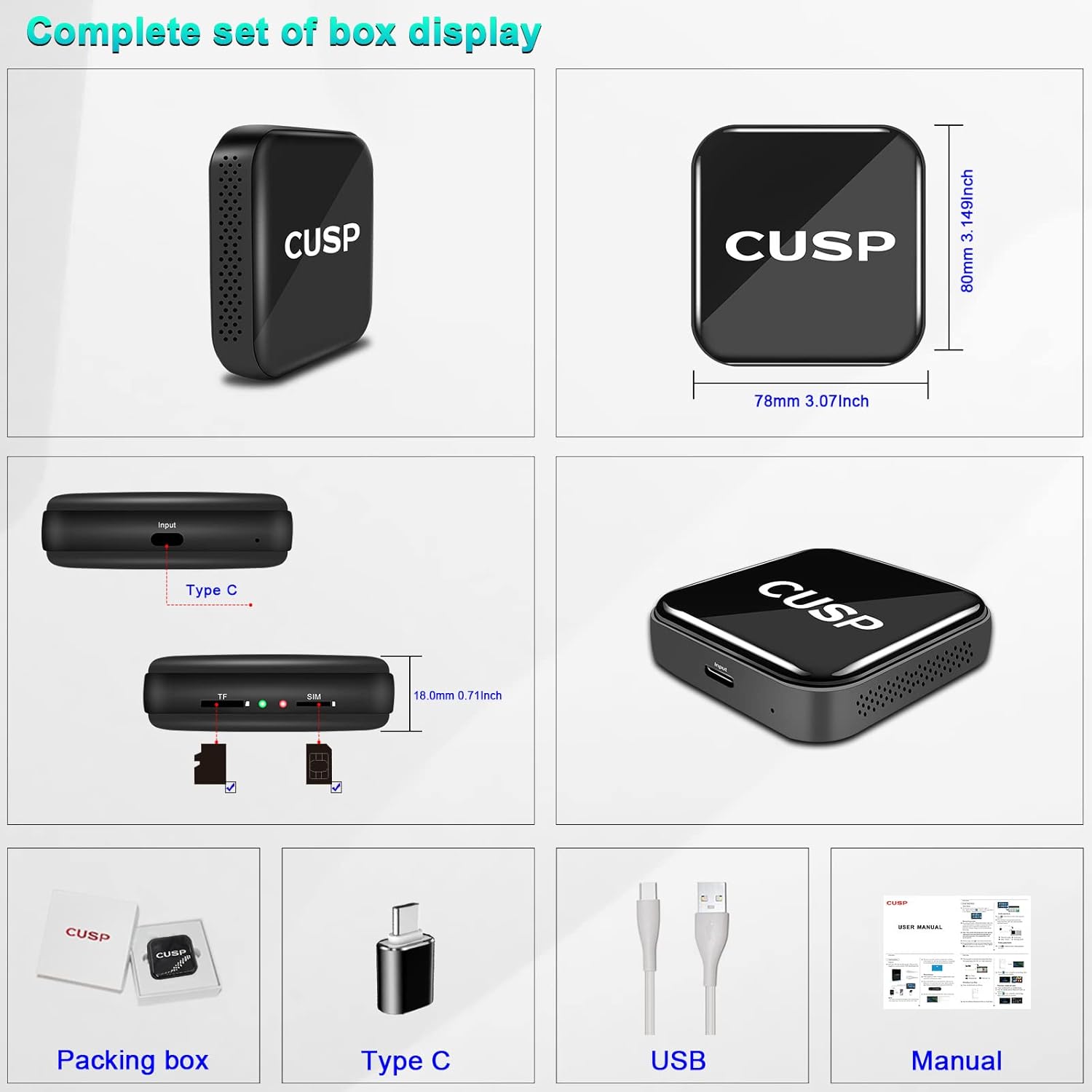
2. What's in the Box
Upon opening the package, please verify that all the following items are included:
- CUSP Android Box
- USB Cable
- Type-C USB Cable
- User Manual
3. Product Overview
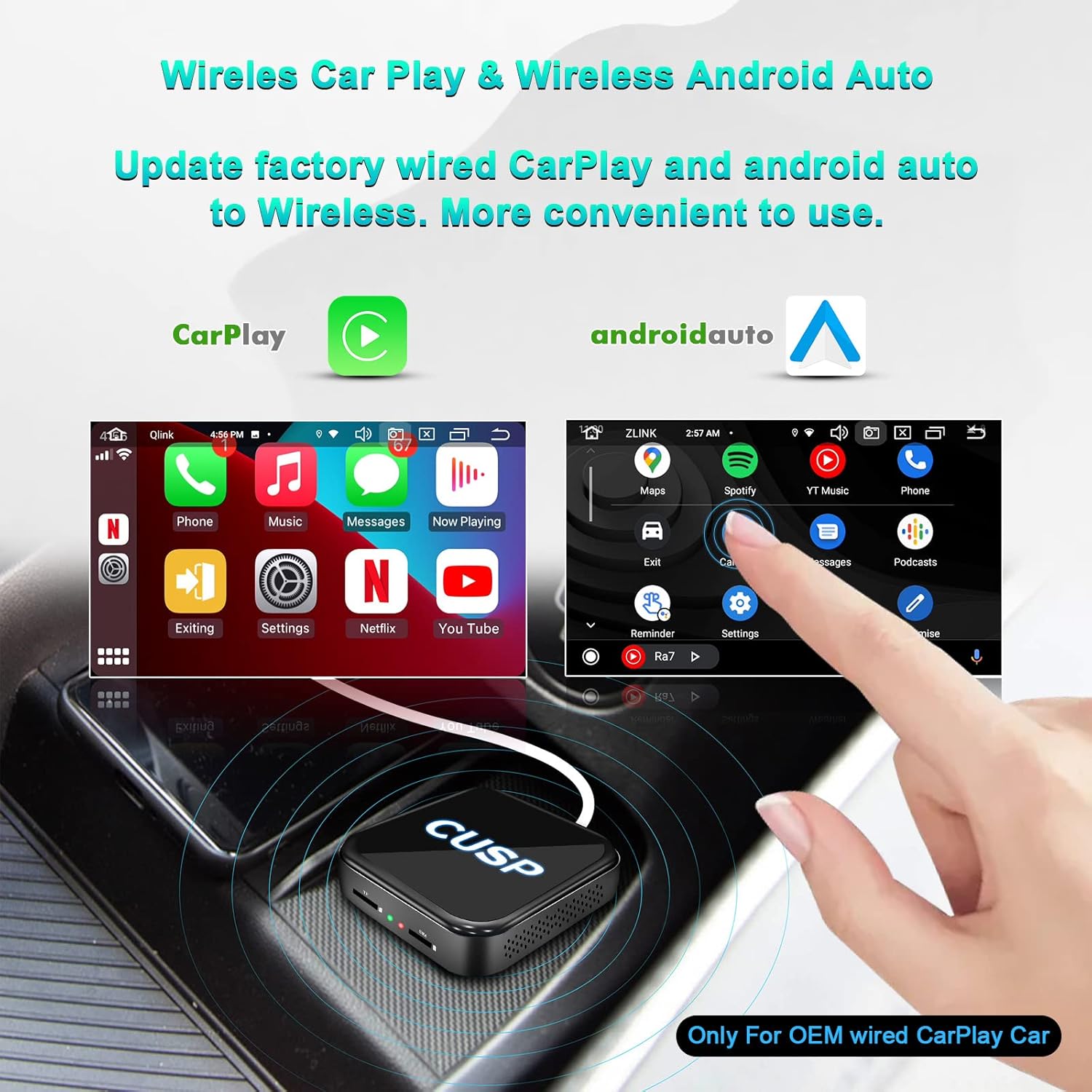
The CUSP 3-in-1 Wireless CarPlay Adapter is designed for vehicles equipped with OEM wired CarPlay. It transforms your car's infotainment system into a full Android environment, supporting wireless CarPlay and Android Auto functionalities. Key features include:
- Plug and Play Operation: Connects via USB without requiring disassembly of the original car stereo.
- High Performance: Equipped with a Qualcomm Octa-Core chip, 4GB RAM, and 64GB ROM for smooth operation.
- Wireless Connectivity: Upgrades wired CarPlay and Android Auto to wireless.
- Integrated GPS: Provides precise online/offline navigation.
- 4G SIM Support: Allows for direct 4G network access.
- Multimedia Capabilities: Supports popular streaming apps like Netflix, YouTube, and TikTok.
- Safe Driving Features: Bluetooth hands-free calling, voice assistants (Siri, Google Voice), and steering wheel control retention.
- Split Screen Functionality: Run two applications simultaneously for multitasking.


4. Specifications
The following table outlines the technical specifications of the CUSP 3-in-1 Wireless CarPlay Adapter Magic AI Box:
| Feature | Specification |
|---|---|
| CPU | Qualcomm 8-Core |
| OS | Android 12.0 |
| RAM | 4GB DDR |
| ROM | 64GB |
| Connectivity | 2.4G/5G WiFi, 4G LTE, Bluetooth 5.0 (slave), Bluetooth 4.2 (master) |
| Navigation | Built-in GPS, GLONASS, Beidou |
| Power Supply | 5V (Plug & Play) |
| Dimensions | 4.53 x 4.53 x 1.54 inches |
| Item Weight | 6.4 ounces |

5. Setup Instructions
This device is compatible only with cars that have factory-installed wired CarPlay. No disassembly of your car's original stereo is required.
- Connect the Device: Insert the provided USB cable into your car's OEM CarPlay USB port. Connect the other end to the CUSP Android smart box. If your original CarPlay uses a Type-C port, use the Type-C adapter provided.
- Initial Recognition: The device will automatically recognize your car's original system. This process typically takes less than 30 seconds. Once recognized, the Android system will automatically launch.
- Remote Control (Optional): If your car's original radio does not have a capacitive touch screen, you may need to use the CUSP remote control. Press the 'Menu + Home' button on the remote for more than 3 seconds. The indicator light will flash rapidly, then slowly, indicating successful pairing.


6. Operating Instructions
6.1. Wireless CarPlay & Android Auto
The CUSP AI Box enables wireless CarPlay and Android Auto. Once connected, tap the CarPlay icon on your car's screen to enter the Android system. From there, you can access SpeedPlay to initiate wireless CarPlay or Android Auto.
- For Wireless CarPlay: Turn on Bluetooth on your iPhone and pair it with the car head unit. Then, click the SpeedPlay icon.
- For Wireless Android Auto: Turn on Bluetooth on your Android phone and pair it with the car head unit. Then, click the SpeedPlay icon.
6.2. App Functionality & Downloads
The Android system allows you to download and use various applications directly on your car's screen. Access the Play Store to download your favorite apps, including navigation, music, and video streaming services.

6.3. Bluetooth Calling & Music
Utilize the built-in Bluetooth functionality for hands-free calling and audio streaming. Pair your smartphone with the CUSP AI Box via Bluetooth to make calls, send messages, and play music directly through your car's sound system.
6.4. Media Playback (Video & Music)
The device supports playback of internal or external multimedia files (WMA, MP3, H.263 P3, etc.). Access video and audio players from the main menu to enjoy your media content.

6.5. Navigation
The CUSP AI Box features a built-in GPS module for precise navigation. Use pre-installed navigation apps or download your preferred ones from the Play Store for route planning and real-time guidance.

6.6. Split Screen Function
Enhance your multitasking experience with the split-screen feature. This allows you to run two applications simultaneously, for example, navigation on one side and a video player on the other.
7. Troubleshooting
If you encounter issues with your CUSP 3-in-1 Wireless CarPlay Adapter, please refer to the following common solutions:
- No Display After Connection: Ensure the USB cable is securely connected to both the device and the car's OEM CarPlay USB port. Verify that your car supports wired CarPlay. Try restarting your car's infotainment system.
- Wireless CarPlay/Android Auto Not Connecting: Check that Bluetooth and Wi-Fi are enabled on your smartphone and that it is paired with the CUSP AI Box. Ensure the SpeedPlay app is launched on the car screen.
- Slow Performance: Close unnecessary background applications. Ensure the device has sufficient free storage. Consider clearing the cache of frequently used apps.
- No Sound: Check the volume settings on both the car's infotainment system and the CUSP AI Box. Ensure Bluetooth audio is correctly routed.
- Device Overheating: Ensure the device is placed in a well-ventilated area and not covered. Prolonged use in direct sunlight or extreme temperatures can affect performance.
If the issue persists, please contact customer support for further assistance.
8. Warranty and Support
The CUSP 3-in-1 Wireless CarPlay Adapter Magic AI Box comes with a 1-year warranty from the date of purchase, covering manufacturing defects. Please retain your proof of purchase for warranty claims.
For technical support, troubleshooting, or warranty inquiries, please visit the official CUSP website or contact our customer service team through the contact information provided on the product packaging or our website.