
1. Introduction
Welcome to the user manual for your Carneo Smartwatch. This guide provides essential information to help you set up, operate, and maintain your device, ensuring you get the most out of its features, including call functionality, ECG monitoring, and comprehensive health tracking. Please read this manual thoroughly before using your smartwatch.
2. Package Contents
Upon opening your Carneo Smartwatch package, please verify that all components are present:
- Carneo Smartwatch
- Charging Cable
- User Manual (this document)

Image 2.1: Carneo Smartwatch (pink model) and its accessories.
3. Setup
3.1. Charging the Smartwatch
Before initial use, fully charge your Carneo Smartwatch.
- Connect the charging cable to the charging port on the back of the smartwatch.
- Plug the other end of the charging cable into a USB power adapter (not included) or a computer's USB port.
- The smartwatch display will indicate charging status. A full charge typically takes approximately 2 hours.
- The smartwatch offers up to 7 days of battery life on a single charge, depending on usage.
3.2. Installing the CarneoFit App
The CarneoFit app is essential for managing your smartwatch, syncing data, and accessing advanced features.
- For iOS devices: Download the "CarneoFit" app from the Apple App Store.
- For Android devices: Download the "CarneoFit" app from the Google Play Store.
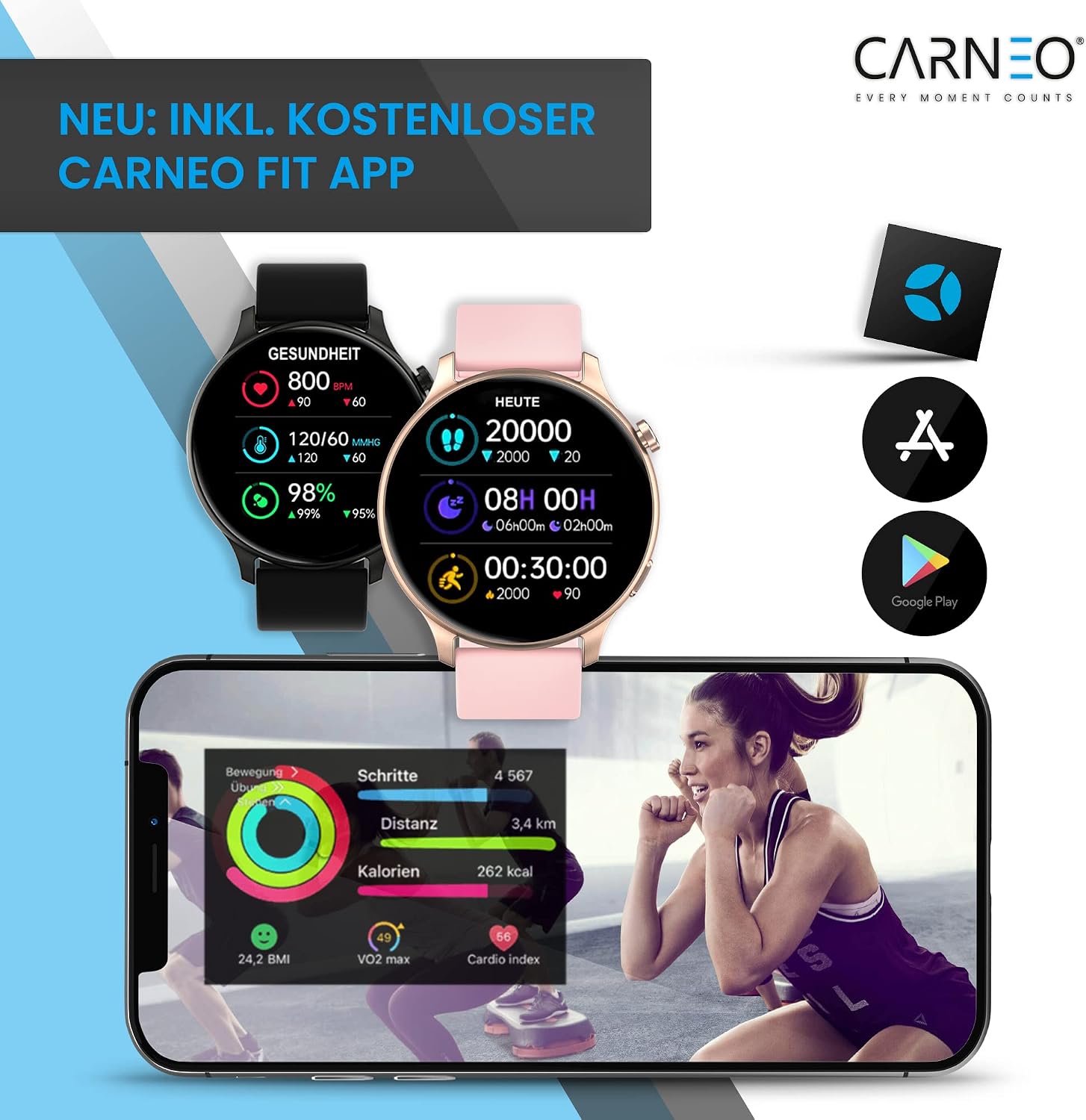
Image 3.2: The CarneoFit app displaying health and activity metrics.
3.3. Pairing with Your Smartphone
To connect your smartwatch to the CarneoFit app:
- Ensure Bluetooth is enabled on your smartphone.
- Open the CarneoFit app and follow the on-screen instructions to create an account or log in.
- Navigate to the device pairing section within the app.
- Select your Carneo Smartwatch from the list of available devices.
- Confirm the pairing request on both your smartphone and smartwatch.
- Once paired, the smartwatch will synchronize time and data with your phone.
4. Operating Your Smartwatch
4.1. Basic Navigation
The Carneo Smartwatch features a responsive IPS color touchscreen and a side button for navigation.
- Swipe Up/Down: Scroll through menus and notifications.
- Swipe Left/Right: Access quick functions or different widgets.
- Tap: Select an item or confirm an action.
- Press Side Button: Return to the home screen or wake the device.
4.2. Call Functionality
Your smartwatch allows you to make and receive calls directly from your wrist via Bluetooth.
- Receiving Calls: When a call comes in, the smartwatch will display the caller ID. Tap the green icon to answer or the red icon to reject.
- Making Calls: Access the dialer or contact list on your smartwatch to initiate a call. The integrated microphone and speaker enable hands-free communication.

Image 4.2: Smartwatch showing an incoming call, with options to answer or reject.
4.3. Health Monitoring
The Carneo Smartwatch provides comprehensive health tracking features.
- Heart Rate Monitoring: Continuously tracks your heart rate throughout the day.
- Sleep Tracking: Monitors your sleep patterns, including light and deep sleep phases.
- Stress Monitoring: Helps you understand your stress levels.
- Blood Pressure Monitoring: Provides blood pressure readings.
- ECG Function: Records electrocardiogram data for heart health insights.
- Cardio Index: A unique feature to optimize your overall cardiovascular health.

Image 4.3: Smartwatch screens showing heart rate and sleep duration with sleep phases.
Note: The health monitoring features are for informational purposes only and should not be used for medical diagnosis or treatment. Consult a healthcare professional for any health concerns.
4.4. Sports Modes
Choose from 10 different sports modes to track your workouts accurately.
- Running
- Walking
- Cycling
- Hiking
- Basketball
- Football
- Jump Rope
- Yoga
- Tennis
- Sit-ups

Image 4.4: Smartwatch screen showing various sports modes available for tracking.
4.5. Customization
Personalize your smartwatch to match your style.
- Watch Faces: Select from numerous customizable watch faces available on the device or through the CarneoFit app.
- Interchangeable Strap: The smartwatch features an interchangeable strap, allowing you to change its appearance easily.
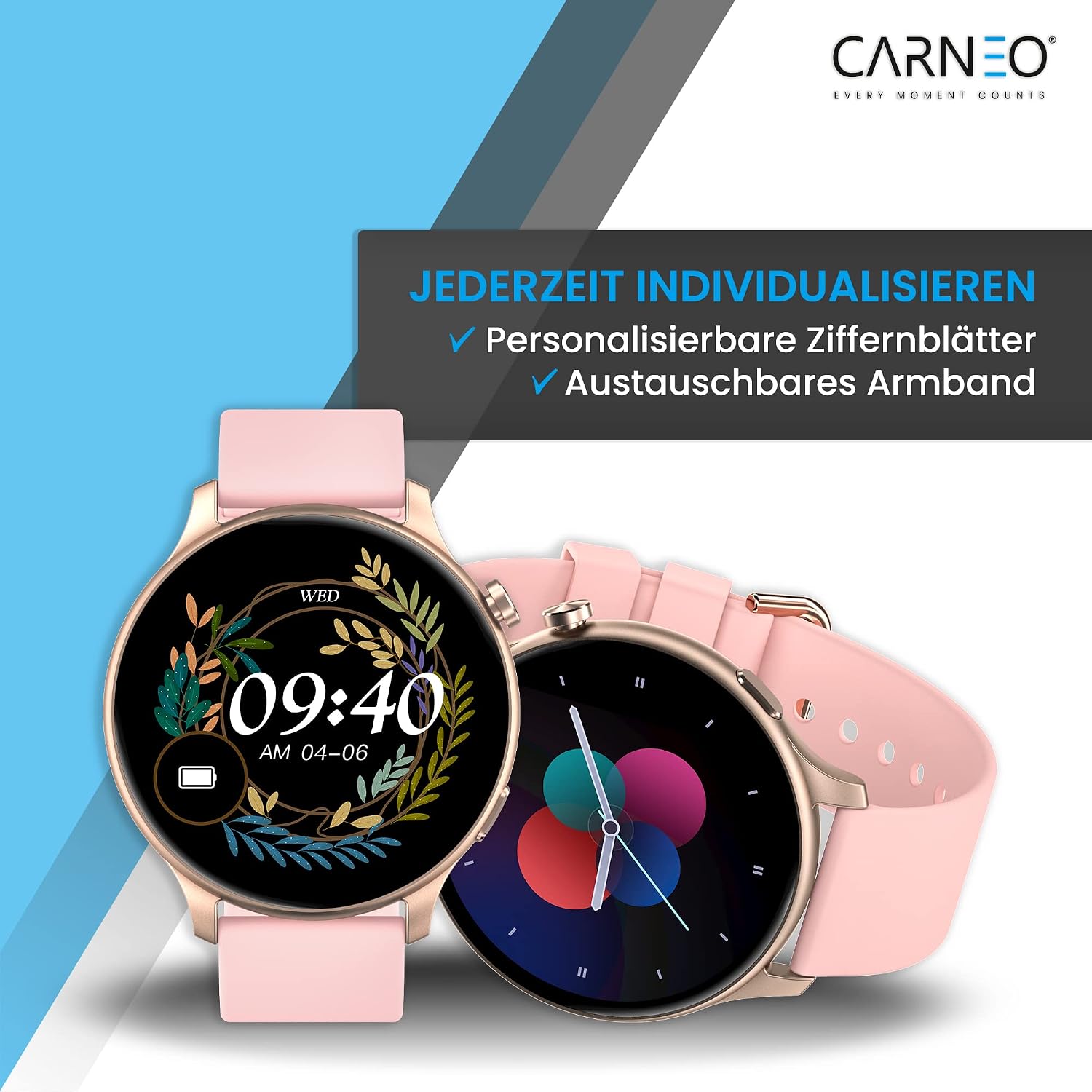
Image 4.5: Examples of customizable watch faces on the Carneo Smartwatch.
5. Maintenance
5.1. Cleaning Your Smartwatch
To maintain the appearance and functionality of your smartwatch:
- Wipe the screen and strap with a soft, damp, lint-free cloth.
- Avoid using harsh chemicals, abrasive cleaners, or solvents.
- Ensure the charging contacts are clean and dry before charging.
5.2. Water Resistance
The Carneo Smartwatch is designed to be water and dust resistant.
- It is suitable for daily use, such as washing hands or light rain.
- Avoid prolonged submersion in water, hot water, or steam.
- Do not press buttons underwater.
- After contact with water, dry the smartwatch thoroughly before charging.

Image 5.2: The Carneo Smartwatch is designed for durability, featuring dust and water resistance.
6. Troubleshooting
If you encounter issues with your Carneo Smartwatch, refer to the following common solutions:
| Problem | Solution |
|---|---|
| Smartwatch won't turn on | Ensure the device is fully charged. Connect it to the charger for at least 30 minutes. |
| Cannot pair with smartphone |
|
| Data not syncing to app |
|
| Inaccurate health readings |
|
7. Specifications
| Feature | Detail |
|---|---|
| Brand | Carneo |
| Model | Smartwatch (B0BLWCM8T3) |
| Color | Rose (other colors may be available) |
| Operating System Compatibility | Android, iOS |
| Connectivity | Bluetooth |
| Display | IPS Color Screen |
| Special Features | Call Function, ECG, Heart Rate Monitor, Sleep Tracker, Stress Monitor, Blood Pressure Monitor, Cardio Index, Calorie Tracking, Distance Tracking, Multi-sport Tracker, Robust Glass |
| Water Resistance | Water and Dust Resistant (IP67 equivalent, suitable for daily use) |
| Battery Type | Lithium-ion |
| Battery Life | Up to 7 days (typical usage) |
| Compatible Devices | Smartphones |
8. Warranty and Support
For warranty information, please refer to the documentation provided at the time of purchase or contact your retailer. Carneo is committed to providing quality products and support.
If you require further assistance or have questions not covered in this manual, please visit the official Carneo website or contact their customer support. You can also find additional resources and FAQs within the CarneoFit application.