
1. Introduction
This manual provides essential information for the safe and effective operation of your PENTAX KF APS-C DSLR Camera. The PENTAX KF is a compact digital single-lens reflex camera designed for advanced photographic practice, featuring a dust and weather-resistant construction and an vari-angle LCD monitor. Please read this manual thoroughly before using the camera and keep it in a safe place for future reference.
2. Safety Information
- Do not disassemble or modify the camera. This may cause electric shock or malfunction.
- Keep the camera away from water and moisture to prevent electric shock or fire.
- Use only the specified battery and charger. Incorrect usage may lead to overheating, fire, or explosion.
- Avoid exposing the camera to extreme temperatures, direct sunlight, or high humidity.
- Do not look at the sun or strong light sources through the viewfinder or lens, as this can cause permanent eye damage.
- Keep out of reach of children.
3. Package Contents
Verify that all items listed below are included in your camera package:
- PENTAX KF Camera Body
- USB Cable
- Lithium-ion Battery
- Battery Charger
- Strap
- Software (CD-ROM)
- AC Adapter
- USB Adapter
- Eyecup
- Hot Shoe Cover
- Body Mount Cap
4. Camera Overview
Familiarize yourself with the various parts of your PENTAX KF camera.

Figure 4.1: Front View of PENTAX KF Camera Body. This image displays the front of the PENTAX KF camera body, highlighting the lens mount, grip, and the PENTAX logo. The SR (Shake Reduction) indicator is also visible.

Figure 4.2: Rear View of PENTAX KF Camera with LCD Display Active. This image shows the back of the camera with the vari-angle LCD screen displaying shooting information such as shutter speed, aperture, ISO, and white balance settings. The viewfinder and control buttons are also visible.

Figure 4.3: Top View of PENTAX KF Camera. This image illustrates the top panel of the camera, featuring the mode dial, power switch, shutter button, hot shoe, and Wi-Fi/Fx2 button.
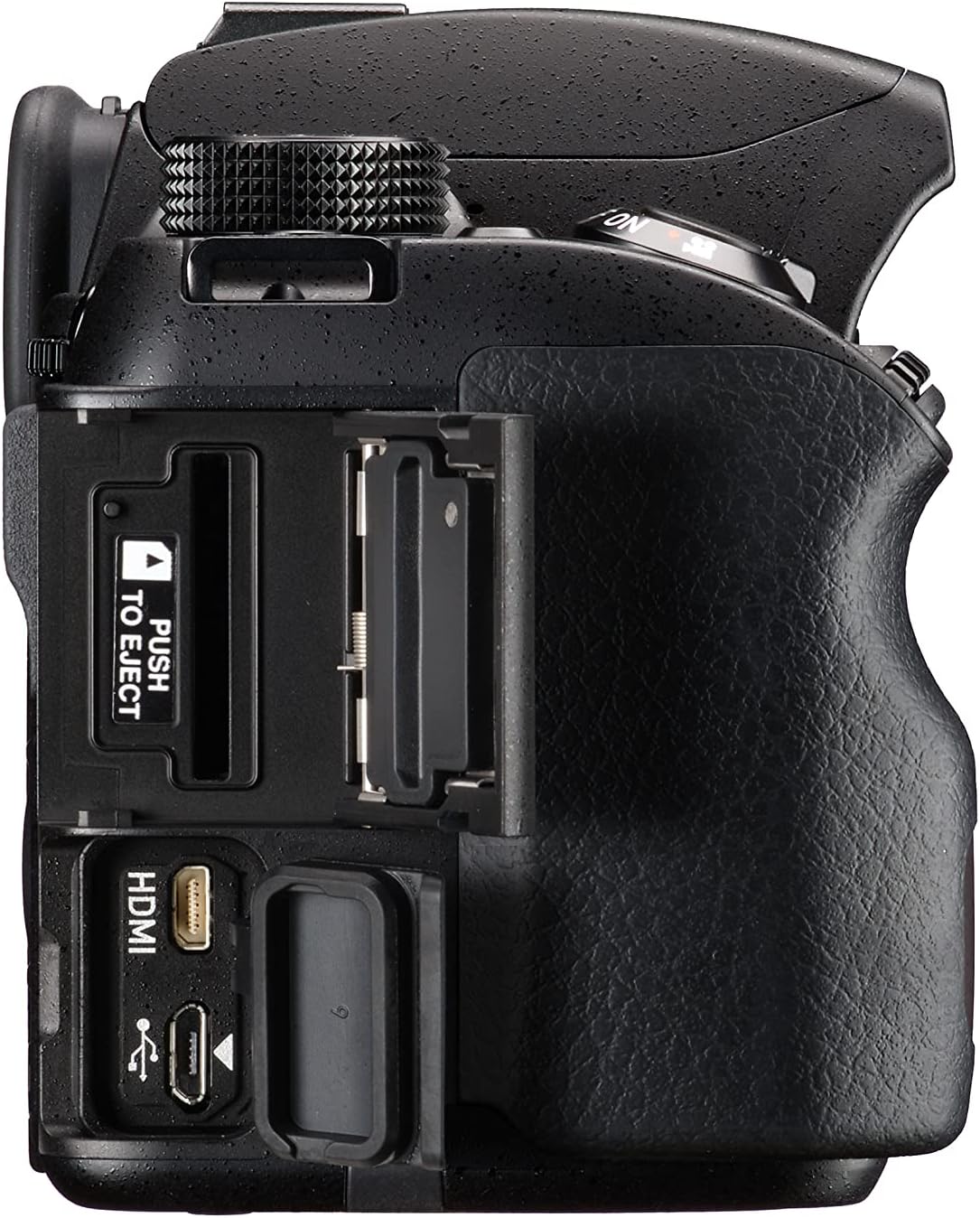
Figure 4.4: Right Side View of PENTAX KF Camera. This image shows the right side of the camera, revealing the HDMI and USB ports, along with the memory card slot.
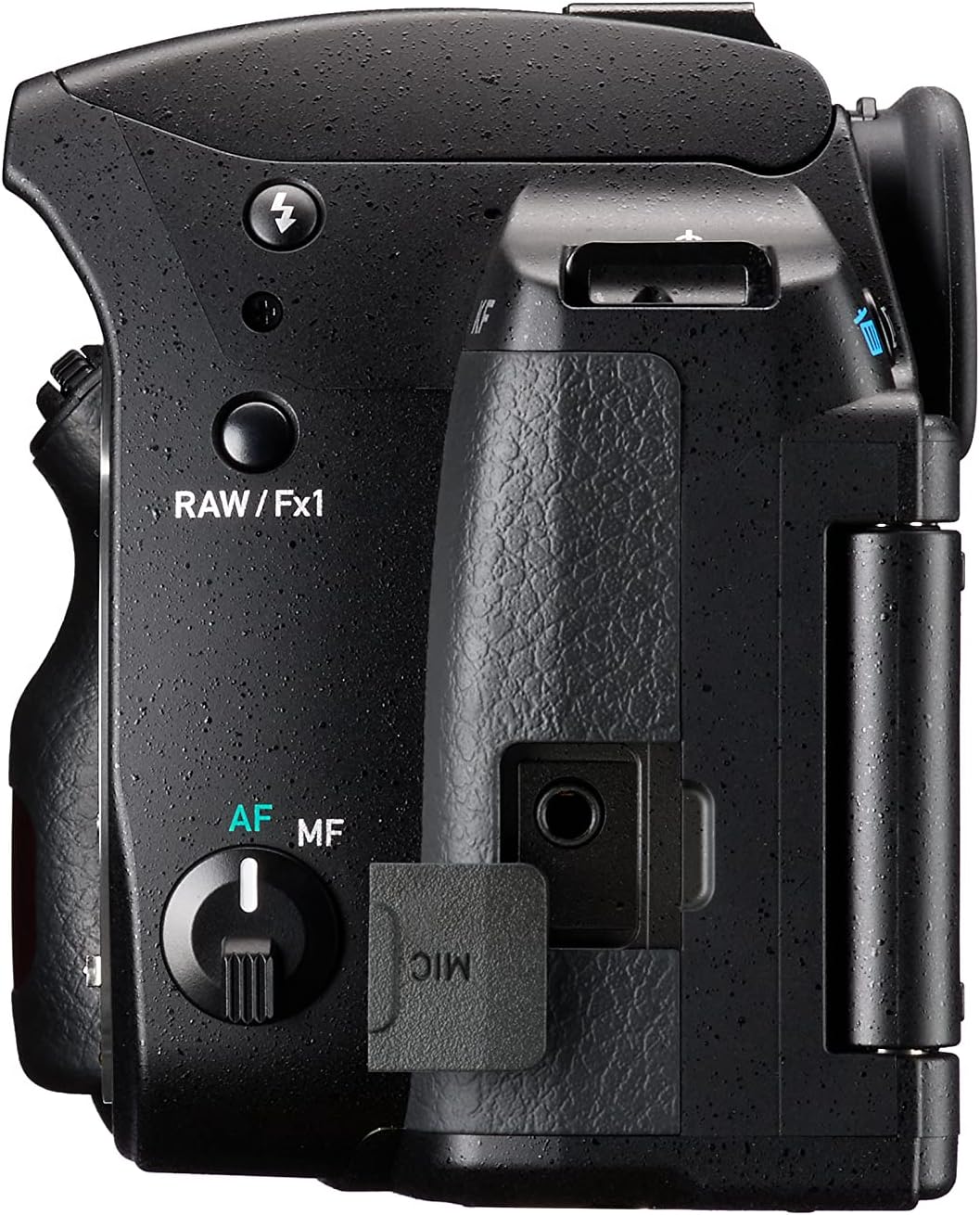
Figure 4.5: Left Side View of PENTAX KF Camera. This image displays the left side of the camera, featuring the microphone input port and the RAW/Fx1 button.

Figure 4.6: Optical Viewfinder Diagram. This diagram illustrates the internal structure of the optical viewfinder, providing a clear view of the subject.

Figure 4.7: Vari-Angle LCD Screen. This image demonstrates the flexibility of the vari-angle LCD monitor, allowing for diverse shooting angles.
5. Setup
5.1. Charging and Inserting the Battery
- Insert the battery into the charger and connect the charger to a power outlet. The charging indicator will illuminate.
- Once charging is complete, the indicator will change. Disconnect the charger.
- Open the battery compartment cover on the bottom of the camera.
- Insert the charged battery into the compartment, ensuring correct orientation. Close the cover securely.
5.2. Inserting a Memory Card
- Open the memory card slot cover on the side of the camera.
- Insert an SD card into the slot with the label facing the front of the camera until it clicks into place.
- Close the memory card slot cover.
5.3. Attaching a Lens
- Remove the body mount cap from the camera and the rear cap from the lens.
- Align the red index mark on the lens with the red index mark on the camera's lens mount.
- Rotate the lens clockwise until it clicks into place.
5.4. Initial Settings (Date/Time)
Upon first power-on or after battery replacement, you may need to set the date, time, and language. Follow the on-screen prompts to configure these settings.
6. Operating the Camera
6.1. Power On/Off
To power on the camera, rotate the power switch located around the shutter button to the "ON" position. To power off, rotate it to "OFF".
6.2. Basic Shooting Modes
The mode dial on the top of the camera allows you to select various shooting modes:
- AUTO: Fully automatic mode for simple point-and-shoot operation.
- P (Program AE): Camera sets aperture and shutter speed for optimal exposure.
- Av (Aperture-Priority AE): You set the aperture, camera sets shutter speed.
- Tv (Shutter-Priority AE): You set the shutter speed, camera sets aperture.
- M (Manual): You set both aperture and shutter speed.
- SCN (Scene Modes): Pre-set modes for specific scenes (e.g., Portrait, Landscape).
6.3. Focusing
The PENTAX KF features SAFOX X autofocus system with 11 points, including 9 cross-type sensors.
- Autofocus (AF): Set the AF/MF switch on the lens or camera body to AF. Press the shutter button halfway to focus.
- Manual Focus (MF): Set the AF/MF switch to MF. Rotate the focusing ring on the lens to adjust focus manually.
6.4. Taking a Picture
- Select your desired shooting mode using the mode dial.
- Frame your shot through the viewfinder or on the LCD screen.
- Press the shutter button halfway to focus.
- Press the shutter button fully to capture the image.
7. Advanced Features
7.1. Pixel Shift Resolution System
The Pixel Shift Resolution System captures four images of the same scene by shifting the image sensor by a single pixel for each image, then synthesizes them into a single composite image. This results in super-high-resolution images with finer details and more accurate colors. The system also includes a motion correction function to compensate for slight movement during capture.

Figure 7.1: Pixel Shift Resolution. This image demonstrates the enhanced detail captured using the Pixel Shift Resolution system.
7.2. Astrotracer Function
When paired with the optional O-GPS1 GPS unit, the PENTAX KF's Astrotracer function simplifies astronomical photography. It tracks celestial bodies by synchronizing the image sensor's movement with the Earth's rotation, allowing for sharp, streak-free images of stars and other astronomical objects even during long exposures, without the need for an equatorial mount.

Figure 7.2: Astrotracer Function. This image illustrates the Astrotracer feature, showing the camera with an optional GPS unit for astronomical tracking.
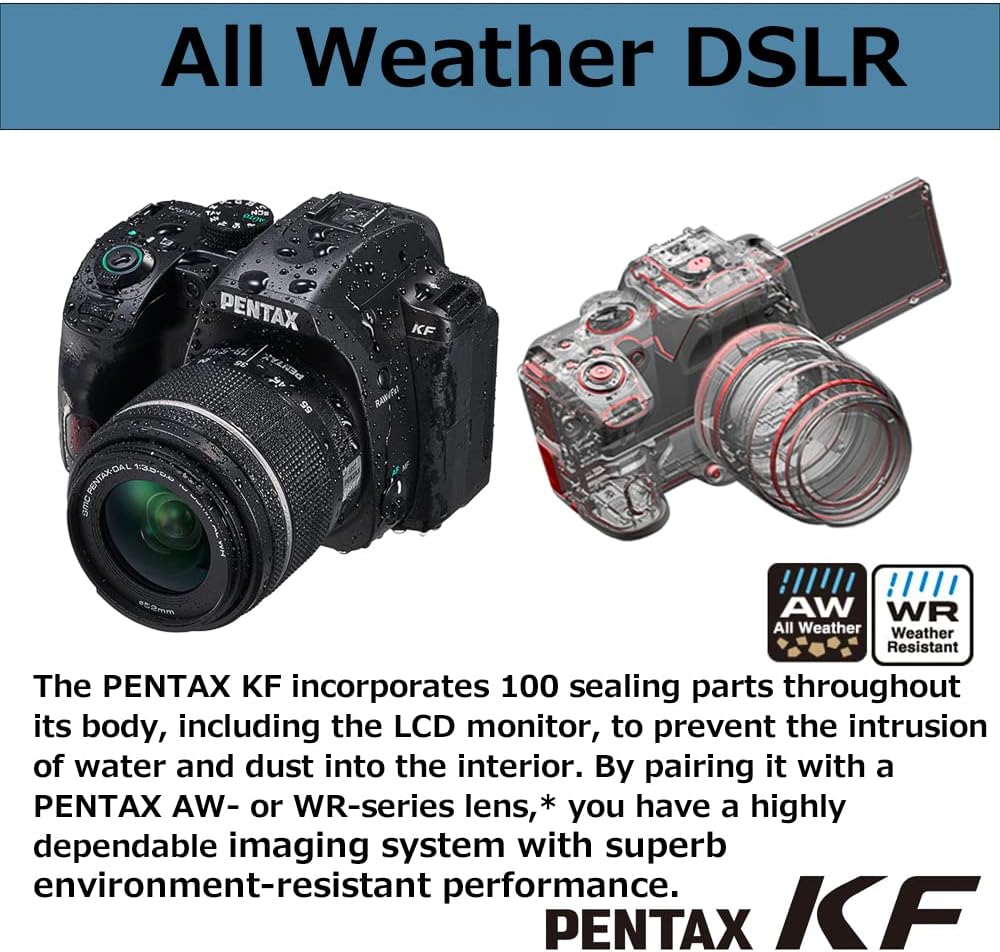
Figure 7.3: Astrophotography Example. An example of a Milky Way photograph captured using the camera's capabilities.
7.3. Dust and Weather-Resistant Construction
The PENTAX KF features a robust construction with 100 sealing parts throughout its body, including the LCD monitor. This design prevents the intrusion of water and dust, making it suitable for outdoor photography in challenging conditions. When paired with a PENTAX AW- or WR-series lens, the camera forms a highly dependable, environment-resistant imaging system.

Figure 7.4: Weather-Resistant Design. This image highlights the camera's weather-sealed construction, showing water droplets on the body.
7.4. Wi-Fi Connectivity
The integrated Wi-Fi module allows for wireless connection to a smartphone or tablet using the dedicated Image Sync application. This enables remote control of the camera, live view display, and transfer of images to your smart device.

Figure 7.5: Image Sync Application. A screenshot of the Image Sync app interface, demonstrating remote camera control and image transfer.
7.5. AA Filter Simulator
The PENTAX KF features an APS-C CMOS sensor without an anti-aliasing (AA) filter, prioritizing image sharpness. To mitigate moiré patterns and false colors that can occur without an AA filter, the camera incorporates an AA filter simulator. This function applies microscopic vibrations to the image sensor during exposure, effectively providing the same level of moiré reduction as an optical AA filter.
8. Maintenance
8.1. Cleaning the Camera
- Camera Body: Wipe with a soft, dry cloth. For stubborn dirt, use a cloth lightly dampened with water and then wipe dry.
- Lens: Use a lens brush to remove dust, then gently wipe with a lens cleaning cloth and lens cleaning solution.
- Image Sensor: If dust appears on images, use the camera's sensor cleaning function or consult a service center.
- LCD Monitor: Gently wipe with a soft, dry cloth. Avoid pressing hard.
8.2. Storage
- Store the camera in a cool, dry, and well-ventilated place, away from direct sunlight and high humidity.
- Remove the battery if the camera will not be used for an extended period.
- Use desiccant to prevent mold growth, especially in humid environments.
9. Troubleshooting
| Problem | Possible Cause | Solution |
|---|---|---|
| Camera does not power on. | Battery is depleted or incorrectly inserted. | Charge the battery fully and ensure it is inserted correctly. |
| Cannot take pictures. | Memory card is full, locked, or not inserted. Lens cap is on. | Insert a new/unlocked card, remove lens cap. Check card status. |
| Images are blurry. | Incorrect focus, camera shake, or dirty lens. | Ensure proper focus, use a faster shutter speed or tripod, clean the lens. |
| LCD screen is blank. | Camera is off, battery depleted, or display mode is off. | Power on camera, charge battery, press INFO/DISPLAY button. |
| Wi-Fi connection fails. | Incorrect settings, distance too far, or interference. | Check Wi-Fi settings, move closer to the device, avoid interference. |
10. Specifications
| Feature | Detail |
|---|---|
| Brand | Pentax |
| Model Name | Pentax KF |
| Effective Resolution | 24.24 Megapixels |
| Sensor Type | APS-C CMOS (without AA filter) |
| ISO Sensitivity | 100 to 102400 |
| Image Stabilization | Sensor-shift type (SR mechanism) |
| LCD Screen | 3-inch Vari-angle LCD |
| Autofocus System | SAFOX X (11 points, 9 cross-type) |
| Continuous Shooting Speed | Up to 5 frames per second |
| Video Resolution | 1080p |
| Connectivity | Wi-Fi |
| Weather Resistance | Dust and weather-resistant construction |
| Battery Type | Lithium-ion |
| Dimensions (L x W x H) | 21.1 x 16.5 x 13.1 cm (approximate package dimensions) |
| Weight | 1.23 Kilograms (approximate package weight) |
11. Warranty and Support
11.1. Manufacturer's Warranty
The PENTAX KF camera comes with a 1-year manufacturer's warranty. Please retain your proof of purchase for warranty claims. The warranty covers defects in materials and workmanship under normal use. It does not cover damage caused by misuse, accidents, unauthorized repairs, or normal wear and tear.
11.2. Customer Support
For technical assistance, service, or further inquiries, please visit the official Pentax support website or contact their customer service.


