
1. Introduction
Thank you for choosing the Mission 700 2-Way Vented-Box Standmount Speakers. This manual provides essential information for the proper setup, operation, and maintenance of your new speakers. Please read these instructions thoroughly before use to ensure optimal performance and longevity of your product.
The Mission 700 speakers are designed to deliver articulate and insightful sound performance with immersive bass clarity, featuring a classic retro design and Mission's Inverted Driver Geometry.
2. Safety Information
Please observe the following safety precautions:
- Do not expose speakers to extreme temperatures, humidity, or direct sunlight.
- Ensure proper ventilation around the speakers.
- Avoid placing speakers near heat sources or in enclosed spaces without adequate airflow.
- Use only recommended amplifier power (25 - 150 Watts) to prevent damage.
- Keep out of reach of children and pets.
- Disconnect from power before cleaning or moving.
3. What's in the Box
Upon unpacking, please verify that all components are present:
- Mission 700 Speakers (Pair)
- Speaker Grill Covers (Pair)
- Instruction Manual (This document)

Image: The Mission 700 speakers, showcasing their design and included grilles. One speaker is shown with its grille removed, revealing the woofer, tweeter, and bass port. The other speaker has its grille attached.
4. Setup
4.1 Speaker Placement
The Mission 700 speakers are designed for standmount or bookshelf use. Optimal placement is crucial for sound quality. Consider the following:
- Distance from Walls: Experiment with placing speakers away from walls to reduce bass boom and improve soundstage.
- Stereo Imaging: Position speakers to form an equilateral triangle with your primary listening position for the best stereo image.
- Height: Ensure the tweeter is approximately at ear level when seated. Dedicated speaker stands are recommended for optimal performance.
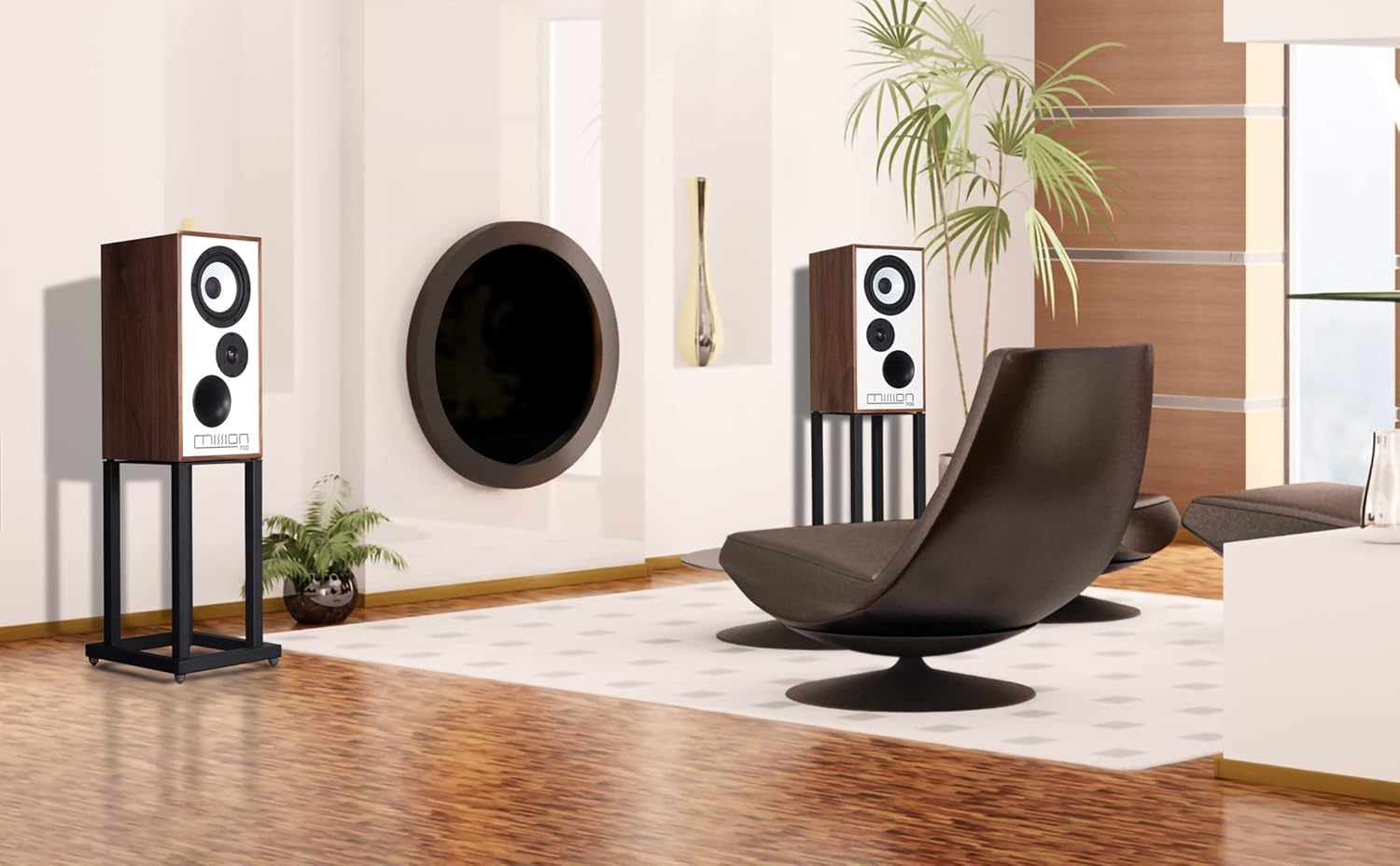
Image: An example of Mission 700 speakers positioned in a room, demonstrating typical placement for home audio systems.
4.2 Connecting to an Amplifier
Use high-quality speaker cables to connect your Mission 700 speakers to your amplifier. Ensure correct polarity (+ to + and - to -) for each speaker.
- Turn off your amplifier before making any connections.
- Connect the positive (red) terminal on the speaker to the positive (red) terminal on the amplifier.
- Connect the negative (black) terminal on the speaker to the negative (black) terminal on the amplifier.
- Repeat for the second speaker.

Image: The rear panel of a Mission 700 speaker, highlighting the two speaker terminals (red and black) for amplifier connection and the product information label.
5. Operating Instructions
Once properly connected, your Mission 700 speakers are ready for use. Ensure your amplifier is powered on and set to the correct input source. Adjust the volume gradually to a comfortable listening level.
The Mission 700 features an Inverted Driver Geometry, where the tweeter is positioned below the mid/bass driver. This design aims to equalize the path length from the drivers to the listener's ear, optimizing time alignment and improving overall sound coherence.

Image: A close-up of the Mission 700 speaker's front baffle, illustrating the inverted driver geometry with the tweeter placed below the main driver and the bass port at the bottom.
6. Maintenance
To maintain the appearance and performance of your speakers:
- Cleaning: Use a soft, dry cloth to wipe the cabinet surfaces. Avoid abrasive cleaners or solvents.
- Grilles: The speaker grilles can be gently removed for cleaning. Use a soft brush or vacuum cleaner with a brush attachment to remove dust. Reattach carefully.
- Driver Care: Avoid touching the speaker drivers (woofer and tweeter) directly, as this can cause damage.
7. Troubleshooting
If you encounter issues with your Mission 700 speakers, refer to the following common solutions:
- No Sound:
- Check all cable connections between the speakers and the amplifier. Ensure they are secure and correctly polarized.
- Verify the amplifier is powered on and set to the correct input source.
- Confirm the amplifier's volume is not set to minimum or muted.
- Distorted Sound:
- Reduce the volume level on your amplifier.
- Check speaker cable connections for any loose strands or short circuits.
- Ensure the amplifier's power output is within the recommended range for the speakers (25 - 150 Watts).
- Uneven Sound from Speakers:
- Check individual speaker connections for correct polarity.
- Ensure speakers are placed symmetrically in the room.
- Verify amplifier balance settings.
If problems persist, consult your dealer or Mission customer support.
8. Specifications
| Feature | Detail |
|---|---|
| Model Name | Mission 700 |
| Speaker Type | 2-Way Vented-Box Standmount / Bookshelf |
| Recommended Amplifier Power | 25 - 150 Watts |
| Tweeter Diameter | 1 Inch |
| Surround Sound Channel Configuration | 2.0 |
| Product Dimensions (D x W x H) | 20"D x 12"W x 10"H |
| Material | Plastic, Textile (for grilles) |
| Color | Walnut (as per this variant) |
| Mounting Type | Shelf Mount |
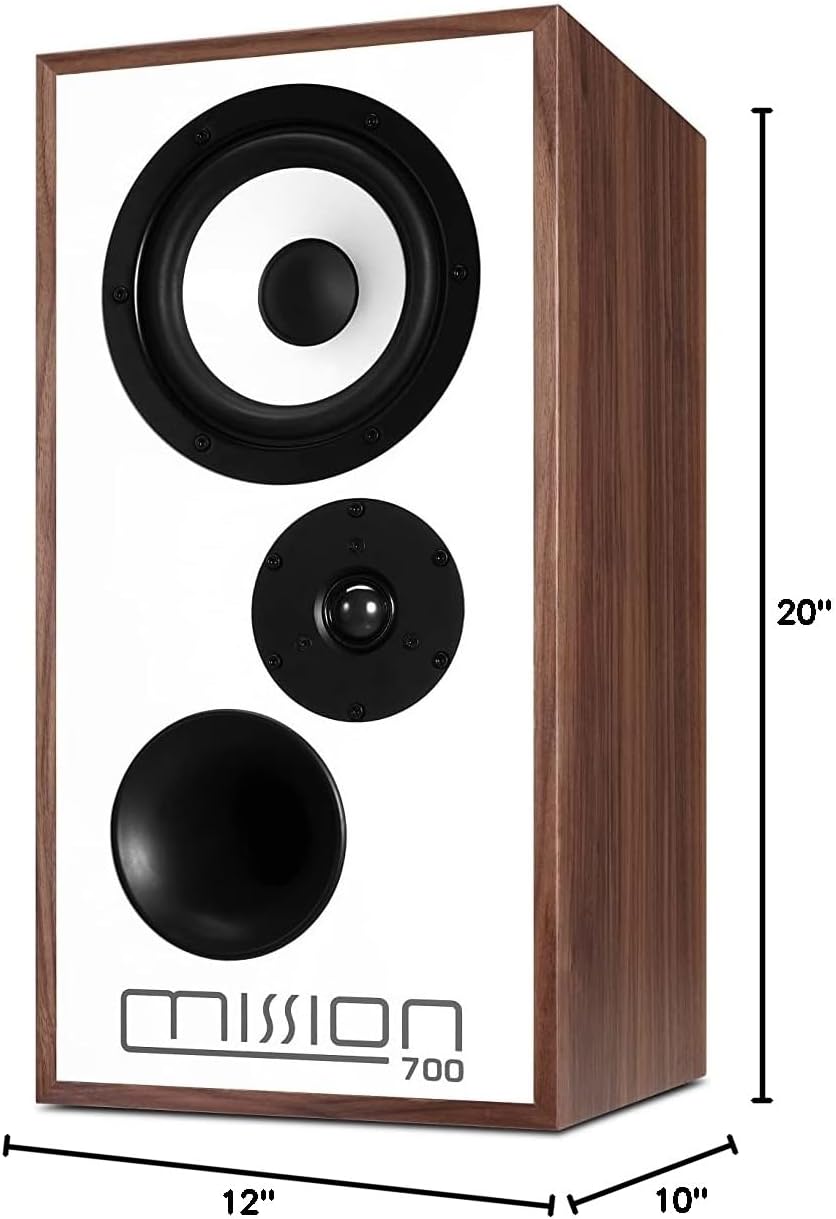
Image: The Mission 700 speaker with its physical dimensions clearly indicated.
9. Warranty and Support
Mission products are manufactured to high standards and are warranted against defects in materials and workmanship. For specific warranty terms and conditions, please refer to the warranty card included with your product or contact your local Mission dealer.
For technical support or service inquiries, please contact Mission customer service through their official website or your authorized dealer. Please have your model number (Mission 700) and purchase details ready.


