
TakTark BM612
TakTark BM612 Baby Monitor User Manual
Model: BM612
Introduction
This manual provides detailed instructions for the setup, operation, and maintenance of your TakTark BM612 Baby Monitor. Please read this manual thoroughly before use to ensure proper functionality and safety.

Figure 1: TakTark BM612 Baby Monitor System
Package Contents
Ensure all items are present in the package:
- Baby Camera Unit
- Parent Monitor Unit
- Power Adapters (x2)
- User Manual (this document)
Setup
1. Powering On
- Connect the power adapter to the Baby Camera Unit and plug it into a power outlet.
- Connect the power adapter to the Parent Monitor Unit and plug it into a power outlet. The monitor unit has a built-in rechargeable battery for portable use.
- Press and hold the power button on the Parent Monitor Unit to turn it on.
2. Camera Placement
Place the Baby Camera Unit in a secure location within the baby's room. Ensure it has a clear view of the crib or play area. The camera can be surface-mounted or wall-mounted.

Figure 2: Camera and Monitor Unit Overview
For optimal performance, ensure the camera is placed at least 3 feet (1 meter) away from the baby to avoid potential entanglement with cords and to provide a wider viewing angle.
3. Initial Pairing (Automatic)
The TakTark BM612 Baby Monitor and Camera are pre-paired at the factory. Once both units are powered on, they should automatically connect and display the video feed. If connection issues occur, refer to the Troubleshooting section.
Operating Instructions
1. Monitor Overview
The Parent Monitor Unit features a 4.3-inch IPS screen and intuitive controls for easy operation.
Figure 3: Parent Monitor Unit Display
2. Two-Way Audio Communication
To speak to your baby through the camera unit, press and hold the microphone button on the Parent Monitor Unit. Release the button to listen.

Figure 4: Two-Way Voice Intercom in Use
3. VOX (Voice Operated Exchange) Mode
In VOX mode, the monitor's screen will automatically turn on and alert you when the baby cries or makes significant noise. This feature conserves battery life. When the screen is off, the camera continues to monitor the baby in the background.

Figure 5: VOX Sound Activation

Figure 6: Extended Operation in VOX Mode
4. Night Vision
The BM612 features automatic infrared night vision. In low light conditions, the infrared LEDs will activate automatically, providing a clear black and white video feed. The infrared light is designed to be very weak and will not disturb your baby's sleep.

Figure 7: Automatic Night Vision in Operation
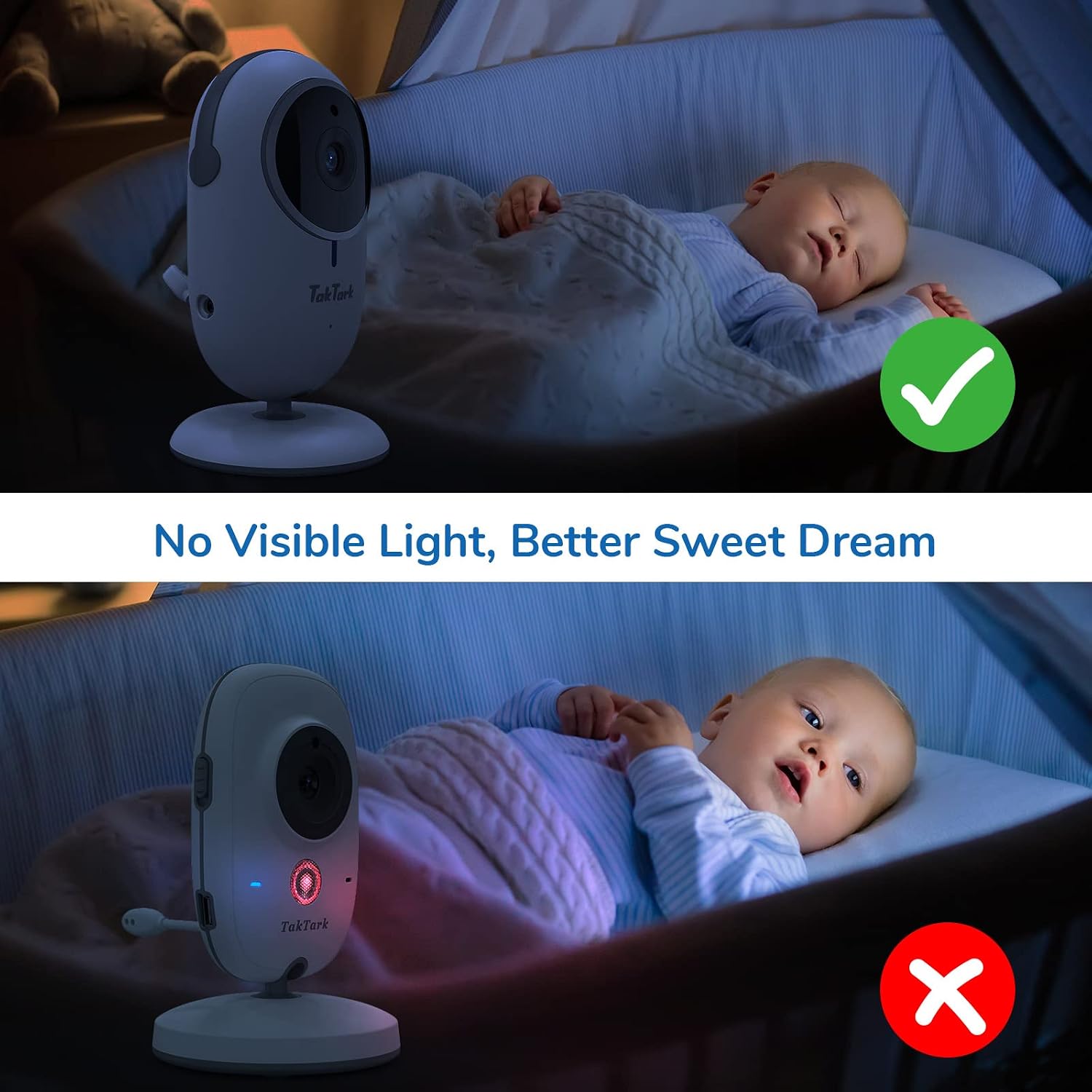
Figure 8: Invisible Infrared Light for Undisturbed Sleep
5. Digital Zoom
The monitor supports digital zoom up to 3X. Use the zoom button on the Parent Monitor Unit to magnify the image for a closer view of your baby.

Figure 9: Digital Zoom Functionality
6. Room Temperature Monitoring
The Baby Camera Unit includes a temperature sensor that displays the room temperature on the Parent Monitor Unit, helping you ensure a comfortable environment for your baby.

Figure 10: Temperature Monitoring Display
7. Alarm/Feeding Timer
The monitor includes a time setting and alarm function to remind you of important tasks such as feeding times or diaper changes.
8. Range and Connectivity
The system operates on 2.4 GHz FHSS wireless technology, providing a stable and secure connection without Wi-Fi. The transmission range is up to 160ft (50m) indoors and 850ft (260m) outdoors.
Video 1: Official TakTark BM612 Video Baby Monitor overview, demonstrating key features like VOX mode, two-way audio, and night vision.
Maintenance
- Cleaning: Use a soft, dry cloth to clean the camera and monitor units. Do not use abrasive cleaners or solvents.
- Storage: If storing the unit for an extended period, ensure both units are fully charged, then power them off. Store in a cool, dry place.
- Battery Care: The Parent Monitor Unit contains a rechargeable Lithium Metal battery. For optimal battery life, avoid extreme temperatures and do not allow the battery to fully discharge frequently.
Troubleshooting
| Problem | Possible Cause | Solution |
|---|---|---|
| No image/sound on monitor | Units not powered on; Out of range; Not paired. | Ensure both units are powered on and charged. Move units closer. Re-pair units (refer to manual for specific pairing steps if automatic pairing fails). |
| Poor image quality | Low light; Obstructions; Camera lens dirty. | Ensure adequate lighting or allow night vision to activate. Remove obstructions. Clean camera lens. |
| Interference/Static | Other 2.4GHz devices nearby; Out of range. | Move the monitor away from other wireless devices (e.g., Wi-Fi routers, microwaves). Move units closer. |
| VOX mode not activating | VOX sensitivity too low. | Adjust VOX sensitivity settings on the monitor to a higher level. |
Specifications
- Model: BM612
- Screen Size: 4.3 inches IPS
- Connectivity: 2.4 GHz FHSS (No Wi-Fi required)
- Video Resolution: 480p
- Night Vision: Infrared, up to 15 feet
- Zoom: 3X Digital Zoom
- Audio: Two-Way Audio, VOX Mode
- Temperature Sensor: Yes
- Power Source: Corded Electric (Camera), Corded Electric/Rechargeable Battery (Monitor)
- Monitor Battery: 1760 mAh Lithium Metal
- Indoor Range: Up to 160 ft (50m)
- Outdoor Range: Up to 850 ft (260m)
- Material: Plastic
- UPC: 673400574060
Warranty and Support
TakTark products are designed for reliability and performance. For warranty information and technical support, please refer to the contact details provided with your purchase or visit the official TakTark website. Keep your purchase receipt as proof of purchase for warranty claims.
For additional support and resources, you may visit the TakTark Store on Amazon.
Ask a question about this manual
Ask about setup, troubleshooting, compatibility, parts, safety, or missing instructions. Manuals+ will review the question and use this page’s manual context to help answer it.