
Introduction
Welcome to a smarter way to track your health and fitness journey with the Vitafit Smart Bathroom Scale. This advanced digital scale provides more than just your weight; it offers a comprehensive analysis of 13 key body composition metrics, helping you gain deeper insights into your physical well-being. Designed for accuracy and ease of use, the Vitafit scale seamlessly integrates with a dedicated app to store, track, and share your progress.

Image: Vitafit Smart Bathroom Scale displaying weight and connected app showing body composition data.
Key Features
- High Accuracy: Measures weight with 0.1lb (0.05kg) precision, up to 400lb (182kg) capacity.
- 13 Body Composition Metrics: Tracks Weight, BMI, Body Fat, Water, Muscle Mass, Bone Mass, Protein, Visceral Fat, Subcutaneous Fat, Skeletal Muscle, BMR (Basal Metabolic Rate), and Metabolic Age.
- Smart App Integration: Connects via Bluetooth to the Vitafit app for detailed data tracking and analysis.
- Unlimited Users: Create profiles for family and friends to track individual progress.
- Special Modes: Includes Zero-Current mode for pregnant users, and dedicated modes for babies and children (under 2 years, and 2-18 years) for weight and BMI measurement only.
- Data Sync & Share: Seamlessly syncs with popular health apps like Apple Health, Google Fit, Samsung Health, and Fitbit. Easily share your health journey on social media.
- Clear LED Display: Large, bright white LED display for easy readability.
- Durable Design: Features a comfortable tempered glass platform.

Image: Visual representation of the 13 body composition data points measured by the scale.
Package Contents
- Vitafit Smart Bathroom Scale (Model VT7018)
- User Manual
- 3 x AAA Batteries (pre-installed or included)
Setup
1. Battery Installation
The scale comes with 3 AAA batteries. If not pre-installed, open the battery compartment on the underside of the scale and insert the batteries, ensuring correct polarity. If a pull-tab is present, gently remove it to activate the batteries.
2. App Installation & Pairing
- Search for and download the "Vitafit" app from your smartphone's app store (Apple App Store or Google Play Store).
- Enable Bluetooth on your smartphone.
- Open the Vitafit app and follow the on-screen instructions to create your user profile.
- Step onto the scale with bare feet to activate it. The app should automatically detect and pair with the scale. Confirm the pairing within the app.
3. Unit Selection
To change the unit of measurement (pounds (lb), kilograms (kg), or stones (st)), locate the unit button on the underside of the scale. Press the button to cycle through the available units until your desired unit is displayed on the scale's LED screen.
Video: An overview of the Vitafit Smart Bathroom Scale, including unboxing and initial setup steps like battery installation and unit selection.
Operating Instructions
1. Taking a Measurement
- Place the scale on a hard, flat surface (avoid carpets or uneven floors) to ensure accurate readings.
- Step onto the scale with bare feet, ensuring your feet are positioned on the metal sensor pads.
- Stand still until your weight is displayed on the LED screen and the app registers the full body composition data.
2. Special Modes
The Vitafit app offers special modes for specific user needs:
- Zero-Current Mode (Pregnant): For pregnant users, this mode measures only weight and BMI, avoiding bio-electrical impedance analysis.
- Baby Mode (Under 2 years): Allows for accurate weight measurement of infants. First, an adult steps on the scale, then steps off. Next, the adult steps on again while holding the baby. The scale will calculate the baby's weight.
- Children Mode (2-18 years): Measures weight and BMI for children in this age range.
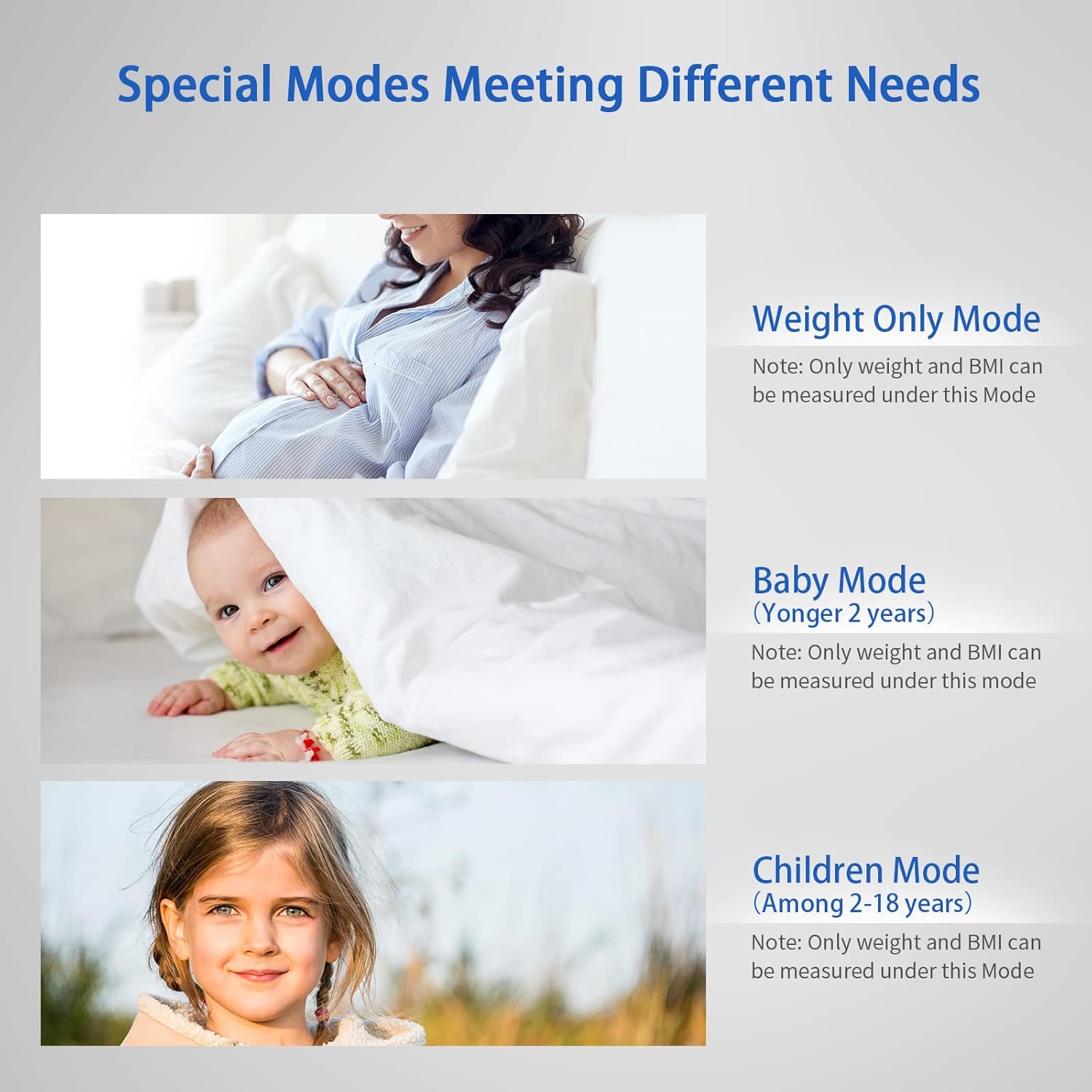
Image: Illustrations of the special modes available for pregnant users, babies, and children.
3. Understanding Body Composition Data
The Vitafit app provides a detailed dashboard of your body composition. Tap on each metric (e.g., Body Fat, Muscle Mass) to view more information and understand what the numbers mean for your health goals. The app also displays trends over time, allowing you to monitor your progress daily, weekly, or monthly.
4. Syncing & Sharing Data
Your measurement data is automatically saved to the Vitafit app. You can easily connect the Vitafit app to other popular health platforms such as Apple Health, Google Fit, Samsung Health, and Fitbit to consolidate your health data. The app also allows you to conveniently share your progress with friends and family on major social media platforms.

Image: The Vitafit app's compatibility with various popular health tracking platforms.
Maintenance
1. Cleaning
Wipe the scale surface with a soft, damp cloth. Do not use abrasive cleaners or immerse the scale in water.
2. Battery Replacement
When the battery indicator appears on the display, replace the 3 AAA batteries. Ensure correct polarity when inserting new batteries.
3. Storage
Store the scale in a cool, dry place. Avoid placing heavy objects on the scale when not in use.
Troubleshooting
- Inaccurate Readings: Ensure the scale is on a hard, flat surface. Avoid moving the scale frequently. Recalibrate by stepping on and off the scale once before weighing.
- No Display/Power: Check if batteries are correctly installed or need replacement.
- App Connectivity Issues: Ensure Bluetooth is enabled on your device and the scale is within range. Restart the app or your phone if necessary.
- Body Composition Data Not Showing: Ensure you are stepping on the scale with bare feet and that your feet are making good contact with all four metal sensor pads.
Specifications
| Product Dimensions | 11 x 11 x 0.95 inches |
| Item Weight | 2.65 Pounds |
| Item Model Number | VT7018 |
| Batteries | 3 AAA batteries (included) |
| Manufacturer | Shenzhen Shine Industrial Co.,LTD. |
| Country of Origin | China |
| Max Capacity | 400lb / 182kg |
| Accuracy | 0.1lb / 0.05kg |
| Display Type | LED |

Image: FDA Registration Certificate for the manufacturer, Shenzhen Shine Industrial Co., Ltd.
Warranty & Support
Vitafit is committed to providing high-quality products. Our professional factory has been focusing on scales since 2001 and is certified by ISO and Social Accountability standards. All Vitafit scales are proudly developed and produced by ourselves.
For any product inquiries or support, please contact our US-based customer service team. Your data is secured and stored in US and EU Cloud Servers via AWS (Amazon Web Services), ensuring your personal privacy is protected by best-in-class standards.
Legal Disclaimer: Statements regarding dietary supplements have not been evaluated by the FDA and are not intended to diagnose, treat, cure, or prevent any disease or health condition.


