1. Introduction
The JOOPSHEE 5-in-1 Memory Card Reader is a versatile device designed for seamless data transfer between various memory cards and your digital devices. It features multiple interfaces including USB, USB-C (Type C), and an iOS connector, along with dedicated slots for SD and Micro SD cards. This manual provides detailed instructions for setup, operation, and troubleshooting to ensure optimal use of your card reader.
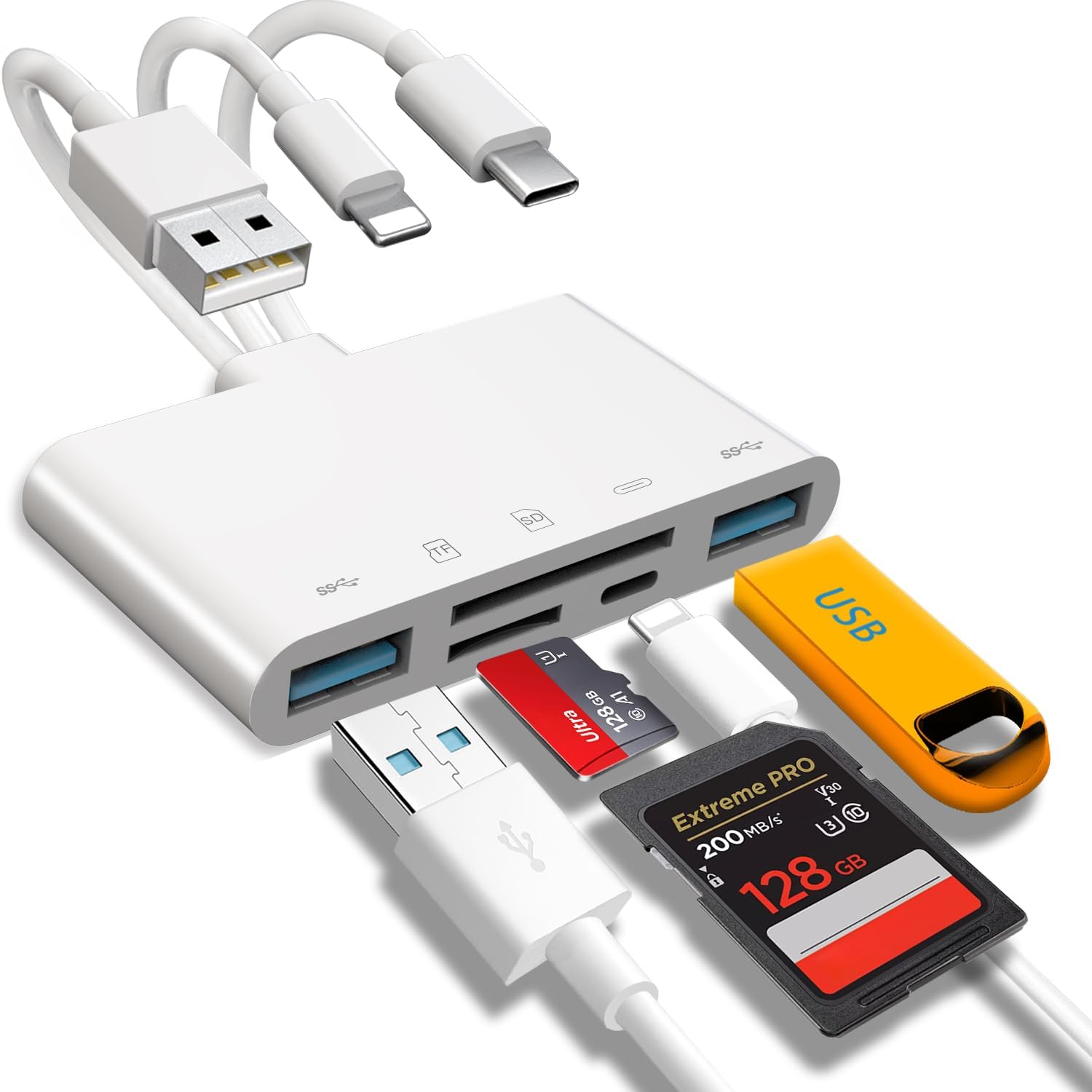
Figure 1: JOOPSHEE 5-in-1 Memory Card Reader with various connectors and card slots.
2. Key Features
- Plug and Play: No Wi-Fi, network, or drivers required for operation.
- Multi-Interface Design: Equipped with USB, USB-C (Type C), and iOS connectors for broad device compatibility.
- Dual Card Slots: Supports both SD card and Micro SD card formats.
- Integrated Charging Port: Features an additional charging port for iOS devices, allowing simultaneous charging and data transfer.
- Fast Transfer Speed: High-speed two-way data transfer capability.
- Multi-function USB Ports: Connects to various USB peripherals such as cameras, USB flash drives, keyboards, and mice.
- Wide Compatibility: Supports iOS devices (iOS 9.1 and above), OTG-enabled Android phones, and computers with USB ports.
- High Capacity Support: Micro SD card reader supports up to 1TB memory cards; USB 2.0 flash drives up to 512GB; USB 3.0 flash drives up to 128GB.
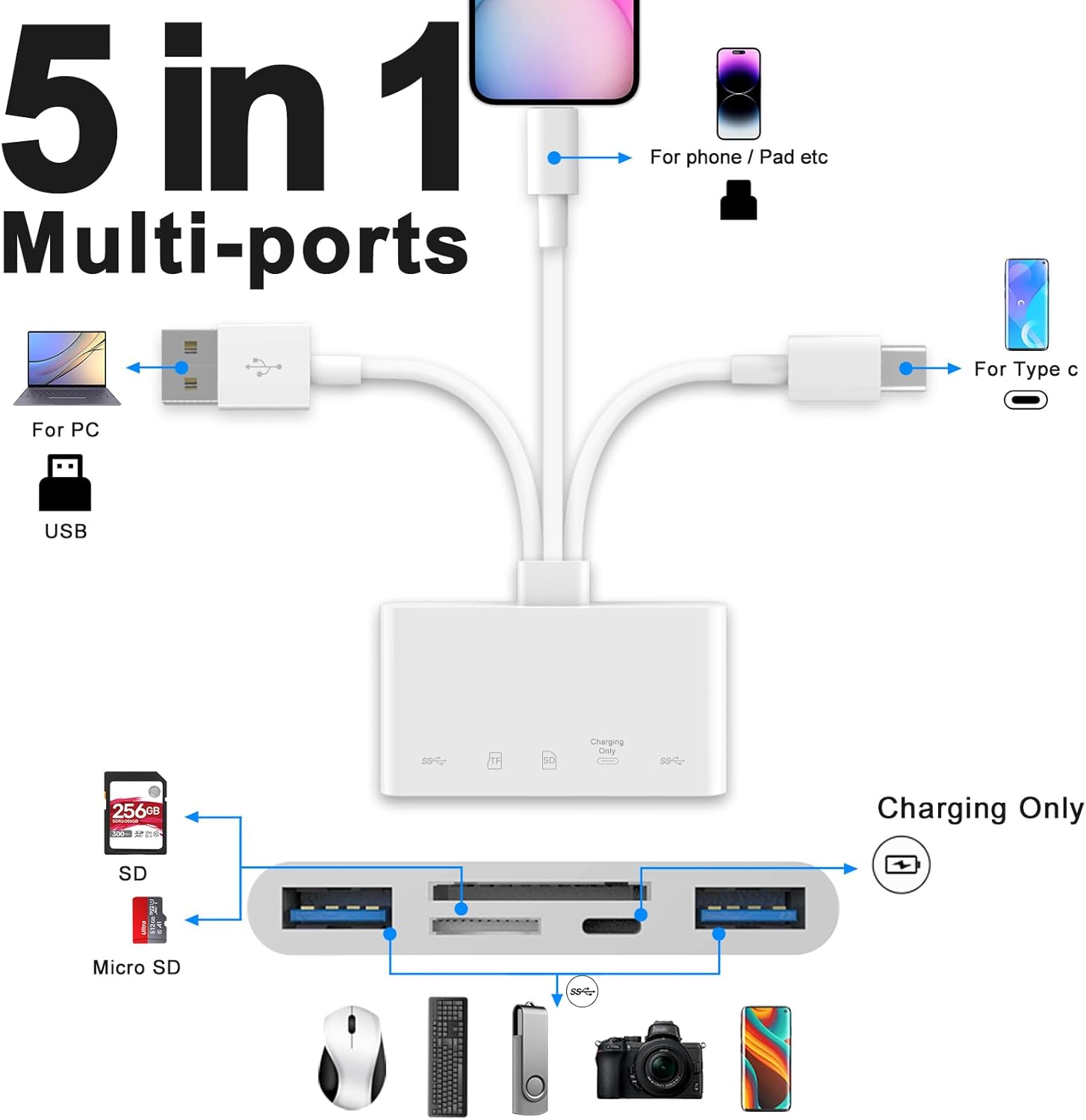
Figure 2: Detailed diagram of the 5-in-1 multi-port card reader.
3. Setup
- Insert Memory Card: Ensure the memory card (SD or Micro SD) is correctly oriented and fully inserted into the corresponding slot on the card reader.
- Connect to Device: Select the appropriate connector (USB, USB-C, or iOS) for your device (phone, tablet, or computer) and plug it into the device's port.
- Power Connection (Optional): If transferring large files or connecting multiple USB peripherals, connect a power adapter to the card reader's charging port to ensure stable operation and prevent power-related issues.

Figure 3: Connecting the card reader to a smartphone.
4. Operating Instructions
4.1 General Operation
- Once connected, your device should automatically recognize the card reader. If not, ensure the memory card is properly inserted and the connection is secure.
- For iOS devices, you must manually locate the device within the Files app. iOS systems will not display it automatically on the home screen.
- The memory card should be formatted in FAT32 or EXFAT. Other formats (e.g., NTFS) are not recognized by phones.

Figure 4: Memory card format requirement.
4.2 iOS Device Instructions (iOS 9.1 and above)
- Connect the card reader to your iPhone or iPad using the iOS connector.
- Open the Files app on your device.
- Navigate to Browse and select SD Card (or the name of your memory card).
- You can now view, select, and transfer photos, videos, and other files between your device and the memory card.

Figure 5: iOS file transfer steps.
4.3 Android Device Instructions (OTG-enabled)
- Connect the card reader to your Android phone using the USB-C or USB-A connector.
- Open the File Manager or similar file browsing app on your device.
- Locate the connected memory card (often labeled as SD Card, USB Storage, or similar).
- You can now browse, copy, and paste files as needed.

Figure 6: Android file transfer steps.
4.4 PC/Mac Instructions
- Connect the card reader to your computer using the USB or USB-C connector.
- The card reader will appear as a removable drive in your computer's file explorer (Windows) or Finder (macOS).
- Access the memory card and transfer files as you would with any other external storage device.

Figure 7: Card reader connected to a laptop with peripherals.
5. Compatibility
5.1 Supported Devices
- iOS Devices: iPhone, iPad (iOS 9.1 and above).
- Android Devices: OTG-enabled smartphones and tablets.
- Computers: PCs and Macs with available USB or USB-C ports.
- Peripherals: Cameras, USB flash drives, keyboards, mice, and other USB accessories.
5.2 Supported Memory Cards
- SD Card (SD, SDHC, SDXC)
- Micro SD Card (Micro SD, Micro SDHC, Micro SDXC)
- Supports up to 1TB memory cards.
5.3 Supported USB Flash Drives
- USB 2.0 flash drives up to 512GB.
- USB 3.0 flash drives up to 128GB.

Figure 8: Device compatibility overview.
6. Troubleshooting
- Device Not Recognized:
Ensure the memory card is correctly inserted. Disconnect and reinsert the card reader completely. If using an iOS device, remember to check the Files app. - "No Files Found" Prompt (iOS):
This may occur when the mobile device is under low power. Simply recharge your device via the card reader's charging port to restore file visibility. - Errors During Large File Transfer:
When transferring large files, errors may occur due to insufficient power. Try again while charging your device by connecting a power adapter to the card reader's charging port. - Device Ceases to Respond (iOS):
If connecting multiple storage cards or USB devices causes the load to exceed your smartphone's maximum capacity, the device may stop responding. In such cases, an external power source must be connected to the card reader to provide sufficient power. - Memory Card Not Recognized by Phone:
Ensure the memory card is formatted in FAT32 or EXFAT. NTFS and other formats are not supported by mobile phones. - Bad Contact/Connection Issues:
If your device prompts a data cable or accessory error, it may indicate a bad contact. Unplug and reinsert the card reader. If the problem persists, gently clean the inside of your device's port with a cotton swab dipped in alcohol.

Figure 9: Important notices and troubleshooting tips.

Figure 10: Charging while transferring data.
7. Specifications
| Brand | JOOPSHEE |
| Model Number | 1032Pro |
| Operating System Compatibility | iOS, Windows, macOS, Android |
| Item Weight | 1.76 ounces |
| Product Dimensions (LxWxH) | 6.8 x 3.15 x 0.62 inches |
| Color | White |
| Media Type Supported | SD Card, SDHC, SDXC, microSD |
| Connectivity Technology | USB Type C, USB Type A, iOS Connector |
| Special Feature | Plug & Play, Charging Port |
8. Maintenance
- Keep the card reader clean and free from dust and debris. Use a soft, dry cloth for cleaning.
- Avoid exposing the device to extreme temperatures, moisture, or direct sunlight.
- Do not attempt to disassemble or modify the device, as this will void any warranty.
- Store the card reader in a safe place when not in use to prevent physical damage.
9. Warranty and Support
For warranty information and customer support, please refer to the product packaging or contact JOOPSHEE customer service. Contact details for EU and UK representatives are provided on the product packaging for specific regional support.
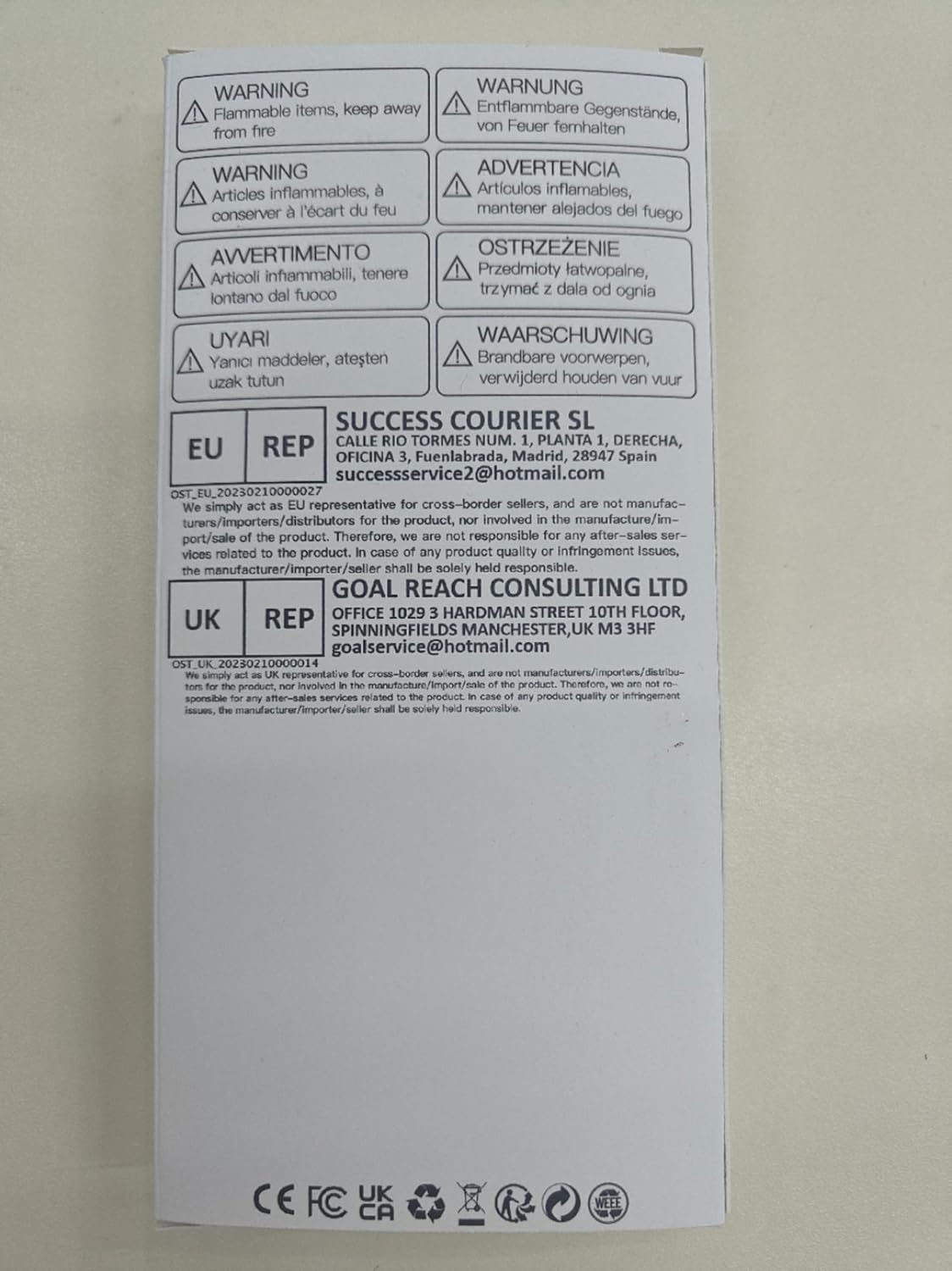
Figure 11: Product packaging with warning labels and support information.