
Introduction
Welcome to the world of robotic technology and programming with James The Spy Bot. This instruction manual provides essential information for setting up, operating, and maintaining your new spy robot. James features 50 different programmable actions and over 20 unique functions, allowing for engaging and educational play.
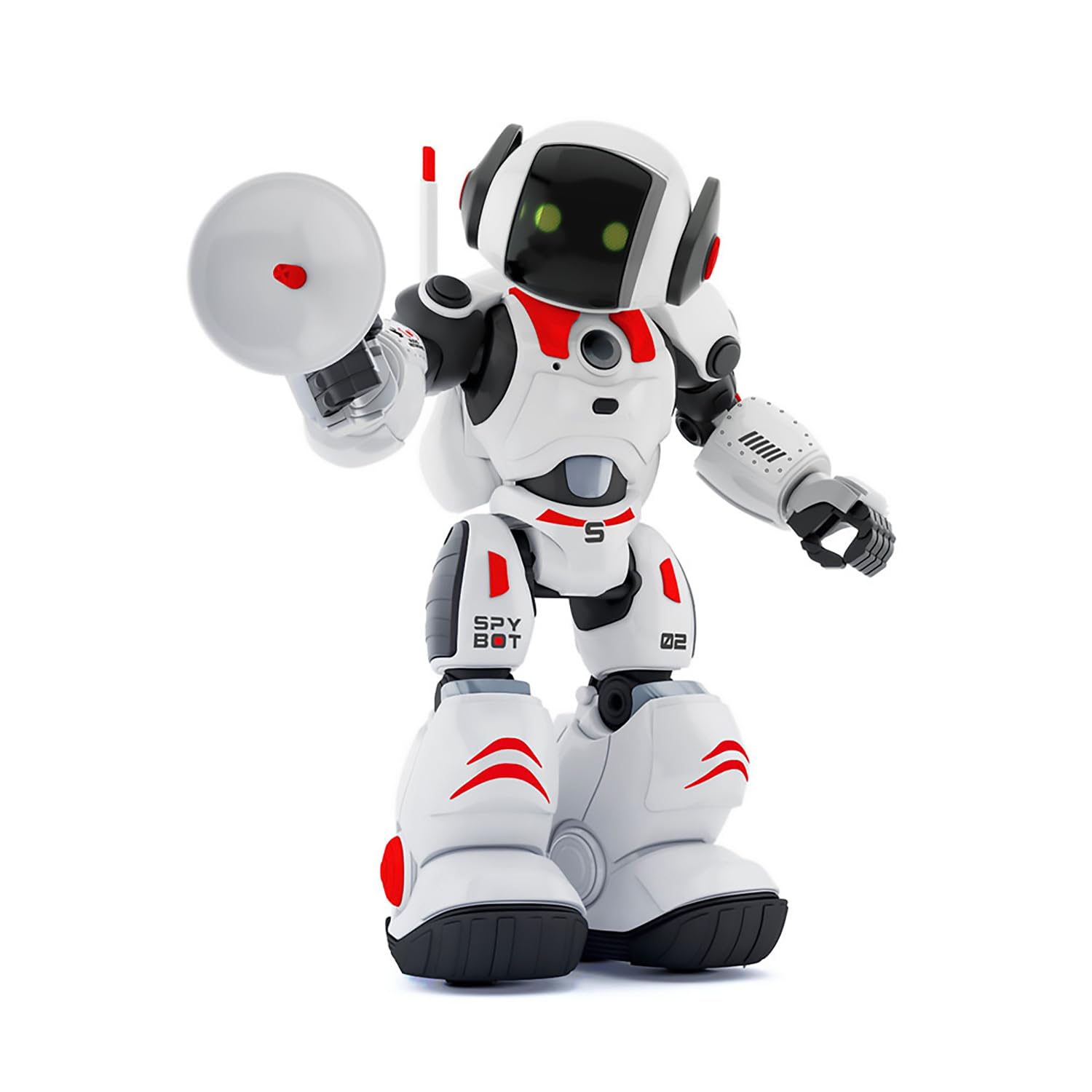
This image shows James The Spy Bot, a white and black robot with green eyes and red accents, holding a disc-shaped device, ready for a mission.
Safety Information
Warning: Not suitable for children under 3 years due to small parts. Adult supervision is recommended during play. Please read all instructions before use.
Package Contents
Ensure all items are present in the package:
- 1 x James The Spy Bot
- 1 x Remote Control

This image displays the product packaging for James The Spy Bot, clearly showing the robot and its remote control.
Setup
Battery Installation
Batteries are not included and must be purchased separately.
- For the Remote Control: Locate the battery compartment on the back of the remote control. Open the compartment and insert 2 x AA batteries, ensuring correct polarity (+/-). Close the compartment securely.
- For James The Spy Bot: Locate the battery compartment on the back or bottom of the robot. Open the compartment and insert 3 x AA 1.5V batteries, ensuring correct polarity (+/-). Close the compartment securely.
Initial Power On
After installing batteries, turn on the robot using the power switch, usually located on its back or base. Turn on the remote control as well. The robot should emit a sound or light to indicate it is ready for operation.
Operating Instructions
James The Spy Bot offers various modes and functions for interactive play.

This image shows James The Spy Bot, a white and black robot with green eyes, holding a spy gadget, illustrating its operational capabilities.
Movement
- Use the directional controls on the remote to make James move forward, backward, left, and right.
- James can perform both walking and gliding motions. Refer to the remote control's specific buttons for these actions.
Programming Actions
James can be programmed with up to 50 different actions. Consult the remote control's programming section for detailed steps on recording and playing back action sequences.
Spy Mode Activation
Activate Spy Mode using a secret clap code:
- One Clap: Initiates a specific spy function (e.g., recording).
- Two Claps: Activates another spy function or confirms an action.
Experiment with different clap sequences to discover all spy functions.
Audio Recording and Voice Changer
In Spy Mode, James can record audio messages and play them back with a voice alteration effect.
- Use the designated button on the remote or a specific clap sequence to start recording.
- Speak clearly into the robot's microphone.
- Use the playback function to hear the recorded message with the voice changer effect.
Music and Dance Mode
To celebrate a successful mission or simply for entertainment, activate James's music and dance mode using the corresponding button on the remote control.
Maintenance
To ensure the longevity of your James The Spy Bot:
- Keep the robot and remote control clean by wiping with a dry, soft cloth.
- Avoid exposing the robot to water or excessive moisture.
- Do not expose to extreme temperatures.
- Remove batteries if the robot will not be used for an extended period to prevent leakage.
Troubleshooting
If James The Spy Bot is not functioning correctly, try the following:
- No Power: Check if batteries are installed correctly and are not depleted. Replace with fresh batteries if necessary.
- Robot Not Responding to Remote: Ensure both the robot and remote control are turned on. Check battery levels in both devices. Make sure there are no obstructions between the remote and the robot.
- Movement Issues: Check for any physical obstructions on the robot's wheels or feet. Ensure the play surface is flat and clear.
- Audio Issues: Ensure the volume is turned up. Check if the microphone is clear of debris.
If problems persist, contact Xtrem Bots customer support for further assistance.
Specifications
| Brand | Xtrem Bots |
| Model Name | James The Spy Bot |
| Model Number | 3803084 |
| Theme | Robots |
| Color | White |
| Material | Plastic |
| Item Dimensions (L x W x H) | 13 x 25 x 33 cm |
| Item Weight | 1000 Grams |
| Number of Pieces | 2 |
| Manufacturer Recommended Age | 5 years and up |
| Robot Batteries Required | 3 x AA 1.5V (not included) |
| Remote Control Batteries Required | 2 x AA (not included) |
Warranty and Support
For warranty information or technical support, please refer to the contact details provided on the product packaging or visit the official Xtrem Bots website. Keep your purchase receipt as proof of purchase.