
GOLDEN HOUR GH-1313
GOLDEN HOUR GH-1313 Ultra-Thin Minimalist Sport Digital Watch User Manual
Model: GH-1313
Introduction
Thank you for choosing the GOLDEN HOUR GH-1313 Ultra-Thin Minimalist Sport Digital Watch. This manual provides essential information for setting up, operating, and maintaining your watch. Please read it carefully to ensure proper use and longevity of your product.

Image: The GOLDEN HOUR GH-1313 digital watch, showcasing its minimalist design and green strap.
Product Overview
The GOLDEN HOUR GH-1313 features a clear digital display and an ultra-thin case, designed for comfort and readability. Familiarize yourself with the watch's buttons and display layout.
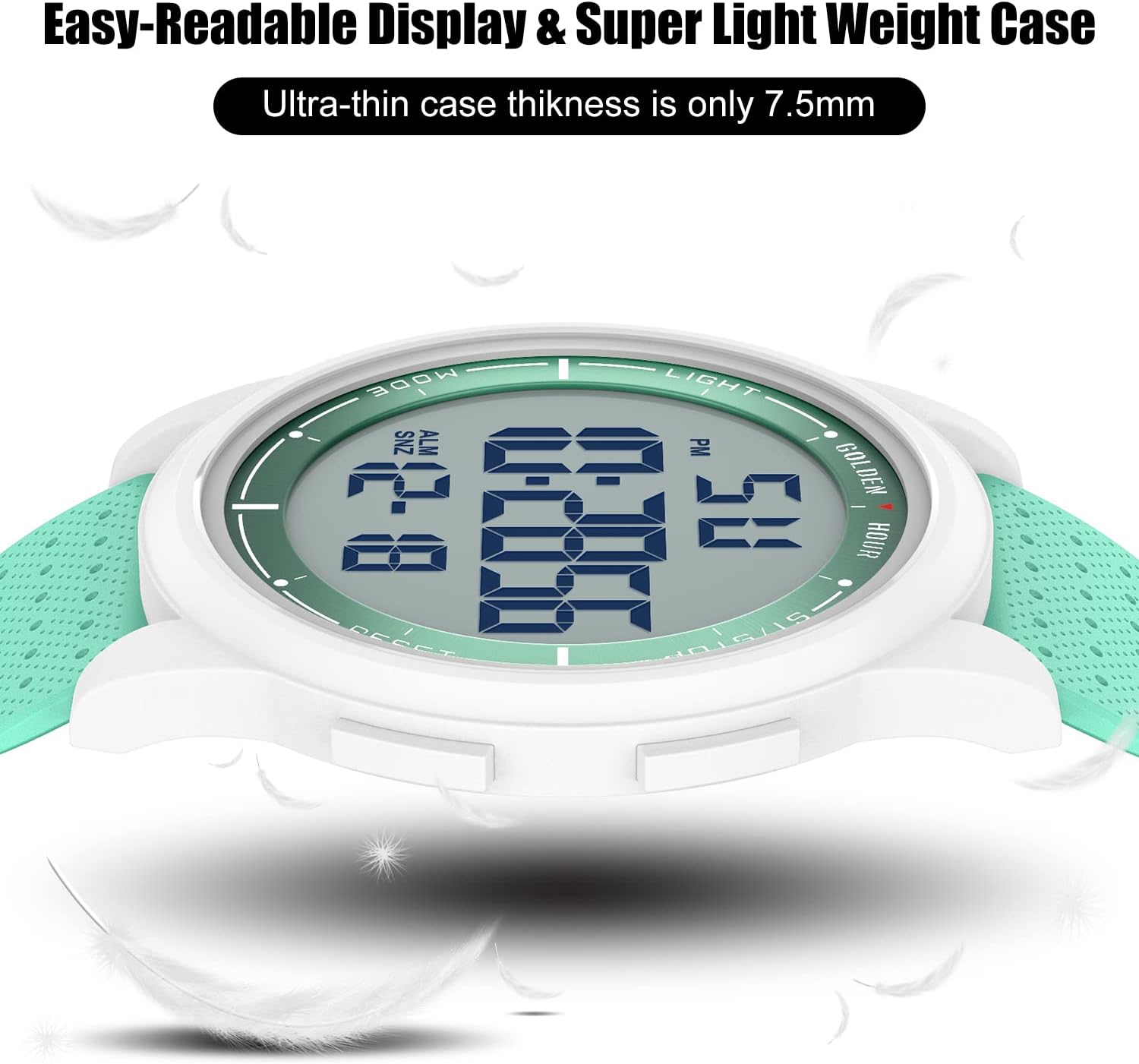
Image: Close-up view of the watch face, indicating the 'MODE', 'LIGHT', 'ST/STOP', and 'RESET' buttons.
Button Functions:
- MODE Button: Cycles through display modes (Time, Alarm, Stopwatch).
- LIGHT Button: Activates the EL backlight for visibility in low light conditions.
- ST/STOP Button: Starts and stops the stopwatch; used for adjusting settings.
- RESET Button: Resets the stopwatch; used for adjusting settings.
Setup Instructions
Setting Time and Date:
- From the normal time display, press the MODE button three times to enter time setting mode. The seconds will flash.
- Press the RESET button to cycle through the settings: seconds → hours → minutes → month → date → day of the week.
- Use the ST/STOP button to adjust the flashing value.
- Once all settings are correct, press the MODE button to exit setting mode and return to the normal time display.
Setting the Alarm:
- From the normal time display, press the MODE button twice to enter alarm setting mode. The hour digits will flash.
- Press the ST/STOP button to adjust the alarm hour.
- Press the RESET button to switch to minute setting. The minute digits will flash.
- Press the ST/STOP button to adjust the alarm minutes.
- Press the MODE button to exit alarm setting mode.
- To turn the alarm ON/OFF, press and hold the ST/STOP button while in normal time display. The alarm icon will appear/disappear.
Operating Instructions
Using the Stopwatch:
- From the normal time display, press the MODE button once to enter stopwatch mode.
- Press the ST/STOP button to start the stopwatch.
- Press the ST/STOP button again to stop the stopwatch.
- Press the RESET button to reset the stopwatch to zero.
- Press the MODE button to return to the normal time display.
Using the EL Backlight:
Press the LIGHT button at any time to illuminate the display. The backlight will remain active for a few seconds, providing clear visibility in dark environments.

Image: The watch display showing its luminous backlight feature in a dark setting.
12/24 Hour Format:
While in time setting mode (seconds flashing), press the ST/STOP button when the hour is flashing to toggle between 12-hour (with 'AM'/'PM' indicator) and 24-hour formats.
Water Resistance Guidelines
The GOLDEN HOUR GH-1313 watch is rated for 50 meters (5 ATM) water resistance. This means it is suitable for:
- Swimming in shallow water.
- Showering with cold water.
- Resisting sweat and rain.
Important Precautions:
- Avoid exposure to hot water or steam (e.g., hot showers, saunas, hot tubs) as this can compromise the watch's seals.
- Do not press any buttons while the watch is submerged in water.
- Not suitable for prolonged underwater activities such as diving or snorkeling.

Image: The watch shown partially submerged in water, illustrating its 5 ATM water resistance.
Maintenance
Proper care will help maintain the appearance and function of your GOLDEN HOUR watch.
- Cleaning: Wipe the watch case and strap regularly with a soft, dry cloth. For stubborn dirt, a slightly damp cloth can be used, followed by drying.
- Avoid Chemicals: Do not expose the watch to strong chemicals, solvents, or detergents, as these can damage the case, strap, or seals.
- Temperature: Avoid extreme temperatures, both hot and cold, as they can affect battery life and watch accuracy.
- Battery: The watch uses a standard non-rechargeable battery. When the display dims or functions become erratic, it may be time for a battery replacement. It is recommended to have the battery replaced by a qualified watch technician to ensure water resistance is maintained.
- Storage: When not in use for extended periods, store the watch in a cool, dry place away from direct sunlight.
Troubleshooting
| Problem | Possible Cause | Solution |
|---|---|---|
| Display is blank or dim. | Low battery. | Replace the battery. |
| Time is incorrect. | Time not set correctly or accidental button press. | Refer to "Setting Time and Date" section to reset the time. |
| Alarm does not sound. | Alarm is turned off or set incorrectly. | Ensure the alarm is activated (alarm icon visible) and the time is set correctly. |
| Water inside the watch. | Exposure to hot water/steam, buttons pressed underwater, or exceeding water resistance limits. | Immediately take the watch to a professional for inspection and repair to prevent further damage. |
Specifications
- Model Number: GH-1313
- Display Type: Digital
- Movement Type: Japanese Quartz
- Case Material: Resin/Alloy Steel
- Strap Material: Rubber
- Water Resistance: 50 Meters (5 ATM)
- Case Thickness: 8 mm
- Case Diameter: 43 mm (1.69 inches)
- Strap Width: 22 mm
- Strap Length: 250 mm
- Special Features: Alarm, Stopwatch, EL Backlight, 12/24 Hour Format, Date, Day of Week
- Power Source: Battery (1 non-standard battery required)
- Net Weight: 39 to 57 grams
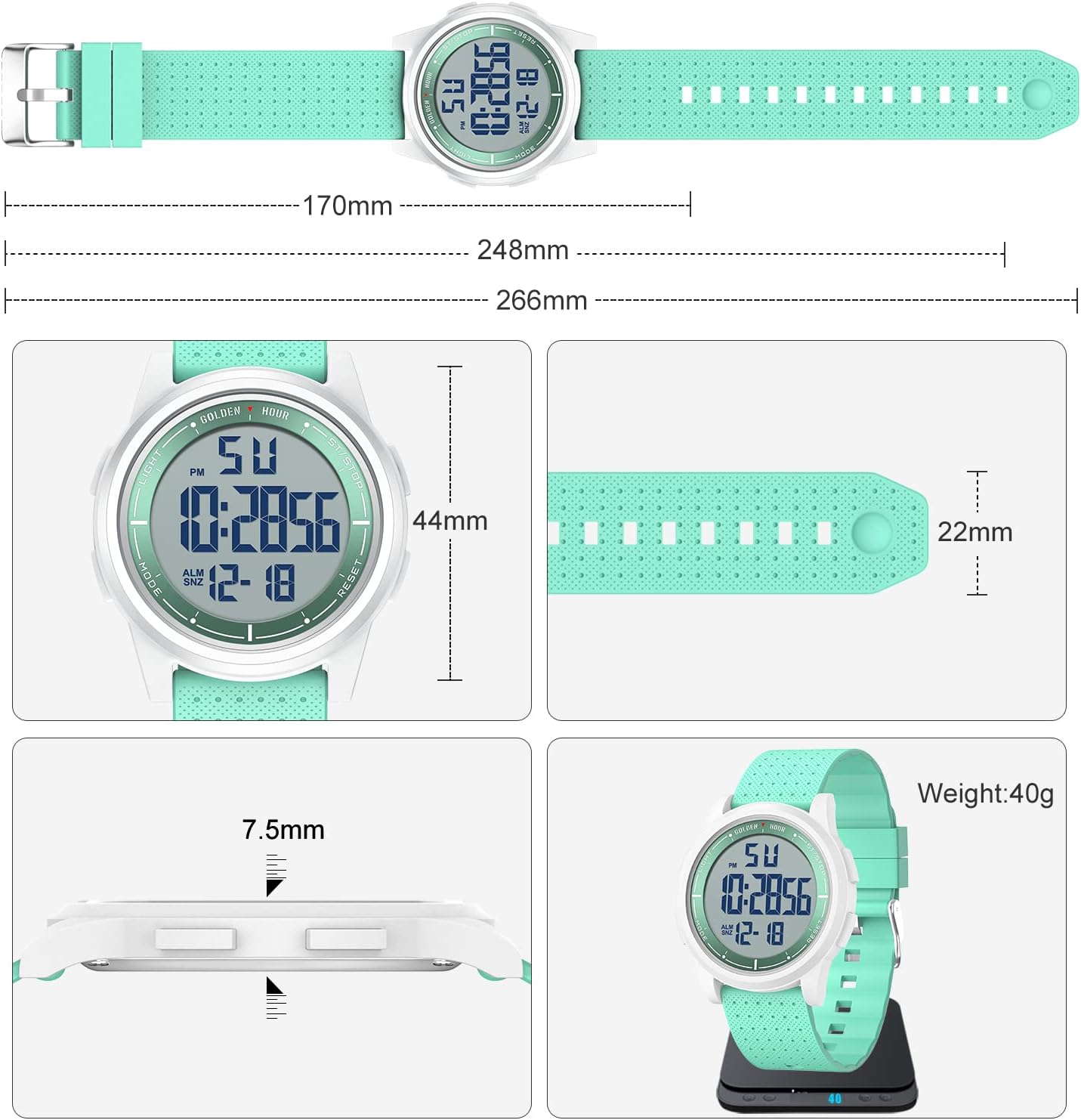
Image: Technical diagram illustrating the dimensions of the watch, including case diameter, strap width, and overall length.
Warranty and Support
GOLDEN HOUR provides a 12-month warranty for this product, covering manufacturing defects from the date of purchase. For any questions or assistance, please contact GOLDEN HOUR customer support.
- Customer Support: Available 24/7.
- Contact Method: Refer to your order details on Amazon and select 'Ask a question' to contact the seller, GOLDEN HOUR WATCHES.

Image: Infographic detailing GOLDEN HOUR's support services, including a 12-month warranty and 24/7 customer assistance.
Ask a question about this manual
Ask about setup, troubleshooting, compatibility, parts, safety, or missing instructions. Manuals+ will review the question and use this page’s manual context to help answer it.