
Product Overview
The MEILAN M3 Mini GPS Bike Computer is a compact and lightweight device designed to track essential cycling data. It features a built-in high-sensitivity GPS chip supporting Beidou, GPS, and GLONASS for fast global positioning. The device offers multi-functions including speed, altitude, distance, and riding time measurement, making it suitable for serious cyclists and fitness enthusiasts. It is IPX6 waterproof and includes a day & night backlight for enhanced visibility.
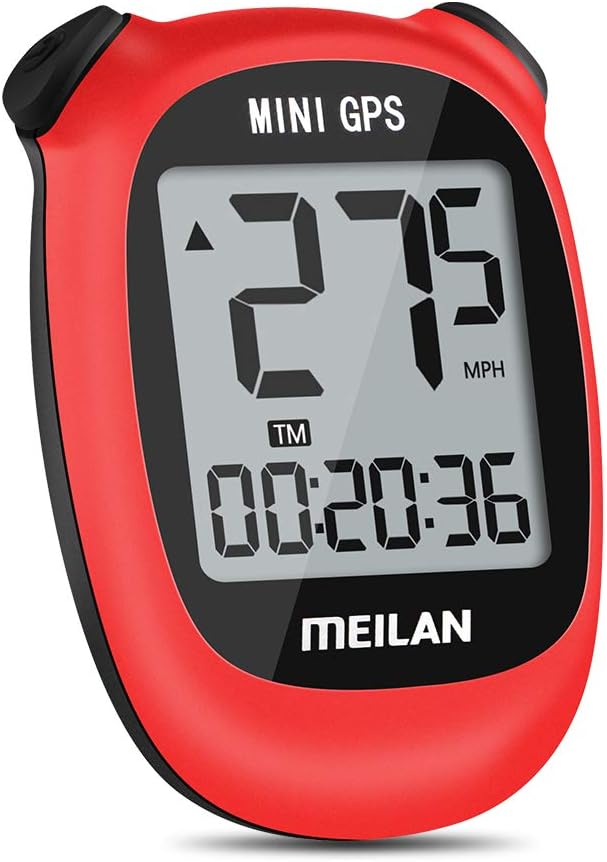
Image: Front view of the MEILAN M3 Mini GPS Bike Computer, displaying speed and time on its LCD screen.
Setup and Installation
The MEILAN M3 Mini GPS Bike Computer is designed for easy setup and installation. Follow the steps below to get your device ready for use.
1. Charging the Device
The device is USB rechargeable. To charge, locate the blue cover on the back of the unit. Gently lift the cover to reveal the charging port. Insert the provided USB charging cable into the port and connect the other end to a USB DC 5V power source. A full charge provides up to 8 hours of run time.
Video: This video demonstrates the unboxing, charging process, and installation of the MEILAN M3 Mini GPS Bike Computer on a bicycle. It shows how to access the charging port and attach the mounting bracket.
2. Mounting the Device
The mounting unit features grooves on the back for easy attachment to any round surface, such as the bike's stem or handlebars. Use the provided rubber bands (two small and two large, depending on the size of your bike's bar) to secure the mounting unit. Ensure the mounting unit is oriented so that the device's connection grooves are at the top and bottom for proper installation.

Image: Visual guide for installing the MEILAN M3 Mini GPS Bike Computer, illustrating how to use the rubber rings and mount on either the stem or handlebar.
Once the mount is secure, align the grooves on the back of the MEILAN M3 with the mount. Insert the device sideways and then turn it to lock it into place. This ensures a secure fit during your rides.
Operating Instructions
The MEILAN M3 Mini GPS Bike Computer is designed for intuitive operation, providing key cycling metrics at a glance.
1. GPS Acquisition and Time Setting
The device features a built-in high-sensitivity GPS chip supporting Beidou, GPS, and GLONASS for fast global positioning. Before initial use, set the TIME ZONE. The time will automatically calibrate according to your local time once a stable GPS signal is acquired.

Image: Illustration of the MEILAN GPS Bike Computer receiving signals from multiple satellites for accurate positioning and automatic time calibration.
2. Displaying Cycling Data
The 1.7-inch anti-glare LCD provides clear visibility of your cycling data from all angles. The device tracks various metrics including:
- Riding Distance: Total distance covered during your ride.
- Average Speed: Your average speed throughout the ride.
- Maximum Speed: The highest speed achieved during your ride.
- Current Altitude: Your current elevation.
- Total Mileage: Cumulative distance recorded by the device.
- Riding Time: Duration of your active cycling.
- Total Riding Time: Cumulative riding time.
- Memory Function: Stores ride data.
- Speed Units: Displays speed in Miles Per Hour (MPH) or Kilometers Per Hour (KM/H).

Image: A comprehensive diagram illustrating all the data points and functions tracked by the MEILAN M3 Mini GPS Bike Computer.

Image: Icons highlighting the main features: LCD Display, Built-in GPS Chip, IPX5 Waterproof, 400mAh Battery, and USB Rechargeable.
3. Day & Night Backlight
The advanced cycling computer is designed with day & night backlight. To change the backlight level for easy viewing under the sun or during night riding, press both the back and right buttons simultaneously.

Image: Comparison of the device's display in Night Mode (with backlight) and Normal Mode (without backlight).
4. Usage Scenarios
The MEILAN M3 is versatile for various cycling needs, from short commutes to long-distance tours.

Image: Examples of short-distance commuting and long-distance cycling, illustrating the device's adaptability.
Maintenance
The MEILAN M3 Mini GPS Bike Computer is designed to be durable with an IPX6 waterproof rating, protecting it from strong jets of water. For general maintenance, wipe the device clean with a soft, damp cloth. Avoid using harsh chemicals or abrasive cleaners. Ensure the charging port cover is securely closed when not charging to maintain its waterproof integrity.

Image: The device is shown to be waterproof, suitable for use in rainy conditions.
Troubleshooting
If you encounter any issues with your MEILAN M3 Mini GPS Bike Computer, please refer to the official Troubleshooting Guide for detailed solutions. Common issues may include GPS signal acquisition, display visibility, or battery life concerns.
For a comprehensive guide, download the Troubleshooting Guide (PDF).
Specifications
| Brand | MEILAN |
| Model Name | M3_R |
| Color | Red |
| Product Dimensions | 1.77"L x 0.79"W x 2.36"H |
| Item Weight | 0.08 Pounds |
| Screen Size | 1.7 Inches |
| Display Type | LCD |
| Battery Life | 8 Hours |
| Sensor Type | GPS Sensor, Speed Sensor, Cadence Sensor, GLONASS Sensor |
| Battery Cell Composition | Lithium Manganese Dioxide |
| Connectivity Technology | Wireless / GPS |
| Included Components | M3 mini bike computer, mounting bracket, rubber band, instruction manual |
| International Protection Rating | IPX6 |
| Mounting Type | Handlebar Mount / Stem Mount |
| Human Interface Input | Buttons |
| Material | Aluminum |
| UPC | 762977182607 |


Image: Available color variants of the MEILAN M3 Mini GPS Bike Computer.
Warranty and Support
MEILAN provides customers with a three-month replacement and a one-year warranty from the date of purchase. For any questions during installation or use, please contact the seller directly via email.
Additional support resources:


