
MoNiBloom A16-OC-005-1P-RD-WH
MoNiBloom Ergonomic Office Chair User Manual
Model: A16-OC-005-1P-RD-WH
Brand: MoNiBloom
Introduction
This manual provides detailed instructions for the assembly, operation, maintenance, and safety of your MoNiBloom Ergonomic Office Chair. Please read this manual thoroughly before assembly and use to ensure proper function and longevity of your chair.
Safety Information
- Weight Capacity: This chair is designed to support a maximum weight of 250 lbs (113 kg). Do not exceed this limit to prevent damage and ensure safety.
- Adjustments: Always adjust the headrest, armrests, and seat height to fit your body for optimal comfort and safety.
- Breaks: Avoid using the chair for extended periods without taking regular breaks.
- Assembly: Follow all assembly instructions carefully. Improper assembly can lead to hazards.
- Environment: Keep the chair away from direct heat sources and prolonged direct sunlight exposure to prevent material damage.
- Stability: Ensure all casters are securely attached and the chair is on a stable, level surface before use.
Product Overview
The MoNiBloom Ergonomic Office Chair is designed for comfort and support during long hours of use. Key features include a two-section backrest, adjustable lumbar support, customizable headrest, adaptable rocking mechanism, adjustable armrests, and a durable metal base with quiet PU wheels.

Image: MoNiBloom Ergonomic Office Chair, Red variant, showcasing its overall design in an office setting.
Specifications
| Feature | Detail |
|---|---|
| Brand | MoNiBloom |
| Model Name | A16-OC-005-1P-RD-WH |
| Color | Red |
| Material | Mesh, Foam, Metal |
| Product Dimensions (D x W x H) | 26"D x 24"W x 46.5"H |
| Item Weight | 34.6 Pounds |
| Maximum Weight Recommendation | 250 Pounds |
| Assembly Required | Yes |
| Additional Features | Adjustable Height, Ergonomic, Head Support, Rolling, Swivel |
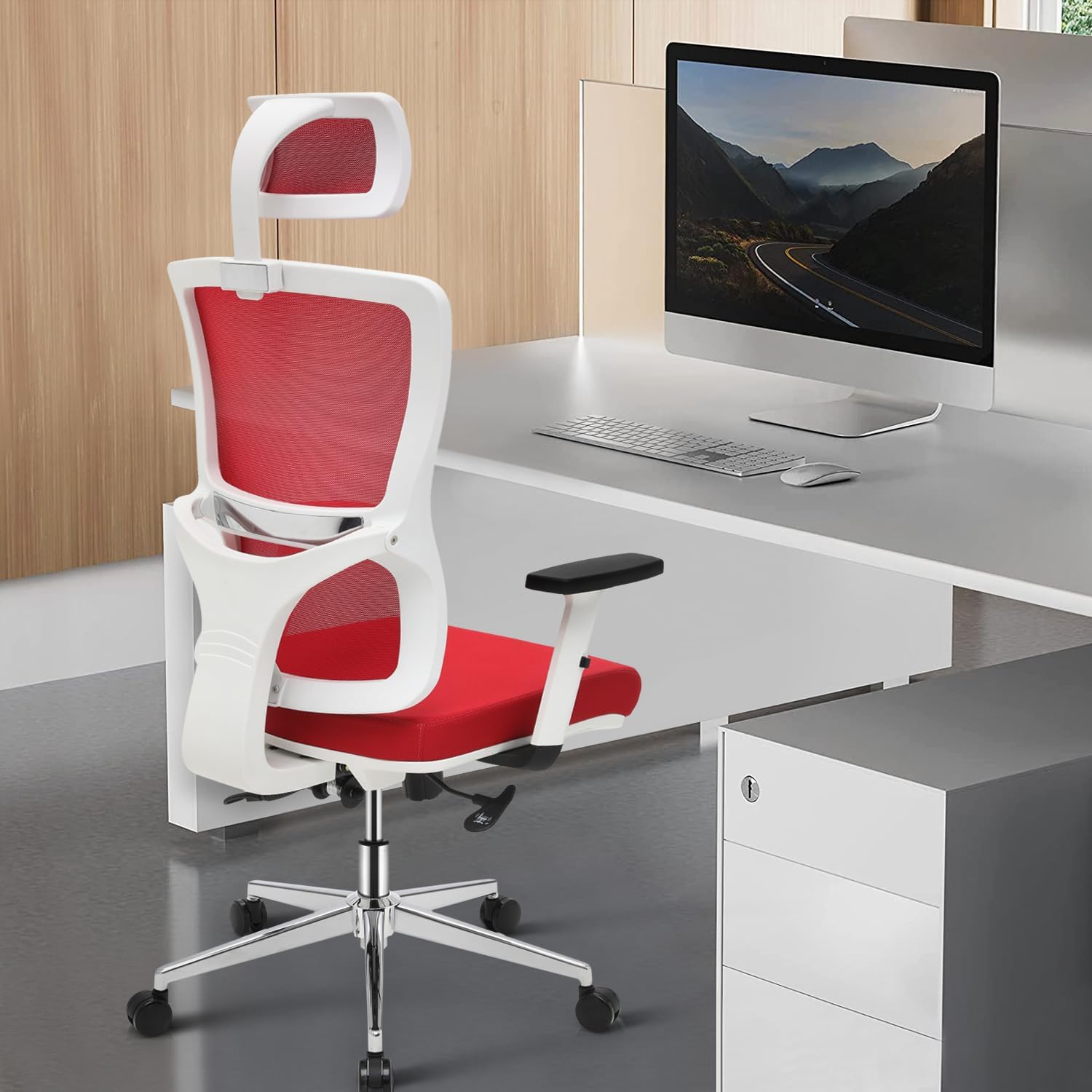
Image: Detailed product dimensions including seat length, seat width, backrest height, and seat height range.
Setup and Installation
Follow these steps to assemble your MoNiBloom Ergonomic Office Chair. Ensure all parts are present before beginning assembly.
- Attach the Mechanism to the Seat: Place the seat cushion upside down. Align the seat mechanism with the pre-drilled holes on the underside of the seat. Secure it using the provided screws and Allen wrench.
- Assemble the Base: Insert the casters into the ends of the chair base. Ensure they click securely into place.
- Install the Gas Lift: Place the gas lift cylinder into the center hole of the assembled chair base.
- Attach the Seat to the Base: Carefully place the assembled seat (with mechanism) onto the top of the gas lift cylinder. Press down firmly to secure.
- Attach Armrests: Align the armrests with the designated attachment points on the sides of the seat. Secure them with the provided screws.
- Attach Backrest: Align the backrest with the attachment points on the seat mechanism. Secure it with the provided screws.
- Install Headrest: Slide the headrest into the top slot of the backrest. Secure it using the provided screws.
Video: Detailed assembly guide for the MoNiBloom Ergonomic Office Chair, demonstrating each step of the installation process.
Operating Instructions
Your MoNiBloom Ergonomic Office Chair offers several adjustable features to customize your seating experience.
1. Adjustable Seat Height
To adjust the seat height, locate the lever on the right side beneath the seat. While seated, pull the lever up to raise the seat. To lower the seat, pull the lever up while applying slight body weight. Release the lever at your desired height.

Image: Illustration of the seat height adjustment lever and the 3.5-inch height adjustable range.
2. Adjustable Headrest
The headrest can be adjusted both vertically and by rotation. To adjust the height, gently pull the headrest up or push it down. It has a 3.5-inch vertical adjustment range. For angle adjustment, rotate the headrest up to 45 degrees to find your preferred neck support position.

Image: Visual guide for adjusting the headrest's height (up and down 3.5 inches) and rotation angle (45 degrees).
3. Adjustable Armrests
To adjust the height of the armrests, locate the button or lever on the side of each armrest. Press it and move the armrest up or down. Release the button/lever to lock it in place. The armrests offer 1.5 inches of adjustable height.

Image: Demonstration of the 1.5-inch adjustable height for the armrests, showing a user adjusting them.
4. Rocking Mechanism and Tilt Function
The chair features an adaptable rocking mechanism. To activate or deactivate the rocking function, pull out or push in the lever located on the left side beneath the seat. To adjust the tension of the rocking motion, turn the round knob located at the front-center beneath the seat. Turn clockwise for more tension (less rocking) and counter-clockwise for less tension (more rocking).

Image: Illustration showing the chair's rocking range (95° working to 125° resting) and the rocking tension knob.
5. Lumbar Support and Backrest
The chair features a two-section backrest designed to contour to your spine's natural curve, providing optimal comfort and reducing fatigue. The Y-shaped frame provides targeted support to the lower back, promoting better posture.

Image: Close-up of the two-section backrest and Y-shaped frame, highlighting the lumbar support design.
Video: Demonstration of the MoNiBloom High-Back Swivel Task Chair with adjustable headrest and other features.
Maintenance
- Cleaning: Spot clean the chair as needed. Use a mild detergent and a damp cloth for mesh and fabric surfaces. Avoid harsh chemicals.
- Inspection: Periodically check all screws and bolts to ensure they are tight. Re-tighten if necessary.
- Casters: Keep the PU wheels clean and free of debris to ensure smooth and quiet movement.
- Avoid Overloading: Do not place excessive weight on the chair or its components.
Troubleshooting
- Chair Squeaks: Check and tighten all screws. A small amount of silicone lubricant can be applied to moving parts if needed.
- Difficulty Adjusting Height: Ensure the gas lift lever is fully engaged. If the issue persists, the gas lift may need replacement.
- Casters Not Rolling Smoothly: Clean any hair or debris from the caster wheels. Ensure the chair is on an appropriate surface (hard floor recommended).
- Chair Feels Unstable: Verify that all components are correctly assembled and all screws are tightened. Ensure the chair is on a flat, stable surface.
Warranty and Support
For warranty information or technical support, please refer to the documentation included with your purchase or contact MoNiBloom customer service directly. Keep your purchase receipt for warranty claims.
Related documentsA16-OC-005-1P-RD-WH


Ask a question about this manual
Ask about setup, troubleshooting, compatibility, parts, safety, or missing instructions. Manuals+ will review the question and use this page’s manual context to help answer it.