
Introduction
The MUSIC HERO SBS Band 6W Wireless Speaker is a versatile and portable audio device designed for high-quality sound on the go. It offers multiple connectivity options, including Bluetooth, Micro SD, USB, and AUX, ensuring compatibility with a wide range of devices such as smartphones, tablets, and laptops. Its integrated phone stand and convenient lanyard enhance usability and portability, making it ideal for various environments.

Image: The MUSIC HERO SBS Band 6W Wireless Speaker in black, showcasing its elegant fabric finish and portable design.
Setup
1. Unpacking
Carefully remove the speaker and all accessories from the packaging. Ensure the charging cable and this instruction manual are present.
2. Charging the Speaker
Before first use, fully charge the speaker. Connect the included USB-A to Micro USB charging cable to the speaker's charging port and to a compatible USB power source (e.g., wall adapter, computer USB port). The charging indicator light will show the charging status. A full charge provides approximately 3 hours of continuous playback.
3. Powering On/Off
Press and hold the Power button (usually marked with a power symbol) located on the top panel of the speaker to turn it on or off. A sound prompt will indicate the power status.
Operating Instructions
1. Controls Overview

Image: Detailed view of the speaker's top panel, highlighting the integrated control buttons for easy music management.
- Power Button: Press and hold to turn the speaker on or off.
- Volume Up (+): Press to increase volume.
- Volume Down (-): Press to decrease volume.
- Play/Pause Button: Press to play or pause audio.
- Source Change Button (M): Press to switch between Bluetooth, AUX, Micro SD, and USB input modes.
2. Bluetooth Pairing
- Ensure the speaker is powered on and in Bluetooth mode (indicated by a flashing LED or voice prompt).
- On your device (smartphone, tablet, etc.), enable Bluetooth and search for available devices.
- Select "MUSIC HERO Band" from the list of devices.
- Once paired, the speaker will emit a confirmation sound, and the LED indicator will become solid.
- You can now play audio wirelessly from your device. The effective range is up to 10 meters.
3. Using AUX Input
Connect one end of a 3.5mm audio cable (not included) to the AUX port on the speaker and the other end to the headphone jack of your audio device. Press the Source Change (M) button until the speaker is in AUX mode. Audio will now play through the speaker.
4. Using Micro SD Card
Insert a Micro SD card (up to 32GB, not included) with audio files into the Micro SD slot on the speaker. Press the Source Change (M) button until the speaker is in Micro SD mode. The speaker will automatically begin playing music from the card.
5. Using USB Drive
Insert a USB flash drive (not included) with audio files into the USB port on the speaker. Press the Source Change (M) button until the speaker is in USB mode. The speaker will automatically begin playing music from the drive.
6. Using the Phone Stand
The top of the speaker features a retractable stand. Gently pull up the stand to deploy it. Place your smartphone horizontally on the stand for stable viewing of videos or movies while enjoying enhanced audio from the speaker.
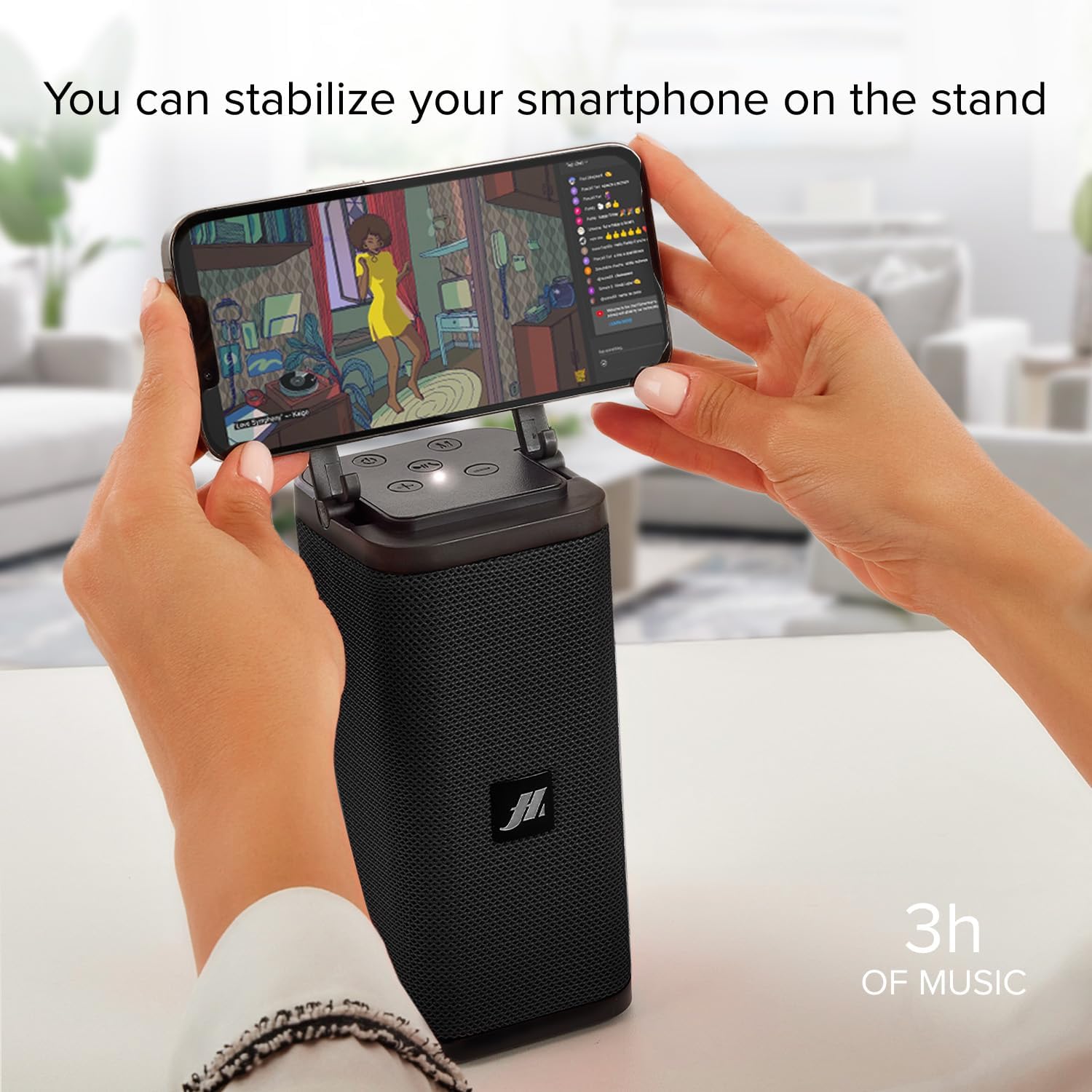
Image: A smartphone resting securely on the speaker's integrated stand, demonstrating its use for hands-free viewing.
7. Using the Lanyard
The integrated lanyard allows for convenient portability. Attach the speaker to a backpack, parasol, or hook for easy transport and use in various outdoor or indoor settings.
Maintenance
- Clean the speaker with a soft, dry cloth. Do not use abrasive cleaners or solvents.
- Avoid exposing the speaker to extreme temperatures, humidity, or direct sunlight.
- Do not immerse the speaker in water or expose it to heavy rain.
- Store the speaker in a cool, dry place when not in use for extended periods.
Troubleshooting
No Power
- Ensure the speaker is fully charged.
- Check the charging cable and power source for proper connection.
No Sound
- Increase the volume on both the speaker and your connected device.
- Ensure the correct input source (Bluetooth, AUX, Micro SD, USB) is selected using the Source Change (M) button.
- For Bluetooth, ensure the device is properly paired.
- For AUX, ensure the cable is securely connected to both devices.
Bluetooth Pairing Issues
- Ensure the speaker is in Bluetooth pairing mode.
- Move your device closer to the speaker (within 10 meters).
- Turn off and on Bluetooth on your device, then try pairing again.
- If previously paired, try forgetting the device on your phone and re-pairing.
Specifications
| Brand | MUSIC HERO |
| Model Name | Band |
| Color | Black |
| Dimensions (L x W x H) | 7.4 x 7.4 x 20.5 cm |
| Weight | 510 grams |
| Connectivity Technology | Bluetooth, Auxiliary, USB |
| Wireless Communication Technology | Bluetooth |
| Speaker Output Power | 6 Watts |
| Audio Output Mode | Stereo |
| Power Source | Cable Electric (Rechargeable Lithium-polymer battery) |
| Battery Type | 1 Lithium-polymer (included) |
| Playback Time | Approx. 3 hours (on full charge) |
| Special Features | USB Port, Portable, Phone Stand, Micro SD Card Slot |
| Compatible Devices | Laptop, Smartphone, Tablet |
| Included Components | Charging cable, Instruction manual |
Warranty Information
This MUSIC HERO SBS Band 6W Wireless Speaker comes with a 2-year manufacturer's warranty from the date of purchase. This warranty covers defects in materials and workmanship under normal use. It does not cover damage caused by misuse, accidents, unauthorized modifications, or normal wear and tear. Please retain your proof of purchase for warranty claims.
Support
For further assistance, technical support, or warranty inquiries, please refer to the contact information provided on the product packaging or the official MUSIC HERO website. Always ensure you have your product model and purchase details ready when contacting support.


