
1. Introduction
The Teenage Engineering OP-1 Field is a portable synthesizer, sampler, and drum machine designed for music production and performance. It features a built-in speaker, microphone, various effects, and a vocoder, offering a comprehensive all-in-one solution for musicians and sound designers. This manual provides essential information for setting up, operating, maintaining, and troubleshooting your OP-1 Field.

The OP-1 Field portable synthesizer, showcasing its compact design, keyboard, and control knobs.
2. Setup
2.1 Unboxing and Initial Inspection
Carefully remove your OP-1 Field from its packaging. Inspect the device for any signs of damage. Ensure all included components are present:
- OP-1 Field unit with built-in speaker and microphone
- Keyboard
- Variety of tapes (digital tape modes)
- Bluetooth MIDI capability
- USB-C port
- Vocoder functionality
- Effects processing
- FM antenna
- Custom USB cable
2.2 Powering On and Charging
The OP-1 Field is equipped with a rechargeable battery. Connect the custom USB cable to the USB-C port on the device and to a compatible USB power source (e.g., computer, USB wall adapter). The device will begin charging. To power on, locate the power switch on the side of the unit and slide it to the 'on' position.

Rear view of the OP-1 Field, showing the power switch, USB-C, audio in, and audio out ports.

Side view of the OP-1 Field, highlighting the built-in speaker grille.
3. Operating Instructions
The OP-1 Field offers a versatile workflow for music creation. Familiarize yourself with the main modes and controls.
Official overview video demonstrating the core functionalities of the Teenage Engineering OP-1 Field, including synth, drum, tape, and mixer modes.
3.1 Synthesizer Engines
The OP-1 Field features 12 distinct synth engines, each with unique parameters adjustable via the colored knobs. Explore various presets or create your own sounds.
The distinctive colored rotary knobs on the OP-1 Field, used for parameter adjustments.
3.2 Sampler and Drum Machine
Utilize the built-in sampler with a 20-second sample time to capture audio. The drum machine allows for rhythmic pattern creation. Each engine offers presets and adjustable parameters for sound shaping.

A detailed view of the OP-1 Field's screen, showing a visual representation of a sound waveform.
3.3 Tape Recorder
Record up to 160 minutes of audio across 4 digital tapes. Choose from 4 distinct tape styles: Studio 4-track, Vintage 4-track, Porta 4-track, and Disc Mini, each imparting unique characteristics to your recordings.

Front view of the OP-1 Field, highlighting the display screen and various controls.
3.4 Built-in Effects and Vocoder
Experiment with 8 different effect styles, including delays, reverbs, filters, and modulation. The integrated vocoder allows for vocal synthesis and manipulation.
3.5 Connectivity
The OP-1 Field supports Bluetooth MIDI and USB-C for full interconnectivity with other devices, including iOS, macOS, and Windows systems. It also features an FM antenna for radio transmission.

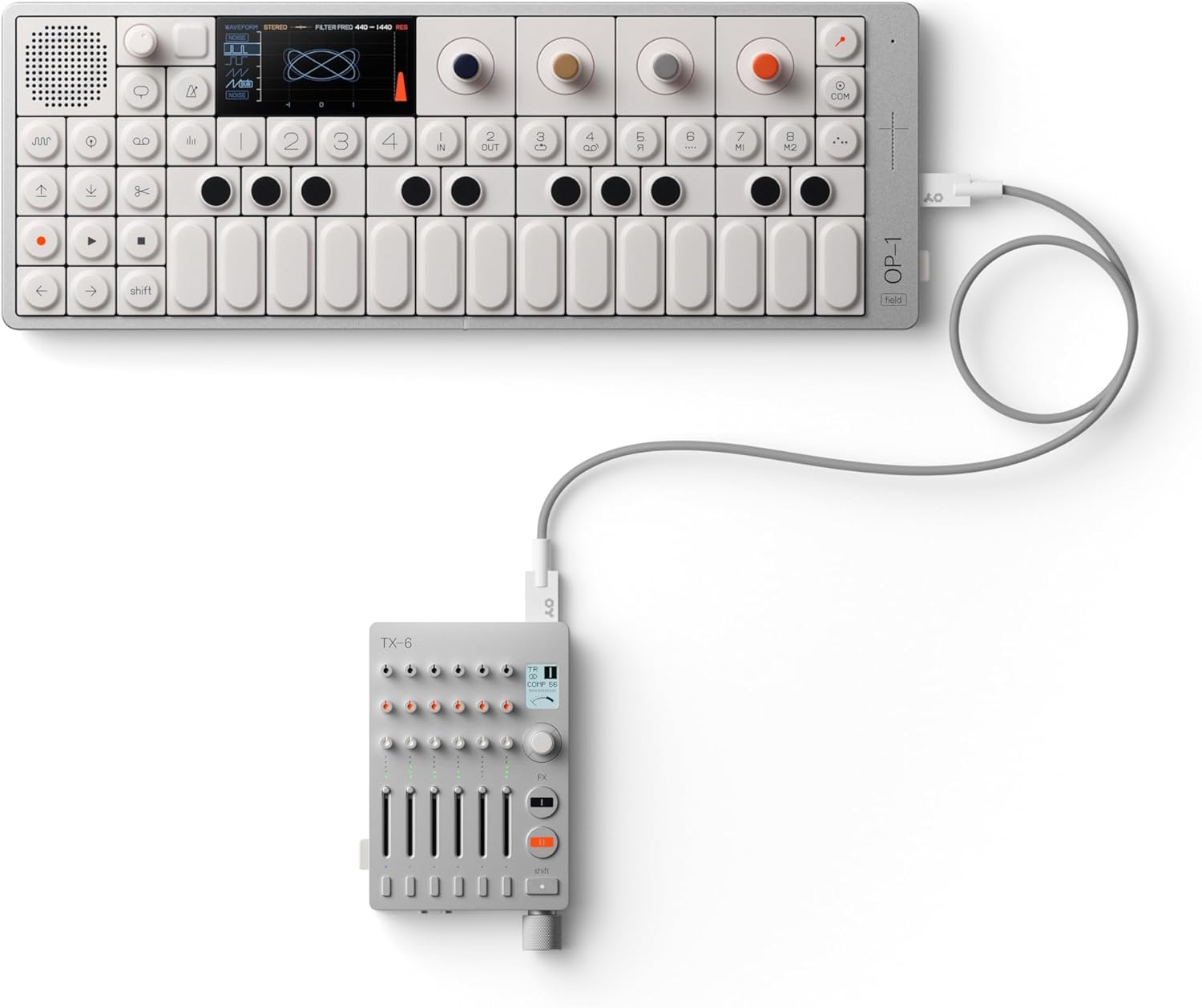
The OP-1 Field connected to a Teenage Engineering TX-6 mixer, demonstrating system interconnectivity.
An introductory video showcasing the design and key features of the Teenage Engineering OP-1 Field portable synthesizer.
A short video demonstrating the Teenage Engineering OP-1 Field's integration with other Field System devices, such as the Choir speaker.
4. Maintenance
To ensure the longevity and optimal performance of your OP-1 Field, follow these maintenance guidelines:
- Cleaning: Use a soft, dry cloth to clean the surface of the device. Avoid abrasive cleaners or solvents.
- Storage: Store the OP-1 Field in a cool, dry place away from direct sunlight, extreme temperatures, and humidity.
- Handling: Handle the device with care to prevent drops or impacts, which can damage internal components.
5. Troubleshooting
If you encounter issues with your OP-1 Field, try the following basic troubleshooting steps:
- No Power: Ensure the device is fully charged. Connect it to a power source using the USB-C cable.
- No Sound: Check the volume levels on the device and any connected audio equipment. Ensure headphones or speakers are properly connected.
- Connectivity Issues: For Bluetooth MIDI, ensure the device is in pairing mode and within range. For USB-C, check the cable connection and ensure your computer recognizes the device.
- Unresponsive Controls: Try restarting the device. If the issue persists, consult the Teenage Engineering support resources.
6. Specifications
| Feature | Detail |
|---|---|
| Color | silver, white |
| Brand | Teenage Engineering |
| Material | aluminum, polycarbonate and acrylonitrile butadiene styrene |
| Model Name | OP–1 field |
| Item dimensions L x W x H | 11.81 x 4.72 x 0.79 inches |
| Model Number | TE002AS002 |
| Included Components | built-in speaker, built-in microphone, keyboard, variety of tapes, Bluetooth MIDI, USB-C, vocoder, effects, FM antenna, custom USB cable |
| Manufacturer | teenage engineering |
| Global Trade Identification Number | 07350073036905 |
| Item Type Name | sampler |
| Warranty Description | 1 year warranty. |
| Item Weight | 589 Grams |
| Connector Type | Usb Type C |
7. Warranty and Support
7.1 Warranty Information
The Teenage Engineering OP-1 Field comes with a 1-year warranty. Please retain your proof of purchase for warranty claims.
7.2 Customer Support
For further assistance, technical support, or warranty inquiries, please visit the official Teenage Engineering website or contact their customer service department. You can find more information and resources on their official Amazon store page: Teenage Engineering Store.


