
Introduction
Thank you for purchasing the Colorcool 32GB Mp3 Player. This portable music player is designed to provide a high-quality audio experience with versatile features, including Bluetooth 5.3 connectivity, FM radio, voice recording, and expandable storage. This manual will guide you through the setup, operation, and maintenance of your new device.
What's in the Box
- Bluetooth Mp3 player
- Wire headset
- USB type-C cable
- User manual
Product Overview
The Colorcool A3 Mp3 Player is a compact and feature-rich device. Below are its main components and features:
Compact Design with Clip

The MP3 player features a durable clip on the back, allowing it to be securely attached to clothing or bags, ideal for sports and on-the-go use. Its compact size (1.57 x 0.67 x 2.36 inches) and light weight (1.13 ounces) make it highly portable.
Full-Touch Screen & USB-C Port
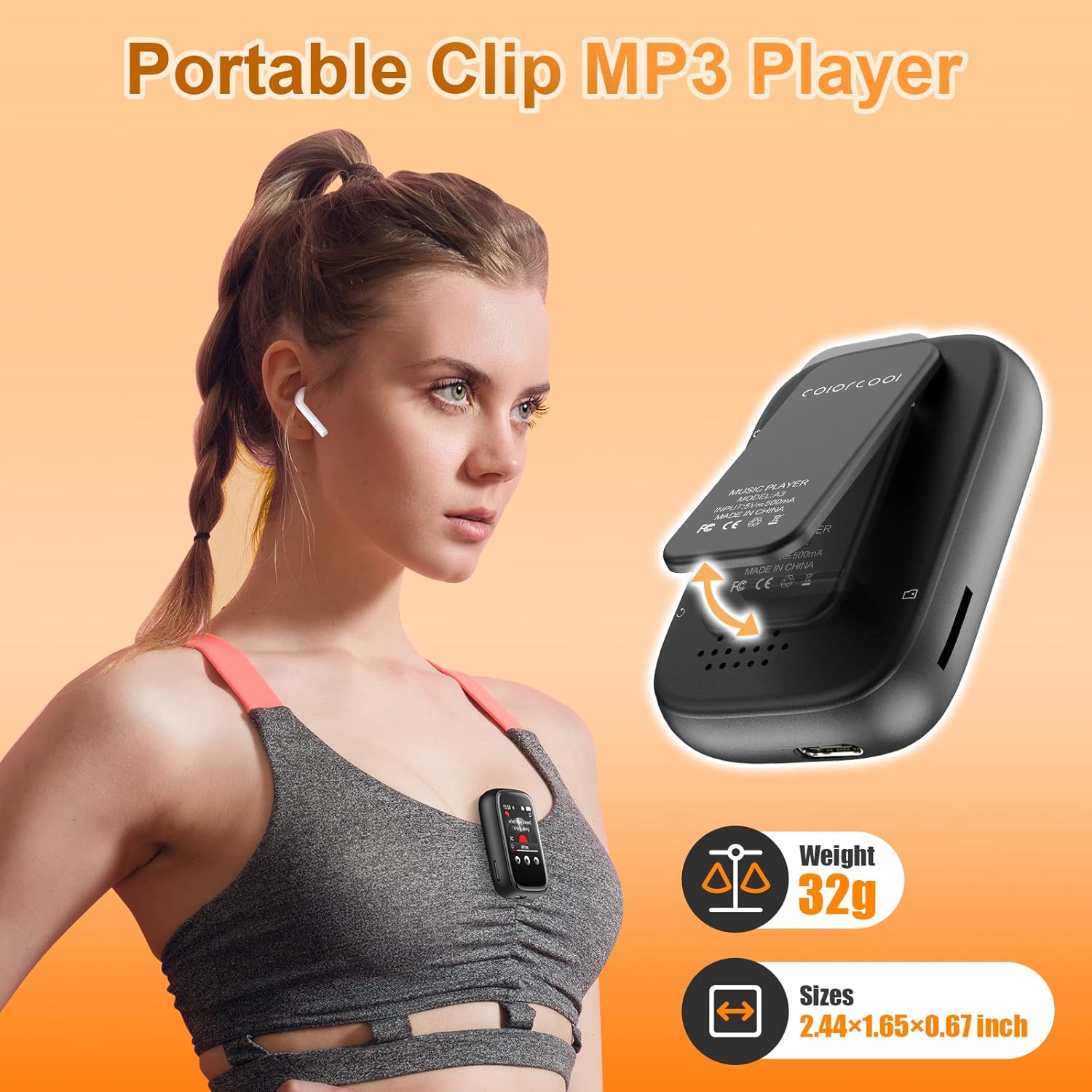
Equipped with a full-touch screen for easy navigation and a built-in USB Type-C charging port for faster charging and stable data transmission.
Bluetooth 5.3 Connectivity

Features the latest Bluetooth 5.3 for quick pairing with Bluetooth speakers and earbuds, offering low power consumption. (Note: Cannot pair with smartphones).
Expandable 32GB Memory
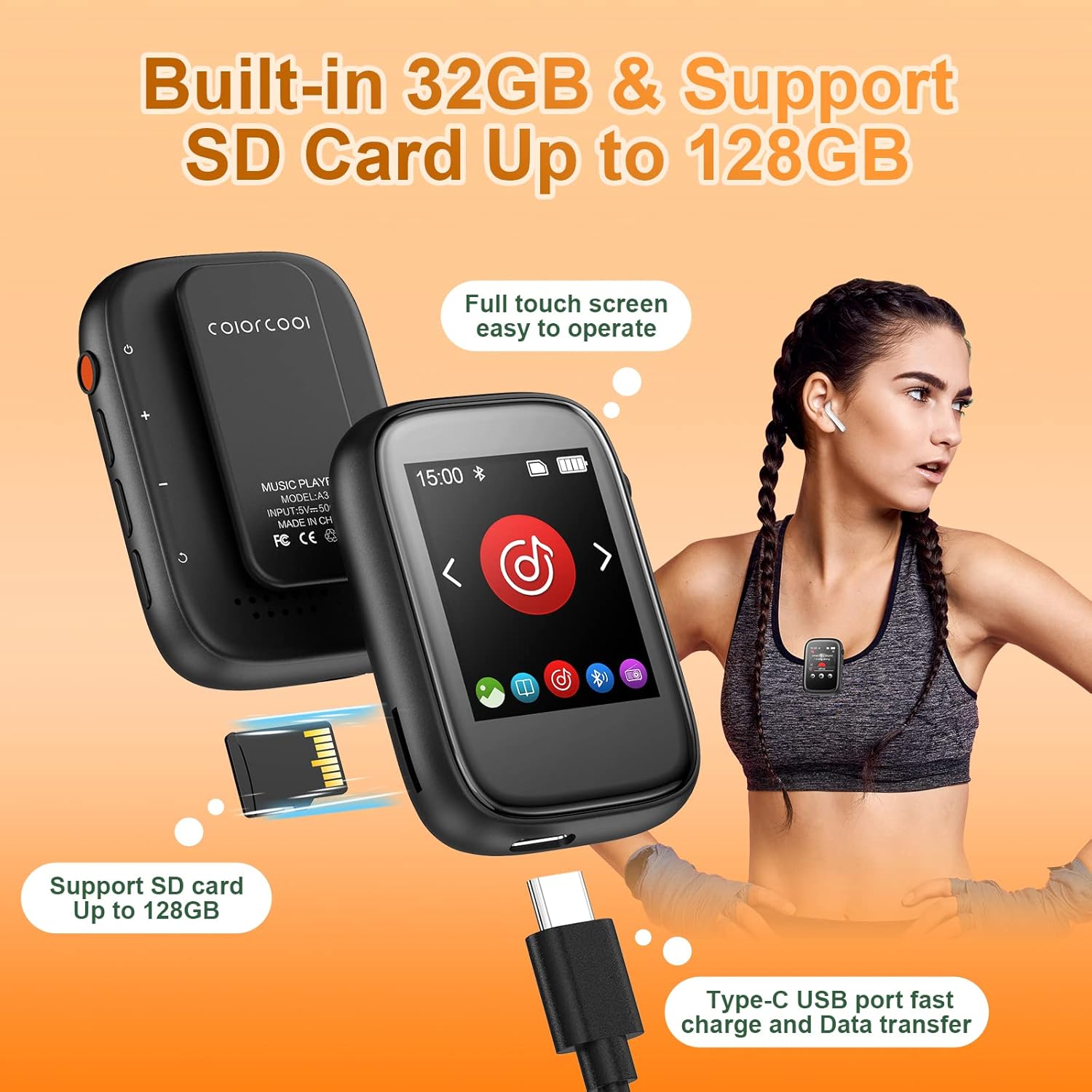
Comes with 32GB internal memory and supports Micro SD cards up to 128GB, providing ample space for your music library.
Setup
1. Charging the Device
Before first use, fully charge your MP3 player using the provided USB Type-C cable. Connect the cable to the device's USB-C port and the other end to a USB power adapter (not included) or a computer's USB port. The battery indicator on the screen will show charging status.
2. Powering On/Off
Press and hold the power button (located on the side, typically red) until the screen lights up to power on. To power off, press and hold the power button again until the device shuts down.
3. Inserting a Micro SD Card (Optional)
If you wish to expand storage, gently insert a Micro SD card (up to 128GB) into the TF Card Slot on the side of the device until it clicks into place. Ensure the card is inserted in the correct orientation.

This image highlights the location of the USB C Charging Port, Headphone Jack, Power on/off, Volume buttons, Return button, Loudspeaker, TF Card Slot, and Clip.
Operating Instructions
1. Music Playback
From the main menu, tap on the "Music" icon. You can browse "All Songs", "Last Played", "Artists", "Albums", or create "Playlists". The player supports multiple playback modes including repeat 1, repeat all, and shuffle.
Supported audio formats: MP3/ WMA/ APE / FLAC / WAV/ /DRM / ACELP, etc.
Official product video demonstrating the Colorcool A3 mp3 player with clip and Bluetooth for sports, highlighting its use in various activities like running, cycling, and skateboarding. It also shows the wireless Bluetooth connection feature.
2. Bluetooth Connection
From the main menu, tap on the "Bluetooth" icon. Turn on Bluetooth and search for available devices. Select your Bluetooth headphones or speaker from the list to pair. (Note: This device cannot pair with smartphones).
3. FM Radio
Tap the "FM Radio" icon. You can manually tune to a station or use the auto-scan feature to find available frequencies. Ensure wired headphones are plugged in as they act as the antenna.
4. Voice Recording
Select the "Recording" icon. You can record from the built-in microphone or via line-in. Tap to start and stop recording. Recordings are saved in the device's memory.
5. E-Book Reader
Tap the "E-Book" icon. The player supports TXT format only. You can load compatible e-books onto the device's memory or SD card and read them on the screen.
6. Pedometer
Access the "Pedometer" function to track your steps. This feature is useful for monitoring your activity during walks or runs.
7. Stopwatch
The "Stopwatch" function allows you to time activities. Tap to start, pause, and reset the timer.
8. Alarm Clock & Calendar
Set alarms via the "Alarm" icon. You can configure alarm time, cycle, and music. The "Calendar" icon displays the current date.
Maintenance
- Keep the device dry and away from moisture.
- Clean the screen and body with a soft, dry cloth. Avoid abrasive cleaners.
- Avoid extreme temperatures.
- Do not attempt to disassemble or repair the device yourself.
Troubleshooting
| Problem | Solution |
|---|---|
| Device won't turn on. | Ensure the battery is charged. Connect to a power source and try again. |
| Cannot connect to Bluetooth device. | Ensure Bluetooth is enabled on both devices and they are within range. This MP3 player cannot pair with smartphones. |
| No sound from headphones. | Check headphone connection. Ensure volume is not muted or too low. If using Bluetooth, ensure it's properly paired. |
| Cannot transfer files. | Ensure the USB cable is securely connected. Try a different USB port or cable. Check if the device is recognized by your computer. |
| FM Radio not working. | Ensure wired headphones are plugged in as they serve as the antenna. Try auto-scanning for stations. |
Specifications
- Product Dimensions: 1.57 x 0.67 x 2.36 inches
- Item Weight: 1.13 ounces
- Internal Memory: 32GB
- Expandable Memory: Up to 128GB (Micro SD card)
- Bluetooth Version: 5.3
- Screen Size: 1.8 Inches (Full-touch)
- Charging Port: USB Type-C
- Supported Audio Formats: MP3/ WMA/ APE / FLAC / WAV/ /DRM / ACELP, etc.
- Supported Video Formats: AVI/AMV
- Supported E-book Format: TXT only
- Special Features: Video Playback, Voice Recorder, Built-In Clip, Equalizer, FM Radio, Pedometer, Alarm Clock, Calendar, Stopwatch.
Warranty and Support
Colorcool products come with a standard manufacturer's warranty. For detailed warranty information or technical support, please refer to the contact information provided on the product packaging or visit the official Colorcool website.


