
1. Introduction
The Celly HIVE Wired Gaming Mouse (Model: SPMOUSE) is designed for gaming enthusiasts, offering a comfortable and responsive experience. Its ergonomic and honeycomb design promotes heat dissipation and prevents hand slippage during extended use. Key features include silent click buttons, adjustable DPI, and dynamic rainbow LED lighting to enhance your gaming environment.
2. Safety Information
- Keep the device away from water and other liquids.
- Avoid exposing the mouse to extreme temperatures or direct sunlight.
- Do not attempt to disassemble or repair the mouse yourself. This may void the warranty and cause damage.
- Use a soft, dry cloth for cleaning. Avoid harsh chemicals.
- Ensure the USB cable is not pinched or damaged during use.
3. Package Contents
Please check the package for the following items:
- Celly HIVE Wired Gaming Mouse (SPMOUSE)
- Instruction Manual (this document)
4. Setup
The Celly HIVE Wired Gaming Mouse is designed for simple plug-and-play functionality. No additional drivers or software installation is required for basic operation.
- Connect the Mouse: Locate an available USB-A port on your computer (PC or laptop).
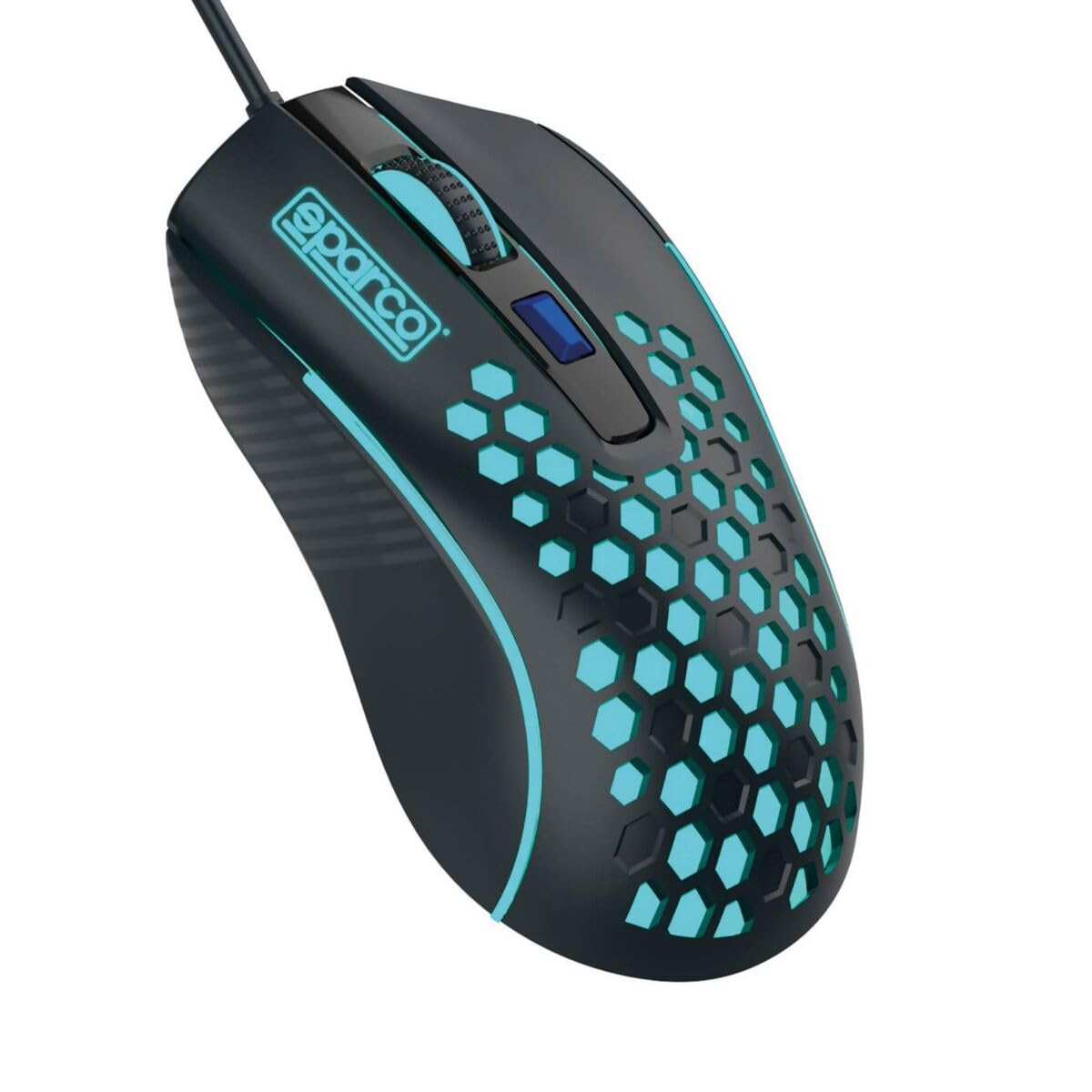
Image: The Celly HIVE wired gaming mouse, showing its ergonomic shape and the integrated USB-A cable.
- Plug In: Insert the USB-A connector of the mouse cable into the USB-A port on your computer.
- Automatic Recognition: Your operating system will automatically detect and configure the mouse. The rainbow LED lights will illuminate, indicating the mouse is ready for use.
5. Operating Instructions
5.1 Basic Functions
- Left Click: Primary button for selecting items, opening files, and interacting with software.
- Right Click: Secondary button for accessing context menus and additional options.
- Scroll Wheel: Roll up or down to scroll through documents and web pages. The scroll wheel also functions as a clickable middle button.
5.2 Adjustable DPI
The mouse features an adjustable DPI (Dots Per Inch) setting, allowing you to change the cursor sensitivity to suit your preferences or game requirements.
- DPI Button: A dedicated button is located below the scroll wheel. Press this button to cycle through different DPI settings. Each press will change the sensitivity, allowing you to find the optimal speed for your tasks.
5.3 Silent Click Buttons
The left and right mouse buttons are designed for silent clicking, reducing noise and allowing for a more focused and undisturbed user experience, especially in quiet environments.
5.4 Rainbow LED Lighting
The Celly HIVE mouse is equipped with dynamic rainbow LED lights that cycle through various colors during use. This feature provides an aesthetic enhancement to your setup and creates an immersive atmosphere for gaming.
6. Maintenance
6.1 Cleaning
- Ensure the mouse is disconnected from your computer before cleaning.
- Use a soft, lint-free cloth slightly dampened with water or a mild cleaning solution to wipe the surface of the mouse.
- Do not use abrasive cleaners, solvents, or aerosol sprays, as these can damage the surface or internal components.
- For hard-to-reach areas, such as around buttons or the scroll wheel, use a cotton swab or compressed air.
6.2 Storage
When not in use, store the mouse in a clean, dry place away from direct sunlight and extreme temperatures to prolong its lifespan.
7. Troubleshooting
| Problem | Possible Cause | Solution |
|---|---|---|
| Mouse not responding | Loose USB connection, faulty USB port, operating system issue. |
|
| Cursor movement is erratic or slow | Dirty optical sensor, incorrect DPI setting, unsuitable mouse pad surface. |
|
| LED lights are not working | Power issue, mouse not properly connected. |
|
8. Specifications
| Brand | Celly |
| Model Name | SP Mouse |
| Model Number | SPMOUSE |
| Manufacturer | bsc spa |
| Product Dimensions | 50 x 50 x 28 cm; 150 grams |
| ASIN | B0BLM5V246 |
| Color | Rainbow colors |
| Connectivity Technology | USB |
| Special Features | LED lighting, Ergonomic design, Silent click |
| Movement Detection Technology | Optical |
| Number of Buttons | 3 |
| Hand Orientation | Right |
| Recommended Uses | Gaming |
| Compatible Devices | Personal Computer, Laptop |
9. Warranty and Support
The Celly HIVE Wired Gaming Mouse comes with a standard manufacturer's warranty. For detailed information regarding warranty terms, duration, and how to claim support, please refer to the warranty card included with your purchase or visit the official Celly website.
For technical support or further assistance, please contact Celly customer service through their official channels.
