
Evershop Evershop
Evershop 5-inch Portable Ring Light Instruction Manual
Model: Evershop
Introduction
Thank you for choosing the Evershop 5-inch Portable Ring Light. This device is designed to provide optimal lighting for various applications, including video conferencing, online education, content creation, and makeup. Its versatile design allows for use with laptops, desktop monitors, webcams, and smartphones, ensuring you always appear well-lit and professional.
What's in the Box
- 1 x Ring Light
- 1 x Stand
- 1 x Instruction Manual
Key Features
- Adjustable Multifunctional Stand: Features a stretchable horizontal plate (2-2.5 inches) for secure attachment to various screens (notebooks, desktops, curved monitors). The main body of the stand is adjustable from 6.5-8.5 inches, offering flexibility for diverse usage scenarios.
- All-in-one Design: Provides a solution for fixing cell phones and iPads directly onto the stand, facilitating video calls and content creation.
- Lightweight and Portable: Weighs only 7.1 ounces with a 5-inch light head diameter. Its compact and versatile bracket allows for easy transport in shoulder bags and handbags, ideal for office, outdoor, and travel use.
- USB-Powered: Designed for plug-and-play convenience, compatible with PC, laptop, mobile power banks, or charging plugs (excluding batteries).
- 10-Level Brightness & 3 Lighting Colors: Equipped with 64 high-efficiency LEDs and 10W power output. Offers three lighting modes (white, natural, warm) and 30 adjustable brightness levels. CRI >98 ensures accurate color rendering for natural skin tones.
- Foldable Design: The bracket folds 90°, and the ring light base folds 180°, saving space. It also rotates horizontally 360° for optimal shooting angles.
Setup Instructions
- Assemble the Stand: The ring light and stand are designed for easy integration. Ensure the ring light head is securely attached to the stand's adjustable arm.
- Choose Your Mounting Option:
- For Laptops/Monitors: Extend the horizontal plate (2-2.5 inches) and clip the stand securely onto the top edge of your screen. The design prevents damage to the screen.
- For Desktop Use: Fold out the base of the stand to create a stable desktop unit. Adjust the height and angle as needed.
- For Phone/Webcam: Utilize the integrated phone/iPad fixing solution on the stand to hold your device.
- Connect Power: Plug the USB cable into a compatible power source such as a PC, laptop, mobile power bank, or a USB wall adapter. The light is plug-and-play and does not require batteries.

Figure 1: The adjustable stand components, showing the extendable horizontal plate and height adjustment.
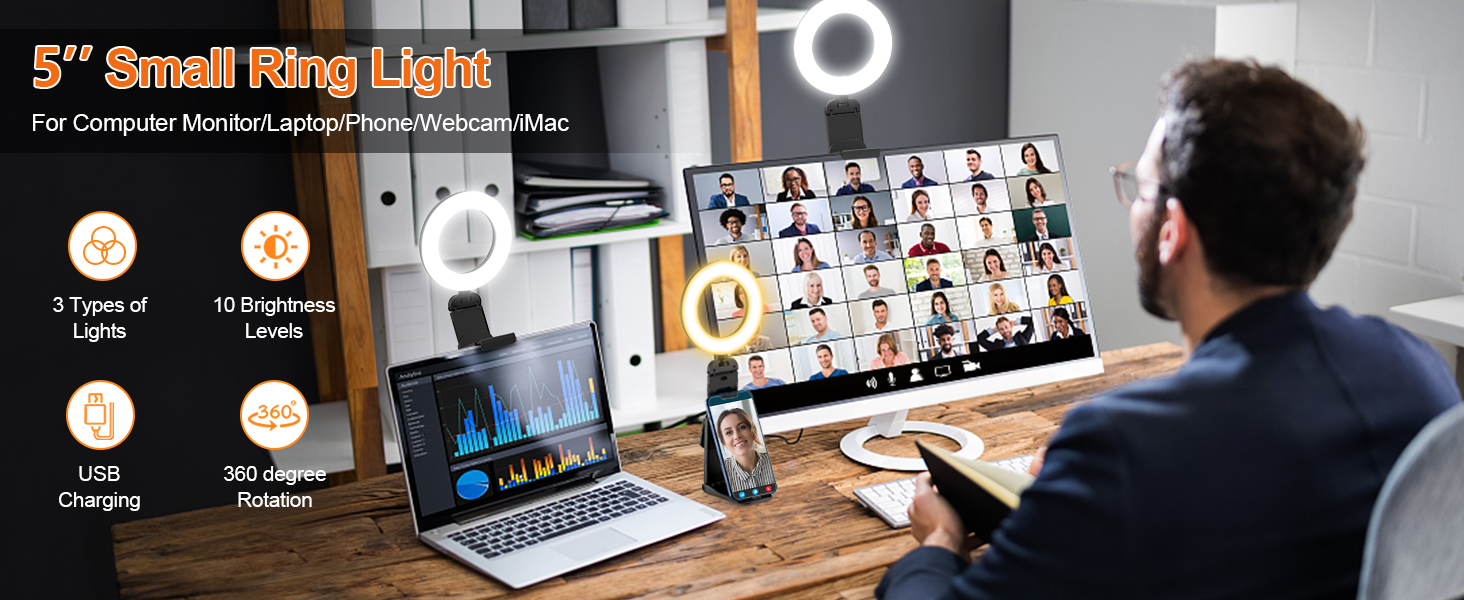
Figure 2: The ring light securely clipped onto a monitor and also configured as a desktop stand holding a smartphone.
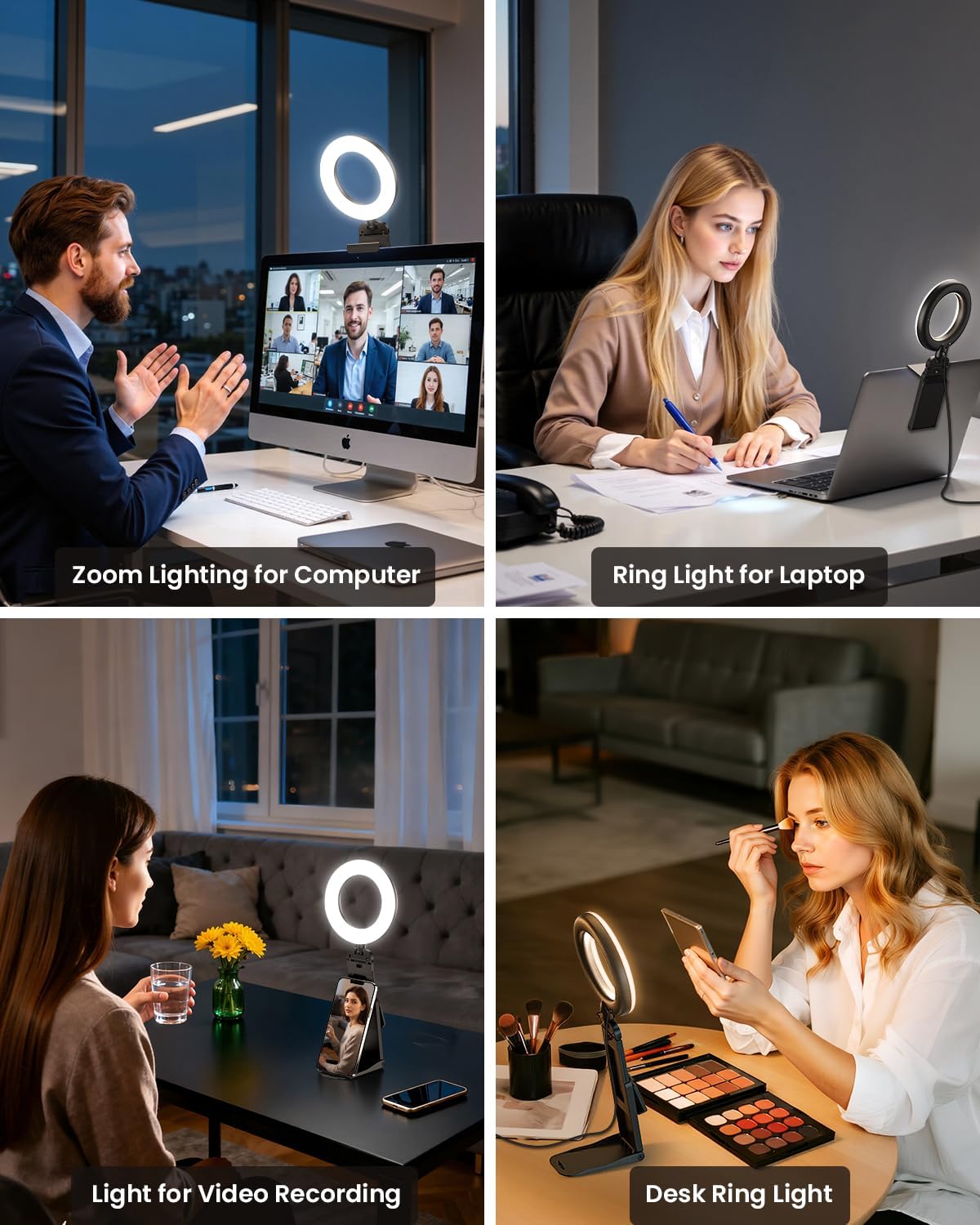
Figure 3: The USB power cable for the ring light, ready to be connected to a laptop or other USB power source.
Operating Instructions
The Evershop Ring Light features an inline control panel on its USB cable for easy operation.
- Power On/Off: Press the power button (usually marked with an 'On/Off' symbol) to turn the light on or off.
- Adjust Brightness: Use the '+' and '-' buttons to increase or decrease the brightness level. There are 10 levels of brightness available.
- Change Color Temperature: Press the mode button (often marked with a 'light bulb' or 'M' symbol) to cycle through the three available color temperatures: white light (cool), natural light (mixed), and warm light.
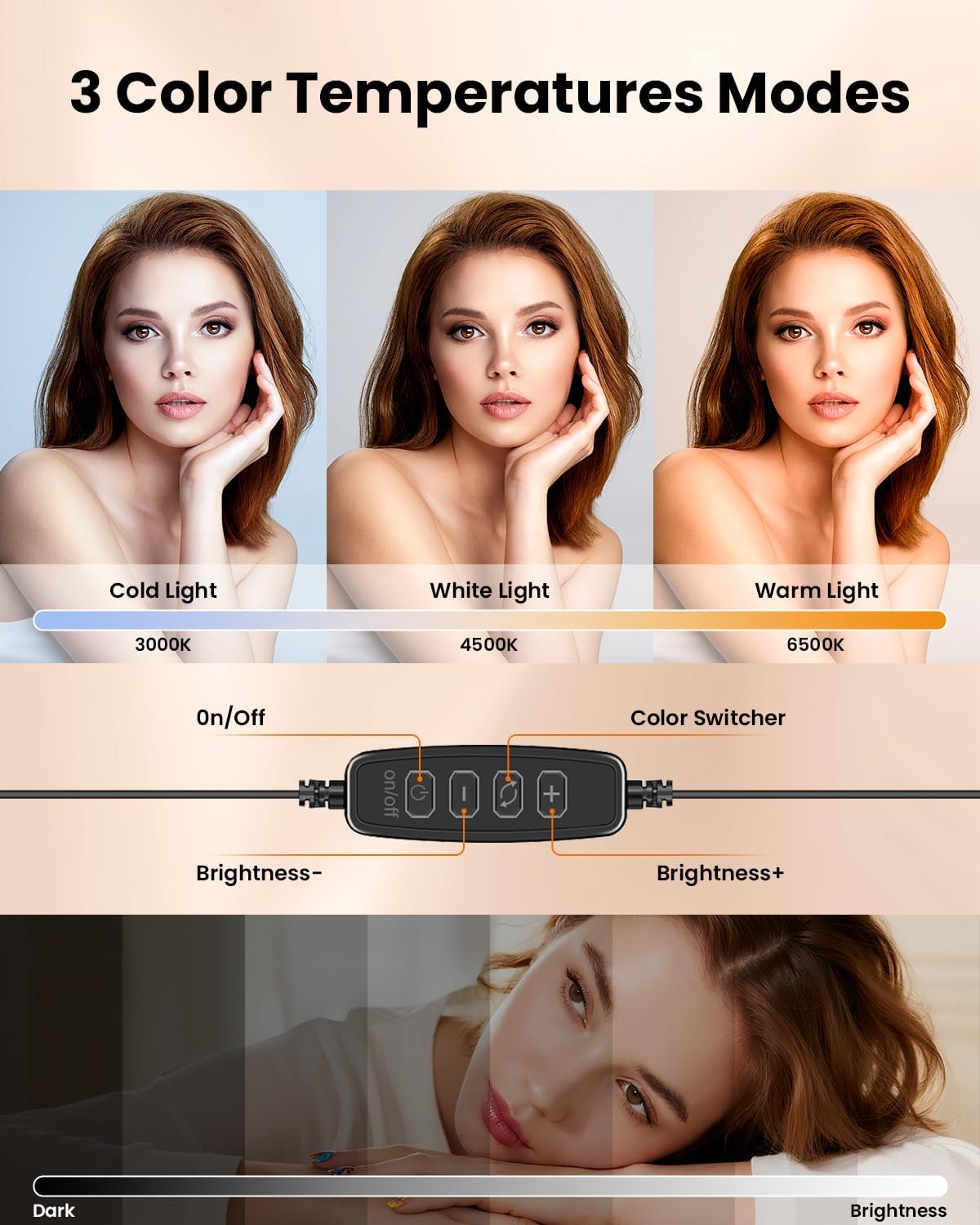
Figure 4: The inline control panel for the ring light, featuring buttons for power, mode selection, and brightness adjustment.

Figure 5: Examples of the three color temperature modes: Cold Light (3000K), White Light (4500K), and Warm Light (6500K).
Usage Scenarios
The Evershop Ring Light is highly versatile and can be adapted to various situations:
- Video Conferencing: Clip it onto your laptop or monitor for clear, confident lighting during Zoom meetings, video calls, and online presentations.
- Content Creation: Use the desktop stand with your phone for video recording, live streaming, or taking selfies.
- Makeup Application: Position the light on your desk for even, bright illumination during makeup routines.

Figure 6: The ring light demonstrating its versatility, used for video calls on a monitor, as a desktop light with a phone, and clipped to a laptop.
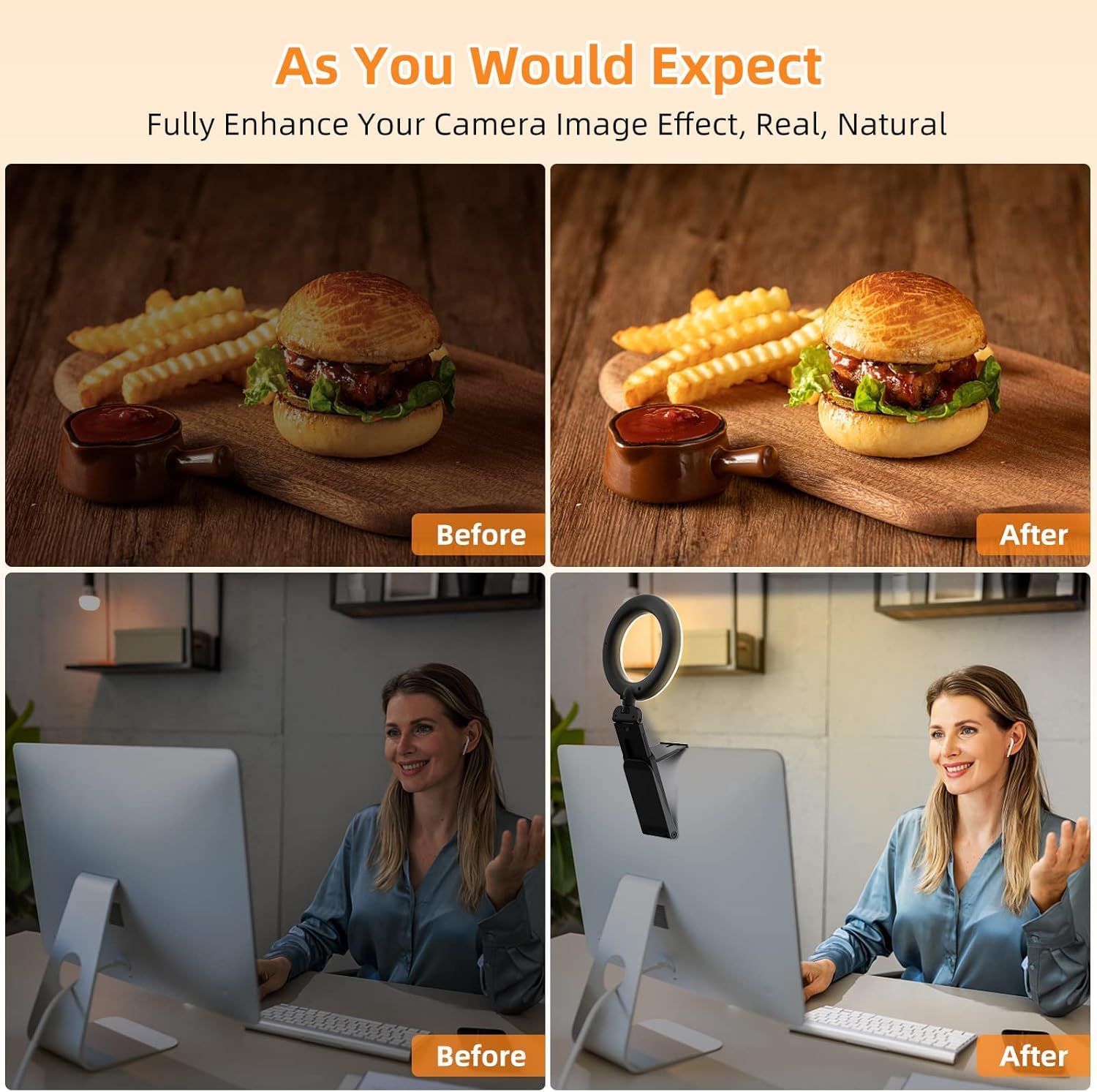
Figure 7: A visual comparison showing improved lighting and clarity during a video call when using the Evershop Ring Light.
Maintenance
To ensure the longevity and optimal performance of your Evershop Ring Light, follow these simple maintenance guidelines:
- Cleaning: Gently wipe the light and stand with a soft, dry cloth. Avoid using abrasive cleaners or solvents, as these may damage the surface.
- Storage: When not in use, fold the ring light and store it in a cool, dry place away from direct sunlight and extreme temperatures.
- Handling: Avoid dropping the device or subjecting it to strong impacts, which could damage the internal components or LED beads.
Troubleshooting
If you encounter any issues with your Evershop Ring Light, please refer to the following common solutions:
- Light Not Turning On:
- Ensure the USB cable is securely plugged into a working power source.
- Try plugging the USB cable into a different USB port or power adapter to rule out a faulty power source.
- Press the 'On/Off' button firmly on the inline control panel.
- Brightness/Color Not Changing:
- Ensure the light is powered on.
- Press the '+' or '-' buttons for brightness adjustment.
- Press the mode button to cycle through color temperatures. If it doesn't change, try pressing it multiple times.
- Unstable Mounting:
- For monitor/laptop mounting, ensure the horizontal plate is fully extended and the clip is firmly gripping the screen edge.
- For desktop use, ensure the base is fully unfolded and placed on a flat, stable surface.
If these steps do not resolve the issue, please contact customer support for further assistance.
Specifications
| Product Dimensions | 5 x 0.98 x 4.92 inches (folded) / 5"L x 4"W x 13.5"H (extended) |
| Item Weight | 7.1 ounces |
| Item Model Number | Evershop |
| ASIN | B0BLHHV648 |
| Manufacturer | Evershop |
| Hardware Interface | USB |
| LEDs | 64 high-efficiency LEDs |
| Power Output | 10W |
| Color Rendering Index (CRI) | >98 |
Warranty and Support
Evershop products come with 12 months of validity protection. If you have any questions, concerns, or require technical assistance, please do not hesitate to contact Evershop customer support. Refer to your product packaging or the official Evershop website for contact details.
Ask a question about this manual
Ask about setup, troubleshooting, compatibility, parts, safety, or missing instructions. Manuals+ will review the question and use this page’s manual context to help answer it.