
1. Introduction
This manual provides detailed instructions for the assembly, operation, and maintenance of your IKIFLY King Size Bed Frame. This bed frame features a storage shelf headboard, integrated LED lighting, and a convenient charging station. Please read all instructions carefully before beginning assembly and retain this manual for future reference.

Image 1.1: Assembled IKIFLY King Size Bed Frame with LED lights and charging station.
2. Safety Information
Warning: Ensure all parts are securely assembled to prevent instability. Be cautious when handling LED lights to avoid injury. Always follow the assembly instructions precisely. Do not exceed the maximum weight capacity of 660 pounds.
3. Package Contents
Before assembly, verify that all components are present and undamaged. If any parts are missing or damaged, contact customer support.
- Metal Bed Frame Components
- MDF Headboard Panels with Storage Shelf
- Metal Slats
- LED Light Strip Kit
- Charging Station Unit (2 AC Outlets, 2 USB Ports including 1 Type C)
- Assembly Hardware (screws, bolts, washers)
- Assembly Tools (Allen wrench, etc.)
- Instruction Manual
4. Setup and Assembly
Assembly typically requires two adults and approximately 1-2 hours. Follow the step-by-step instructions provided in the included assembly guide. Lay out all parts on a soft, clean surface to prevent scratches.
- Unpack and Identify Parts: Carefully remove all components from the packaging. Refer to the parts list in your separate assembly guide to identify each piece.
- Assemble Headboard: Begin by assembling the headboard components, including the storage shelf and charging station. Secure all connections as instructed.
- Attach Side Rails: Connect the side rails to the assembled headboard.
- Assemble Footboard: Attach the footboard to the side rails.
- Install Center Support: Place and secure the center support bars and legs for mattress stability.
- Install Slats: Distribute and secure the metal slats evenly across the frame. Ensure all slats are firmly attached to prevent mattress shifting.
- Install LED Lights: Adhere the LED light strip to the designated area on the headboard. Connect the power supply.
- Final Check: Verify all screws and bolts are tightened. Ensure the frame is stable and level.

Image 4.1: Assembly diagram illustrating various components and their connections.
Video 4.2: Official product video demonstrating the features and assembly of the IKIFLY Farmhouse LED Bed Frame with Storage Headboard.
5. Operating Instructions
5.1. LED Lights
The integrated LED lights can be controlled via the included remote control or a dedicated smartphone application. Refer to the LED light kit's separate instructions for app download and pairing procedures.
- Remote Control: Use the remote to power the lights on/off, change colors, adjust brightness, and select various lighting modes.
- Smartphone App: The app offers advanced control, including over 60,000 DIY color options, music synchronization, and scheduling features.

Image 5.1: Headboard LED lights displaying different color options.
5.2. Charging Station
The headboard includes a built-in charging station with 2 standard AC outlets and 2 USB ports (including 1 Type C). Simply plug the bed frame's power cord into a wall outlet to activate the charging station.
- AC Outlets: Use for devices requiring standard wall power.
- USB Ports: Use for charging smartphones, tablets, and other USB-powered devices.
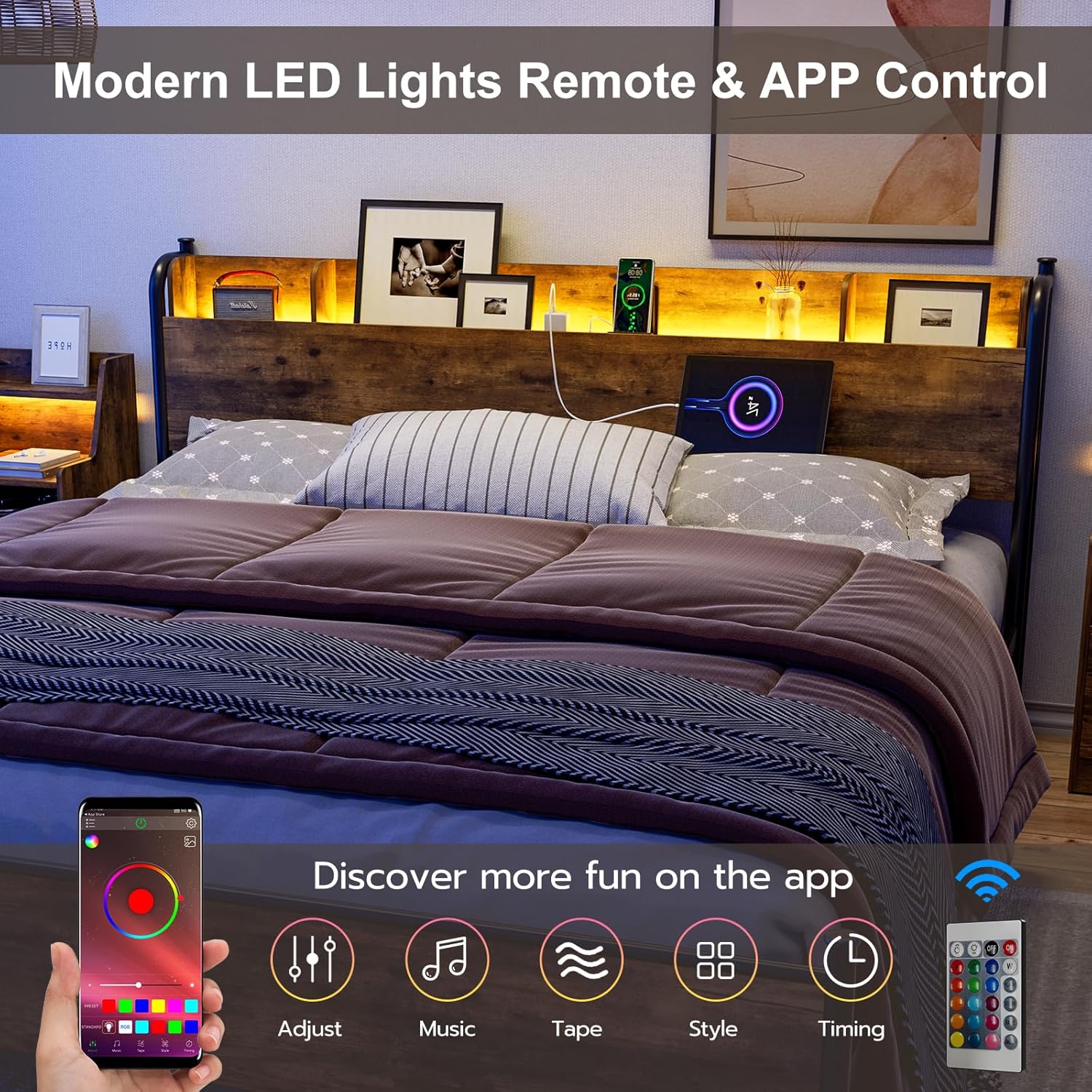
Image 5.2: Integrated charging station on the headboard.
6. Maintenance
Regular maintenance ensures the longevity and stability of your bed frame.
- Cleaning: Wipe metal and MDF surfaces with a soft, damp cloth. Avoid harsh chemicals or abrasive cleaners.
- Hardware Check: Periodically check all screws and bolts to ensure they remain tight. Re-tighten as necessary to maintain stability and prevent squeaking.
- LED Lights: Ensure the LED strip and connections are free from dust and damage.
- Charging Station: Keep the outlets and ports clean and free of debris.
7. Troubleshooting
Refer to the following common issues and solutions:
| Problem | Possible Cause | Solution |
|---|---|---|
| Bed frame is unstable or squeaks. | Loose hardware; uneven floor. | Tighten all screws and bolts. Ensure the bed is on a level surface. |
| LED lights are not working. | Power connection loose; remote battery dead; light strip damaged. | Check power connections. Replace remote battery. Contact support if strip is damaged. |
| Charging station is not providing power. | Bed frame not plugged into wall outlet; power strip switch off; device cable faulty. | Ensure the bed frame is plugged into a live wall outlet. Check if the charging station has a power switch. Test with a different device or cable. |
| Mattress slides on the frame. | Lack of anti-slip features. | Consider placing an anti-slip mat between the mattress and the slats. |
8. Specifications
Detailed product specifications for the IKIFLY King Size Bed Frame.
| Feature | Detail |
|---|---|
| Model Number | HU8953-WD |
| Size | King |
| Product Dimensions (L x W x H) | 88.7" x 76.5" x 38.6" |
| Material | Metal, MDF, LED Lights, Charging Station |
| Color | Rustic Brown |
| Weight Capacity | 660 Pounds |
| Under-Bed Clearance | 10 inches |
| Charging Station | 2 Standard AC Outlets, 2 USB Ports (1 Type C) |
| Recommended Mattress Thickness | 10"-12" |

Image 8.1: Product dimensions and weight capacity for the King size bed frame.

Image 8.2: Reinforced support structure of the bed frame.
9. Warranty Information
For specific warranty details regarding your IKIFLY King Size Bed Frame, please refer to the warranty card included with your product or contact IKIFLY customer support directly. Protection plans may be available for purchase separately.
10. Customer Support
If you have any questions, require assistance with assembly, or need to report missing/damaged parts, please contact IKIFLY customer support. Contact information can typically be found on the product packaging or the official IKIFLY website.