
Introduction
The Abovsare Digital Alarm Clock is designed to provide clear time, date, and temperature information with a large LED display. Its modern design complements various room decors, and its silent operation ensures a peaceful environment. This manual provides detailed instructions for setting up and operating your new digital alarm clock.
Important Safety Information
- Always connect the device to a USB port or use only a 5V/1A or 5V/2A power adapter. Using an adapter with excessive voltage may cause screen damage or malfunction.
- This clock requires continuous power and must be plugged in to operate. It is not battery-operated for primary function. A built-in CR2025 3V button battery serves only as a memory backup for time data during power outages.
- Avoid exposing the clock to extreme temperatures, direct sunlight, or high humidity.
- Do not attempt to disassemble or repair the device yourself. Refer to qualified service personnel for any repairs.
Package Contents
Please check the package for the following items:
- Abovsare Digital Alarm Clock (Model B0BLCYTFB2)
- USB Power Cable
- USB Power Adapter (5V/1A or 5V/2A)
Product Overview
Familiarize yourself with the clock's components and controls.
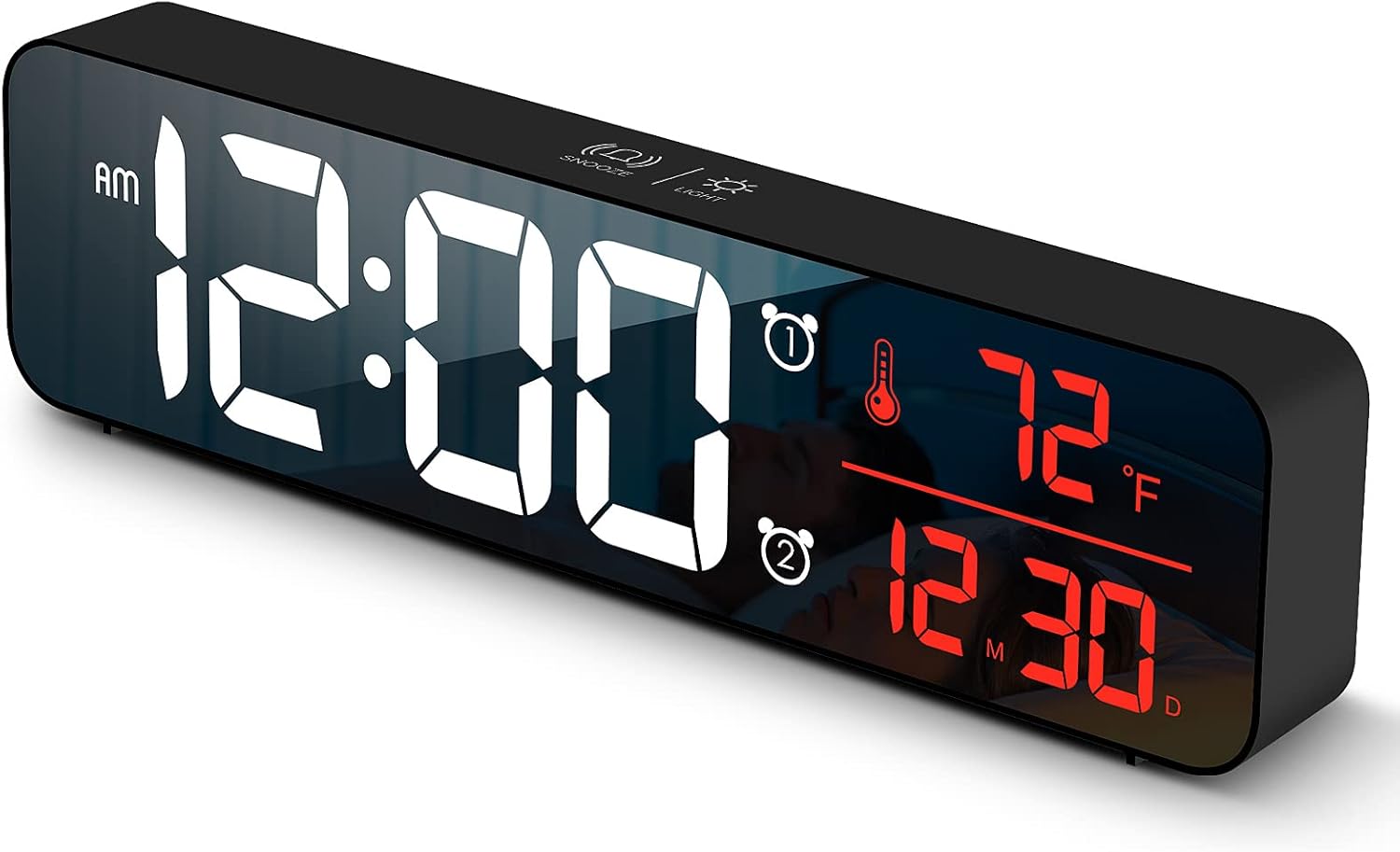
Figure 1: Front view of the Abovsare Digital Alarm Clock, displaying time, temperature, and date in red LED digits.
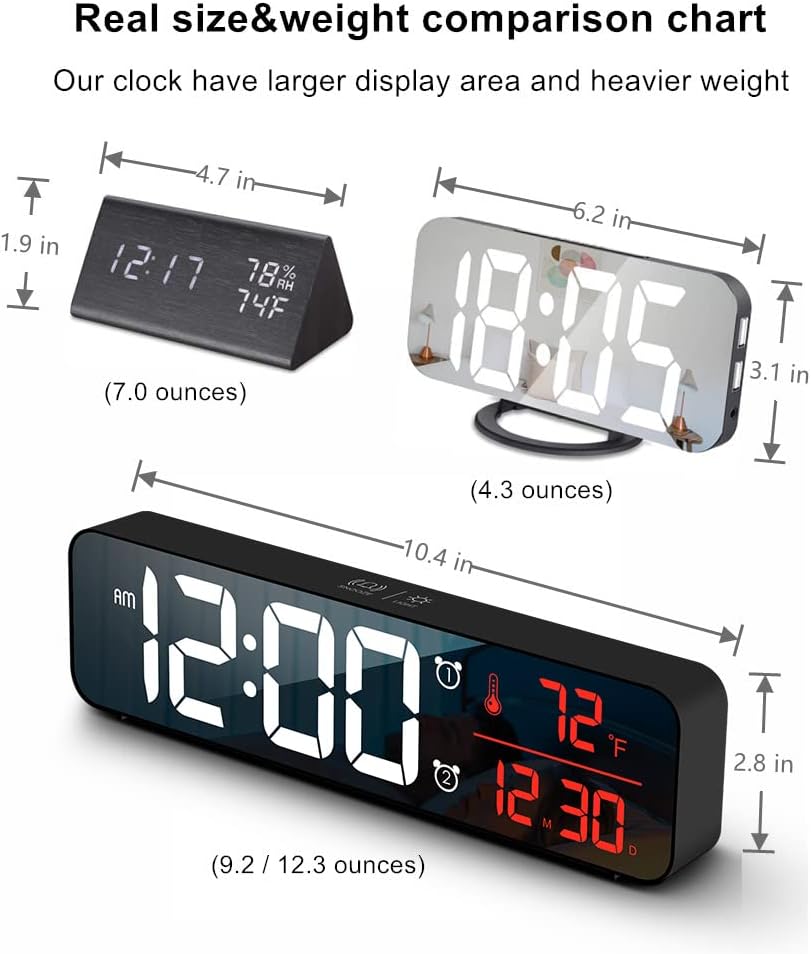
Figure 2: Rear view of the clock, highlighting the control buttons and USB power input. The buttons are typically for setting time, alarms, and adjusting modes.
Control Buttons and Functions:
- SET Button: Used to enter setting modes for time, date, and alarms.
- UP/DOWN Buttons: Used to adjust values during settings and navigate options.
- ALARM 1/2 Buttons: Used to activate/deactivate and set Alarm 1 and Alarm 2.
- SNOOZE/LIGHT Button (Top): Taps to adjust brightness, long press for snooze during alarm.
- USB Power Port: Connects the clock to the power adapter.
Setup
- Power Connection: Connect the provided USB power cable to the clock's USB port and then to the USB power adapter. Plug the adapter into a standard wall outlet. The display will light up.
- Initial Time Setting:
- Press the SET button once to enter time setting mode. The hour digits will flash.
- Use the UP or DOWN buttons to adjust the hour.
- Press SET again to move to minute setting. Adjust minutes with UP or DOWN.
- Continue pressing SET to cycle through year, month, and day settings, adjusting each with UP or DOWN.
- Press SET one last time to exit setting mode.
- Temperature Unit: The clock displays temperature in either Celsius or Fahrenheit. Refer to the operating instructions for how to switch between these units.
Operating Instructions
Time, Date, and Temperature Display
The clock continuously displays the current time, date (month/day), and indoor temperature. The large LED digits ensure readability from a distance.
Brightness Adjustment

Figure 3: The clock on a nightstand, demonstrating its display in a bedroom setting, with text indicating 5 levels of brightness adjustment.
The clock features 5 levels of brightness. You can adjust it manually or use the automatic dimmer function.
- Manual Adjustment: Tap the SNOOZE/LIGHT button on the top of the clock to cycle through the 5 brightness levels.
- Automatic Dimmer: The clock automatically adjusts brightness based on the time of day.
- 7:00 AM - 5:59 PM: Highlight brightness
- 6:00 PM - 10:59 PM: Medium brightness
- 11:00 PM - 5:59 AM: Darkest brightness
- 6:00 AM - 6:59 AM: Medium highlight
Note: If you manually adjust brightness, the clock will remember your setting for that specific time period on subsequent days. However, when a new period begins, the brightness will revert to the system's preset automatic rule.
Setting Alarms (Alarm 1 & Alarm 2)
The clock supports two independent alarms. This is useful for different wake-up times or for heavy sleepers.
- Press the ALARM 1 or ALARM 2 button to select which alarm to set. The alarm icon and hour digits will flash.
- Use the UP or DOWN buttons to adjust the alarm hour.
- Press the selected ALARM button again to move to minute setting. Adjust minutes with UP or DOWN.
- Press the ALARM button one last time to confirm and exit alarm setting. The alarm icon will remain lit, indicating the alarm is active.
- To deactivate an alarm, press its corresponding ALARM button until the alarm icon disappears from the display.
Ringtone Selection and Volume
The clock offers 40 selectable ringtones and 4 volume levels.
- During alarm setting, after setting the minutes, press the ALARM button again to enter ringtone selection. Use UP or DOWN to preview ringtones.
- Press the ALARM button again to enter volume adjustment. Use UP or DOWN to select one of the 4 volume levels.
- Press the ALARM button to confirm your selection and exit.
Snooze Function
When an alarm sounds, tap the SNOOZE/LIGHT button on the top of the clock to activate the snooze function. The alarm will temporarily pause and sound again after a set interval (typically 5-9 minutes). To turn off the alarm completely, press any other button on the back of the clock.
Memory Function

Figure 4: Illustration of the memory function, showing the clock retaining time settings even after a power interruption, thanks to the internal CR2025 3V button battery.
The clock includes a built-in memory function. In the event of a power disconnection, the time and alarm settings will not be lost, eliminating the need to reset them once power is restored. This function is supported by an internal CR2025 3V button battery.
Maintenance
- Clean the clock's display and casing with a soft, dry cloth.
- Do not use abrasive cleaners, solvents, or chemical sprays, as these may damage the surface.
- Ensure the clock remains dry and away from water sources.
Troubleshooting
| Problem | Possible Cause / Solution |
|---|---|
| Display is off or flickering. |
|
| Cannot set time/alarm correctly. |
|
| Alarm is too loud or too quiet. |
|
| Clock time drifts (gains/loses minutes). |
|
| Display brightness changes unexpectedly. |
|
Specifications
| Feature | Detail |
|---|---|
| Brand | Abovsare |
| Model | B0BLCYTFB2 |
| Display Type | Digital LED |
| Color | Wired-black Case+red Digit |
| Product Dimensions | 10.4"W x 2.8"H |
| Power Source | Corded Electric (USB-5V) |
| Special Features | Large Display, Automatic Brightness Dimmer, Memory Function, Dual Alarms, Date, Temperature |
| Mounting Type | Tabletop or Wall-mountable |
| Material | Acrylonitrile Butadiene Styrene (Plastic) |
| Item Weight | 1 pound (approximately 16 ounces) |
Warranty and Support
Abovsare is committed to providing high-quality products. For specific warranty details and customer support, please refer to the information provided at the time of purchase or visit the official Abovsare brand store.
Abovsare Brand Store: https://www.amazon.com/stores/Abovsare/page/D02B5557-764F-4435-8DFB-4333D462DA1C