
Introduction
This manual provides detailed instructions for the assembly, operation, maintenance, and troubleshooting of your Cubiker Electric Standing Desk, Model SDE-48MP-CK. This desk is designed to offer a versatile workspace, allowing you to easily switch between sitting and standing positions to promote a healthier work environment.
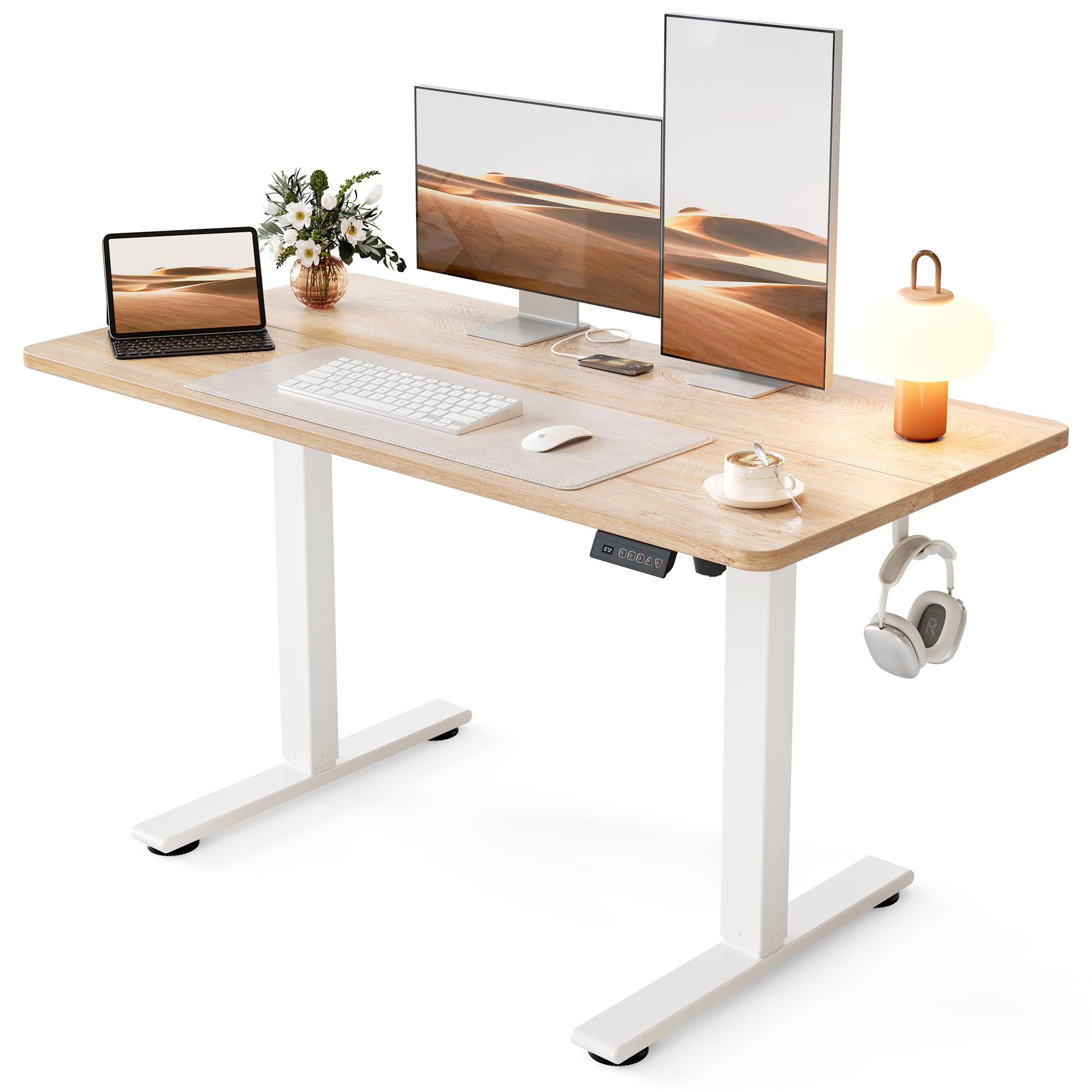
Image: The Cubiker Standing Desk with a maple top and white frame, showcasing its modern design.
Safety Information
Please read all safety warnings and instructions carefully before assembly and use. Failure to follow these instructions may result in injury or damage to the product.
- Weight Limit: Do not exceed the maximum weight capacity of 176 lbs (80 kg). Overloading the desk can cause instability and damage.
- Assembly: Ensure all components are securely fastened according to the assembly instructions.
- Clearance: Maintain adequate clearance around the desk during height adjustments to prevent pinching or crushing.
- Power: Use only the provided power adapter. Disconnect power before cleaning or maintenance.
- Children and Pets: Keep children and pets away from the desk during operation to prevent accidents.
- Anti-Collision: The desk is equipped with anti-collision technology. Do not attempt to override this feature.

Image: Visual representation of the desk's 176 lbs maximum weight capacity.
Setup and Assembly
The Cubiker Standing Desk is designed for quick and straightforward assembly. It is recommended that one person can complete the assembly. All necessary tools and clear instructions are included.
Assembly Steps Overview:
- Unpack all components and verify against the parts list.
- Assemble the desk frame according to the provided diagrams.
- Attach the desktop sections securely to the frame.
- Connect the motor and control panel cables.
- Perform initial calibration as described in the detailed manual.
For a visual guide to the assembly process, please refer to the official assembly video below:
Video: Official Cubiker Standing Desk Assembly Video. This video provides a step-by-step guide to assembling your desk.

Image: Illustration highlighting the sturdy steel construction of the desk frame, emphasizing stability and durability.
Operating Instructions
Your Cubiker Standing Desk features an electric height adjustment system with memory presets for convenience.
Height Adjustment:
- Use the Up and Down arrows on the control panel to adjust the desk height.
- The desk has a smooth lifting range from 28.3 inches (71.9 cm) to 46.5 inches (118.1 cm).
- The powerful, quiet motor operates under 45 dB, ensuring minimal disturbance.
Memory Presets:
The control panel allows you to save up to 3 preferred height settings.
- Adjust the desk to your desired height.
- Press the "M" button, then press one of the numbered preset buttons (1, 2, or 3) within 3 seconds. The height is now saved.
- To recall a saved height, simply press the corresponding numbered preset button.

Image: A user demonstrating the sit-to-stand functionality of the desk, highlighting the adjustable height range.

Image: A graphic demonstrating the low noise level (under 45 dB) of the desk's motor during operation.
Maintenance
Regular maintenance ensures the longevity and optimal performance of your Cubiker Standing Desk.
- Cleaning: Wipe the desktop and frame with a soft, damp cloth. Avoid harsh chemicals or abrasive cleaners.
- Cable Management: Periodically check all cables for secure connections and ensure they are not pinched or tangled.
- Fasteners: Occasionally check all screws and bolts to ensure they remain tight. Retighten if necessary.
- Weight Distribution: Distribute weight evenly across the desktop to prevent strain on the lifting mechanism.
Troubleshooting
If you encounter issues with your Cubiker Standing Desk, refer to the common problems and solutions below. For more detailed troubleshooting, consult the official FAQ video.
Common Issues:
- Desk Not Moving: Check if the power cord is securely plugged into both the desk and the wall outlet. Ensure no cables are loose.
- Error Code E07 (Load / Motor Error): This indicates the weight on the desktop exceeds the limit (176 lbs / 80 kg) or a motor cable is loose.
- Reduce the weight on the desktop.
- Verify all motor cables are secure.
- Perform a Reset (refer to the detailed manual or FAQ video for reset procedure).
- Uneven Movement: Ensure the desk is on a level surface. Check for any obstructions under the desk.
For further assistance and visual troubleshooting steps, please watch the Cubiker Standing Desk FAQ Video:
Video: Official Cubiker Standing Desk FAQ Video. This video addresses common questions and troubleshooting tips.
Specifications
Detailed specifications for the Cubiker Standing Desk, Model SDE-48MP-CK:
| Feature | Detail |
|---|---|
| Brand | Cubiker |
| Model Number | SDE-48MP-CK |
| Product Dimensions | 48"W x 24"D x 27"H (121.9 cm W x 61 cm D x 68.6 cm H) |
| Adjustable Height Range | 28.3" (71.9 cm) to 46.5" (118.1 cm) |
| Color | Maple Top / White Frame |
| Top Material Type | Engineered Wood (Laminated) |
| Base Material | Alloy Steel |
| Maximum Weight Capacity | 176 lbs (80 kg) |
| Motor Noise Level | Under 45 dB |
| Memory Presets | 3 |
| Lifting Mechanism | Electric |
| Assembly Required | Yes (can be done by one person) |
| Included Components | Headphone Hook |

Image: Detailed diagram illustrating the product dimensions and adjustable height range of the desk.
Warranty
The Cubiker Standing Desk comes with a Limited Warranty. For specific terms and conditions, please refer to the warranty documentation included with your product or contact Cubiker customer support.
Support
For any questions, technical assistance, or warranty claims, please contact Cubiker customer support through the following channels:
- Online: Visit the official Cubiker website for FAQs and support resources.
- Email: Refer to your product packaging or the official website for customer service email addresses.
- Phone: Contact numbers can be found on the official Cubiker website.
Please have your model number (SDE-48MP-CK) and purchase information ready when contacting support.
