
1. Introduction
Thank you for choosing the Jecod SOW-4 Sine Wavemaker Pump. This device is designed to create natural wave patterns in your aquarium, promoting a healthy and dynamic environment for aquatic life. Please read this manual thoroughly before installation and operation to ensure proper use and to maximize the lifespan of your product.

Image 1.1: The Jecod SOW-4 Sine Wavemaker Pump unit.
2. Product Features
- Power and Flow: 100V 60Hz US plug, 12W power consumption, providing 1056 GPH (Gallons Per Hour) flow rate, recommended for tanks up to 24 inches.
- Advanced Control System: Features a unique control system with multiple wave styles and functions to meet diverse wave pattern requirements.
- Night Sensor: Automatically detects low light conditions (when tank lights go out) and reduces pump speed to simulate natural nighttime water movement.
- Adjustable Flow Direction: The pump's outlet can be adjusted 180 degrees to direct water flow as needed within the aquarium.
- Wireless Control: Allows for wireless synchronization of multiple wavemakers using a single controller for coordinated operation.
3. Safety Instructions
- Always disconnect power before performing any maintenance or installation.
- Ensure the power cord and controller are kept dry. Do not immerse the controller in water.
- This product is designed for indoor use in aquariums only.
- Do not operate the pump without water. Dry running can cause damage.
- Keep out of reach of children.
- Inspect the power cord and pump for any damage before use. Do not use if damaged.
4. Package Contents
Verify that all components are present in the package:
- Jecod SOW-4 Wavemaker Pump
- Controller Unit
- Power Adapter
- Magnetic Mount

Image 4.1: Contents of the Jecod SOW-4 package, including the pump, controller, and power supply.
5. Setup and Installation
- Mounting the Pump:
Position the pump inside the aquarium using the magnetic mount. Ensure the pump is fully submerged and positioned to create the desired water flow without disturbing substrate or corals.
Place the external magnet on the outside of the aquarium glass, directly opposite the internal pump unit. The magnets will hold the pump securely in place.
- Connecting the Controller:
Connect the pump's cable to the designated port on the controller unit.
Connect the power adapter to the controller, then plug the power adapter into a suitable electrical outlet. Ensure a drip loop is formed with the power cord to prevent water from reaching the outlet.
- Adjusting Flow Direction:
The pump's output nozzle can be rotated up to 180 degrees. Adjust it to direct the water flow optimally within your aquarium.
6. Operating Instructions
The controller allows for various modes and adjustments to customize wave patterns.
Controller Overview:
- "MODE/FEED" Button: Press to cycle through operating modes. Hold for 10 seconds to activate feed mode (pump stops for 10 minutes).
- "SPEED/LOCK" Knob: Adjusts the pump's speed/intensity. Press and hold to lock the current settings.
- "W1/W2/ELSE/H/C" Indicators: LEDs indicating the active operating mode.
- "Light Sensor": Detects ambient light for night mode.
- "Master/Slave" Switch: For wireless synchronization with other SOW series pumps. Set one controller to "Master" and others to "Slave".
Operating Modes:
- W1 Mode (Wave Mode): Creates a wave pattern. Adjust the knob to change wave intensity and frequency.
- W2 Mode (Sine Wave Mode): Generates a smoother, more natural sine wave. Adjust the knob for intensity.
- ELSE Mode (Random Flow Mode): Produces a random, irregular flow pattern, simulating natural ocean currents.
- H Mode (Constant Flow Mode): Provides a continuous, steady flow at a set speed. Adjust the knob for flow rate.
- C Mode (Alternating Flow Mode): The pump alternates between high and low flow rates.
Night Sensor Function:
The integrated light sensor automatically detects when the aquarium lights are off and reduces the pump's speed to a gentler flow, mimicking natural nighttime conditions. This feature helps to reduce stress on nocturnal inhabitants.
Wireless Control (Master/Slave):
For multiple SOW series pumps, set one controller to "Master" and the others to "Slave" using the switch on the controller. The slave pumps will then synchronize their operation with the master unit, creating a coordinated flow throughout the aquarium.
7. Maintenance
Regular maintenance is crucial for the longevity and optimal performance of your wavemaker pump.
- Disassembly:
Disconnect the pump from power. Carefully remove the pump from the aquarium.
Twist the front cage of the pump counter-clockwise to detach it. Then, gently pull out the impeller assembly.
- Cleaning:
Rinse all components under clean running water. Use a soft brush or cotton swab to remove any algae, detritus, or calcium buildup from the impeller, impeller shaft, and pump housing.
For stubborn calcium deposits, soak the components in a mild vinegar solution for 15-30 minutes, then scrub and rinse thoroughly.
- Reassembly:
Ensure all parts are clean and free of debris. Carefully reinsert the impeller assembly into the pump housing.
Align the front cage and twist clockwise until it locks securely in place.
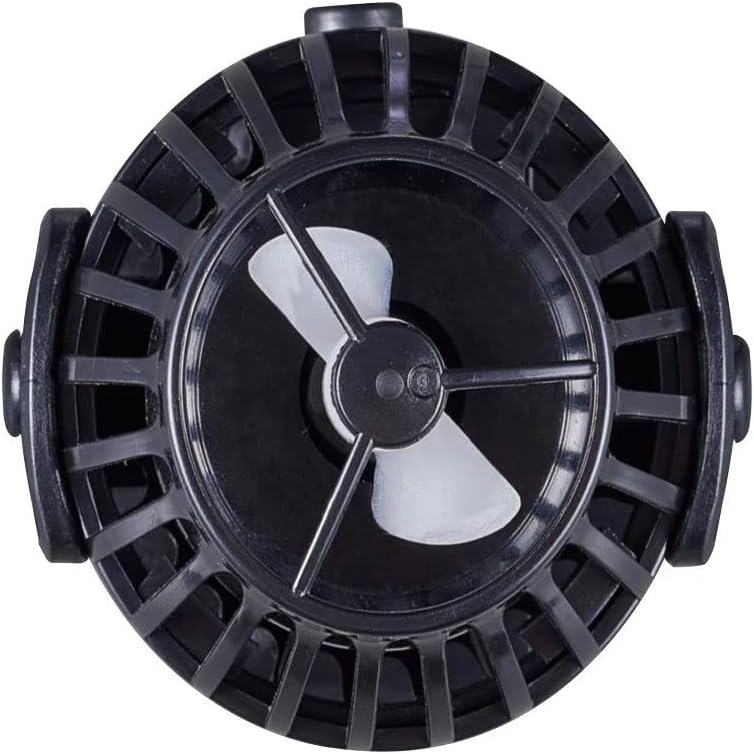
Image 7.1: The impeller assembly of the SOW-4 pump, which requires regular cleaning.
8. Troubleshooting
| Problem | Possible Cause | Solution |
|---|---|---|
| Pump not running | No power; Impeller jammed; Controller malfunction. | Check power connection. Clean impeller. Contact support if controller is faulty. |
| Reduced flow rate | Impeller dirty; Obstruction in pump. | Clean the impeller and pump housing thoroughly. |
| Excessive noise | Impeller dirty or damaged; Air in pump; Improper mounting. | Clean or replace impeller. Ensure pump is fully submerged and securely mounted. |
| Night sensor not working | Sensor obstructed; Insufficient darkness. | Ensure sensor is clean and unobstructed. Verify ambient light conditions are dark enough. |
| Wireless control not syncing | Incorrect Master/Slave setting; Distance too great. | Verify one controller is Master and others are Slave. Reduce distance between units. |
9. Specifications
- Model: SOW-4
- Part Number: PET-SOW4-999-3
- Power Input: 100V, 60Hz
- Power Consumption: 12W
- Max Flow Rate: 1056 GPH (Gallons Per Hour)
- Recommended Tank Size: Up to 24 inches
- Product Dimensions: Approximately 2 x 2.83 x 2 inches (52 x 72 mm)
- Color: Black
- Manufacturer: JEBAO INC
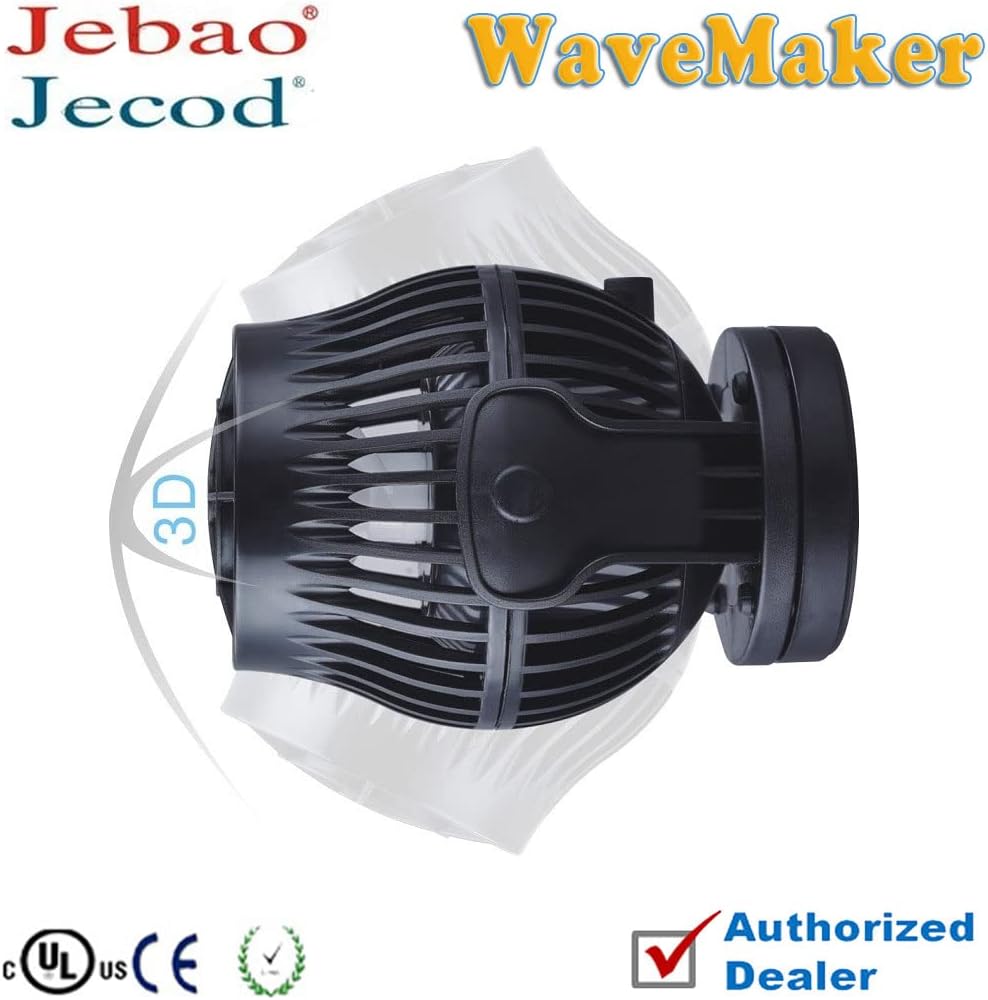
Image 9.1: Side view of the Jecod SOW-4 pump, illustrating its compact design.
10. Warranty and Support
This product comes with a standard manufacturer's warranty. For specific warranty details, please refer to the warranty card included with your purchase or contact your retailer. For technical support, troubleshooting assistance, or replacement parts, please contact the manufacturer or your authorized dealer.
Manufacturer: JEBAO INC