
1. Product Overview
The Zerodis Digital Learning Remote Control is a versatile 433MHz wireless transmitter, designed for a wide range of applications. Its compact and lightweight design makes it highly portable and practical for daily use. This 8-key remote offers a stable signal transmission over long distances, making it an ideal solution for controlling various electronic devices and systems.
It is primarily used for controlling retractable electric doors, elevators, street gates, rolling doors, garage doors, sliding doors, LED lights, firework igniters, bus doors, anti-theft alarms, electric door alarms, and motorcycle MP3 anti-theft alarms.
The modern design and advanced technology ensure a smart and unique user experience.
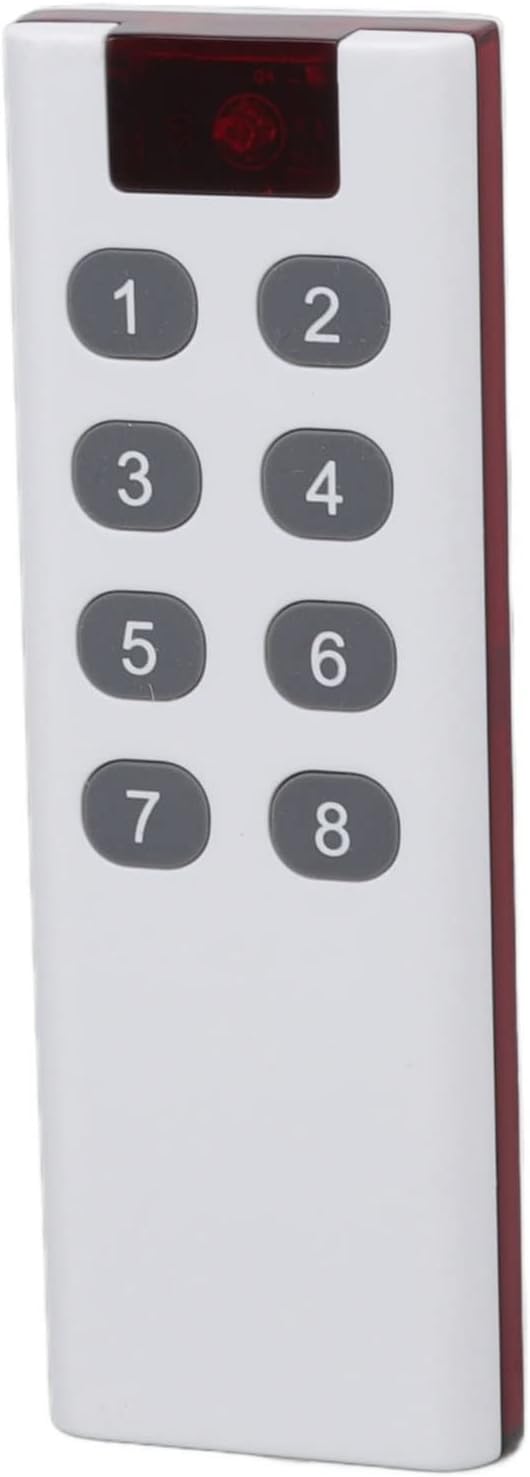
Image: Front view of the Zerodis 8-Key Digital Learning Remote Control, showing its white body and eight grey numbered buttons (1-8).
2. Key Features
- Wide Application: Suitable for garage doors, car skylights, car/motorcycle alarms, electric appliances, and home automation like lights.
- Long Signal Range: Operates effectively up to approximately 1000 meters in open, interference-free environments.
- Portable Design: Lightweight and small in size for easy carrying and storage.
- Modern Technology: Features a smart and unique design with advanced learning capabilities.
- 8 Keys: Provides eight distinct programmable buttons for various functions.

Image: The remote control shown alongside icons representing its key features: wireless remote control, mini volume, convenient and fast operation, and super long endurance.
3. Scope of Application
This digital learning remote control is highly versatile and can be integrated into various environments for convenient control of compatible devices. Common application scenarios include:
- Home: Controlling smart home devices, LED lights, and garage doors.
- Corridor: Managing lighting systems or access control.
- Office: Operating automated systems or lighting in commercial spaces.
- Garage: Opening and closing garage doors, or controlling garage lighting.

Image: Four panels illustrating different use scenarios for the remote control: a living room (Home), a hallway (Corridor), an open-plan office (Office), and a garage with two garage doors (Garage).
4. Specifications
| Attribute | Detail |
|---|---|
| Brand | Zerodis |
| Model Number | Zerodissyk5gn3zh8-12 |
| Operating Frequency | 433MHz |
| Encoding Format | Fixed Learning 1527 |
| Modulation Mode | ASK |
| Remote Control Distance | Approx. 1000m (open area without interference) |
| Battery Type | Dry battery (not included) |
| Battery Model | 23A 12V |
| Number of Batteries | 1 |
| Dimensions (Width) | 37mm / 1.5in |
| Dimensions (Length) | 110mm / 4.3in |
| Material | PE |

Image: The remote control with measurements indicating its width (37mm / 1.5in) and length (110mm / 4.3in).
5. Setup
- Battery Installation: The remote control requires one 23A 12V dry battery (not included). Open the battery compartment cover, insert the battery observing the correct polarity (+/-), and close the cover securely.
- Learning Process (Pairing): This remote uses a fixed learning code (1527). To pair it with your receiver device (e.g., garage door opener, LED light controller), refer to the specific instructions for your receiver. Typically, this involves:
- Putting the receiver into learning mode (often by pressing a 'Learn' or 'Code' button on the receiver).
- Pressing a button on the new remote control within a few seconds.
- The receiver will usually indicate successful pairing (e.g., a light flashes, or a beep sounds).
- Testing: After pairing, test the remote control to ensure it operates the intended device correctly.
6. Operating Instructions
Once the remote control is successfully paired with your device, operation is straightforward:
- Button Functions: Each of the 8 keys (numbered 1 through 8) can be programmed to control a specific function or device. The function of each button is determined during the learning process with your receiver.
- Activation: Simply press the desired button on the remote control to activate its corresponding function on the paired device.
- Range: Ensure you are within the effective operating range (up to 1000m in open areas) for reliable signal transmission. Obstacles like walls and electronic interference can reduce this range.
7. Maintenance
- Cleaning: Wipe the remote control with a soft, dry cloth. Do not use abrasive cleaners or solvents.
- Storage: Store the remote in a cool, dry place, away from direct sunlight and extreme temperatures.
- Battery Replacement: Replace the battery when the remote's performance degrades or it stops responding. Dispose of used batteries responsibly.
- Avoid Impact: Do not drop or subject the remote control to strong impacts, as this may damage internal components.
8. Troubleshooting
- Remote Not Responding:
- Check if the battery is correctly installed and has sufficient charge. Replace if necessary.
- Ensure the remote is within the operating range of the receiver.
- Verify that the remote is properly paired with the receiver. If not, repeat the learning process.
- Reduced Range:
- Check for sources of interference (e.g., other wireless devices, large metal objects) between the remote and the receiver.
- Ensure the battery is not low.
- Intermittent Operation:
- This could indicate a weak battery or intermittent interference.
- Re-pair the remote with the receiver.
9. Warranty and Support
For warranty information and technical support, please refer to the documentation provided with your purchase or contact the Zerodis customer service directly. Keep your purchase receipt as proof of purchase.