
1. Introduction
This manual provides essential instructions for the proper use, setup, maintenance, and troubleshooting of your IINE Nintendo Switch Hard Pouch, Model L517. Please read this manual thoroughly before using the product to ensure optimal performance and longevity.
2. Product Overview
The IINE Nintendo Switch Hard Pouch (L517) is designed to protect your Nintendo Switch console and accessories during travel and storage. It features a durable exterior and a soft interior lining.
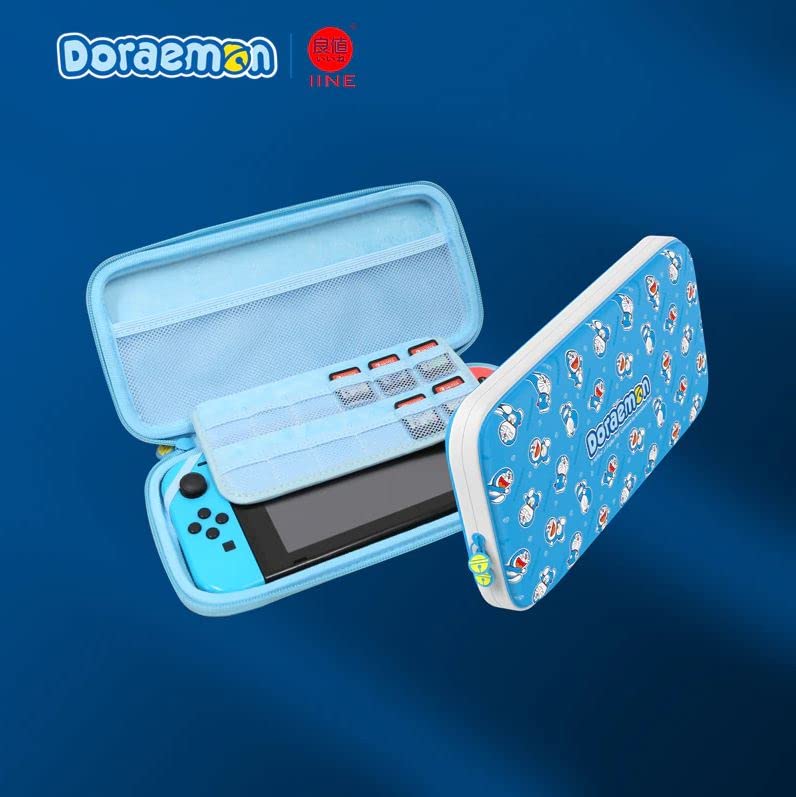
Figure 2.1: Front view of the IINE Nintendo Switch Hard Pouch in Doraemon Blue, designed for console protection and portability.
3. Setup
- Open the Pouch: Unzip the main compartment of the hard pouch.
- Insert Console: Carefully place your Nintendo Switch console into the designated slot within the pouch. Ensure it fits snugly to prevent movement.
- Store Accessories: Utilize any mesh pockets or elastic straps provided for storing small accessories such as game cartridges, Joy-Con straps, or charging cables.
- Close the Pouch: Zip the main compartment securely to protect the contents.
4. Operating Instructions
- Carrying: Use the integrated handle or strap (if included) for convenient transportation.
- Protection: The hard shell exterior is designed to absorb impacts and protect against scratches and minor drops.
- Storage: When not in use, store the pouch in a cool, dry place away from direct sunlight and extreme temperatures.
5. Maintenance
- Cleaning the Exterior: Wipe the exterior surface with a soft, damp cloth. Avoid using harsh chemicals or abrasive cleaners.
- Cleaning the Interior: Gently dust the interior with a soft, dry cloth. If necessary, use a slightly damp cloth, ensuring the interior is completely dry before placing the console back inside.
- Zipper Care: Periodically check the zipper for any debris. If the zipper becomes stiff, apply a small amount of zipper lubricant.
- Avoid Overfilling: Do not overfill the pouch, as this can stress the zippers and seams, potentially causing damage.
6. Troubleshooting
| Problem | Solution |
|---|---|
| Zipper is stiff or stuck. | Check for any fabric caught in the zipper teeth. Apply a small amount of zipper lubricant or a graphite pencil lead to the teeth and gently work the zipper back and forth. |
| Pouch does not close properly. | Ensure the pouch is not overfilled. Rearrange contents to allow for proper closure. Check for any obstructions along the zipper path. |
| Minor scuffs or marks on exterior. | Gently wipe with a soft, damp cloth. For stubborn marks, a mild soap solution can be used, followed by wiping with a clean, damp cloth and air drying. |
7. Specifications
- Product Type: Hard Pouch for Nintendo Switch
- Model: L517
- Color: Doraemon Blue
- Brand: IINE
- ASIN: B0BLC5XST3
- Features: Durable exterior, soft interior lining, accessory storage.
8. Warranty and Support
For warranty information or technical support, please refer to the documentation provided at the time of purchase or contact your retailer. You may also visit the official IINE website for further assistance.


