
1. Introduction
The Jecod SOW-8 Sine Wavemaker Pump is designed to create natural wave patterns in your aquarium, promoting a healthy environment for aquatic life. This manual provides essential information for the safe and efficient operation of your SOW-8 pump.
Key Features:
- 100V 60Hz US plug, 23W power consumption, 2245 GPH (Gallons Per Hour) flow rate. Recommended for tanks approximately 40 inches in length.
- Unique control system offering multiple wave styles and functions to suit various aquatic environments.
- Night sensor functionality automatically detects low light conditions and reduces pump speed.
- 180-degree adjustable outlet for precise flow direction control.
- Wireless control capability allows synchronization of multiple wavemakers with a single controller.
2. Safety Instructions
Please read and understand all safety instructions before operating the pump. Failure to follow these instructions may result in electric shock, fire, or serious injury.
- Always disconnect power before performing any maintenance or installation.
- Ensure the pump and controller are installed in a dry location, away from water splashes.
- Do not operate the pump if the power cord or plug is damaged.
- This appliance is for indoor use only.
- Keep out of reach of children.
- Never run the pump dry (without water).
3. Package Contents
Verify that all items are present in the package:
- Jecod SOW-8 Wavemaker Pump
- Controller Unit
- Power Adapter
- Mounting Magnet

Image: All components included in the Jecod SOW-8 package, showing the pump, controller, and power adapter.
4. Setup Instructions
- Positioning the Pump: Place the wavemaker pump inside the aquarium, ensuring it is fully submerged. Position the external magnet on the outside of the aquarium glass, directly opposite the pump. The pump should be securely held in place by magnetic force.
- Adjusting Flow Direction: The pump's outlet can be rotated 180 degrees to direct the water flow as desired within the aquarium.
- Connecting the Controller: Connect the pump cable to the designated port on the controller unit.
- Connecting Power: Plug the power adapter into the controller, then plug the power adapter into a standard 100V 60Hz US electrical outlet.
- Initial Start-up: The pump will begin operating according to the default settings. Refer to the Operating Instructions section for detailed control options.

Image: Side view of the Jecod SOW-8 pump, illustrating its compact design for aquarium placement.
5. Operating Instructions
The controller allows for various wave patterns and settings. Familiarize yourself with the buttons and indicators:
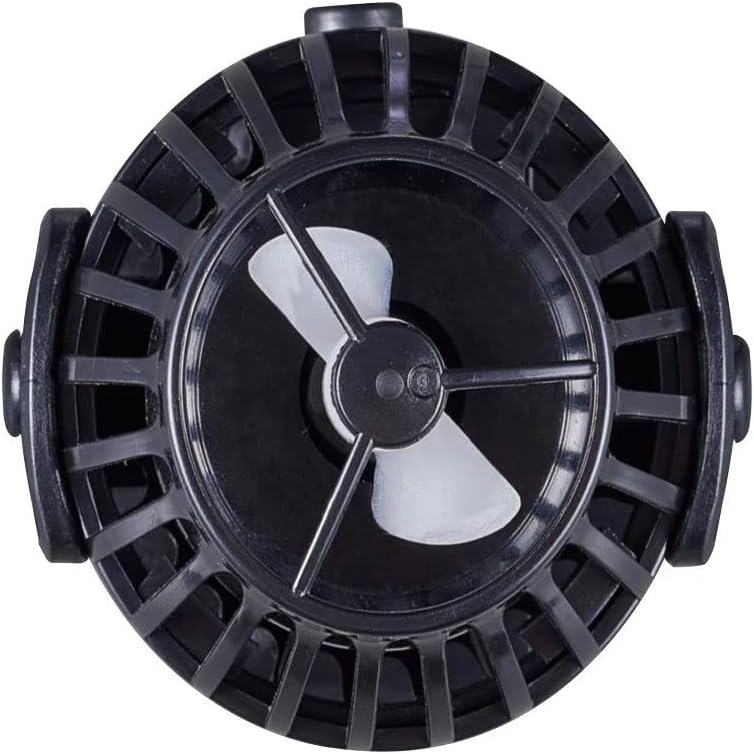
Image: Top-down view of the Jecod SOW-8 pump's impeller, showing the internal mechanism responsible for water movement.
Controller Functions:
- MODE/NIGHT: Press to cycle through different wave modes (e.g., W1, W2, Else, H, C). Hold to activate/deactivate night mode.
- SPEED/FEED: Press to adjust the pump speed within the selected mode. Hold to activate feed mode, which temporarily pauses the pump for feeding.
- W-L/LOCK: Press to switch between wireless master/slave modes. Hold to lock the current settings to prevent accidental changes.
- Light Sensor: Automatically detects ambient light levels. When lights dim, the pump will enter night mode, reducing flow.
- Wireless Control: For multiple SOW pumps, set one controller as 'Master' and others as 'Slave' to synchronize wave patterns.
6. Maintenance
Regular maintenance ensures optimal performance and extends the lifespan of your wavemaker pump.
- Cleaning the Impeller: Disconnect power. Carefully remove the pump from the aquarium. Disassemble the pump head to access the impeller. Clean the impeller and its housing with a soft brush to remove any algae or debris. Rinse thoroughly with clean water.
- Cable Inspection: Periodically inspect the power cord and pump cable for any signs of damage or wear.
- Reassembly: Ensure all parts are correctly reassembled before returning the pump to the aquarium and reconnecting power.
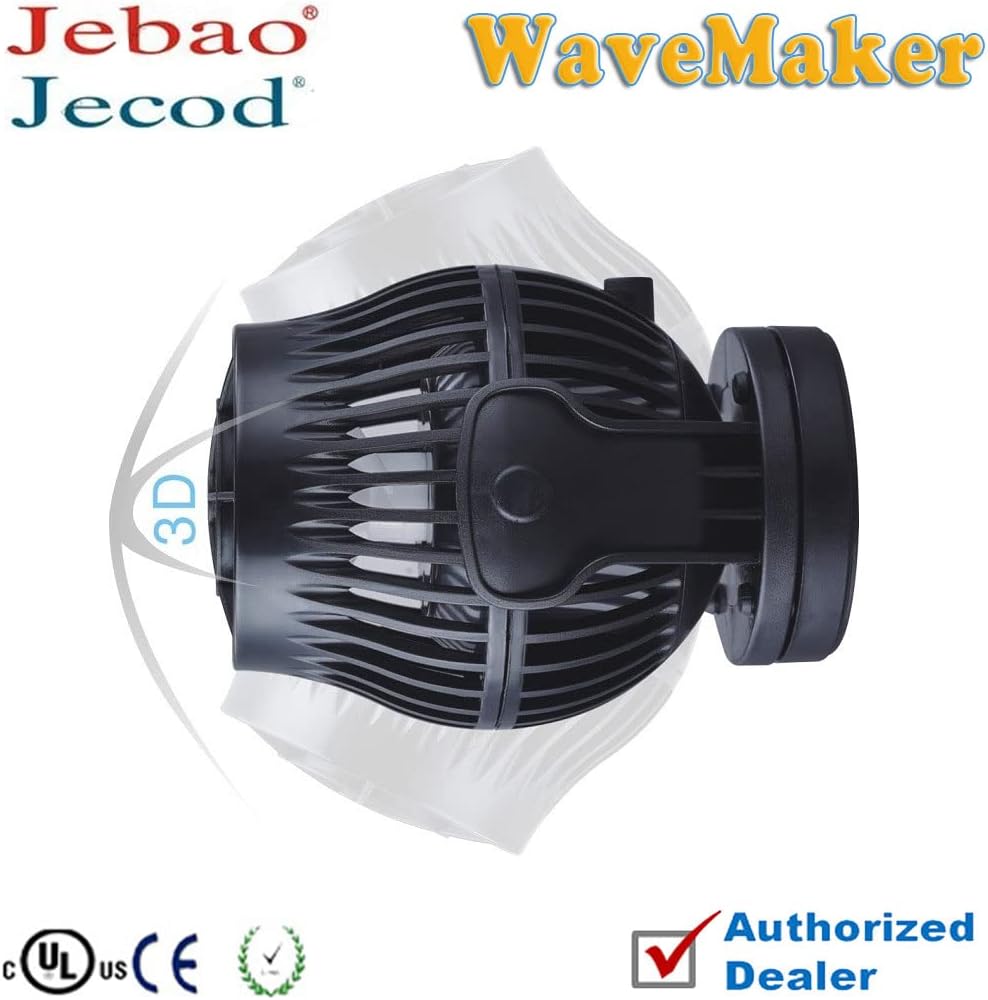
Image: Side view of the Jecod SOW-8 pump head, showing the protective cage and water outlet.
7. Troubleshooting
If you encounter issues with your SOW-8 pump, refer to the following common problems and solutions:
- Pump Not Starting:
- Check if the power adapter is securely plugged into the outlet and the controller.
- Ensure the pump cable is firmly connected to the controller.
- Verify that the power outlet is functional. - Reduced Flow/Noise:
- Disconnect power and inspect the impeller for obstructions (algae, debris, sand). Clean as described in the Maintenance section.
- Ensure the pump is fully submerged and not running dry.
- Check for air bubbles trapped in the pump. - Controller Not Responding:
- Disconnect and reconnect the power to the controller to reset it.
- Ensure the controller is not in 'LOCK' mode. - Night Sensor Not Working:
- Ensure the light sensor on the controller is not obstructed.
- Verify that the ambient light changes are significant enough for the sensor to detect.
8. Specifications
| Specification | Detail |
|---|---|
| Model | SOW-8 |
| Power Input | 100V, 60Hz |
| Power Consumption | 23W |
| Flow Rate | 2245 GPH (Gallons Per Hour) |
| Recommended Tank Size | Approximately 40 inches in length |
| Product Dimensions | 2.6 x 3.46 x 2.6 inches |
| Manufacturer | JEBAO INC |
| Part Number | PET-SOW8-999-3 |
9. Warranty and Support
Jecod products are manufactured to high-quality standards. This product comes with a standard manufacturer's warranty against defects in materials and workmanship. Please retain your proof of purchase for warranty claims.
For technical support, troubleshooting assistance, or warranty inquiries, please contact your authorized Jecod dealer or the manufacturer directly. Contact information can typically be found on the product packaging or the official Jecod website.