
roborock Dyad Pro (WD2H1A)
roborock Dyad Pro Wet Dry Vacuum Cleaner User Manual
Model: Dyad Pro (WD2H1A)
1. Introduction
Thank you for choosing the roborock Dyad Pro Wet Dry Vacuum Cleaner. This manual provides essential information for the safe operation, maintenance, and troubleshooting of your new appliance. Please read it thoroughly before use and retain it for future reference.
2. Safety Information
- Read all instructions before using the appliance.
- Do not immerse the appliance, power cord, or plug in water or other liquids.
- This appliance is for indoor household use only.
- Do not use on wet surfaces if the appliance is not designed for wet pickup.
- Keep hair, loose clothing, fingers, and all parts of the body away from openings and moving parts.
- Use only as described in this manual. Use only manufacturer's recommended attachments.
- Do not use with a damaged cord or plug. If the appliance is not working as it should, has been dropped, damaged, left outdoors, or dropped into water, return it to a service center.
- Exercise extra care when cleaning on stairs.
- Do not pick up flammable or combustible liquids, such as gasoline, or use in areas where they may be present.
- Do not pick up anything that is burning or smoking, such as cigarettes, matches, or hot ashes.
- Always turn off the appliance before connecting or disconnecting the plug.
3. Package Contents
Please check the package contents to ensure all items are present and undamaged:
- roborock Dyad Pro Wet Dry Vacuum Cleaner (Main Unit)
- Charging Dock
- Power Adapter
- Cleaning Brush
- User Manual
- Extra Filter (may vary by package)
4. Product Overview
The roborock Dyad Pro is designed for superior wet and dry cleaning performance on hard floors.

Figure 4.1: Roborock Dyad Pro main unit, charging dock, and display interface.

Figure 4.2: DyadPower multi-roller system for comprehensive cleaning.

Figure 4.3: Demonstrating the 17000Pa suction power on diverse messes.

Figure 4.4: Edge-to-edge cleaning capability, reaching within 1mm of walls.

Figure 4.5: Self-cleaning and hot air drying system for rollers.

Figure 4.6: DirTect Smart Sensor indicating dirt levels for adaptive cleaning.
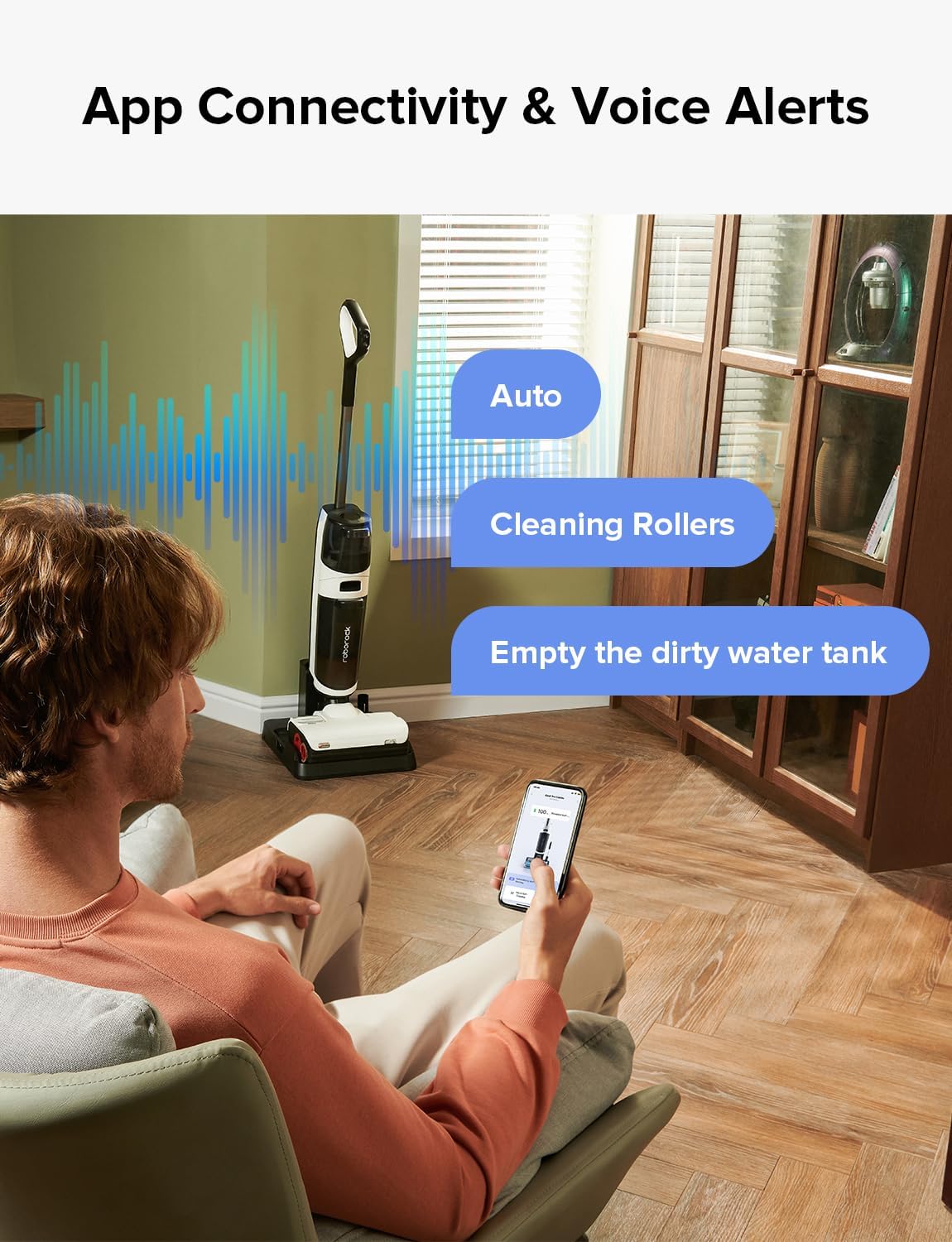
Figure 4.7: App connectivity and voice alert features for user convenience.

Figure 4.8: Automatic cleaning solution dispenser for optimal cleaning.
5. Setup
- Unboxing: Carefully remove all components from the packaging. Retain packaging for future storage or transport.
- Assembly: Insert the handle into the main unit until it clicks into place. Ensure it is securely fastened.
- Charging Dock Placement: Place the charging dock on a flat, stable surface near a power outlet. Ensure there is enough space around the dock for easy access and operation.
- Power Connection: Connect the power adapter to the charging dock and plug it into a wall outlet.
- Initial Charge: Place the Dyad Pro onto the charging dock. The display will indicate charging status. Fully charge the device before first use (approximately 4 hours).
- Fill Clean Water Tank: Remove the clean water tank from the main unit. Fill it with clean tap water up to the MAX line. For enhanced cleaning, add roborock cleaning solution to the designated dispenser. Reattach the tank securely.
6. Operating Instructions
- Power On: Press the Power button on the handle to turn on the Dyad Pro. The display will light up.
- Select Cleaning Mode: The Dyad Pro features multiple cleaning modes. Use the Mode button to cycle through Auto, Max, and ECO modes. The DirTect Smart Sensor automatically adjusts cleaning power in Auto mode based on detected dirt.
- Start Cleaning: Tilt the main unit back to engage the rollers and begin cleaning. Guide the vacuum across your hard floors.
- App Control: Download the Roborock App from your smartphone's app store. Follow the in-app instructions to connect your Dyad Pro. The app allows you to change cleaning modes, initiate self-cleaning, check battery status, and receive voice alerts.
- Voice Alerts: The Dyad Pro provides real-time voice alerts for various statuses, such as low battery, full dirty water tank, or self-cleaning initiation.
- Pause/Resume: To pause cleaning, return the unit to its upright position. To resume, tilt it back.
- Power Off: When finished, return the Dyad Pro to the charging dock. It will automatically begin charging and can initiate self-cleaning. Press and hold the Power button to manually turn off the unit.
7. Maintenance
Regular maintenance ensures optimal performance and extends the lifespan of your Dyad Pro.
7.1 After Each Use
- Empty Dirty Water Tank: Remove the dirty water tank and empty its contents. Rinse the tank thoroughly with clean water.
- Clean Filter: Remove the filter from the dirty water tank. Rinse it under running water. Allow it to air dry completely before reinserting.
- Self-Cleaning Cycle: Place the Dyad Pro on the charging dock. Press the self-clean button (usually indicated by a water droplet icon) to initiate the RevoBrush self-cleaning cycle. This will clean the rollers and internal pathways.
- Self-Drying: After self-cleaning, the unit will automatically begin the self-drying process using hot air to prevent odors and mildew on the rollers.
7.2 Regular Maintenance (Weekly/Bi-weekly)
- Clean Rollers: Even with self-cleaning, occasionally remove the rollers for a deeper clean. Refer to the manual for instructions on how to detach and reattach the rollers. Use the provided cleaning brush to remove any tangled hair or debris.
- Clean Roller Cover: Remove the roller cover and rinse it under water. Ensure no debris is trapped.
- Clean Charging Dock: Wipe down the charging dock with a damp cloth to remove any dust or spills.
Note: There are no official seller videos available for embedding that specifically demonstrate maintenance steps. Please refer to the detailed instructions in this manual.
8. Troubleshooting
If you encounter issues with your roborock Dyad Pro, please refer to the following table before contacting support.
| Problem | Possible Cause | Solution |
|---|---|---|
| No Power / Not Turning On | Low battery; Not properly docked; Power adapter issue. | Ensure unit is fully charged; Check connection to charging dock; Verify power outlet is working. |
| Poor Cleaning Performance | Dirty rollers; Clogged dirty water tank/filter; Insufficient clean water. | Clean rollers and roller cover; Empty and clean dirty water tank and filter; Refill clean water tank. |
| Unpleasant Odor | Dirty water tank not emptied/cleaned; Rollers not dried properly. | Empty and thoroughly clean dirty water tank; Ensure self-drying cycle completes after each use. |
| Water Leaking | Water tanks not properly installed; Damaged tank seal. | Ensure both clean and dirty water tanks are securely in place; Check tank seals for damage. |
| Voice Alerts Not Working | Volume too low; App settings. | Adjust volume via the app; Check app notification settings. |
9. Specifications
| Feature | Specification |
|---|---|
| Brand | roborock |
| Model Name | Dyad Pro (WD2H1A) |
| Special Features | Easy-to-use App Control, Wet/Dry, DyadPower System, 17000Pa of Suction Power, RevoBrush Self-Cleaning & Self-drying |
| Filter Type | Standard |
| Cordless | Yes |
| Clean Water Tank Capacity | 900 Milliliters |
| Dirty Water Tank Capacity | 770 Milliliters |
| Wattage | 260 watts |
| Runtime | Up to 43 minutes |
| Cleaning Range | Up to 300 sqm |
| Product Dimensions | 14.2"L x 12.7"W x 45.7"H |
| Item Weight | 10.58 pounds |
| Connectivity Technology | Wi-Fi |
| Controller Type | Google Assistant, Amazon Alexa, iOS, Android |
| UPC | 195043002125 |
10. Warranty and Support
The roborock Dyad Pro comes with a standard manufacturer's warranty. For detailed warranty terms and conditions, please refer to the warranty card included in your package or visit the official roborock website. For technical support, troubleshooting assistance beyond this manual, or to inquire about replacement parts, please contact roborock customer service through their official website or the contact information provided in your product documentation.
Online Support: https://us.roborock.com/pages/support
Related documentsDyad Pro (WD2H1A)


Ask a question about this manual
Ask about setup, troubleshooting, compatibility, parts, safety, or missing instructions. Manuals+ will review the question and use this page’s manual context to help answer it.