
1. Getting Started
1.1. Package Contents
Your Popglory Smart Watch package includes the following items:
- 2 x Popglory Smart Watches
- 4 x Straps (Stainless Steel and Silicone options)
- 2 x Charging Cables
- 1 x User Manual (this document)
1.2. Charging the Device
Before first use, fully charge your smartwatch. Connect the magnetic charging cable to the charging points on the back of the watch and plug the USB end into a standard USB power adapter (not included).
Charging time: Approximately 2-3 hours for a full charge.
1.3. App Installation and Pairing
To unlock the full potential of your Popglory Smart Watch, download and install the GloryFit app on your smartphone.
- Scan the QR code in the manual or search for "GloryFit" in your phone's app store (App Store for iOS, Google Play Store for Android).
- Install the app and create an account.
- Ensure your watch is charged and Bluetooth is enabled on your phone.
- Open the GloryFit app, navigate to the "Device" section, and tap "Add Device".
- Select your Popglory Smart Watch from the list of available devices to pair.
Compatibility: Compatible with iOS 9.0 and above or Android 5.0 and above smartphones. Not compatible with tablets or computers.

Image: Smartwatch and smartphone pairing for call function.
2. Operating Your Smart Watch
2.1. Basic Navigation
The Popglory Smart Watch features a 1.85-inch full-touch HD color screen for intuitive navigation. Swipe left/right, up/down, and tap to access various functions and menus.

Image: The 1.85-inch HD display and customizable watch faces.
2.2. Call Functionality
The watch has a built-in speaker and microphone, allowing you to make and receive calls directly from your wrist when connected to your phone via Bluetooth.
- Making Calls: Access the dial pad or contact list on your watch to initiate calls.
- Receiving Calls: Answer or reject incoming calls directly from the watch screen.
- You can toggle the call function on/off via the watch settings or the GloryFit app.
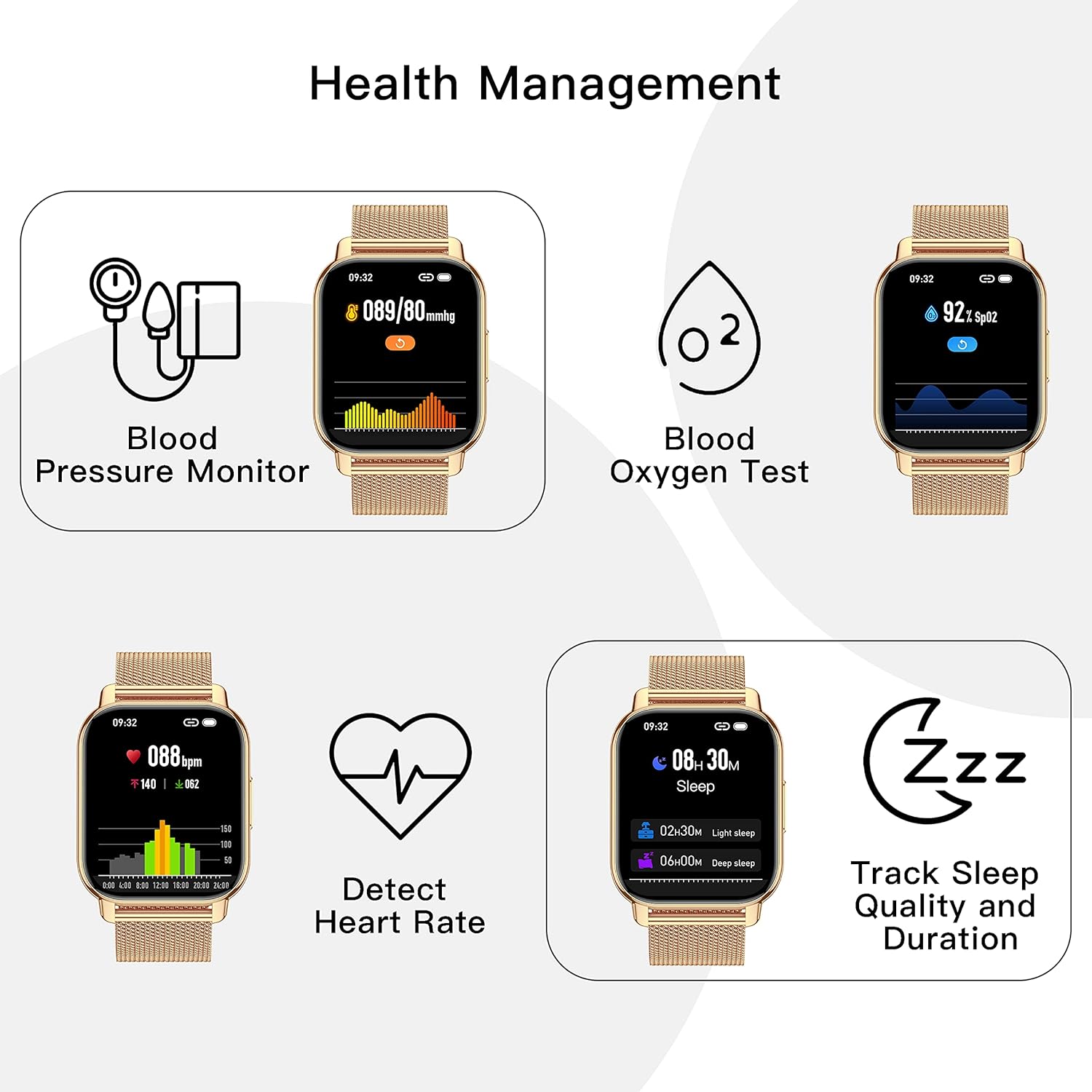
Image: Detailed view of the smartwatch's call function interface.
2.3. Health Monitoring
Your smartwatch is equipped with sensors to track various health metrics:
- Heart Rate: Continuous heart rate tracking throughout the day.
- Blood Pressure: Manual measurement of blood pressure.
- SpO2 (Blood Oxygen): Manual measurement of blood oxygen levels.
- Sleep Quality: Monitors your sleep patterns (deep sleep, light sleep, awake time) and provides analysis in the app.
Note: All health data is for fitness reference only and should not be used for medical purposes.

Image: Health management features on the smartwatch.
2.4. Fitness Tracking and Sports Modes
The watch records daily distance, steps, and calories burned. It supports a variety of sports modes to cater to different activities:
- Walking
- Running
- Cycling
- Swimming (refer to water resistance guidelines)
- And many more.
All data is synced to the GloryFit app for detailed analysis and goal adjustment.
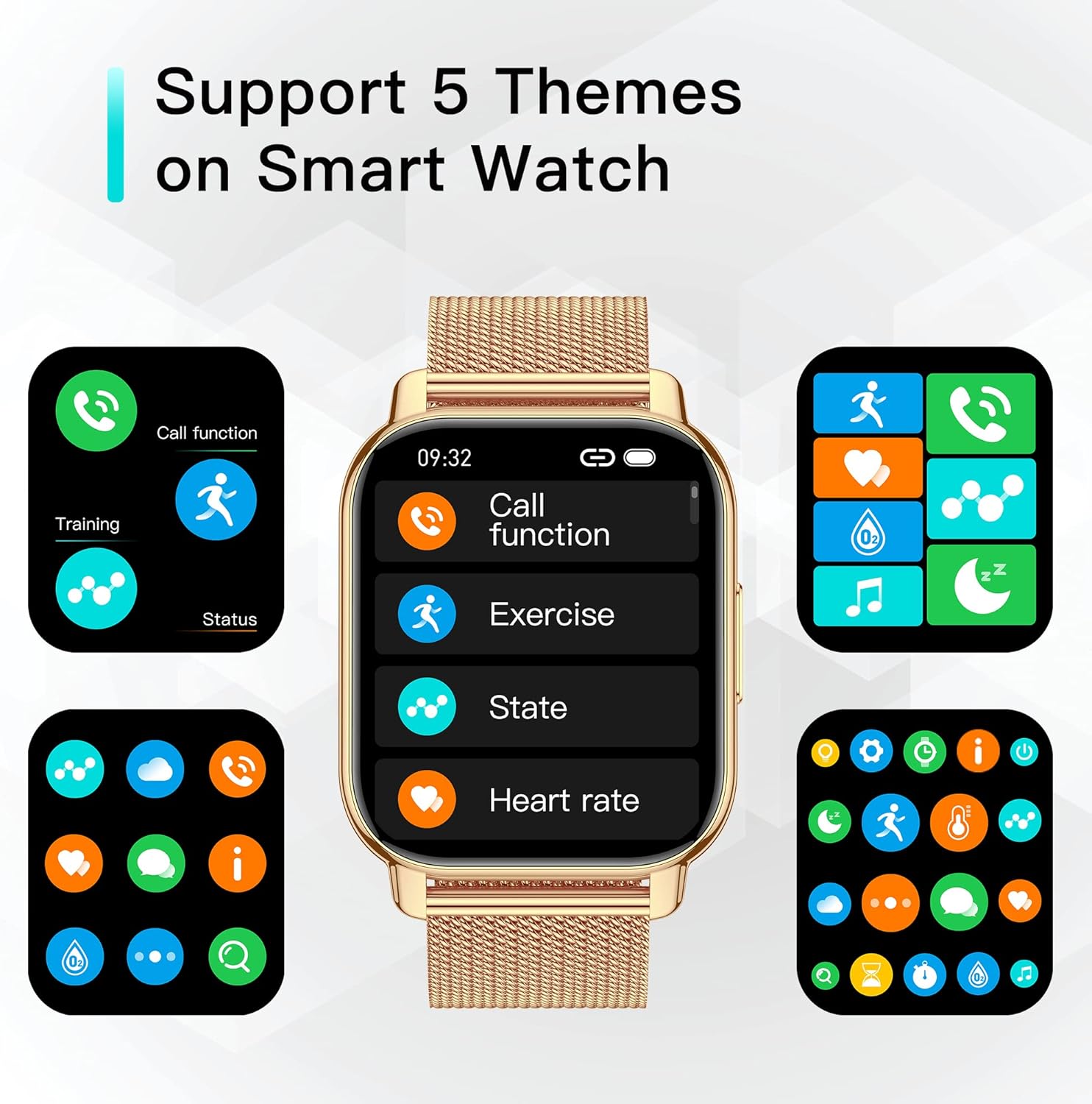
Image: Smartwatch as a fitness partner in daily life.
2.5. Smart Notifications
Once connected to your phone, the watch can display notifications from various apps, including WhatsApp, Facebook, Twitter, and more. Ensure app notifications are enabled in the GloryFit app and your phone's settings.

Image: Smart notifications and health tracking features.
2.6. Other Practical Functions
- Music Control: Control music playback on your phone (play, pause, skip tracks).
- Weather Forecast: Get real-time weather updates directly on your watch.
- Timer & Stopwatch: Useful tools for various activities.
- Sedentary Reminder: Alerts you to move after periods of inactivity.
- Physiological Cycle Tracking: For women, record and track physiological cycles in the app.
- Alarm: Set alarms directly from the watch or app.
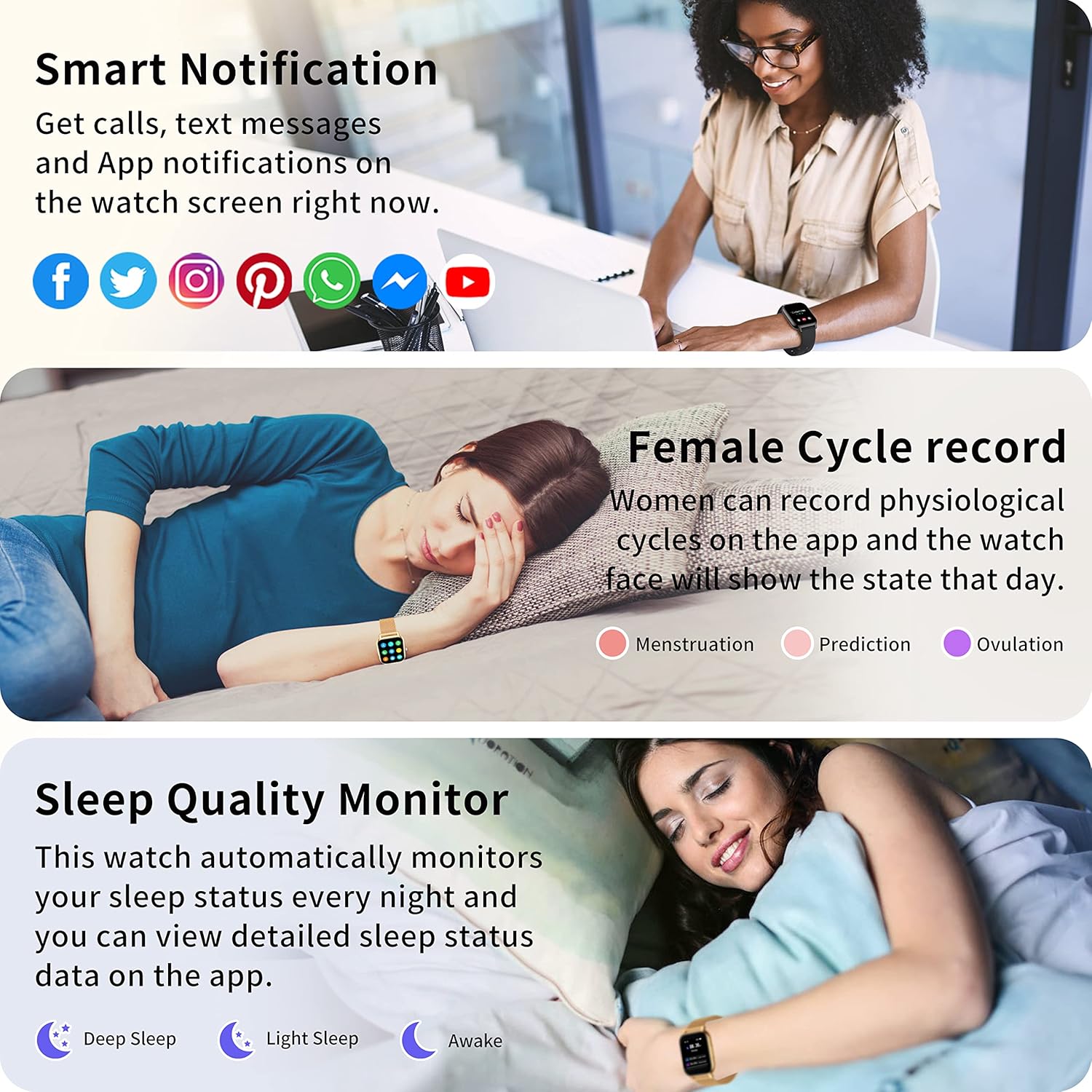
Image: Various practical functions of the smartwatch.
2.7. Official Product Video
Video: An overview demonstrating the key features and functionalities of the Popglory Smart Watch, including its display, health tracking, and communication capabilities.
3. Maintenance
3.1. Cleaning Your Smart Watch
Regularly clean your watch and straps to ensure hygiene and proper functioning. Use a soft, damp cloth to wipe the screen and body. For silicone straps, mild soap and water can be used. Ensure the watch is dry before charging.
3.2. Water Resistance (IP67)
The Popglory Smart Watch is IP67 water resistant. This means it can withstand splashes, rain, and brief immersion in water (up to 1 meter for 30 minutes). It is suitable for daily use like hand washing or light rain. However, it is not recommended for hot showers, saunas, or diving, as steam and hot water can damage the seals.
3.3. Battery Care
To prolong battery life:
- Avoid extreme temperatures.
- Charge the watch before the battery is completely depleted.
- Do not leave the watch charging for extended periods after it is full.
Typical usage: 3-5 days. Standby time: 10-15 days.
4. Troubleshooting
4.1. Watch Not Turning On
Ensure the watch is fully charged. If it still doesn't turn on, try holding the power button for an extended period (10-15 seconds).
4.2. Pairing Issues
- Ensure Bluetooth is enabled on your phone and the watch is within range.
- Restart both your phone and the watch.
- Check if the GloryFit app is updated to the latest version.
- Forget the device in your phone's Bluetooth settings and try pairing again.
4.3. Inaccurate Health Data
Ensure the watch is worn snugly on your wrist, about one finger's width from your wrist bone. Avoid excessive movement during measurements. Remember, data is for reference only.
4.4. Notifications Not Appearing
- Verify that app notifications are enabled in the GloryFit app.
- Check your phone's system notification settings to ensure the GloryFit app has permission to display notifications.
- Ensure the watch is connected via Bluetooth.
5. Specifications
| Feature | Detail |
|---|---|
| Model | P66 |
| Screen Size | 1.85 Inches |
| Operating System Compatibility | Android 5.0+, iOS 9.0+ |
| Special Features | Text Messaging, Call Receive/Dial, Health Monitoring (BP, SpO2, HR, Sleep), Sports Modes, Music Control, Weather |
| Water Resistance | IP67 |
| Battery Life (Typical Usage) | 3-5 Days |
| Standby Time | 10-15 Days |
| Manufacturer | Popglory |
6. Warranty and Support
Popglory products come with a standard manufacturer's warranty. For specific warranty details, please refer to the warranty card included in your product packaging or visit the official Popglory website.
If you encounter any issues or have questions not covered in this manual, please contact Popglory customer support through the following channels:
- Email: Refer to your product packaging or official website for contact email.
- Online Support: Visit the Popglory official website for FAQs and support resources.
Please have your product model and purchase information ready when contacting support.


