
JBL JBL280C
JBL Stage 280C In-Ceiling Loudspeaker User Manual
Model: JBL280C
Introduction
This manual provides essential information for the safe and effective installation, operation, and maintenance of your JBL Stage 280C In-Ceiling Loudspeaker. Please read this manual thoroughly before attempting to install or use the product.
The JBL Stage 280C is a two-way in-ceiling loudspeaker designed to deliver high-quality audio with a discreet, integrated appearance. It features an 8-inch polycellulose cone woofer and a 1-inch aluminum dome tweeter with an acoustic lens waveguide, ensuring clear and accurate sound reproduction.

Image: Front view of the JBL Stage 280C in-ceiling loudspeaker with its white, zero-bezel grille attached.
Safety Information
Please observe the following safety precautions to prevent damage to the speaker or injury to yourself.
- Ensure power is disconnected from the audio system before installation or maintenance.
- Do not expose the speaker to excessive moisture or extreme temperatures.
- Use appropriate tools and safety gear during installation.
- Consult a qualified professional if you are unsure about any installation steps.
- Do not attempt to repair the speaker yourself. Refer all servicing to qualified service personnel.
- Keep packaging materials out of reach of children.
Package Contents
Verify that all items are present in the package:
- 1 x JBL Stage 280C In-Ceiling Loudspeaker
- 1 x Zero-Bezel Grille
- 1 x Installation Template
- 1 x User Manual (this document)

Image: Two views of the JBL Stage 280C speaker, showing the front with the woofer and tweeter, and the rear with the wiring terminals and mounting clamps.
Setup and Installation
The JBL Stage 280C is designed for easy installation in ceilings or walls. Ensure you have the necessary tools before beginning.
Tools Required:
- Pencil
- Drywall Saw or Rotary Tool
- Wire Strippers
- Screwdriver (Phillips head)
- Measuring Tape
- Safety Glasses and Gloves
Installation Steps:
- Plan Placement: Determine the optimal location for your speaker, ensuring there are no obstructions (e.g., studs, wiring, plumbing) behind the drywall.
- Cut Opening: Use the provided installation template to trace the cutout hole on the ceiling or wall. Carefully cut the opening using a drywall saw or rotary tool.
- Run Speaker Wire: Route speaker wire (minimum 16-gauge recommended) from your amplifier or receiver to the cutout opening. Leave enough slack for connection.
- Connect Speaker Wires: Strip approximately 1/2 inch (12mm) of insulation from the ends of the speaker wires. Connect the positive (+) terminal of the speaker to the positive (+) terminal of your amplifier, and the negative (-) terminal of the speaker to the negative (-) terminal of your amplifier. The JBL Stage 280C uses spring-loaded connectors.
- Insert Speaker: Carefully insert the speaker into the cutout opening.
- Secure Speaker: The speaker features an XL-2 Installation System. Tighten the mounting screws on the front baffle of the speaker. This will rotate the dog-leg clamps outwards and secure the speaker firmly to the drywall. Do not overtighten. The system is compatible with wall/ceiling material up to 2 inches thick.
- Attach Grille: The zero-bezel grille is magnetic. Simply align it with the speaker frame and it will snap into place. The grille is paintable to match your room's decor.

Image: Close-up view of the XL-2 Installation System on the JBL Stage 280C, showing the orange dog-leg clamps that secure the speaker to the ceiling or wall.
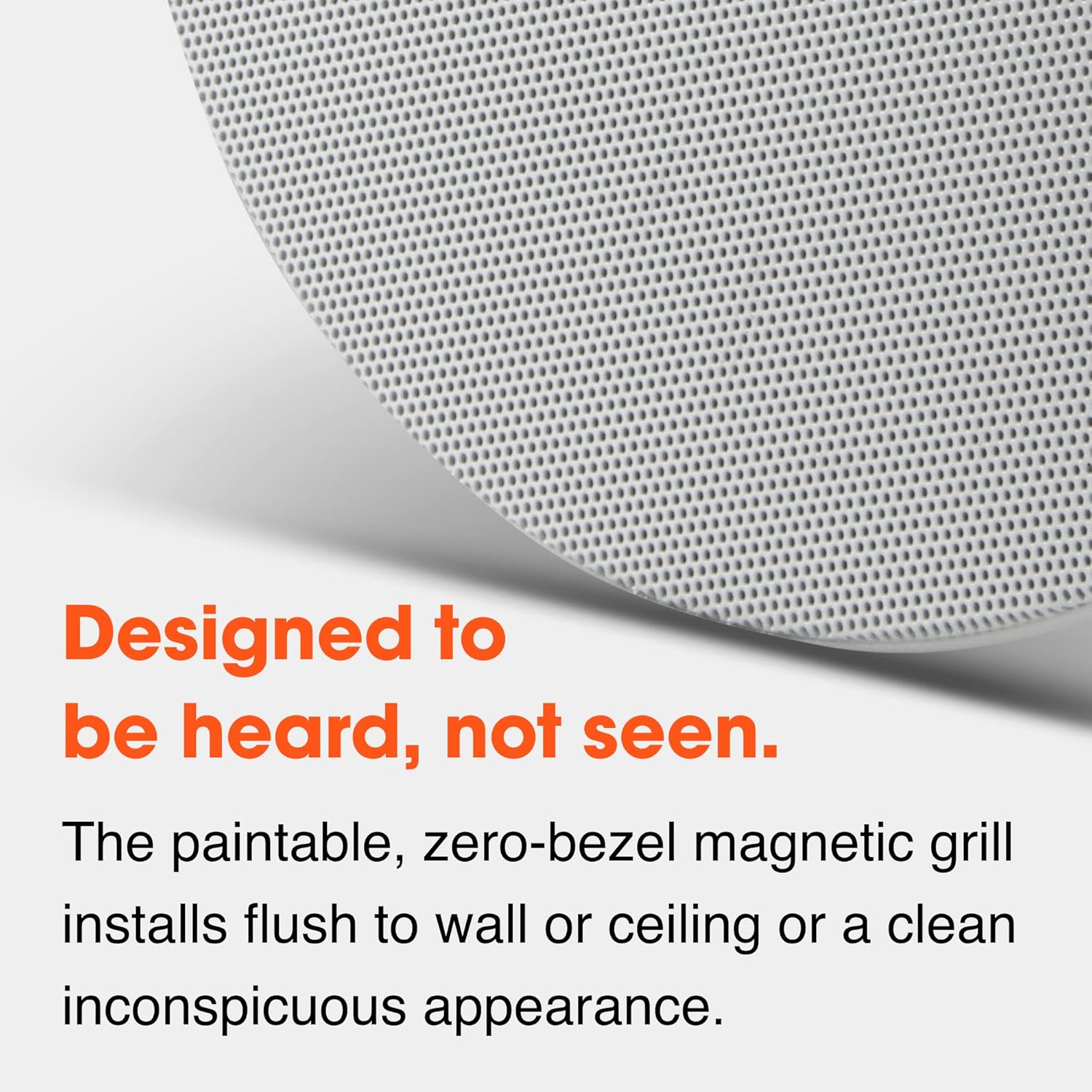
Image: A detailed view of the perforated, paintable, zero-bezel magnetic grille designed for flush installation.
Operating Instructions
Once installed, the JBL Stage 280C operates as a passive loudspeaker, receiving its audio signal and power from an external amplifier or receiver.
- Power On: Turn on your amplifier or receiver.
- Source Selection: Select the desired audio source (e.g., music player, TV, streaming device) on your amplifier.
- Volume Control: Adjust the volume level using your amplifier's controls. Start at a low volume and gradually increase it to a comfortable listening level.
- Break-in Period: Allow a break-in period of several hours of normal listening to achieve optimal sound performance from the speaker's drivers.
The speaker is designed for multi-room audio applications and is suitable for music playback.
Maintenance
The JBL Stage 280C requires minimal maintenance to ensure long-lasting performance.
- Cleaning: Gently wipe the grille and speaker frame with a soft, dry cloth. Do not use abrasive cleaners, solvents, or excessive moisture.
- Grille Painting: If you wish to paint the grille, remove it from the speaker first. Use a thin coat of spray paint suitable for plastic. Ensure the paint does not clog the perforations.
- Inspection: Periodically check the speaker for any loose connections or physical damage.
Troubleshooting
If you experience issues with your JBL Stage 280C loudspeaker, refer to the following common problems and solutions:
| Problem | Possible Cause | Solution |
|---|---|---|
| No sound from speaker |
|
|
| Distorted sound |
|
|
| Weak or unbalanced sound |
|
|
If the problem persists after trying these solutions, contact JBL customer support or a qualified audio technician.
Specifications
| Feature | Detail |
|---|---|
| Model Name | Stage 280CSA |
| Speaker Type | Two-way In-Ceiling Loudspeaker |
| Woofer Diameter | 8 inches (Polycellulose Cone) |
| Tweeter Diameter | 1 inch (Aluminum Dome with Acoustic Lens Waveguide) |
| Mounting Type | Ceiling Mount |
| Nominal Impedance | 8 Ohms |
| Speaker Maximum Output Power | 120 Watts |
| Frequency Response | 20 Hz (Lower limit, full range not specified in input) |
| Signal-to-Noise Ratio | 90 dB |
| Connectivity Technology | Spring-loaded connectors |
| Product Dimensions (D x W x H) | 4.4"D x 11"W x 11"H |
| Item Weight | 4.84 pounds (2.2 Kilograms) |
| Material | Aluminum (for certain components) |
| Color | In-ceiling (referring to the finish/design) |
| Control Method | Touch (likely referring to amplifier controls, not speaker itself) |
| UPC | 050036389488 |

Image: Diagram highlighting key features of the JBL Stage 280C, including the 8" polycellulose cone woofer, 1" aluminum dome tweeter, and rigid baffle design.
Warranty and Support
JBL products are built to last, and the JBL Stage 280C comes with a Limited Warranty.
Warranty Information:
This product is covered by a Limited Warranty provided by JBL. For specific terms and conditions, including warranty duration and coverage details, please refer to the warranty card included with your product or visit the official JBL website. Keep your proof of purchase for warranty claims.
Customer Support:
For technical assistance, troubleshooting, or service inquiries, please contact JBL customer support. You can typically find contact information (phone numbers, email, support portals) on the official JBL website or within the product packaging.
Visit the JBL Store on Amazon for more product information and support resources.
Related documentsJBL280C


Ask a question about this manual
Ask about setup, troubleshooting, compatibility, parts, safety, or missing instructions. Manuals+ will review the question and use this page’s manual context to help answer it.