Introduction
Thank you for choosing the Xtreme Multicolor LED Gaming Mouse. This manual provides essential information for setting up, operating, maintaining, and troubleshooting your new gaming mouse. Please read this guide thoroughly to ensure optimal performance and longevity of your device.
Product Features
- Multicolor LED Lighting Effect: Experience dynamic lighting with a multicolor LED light that cycles through various colors, enhancing your gaming setup.
- Fast Motion Scroll Wheel: Navigate documents and web pages with precision and speed using the responsive scroll wheel.
- Easy Plug-and-Play Installation: Simply connect the mouse's 4ft USB wire to your computer's USB port for immediate use. No drivers required.
- Universal Compatibility: Designed to work seamlessly with both Windows desktops and Mac computers.
- 1000 Max DPI: Provides responsive and accurate tracking for various tasks.
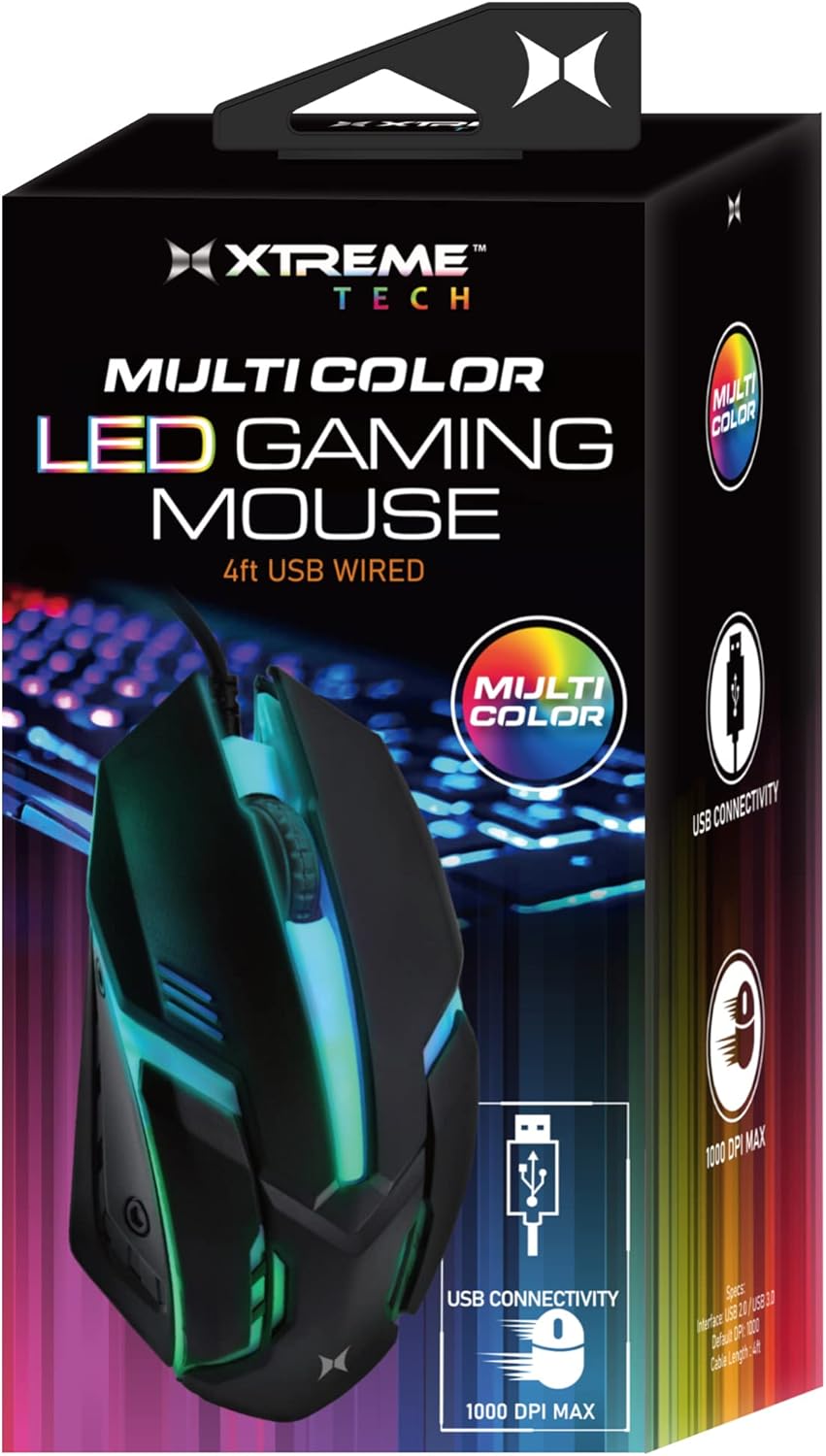
The Xtreme Multicolor LED Gaming Mouse in its retail packaging, highlighting its key features.

Top-down view of the gaming mouse showcasing its vibrant orange LED lighting effect.

The gaming mouse from a side angle, displaying its blue and green LED illumination, positioned near a backlit keyboard.

A dynamic side view of the mouse, highlighting its striking purple LED lighting.

Another side perspective of the mouse, featuring its cool blue and green LED glow.

Top view of the gaming mouse, illuminated with a vibrant green LED light.

A detailed close-up of the mouse's scroll wheel, indicating its functionality.

An image showing a hand comfortably resting on the mouse, emphasizing its 1000 DPI MAX capability.

The mouse connected via its USB cable, illustrating its simple USB powered setup.

The Xtreme LED Gaming Mouse displayed alongside its packaging, highlighting its design.
Setup Guide
The Xtreme Multicolor LED Gaming Mouse is designed for quick and easy installation.
- Unpack the Mouse: Carefully remove the mouse from its packaging.
- Locate a USB Port: Identify an available USB port on your desktop computer or laptop.
- Connect the Mouse: Insert the USB connector of the mouse's 4ft wire into the USB port.
- Automatic Recognition: Your computer should automatically detect and install the necessary drivers. This process may take a few moments.
- Ready for Use: Once recognized, the LED lights on the mouse will activate, and it will be ready for immediate use.
Operating Instructions
Using your Xtreme Multicolor LED Gaming Mouse is straightforward:
- Basic Movement: Move the mouse across a flat surface to control the cursor on your screen. The laser sensor provides precise tracking.
- Left Click: Use the left button for selecting items, opening files, and interacting with on-screen elements.
- Right Click: Use the right button to access context menus and additional options.
- Scroll Wheel: Rotate the scroll wheel forward or backward to scroll through documents, web pages, or lists. The scroll wheel also functions as a clickable middle button for specific actions (e.g., opening links in new tabs).
- LED Lighting: The multicolor LED lighting effect will automatically activate upon connection and continuously cycle through various colors, providing an ambient glow. This feature is integrated and does not require separate controls.
Maintenance
To ensure the longevity and optimal performance of your gaming mouse, follow these simple maintenance guidelines:
- Cleaning: Use a soft, dry, lint-free cloth to wipe down the mouse's surface. For stubborn dirt, slightly dampen the cloth with water or a mild, non-abrasive cleaner. Avoid excessive moisture and do not spray cleaners directly onto the mouse.
- Sensor Cleaning: Occasionally, gently clean the optical sensor on the underside of the mouse with a cotton swab to remove any dust or debris that might affect tracking performance.
- Cable Care: Avoid sharp bends or kinks in the USB cable. Store the cable neatly when not in use to prevent damage.
- Storage: When not in use, store the mouse in a clean, dry environment away from extreme temperatures and direct sunlight.
Troubleshooting
If you encounter any issues with your Xtreme Multicolor LED Gaming Mouse, please refer to the following common problems and solutions:
| Problem | Possible Cause | Solution |
|---|---|---|
| Mouse not responding / Cursor not moving | Loose USB connection, faulty USB port, driver issue. | Ensure the USB cable is securely plugged into the port. Try a different USB port on your computer. Restart your computer. |
| LED lights not working | No power, faulty connection. | Check USB connection. Try a different USB port. Ensure your computer is powered on. |
| Erratic cursor movement | Dirty optical sensor, unsuitable surface. | Clean the optical sensor on the underside of the mouse. Use the mouse on a clean, non-reflective, opaque surface or a mouse pad. |
| Scroll wheel not working | Debris in scroll mechanism, software issue. | Gently try to dislodge any debris around the scroll wheel. Restart your computer. |
If the problem persists after trying these solutions, please contact customer support for further assistance.
Specifications
| Feature | Detail |
|---|---|
| Model Number | XCA2-1026-BLK |
| Connectivity Technology | USB Wired |
| Cable Length | 4 feet (approx. 1.2 meters) |
| Movement Detection Technology | Laser |
| Max DPI | 1000 DPI |
| Special Feature | Multicolor LED Lights |
| Color | Multi-color (Black body) |
| Item Weight | 1.58 ounces (approx. 44.79 grams) |
| Package Dimensions | 6.02 x 2.99 x 1.73 inches |
| Manufacturer | Jem Accessories |
| Date First Available | November 1, 2022 |
Warranty and Support
This Xtreme Multicolor LED Gaming Mouse is covered by a limited warranty against defects in materials and workmanship. For specific warranty terms and conditions, please refer to the warranty card included with your product or visit the official XTREME DIGITAL LIFESTYLE ACCESSORIES website.
For technical support, troubleshooting assistance, or warranty claims, please contact the manufacturer or seller directly. Keep your purchase receipt as proof of purchase.
Contact Information: Please refer to your product packaging or the seller's information for the most current contact details.


