
1. Product Overview
The KJOY Mini LED Sign is a portable, programmable LED display panel designed for various messaging and decorative purposes. It features a seven-color flexible integrated design, allowing for vibrant and clear display of patterns, text, and animations. This device is battery-powered and controlled via a Bluetooth-connected smartphone application.

Image: The KJOY Mini LED Sign in operation, showcasing a dynamic, colorful pattern. The image emphasizes its portability and the vibrant display capabilities of the LED matrix panel.
Key Features:
- Bright LED Display: Utilizes a seven-color flexible integrated design for clear and brilliant patterns. The display is visible through its leather case, enhancing color vibrancy.
- Portable Battery Power: Equipped with a 500mAh lithium battery for direct power supply, ensuring lightweight and safe use. Charging is convenient via a USB Type-C port.
- Smart Bluetooth App Control: Managed through the "CoolLED1248" application, allowing users to design custom text, doodles, and animations. The app also provides control over brightness, speed, and display modes.
- Versatile Installation: Comes with a Velcro hook face, safety pins, and 3M double-sided adhesive for flexible attachment to various surfaces like clothing, car windows, or other objects.
- Wide Application: Suitable for use as a portable reflective sign, name badge, business label, or for decorative purposes in stores, bars, restaurants, cars, and during events.
2. Package Contents
Please check the package contents upon unboxing to ensure all components are present:
- KJOY Mini LED Sign (1 unit)
- USB Type-C Charging Cable (1 unit)
- Velcro Hook Face (pre-attached or separate)
- Safety Pins (quantity may vary)
- 3M Double-Sided Adhesive Strips (quantity may vary)
3. Setup
3.1 Charging the Device
Before initial use, fully charge the KJOY Mini LED Sign. The device is powered by a built-in 500mAh lithium battery.
- Locate the Type-C charging port on the side of the LED sign.
- Connect the provided USB Type-C charging cable to the port.
- Plug the other end of the USB cable into a compatible USB power source (e.g., wall adapter, computer USB port, power bank).
- The device will indicate charging status (e.g., an indicator light). Once fully charged, disconnect the cable.

Image: The KJOY Mini LED Sign being charged via its Type-C USB port, demonstrating the battery charging process.
3.2 App Download and Connection
The KJOY Mini LED Sign is controlled wirelessly via a smartphone application.
- Download the "CoolLED1248" application from your smartphone's app store (e.g., Apple App Store for iOS, Google Play Store for Android).
- Ensure Bluetooth is enabled on your smartphone.
- Power on the KJOY Mini LED Sign by long-pressing the power button.
- Open the "CoolLED1248" app. The app should automatically detect and connect to the LED sign via Bluetooth. Follow any on-screen prompts within the app to complete the connection.
3.3 Installation Methods
The LED sign offers multiple installation options for various applications.

Image: Visual guide demonstrating two primary installation methods: using 3M adhesive with Velcro for smooth surfaces and using safety pins with Velcro for fabric attachment.
- Using 3M Double-Sided Adhesive and Velcro:
- Peel off the protective backing from one side of the 3M adhesive strip.
- Apply the adhesive evenly to the smooth surface of the Velcro (the loop side, if not already attached to the sign).
- Peel off the remaining protective backing from the 3M adhesive.
- Press the Velcro firmly onto the desired clean, smooth surface (e.g., car window, wall).
- Attach the LED display (which has the hook side of the Velcro) onto the installed Velcro.
- Using Safety Pins and Velcro for Fabric:
- Insert the safety pins evenly into the smooth surface of the Velcro (the loop side).
- Attach the Velcro with safety pins to fabric (e.g., clothing, bag) by securing the pins.
- Paste the LED display (which has the hook side of the Velcro) onto the installed Velcro.
4. Operation
4.1 Basic Device Controls
The LED sign has a control button, typically located on the side or back, for basic functions:
- Long Press: Switches the device on or off.
- Extra Long Press: Initiates a reset of the device.
- Double-Click: Switches the display direction of the content.
4.2 Using the CoolLED1248 App
The "CoolLED1248" app provides comprehensive control over the LED sign's display content and settings.
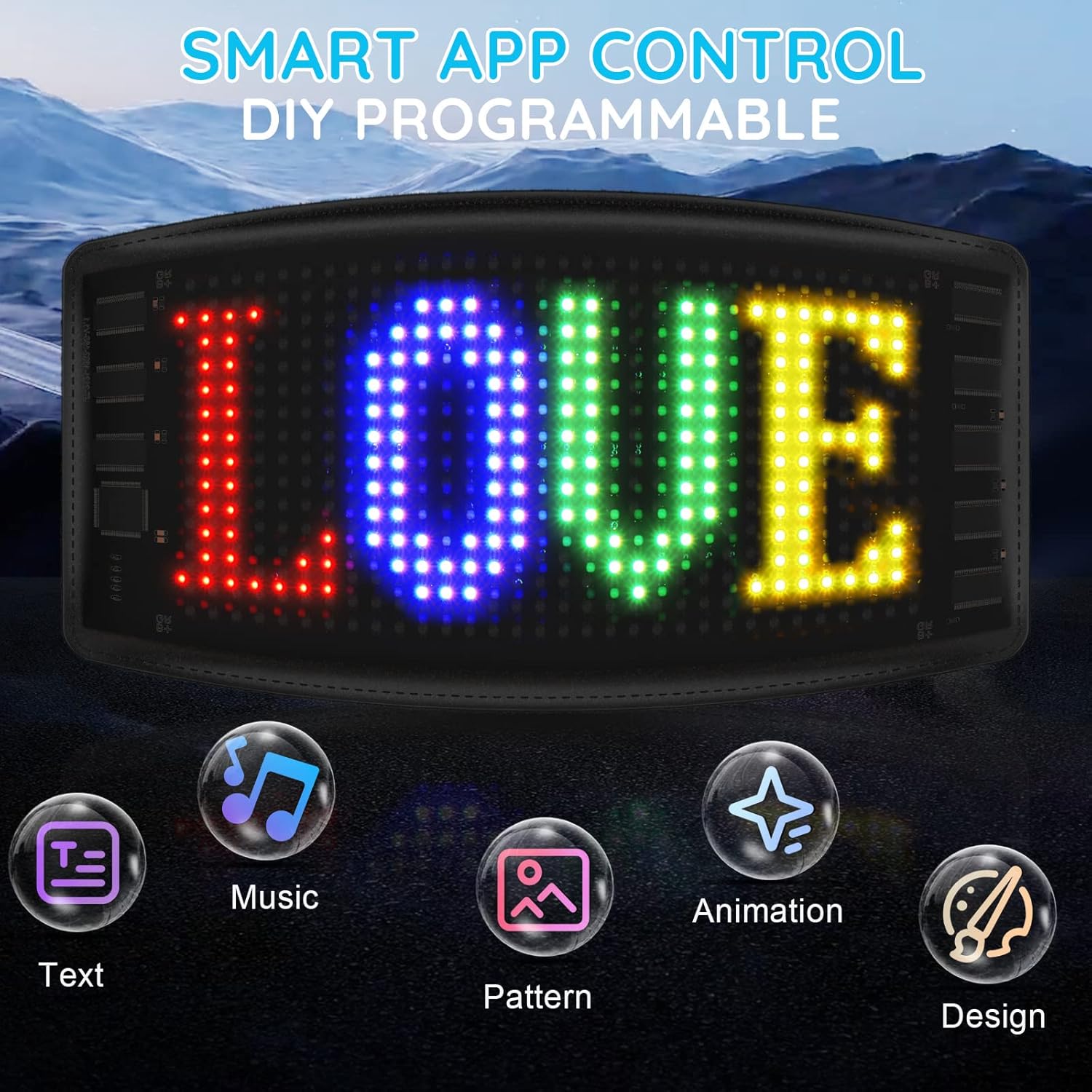
Image: The KJOY Mini LED Sign displaying custom text, illustrating the various creative options available through the smart app control, including text, music, patterns, animations, and custom designs.
- Text Input: Create and display custom text messages. You can adjust font, size, color, and scrolling effects.
- Pattern & Animation: Choose from a library of pre-built dynamic and static patterns or animations.
- DIY Design (Graffiti): Draw your own custom images or doodles directly within the app.
- Music Mode: Some versions of the app may offer a music synchronization feature, allowing the display to react to sound.
- Display Settings: Adjust parameters such as:
- Brightness: Control the intensity of the LED display.
- Speed: Adjust the scrolling or animation speed.
- Display Mode: Select various display effects (e.g., static, scroll left, scroll right, flash).
Refer to the "CoolLED1248" app's in-app help or tutorials for detailed instructions on specific features.
5. Maintenance
Proper maintenance ensures the longevity and optimal performance of your KJOY Mini LED Sign.
- Cleaning: Gently wipe the display surface and the leather casing with a soft, dry, or slightly damp cloth. Avoid using harsh chemicals or abrasive materials that could damage the screen or finish.
- Charging: Recharge the device regularly, especially if it will be stored for an extended period, to maintain battery health. Avoid completely draining the battery frequently.
- Storage: Store the LED sign in a cool, dry place away from direct sunlight, extreme temperatures, and high humidity.
- Handling: Handle the device with care to prevent physical damage to the flexible panel or internal components.
6. Troubleshooting
If you encounter issues with your KJOY Mini LED Sign, refer to the following common problems and solutions:
| Problem | Possible Cause | Solution |
|---|---|---|
| Device does not power on. | Low battery or device is off. | Charge the device using the USB Type-C cable. Long-press the power button to turn it on. |
| Cannot connect to the app via Bluetooth. | Bluetooth is off on phone, app not open, or device not discoverable. | Ensure Bluetooth is enabled on your phone. Open the "CoolLED1248" app. Make sure the LED sign is powered on and within range. Try restarting both the app and the LED sign. |
| Display is dim or not visible in bright light. | Brightness setting is low, or direct sunlight interference. | Increase the brightness setting within the "CoolLED1248" app. The display's visibility may be reduced in direct, strong sunlight. Consider repositioning the sign or using it in shaded areas for optimal visibility. |
| Display content is incorrect or frozen. | Software glitch or temporary error. | Perform an extra long press on the power button to reset the device. Re-send the desired content from the app. |
| Battery drains quickly. | High brightness settings, continuous complex animations, or aging battery. | Reduce brightness settings. Use simpler display modes or static images. Ensure the device is fully charged before use. |
7. Specifications
Technical specifications for the KJOY Mini LED Sign, model B0BL2WQHH3:
| Feature | Detail |
|---|---|
| Model Number | B0BL2WQHH3 |
| Brand | KJOY |
| Dimensions (approx.) | 7.2'' x 3.4'' (18.3 cm x 8.6 cm) - Inferred from product title. Package dimensions are 20.09 x 19.81 x 1.9 cm. |
| Weight (approx.) | 132 g (device only, package weight is 132g) |
| Battery | 500mAh Lithium Battery |
| Charging Port | USB Type-C |
| Connectivity | Bluetooth (via "CoolLED1248" App) |
| Light Type | LED (Seven-color flexible integrated design) |
| Material | Leather casing |
| Mounting Type | Velcro (with 3M adhesive or safety pins) |
| Orientation | Landscape |
8. Applications
The KJOY Mini LED Sign is designed for a wide range of uses, including:

Image: Examples of the KJOY Mini LED Sign in use, demonstrating its versatility for applications such as storefront displays, educational tools, vehicle signage, personal identification during activities like running, and for cyclists.
- Business & Retail: Displaying "OPEN" signs, promotions, or custom messages in stores, bars, and restaurants.
- Vehicles: Attaching to car windows for personalized messages or taxi identification.
- Personal Use: As a portable reflective sign, name badge, or business label.
- Events & Decorations: For Christmas, weddings, birthday parties, or other festive occasions.
- Activities: Enhancing visibility or displaying messages during outdoor activities like running or cycling.
- Educational: As a visual aid for learning or displaying information.
9. Warranty and Support
Information regarding product warranty and customer support was not provided in the available product details. Please refer to the product packaging or the retailer's website for specific warranty terms and contact information for support.