
EDISHINE HLFL02E1
EDISHINE Mid Century Modern Floor Lamp
Model: HLFL02E1 - User Instruction Manual
Introduction
Thank you for choosing the EDISHINE Mid Century Modern Floor Lamp, Model HLFL02E1. This dimmable wood LED corner lamp is designed to provide versatile lighting with adjustable color temperature and brightness, controlled via a remote or foot switch. This manual provides essential information for safe installation, operation, and maintenance of your new floor lamp.
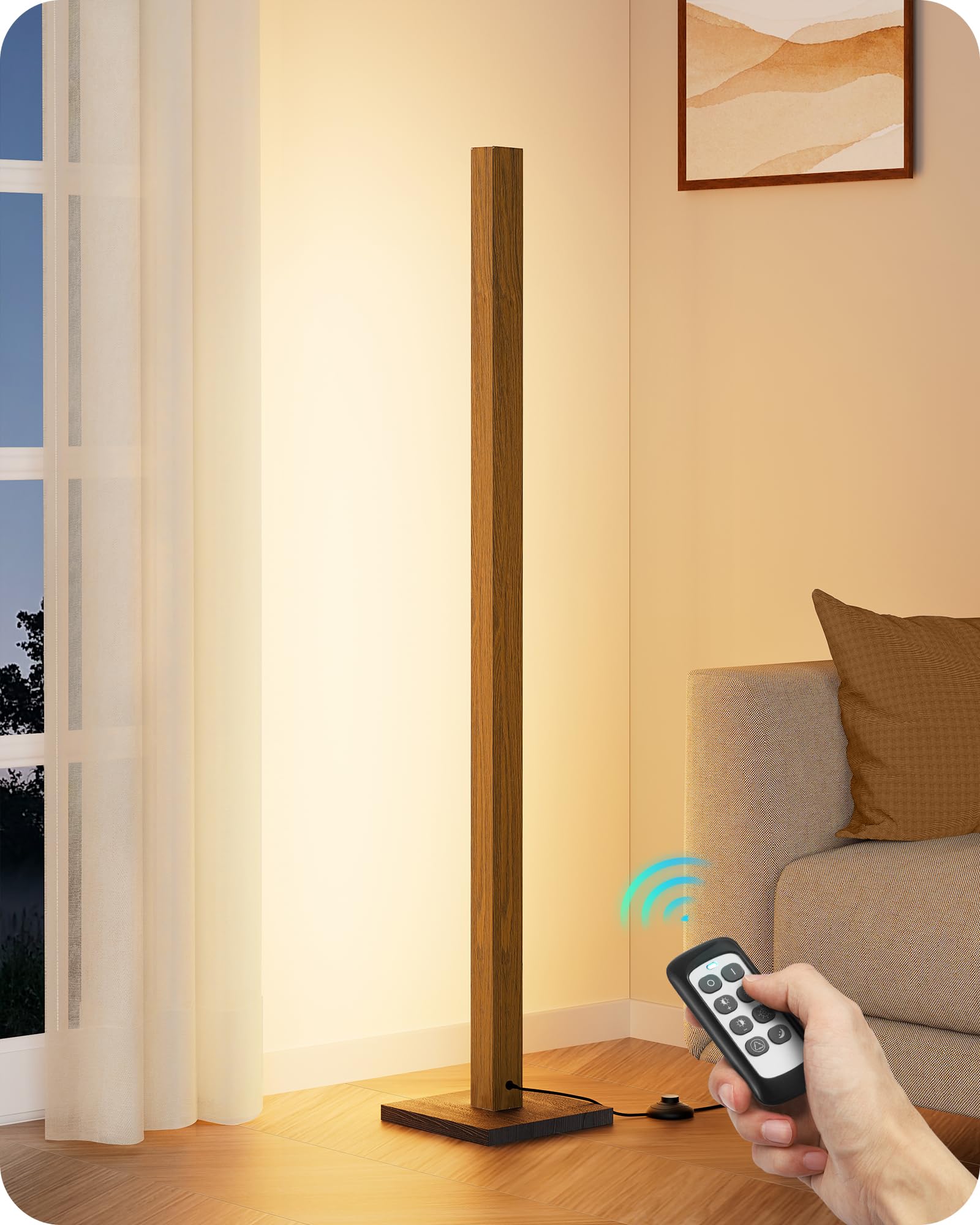
Image: The EDISHINE Mid Century Modern Floor Lamp in Light Brown, showcasing its minimalist design.
Important Safety Instructions
- Read all instructions before assembly and operation.
- Do not operate the lamp with a damaged cord or plug. If damaged, contact customer support.
- Ensure the lamp is placed on a stable, level surface to prevent tipping.
- This product is for indoor use only. Do not expose to water or high humidity.
- Do not attempt to modify or disassemble the lamp. There are no user-serviceable parts inside.
- Keep the remote control and lamp out of reach of children.
- Unplug the lamp from the power outlet before cleaning or moving.
Package Contents
Verify that all components are present before beginning assembly:
- LED Lamp Pole (Integrated LED)
- Lamp Base
- RF-433 Remote Control (with battery)
- Power Adapter with Foot Switch
- User Manual (this document)
Setup Instructions
The EDISHINE Floor Lamp is designed for quick and easy assembly. Follow these steps:
- Carefully unpack all components from the packaging.
- Place the lamp base on a flat, stable surface.
- Align the bottom of the LED lamp pole with the opening in the lamp base.
- Gently screw the lamp pole into the base until it is securely fastened. Ensure the pole is straight and stable.
- Connect the power adapter cable to the lamp's power input, typically located near the base.
- Plug the power adapter into a standard 120V AC wall outlet.

Image: Illustration of screwing the lamp pole into the base during assembly.

Image: Visual guide demonstrating the simple installation process of the EDISHINE lamp.
Operating Instructions
Remote Control Operation (RF-433)
The included RF-433 remote control allows for convenient adjustment of your lamp's settings from up to 49 feet away. Ensure the remote has a working battery.
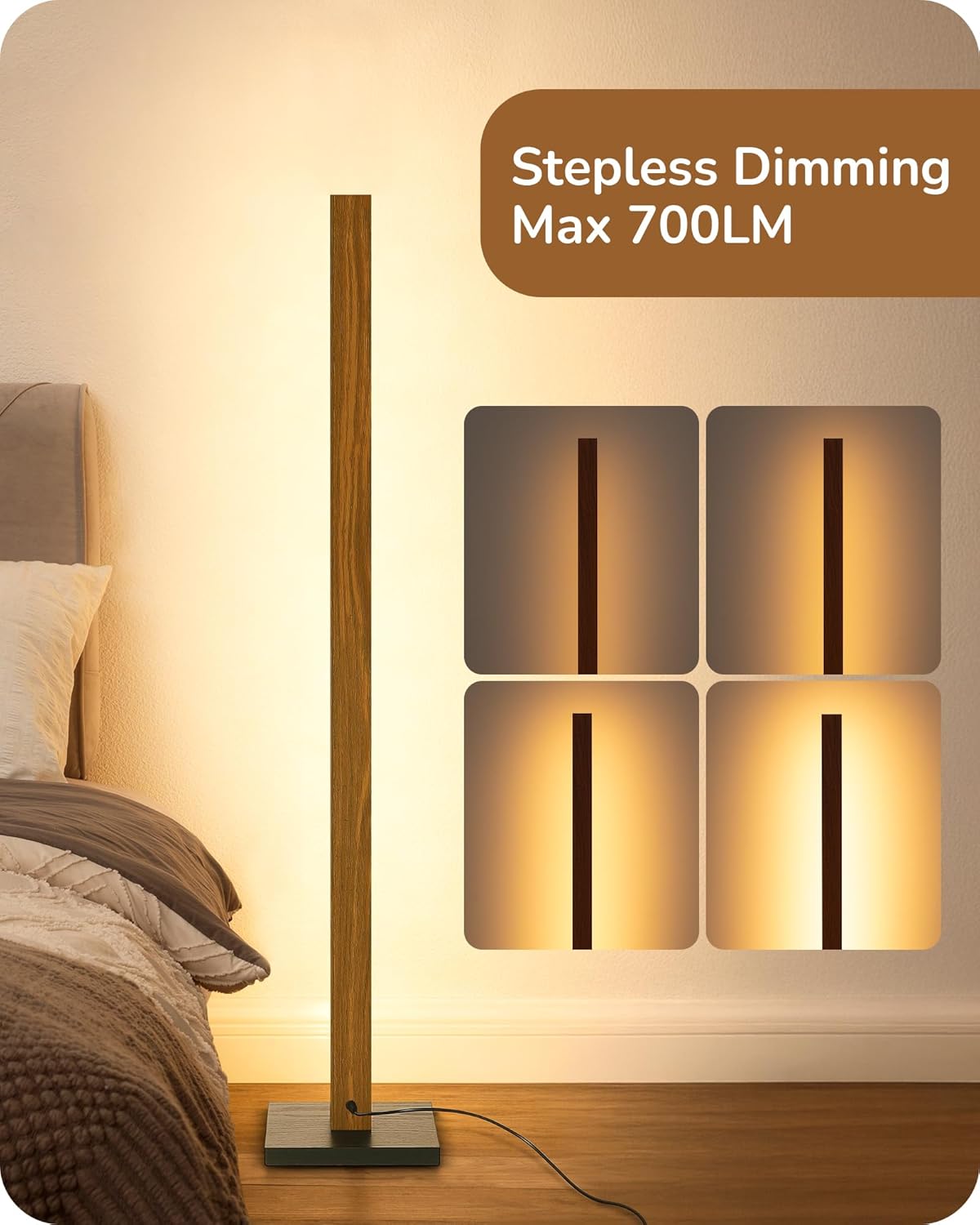
Image: A hand holding the remote control, pointing towards the EDISHINE floor lamp.
- Power On/Off: Press the 'ON' or 'OFF' button to turn the lamp on or off.
- Brightness Adjustment: Use the 'Brightness+' and 'Brightness-' buttons to adjust the light intensity from 10% to 100%.
- Color Temperature (CCT) Adjustment: Use the 'CCT+' and 'CCT-' buttons to cycle through 7 color temperatures, ranging from 2700K (warm white) to 6000K (cool white).
- Night Light Mode: Press the 'Night Light Mode' button for a quick switch to a 30% brightness setting, ideal for low-light environments.
- Memory Function: The lamp will remember your last brightness and color temperature setting when turned off and on again.
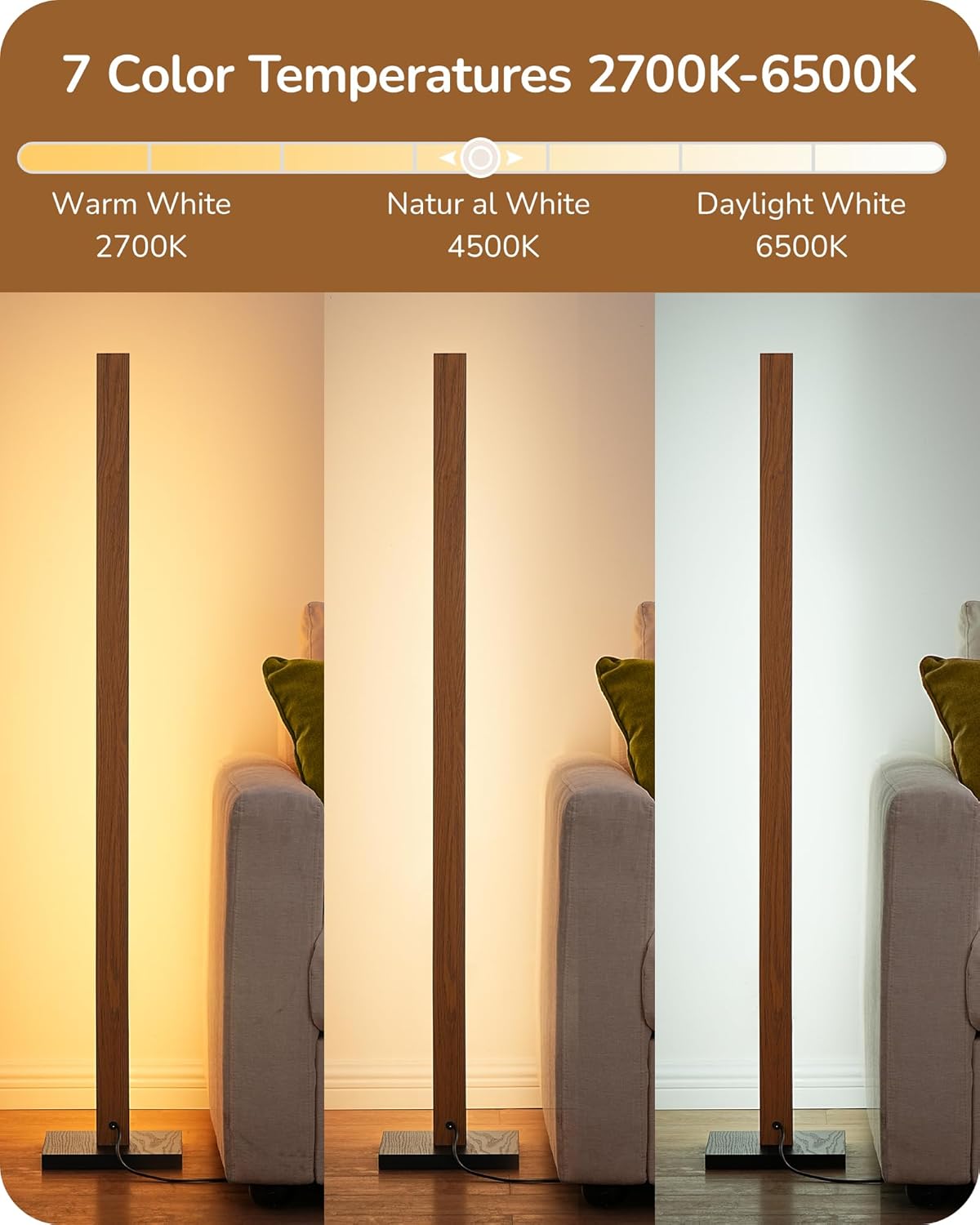
Image: The EDISHINE floor lamp displaying various color temperatures from warm white to daylight white.
Foot Switch Operation
The integrated foot switch provides an alternative method for basic control:
- Short Press: A short press on the foot switch will turn the lamp ON/OFF.
- Long Press: A long press on the foot switch will adjust the brightness from 10% to 100%.
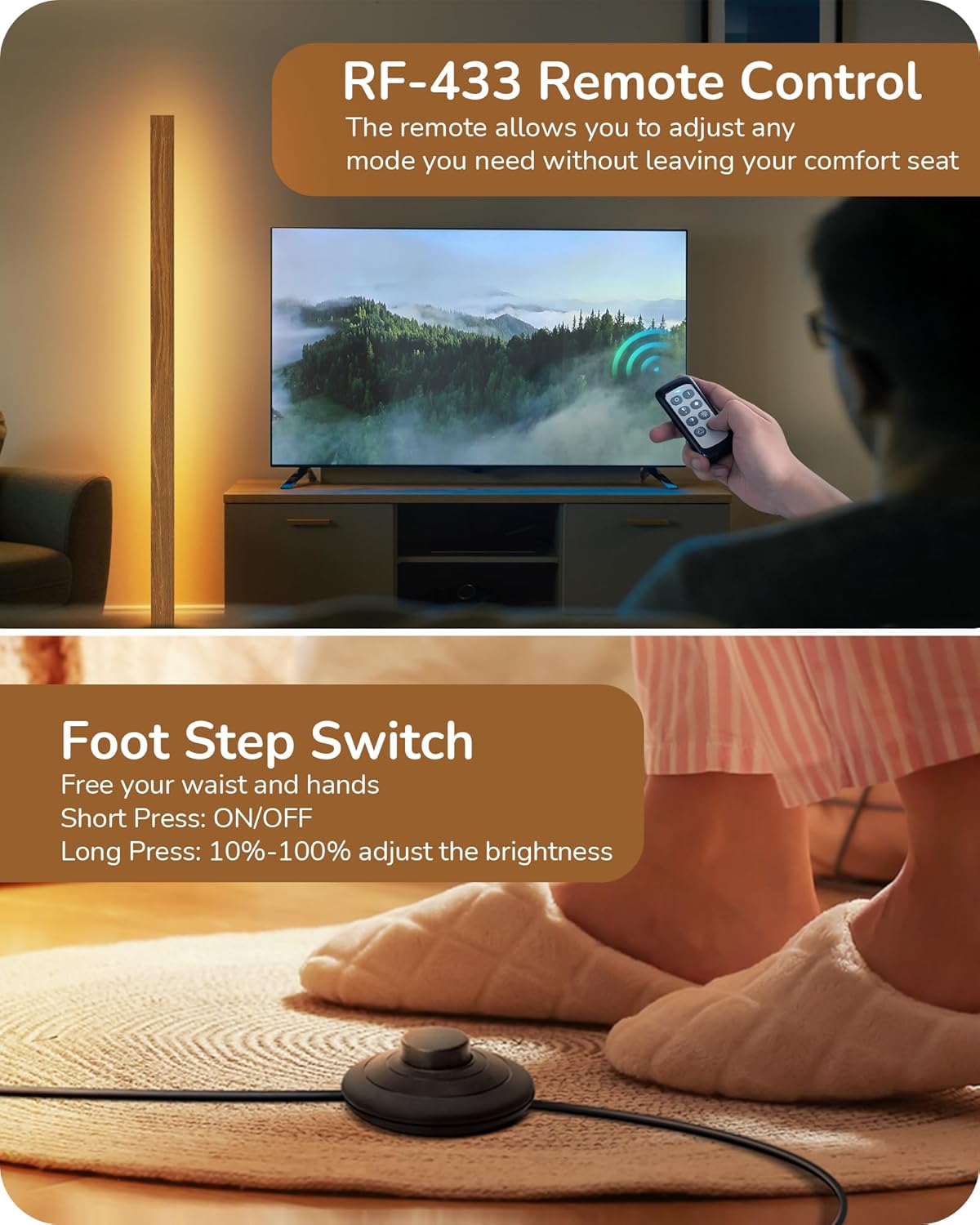
Image: A foot pressing the foot switch of the EDISHINE floor lamp.
Product Video Demonstrations
Video: Official demonstration of the EDISHINE Wood LED Floor Lamp with Remote, highlighting its dimming and color temperature adjustment capabilities.
Video: A detailed overview of the EDISHINE Wood LED Floor Lamp's features and functionality.
Maintenance
- Cleaning: Ensure the lamp is unplugged before cleaning. Wipe the lamp pole and base with a soft, dry cloth. Do not use abrasive cleaners or solvents.
- LED Light Source: The LED light source is integrated and designed for over 30,000 hours of life. It does not require bulb replacement.
- Remote Control Battery: If the remote control's range or responsiveness decreases, replace the battery with a new one of the same type.
Troubleshooting
| Problem | Possible Cause | Solution |
|---|---|---|
| Lamp does not turn on. | No power connection. | Ensure the power adapter is securely plugged into both the lamp and a working wall outlet. |
| Remote control is not working. | Remote battery is dead or incorrectly inserted. Out of range. | Replace the remote control battery. Ensure the battery is inserted with correct polarity. Move closer to the lamp (within 49 ft). |
| Light flickers or is inconsistent. | Loose connection or power fluctuation. | Check all power connections. Try plugging the lamp into a different outlet. |
| Lamp is unstable. | Base not securely attached or uneven surface. | Ensure the lamp pole is tightly screwed into the base. Place the lamp on a flat, level surface. |
Specifications
| Feature | Detail |
|---|---|
| Model Number | HLFL02E1 |
| Brand | EDISHINE |
| Product Dimensions | 8.27"D x 8.27"W x 48.43"H |
| Item Weight | 3.6 pounds |
| Material Type | Wood |
| Light Source Type | Integrated LED |
| Wattage | 18 watts |
| Voltage | 120 volts |
| Color Temperature | 2700K - 6000K (7 adjustable levels) |
| Brightness | 10% - 100% Dimmable |
| Control Method | RF-433 Remote Control, Foot Switch |
| Indoor/Outdoor Usage | Indoor |

Image: Visual representation of the lamp's dimensions (height, width, depth).
Warranty and Support
Warranty: This EDISHINE product comes with a one-year manufacturer's warranty from the date of purchase. This warranty covers defects in materials and workmanship under normal use.
Customer Support: For technical assistance, warranty claims, or any questions regarding your EDISHINE Floor Lamp, please contact our customer support team. Refer to your purchase documentation for specific contact details or visit the official EDISHINE website.
Related documentsHLFL02E1

Ask a question about this manual
Ask about setup, troubleshooting, compatibility, parts, safety, or missing instructions. Manuals+ will review the question and use this page’s manual context to help answer it.