
1. Introduction
Thank you for choosing the EZ EAR KZ ZSN PRO X Wired Earbuds. These in-ear monitors are designed to provide a high-fidelity audio experience with their hybrid dynamic driver and balanced armature configuration. This manual will guide you through the setup, operation, and maintenance of your new earbuds to ensure optimal performance and longevity.
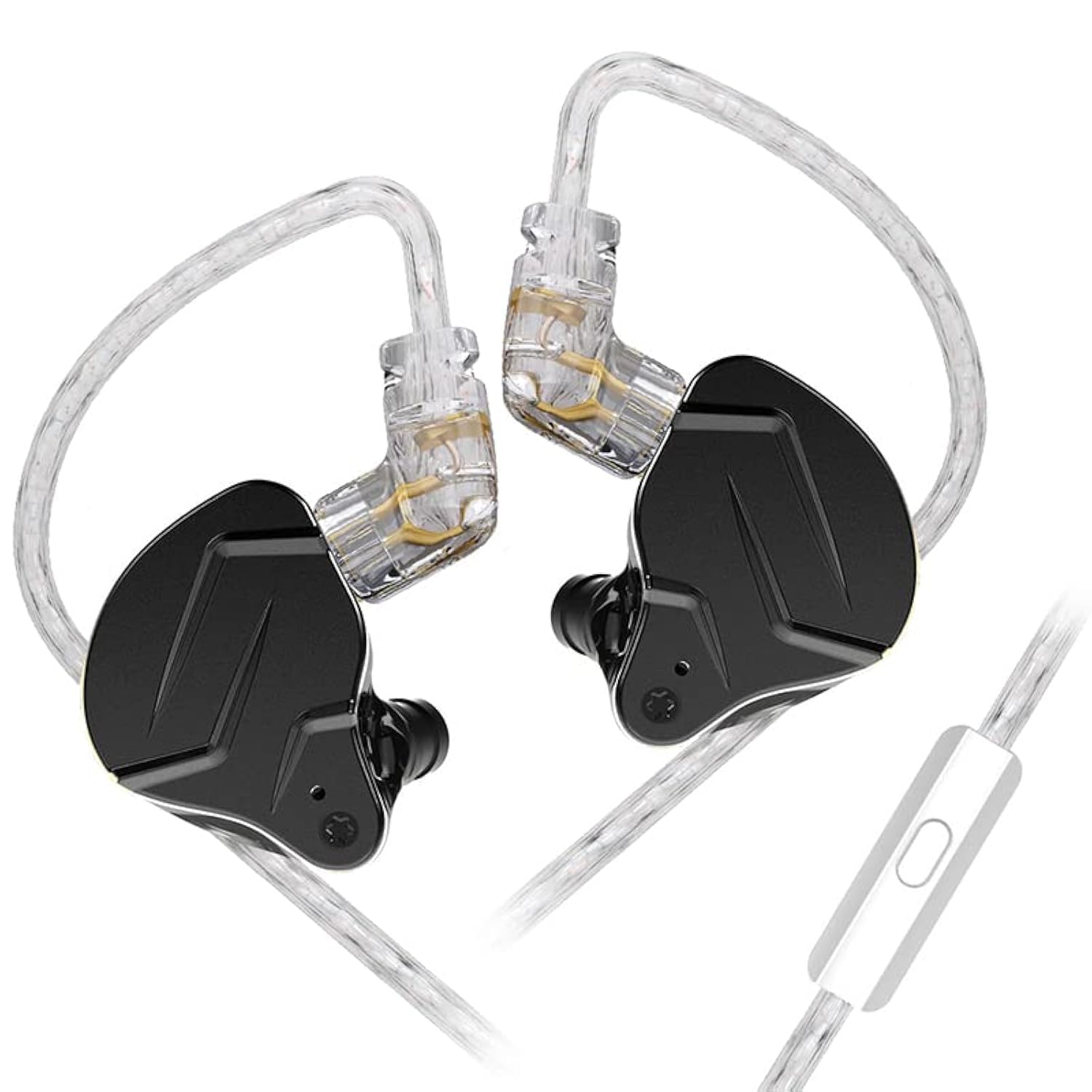
Figure 1: EZ EAR KZ ZSN PRO X Wired Earbuds.
2. What's in the Box
Carefully unpack your KZ ZSN PRO X earbuds and ensure all items are present:
- KZ ZSN PRO X Earbuds (1 pair)
- Detachable Cable (1)
- Earbud Eartips (3 pairs: S/M/L)
- User Manual & Warranty Card (1)

Figure 2: Contents of the KZ ZSN PRO X package.
3. Setup Instructions
3.1 Connecting the Detachable Cable
- Identify the left (L) and right (R) earbud units.
- Align the 2-pin connector on the cable with the corresponding socket on each earbud. Ensure the pins are correctly oriented to avoid damage.
- Gently push the cable connector into the earbud socket until it is firmly seated. Do not force the connection.
- The cable is designed with a slot protection to prevent pin breakage and extend service life.
3.2 Wearing the Earbuds
The KZ ZSN PRO X earbuds feature an ergonomic design with an ear hook for a secure and comfortable fit.
- Select the appropriate size of eartips (S, M, L) for your ears. A good seal is crucial for optimal sound quality and noise isolation.
- Place the earbud into your ear canal.
- Gently loop the memory ear hook cable over your ear. The ear hook will conform to the shape around your ear, providing a stable and comfortable wearing experience.

Figure 3: Proper wearing of the earbuds with ear hooks.
3.3 Initial Connection and Volume Adjustment
Before connecting your earbuds to an audio device, ensure the volume on your device is set to a low level. This prevents potential damage to the earbud's diaphragm and protects your hearing from sudden loud sounds.
Video 1: Overview of KZ ZSN PRO X IEM Earbuds, including components and wearing instructions.
4. Operating Instructions
4.1 Connecting to an Audio Source
The KZ ZSN PRO X earbuds come with a standard 3.5mm plug, making them compatible with a wide range of devices including cellphones, desktops, gaming consoles, laptops, and music production equipment.
- Ensure the volume on your audio device is low.
- Insert the 3.5mm plug into the headphone jack of your audio device.
- Gradually increase the volume to a comfortable listening level.
4.2 Using the In-line Microphone and Controls (if applicable)
If your cable includes an in-line microphone and controls, you can manage media playback and calls:
- Press Once: Play/Pause music, Answer/End call.
- Press Twice: Next Song.
- Press Three Times: Previous Song.
- Long Press: Reject Call.

Figure 4: In-line microphone and control functions.
5. Features and Specifications
5.1 Advanced Driver Technology
The KZ ZSN PRO X features a hybrid driver system combining a customized balanced armature and a 10mm dynamic driver. This configuration delivers a balanced sound signature with deep, solid bass, clear mid-range, and detailed high frequencies.

Figure 5: Internal structure showing hybrid drivers.
5.2 Acoustic Design
The earbuds incorporate 'Acoustic Black Technology' which reshapes the magnetic gap and redefines the 10mm dual magnetic dynamic driver. This design enhances low-frequency power and provides a wide frequency response, resulting in an immersive sound experience.
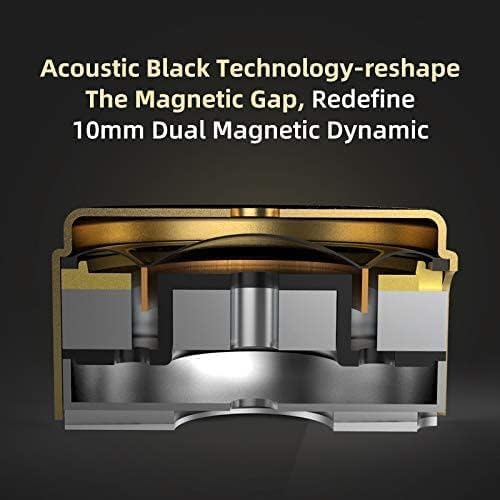
Figure 6: Acoustic Black Technology in the dynamic driver.
5.3 Noise Isolation
When properly worn, the earbuds can isolate approximately 26dB of ambient noise, allowing for a focused listening experience even in noisy environments.
5.4 High-Purity Cable
The upgraded cable is a 100-core high-purity silver-plated wire. This cable design effectively enhances detail resolution, widens the sound field, and reduces loss and distortion in signal transmission.
5.5 General Specifications
| Specification | Detail |
|---|---|
| Brand | EZ EAR |
| Model Number | zsnpro |
| Color | Black |
| Ear Placement | Over Ear |
| Form Factor | In Ear |
| Impedance | 25 Ohms |
| Headphone Jack | 3.5 mm Jack |
| Connectivity Technology | Wired |
| Noise Control | Sound Isolation |
| Frequency Response | 7-40000 Hz |
| Sensitivity | 112 dB |
| Audio Driver Type | Hybrid Driver |
| Audio Driver Size | 10 Millimeters |
| Cable Features | Detachable |
| Item Weight | 59 Grams |
Video 2: Detailed look at the KZ ZSN PRO X in-ear monitor's design and components.
6. Maintenance
Proper maintenance ensures the longevity and performance of your earbuds.
- Cleaning Eartips: Regularly remove the eartips and clean them with mild soap and water. Ensure they are completely dry before reattaching.
- Cleaning Earbuds: Use a soft, dry cloth to wipe the earbud units. Avoid using harsh chemicals or abrasive materials.
- Cable Care: Store the detachable cable neatly to prevent tangling and damage. Avoid sharp bends or excessive pulling.
- Storage: When not in use, store your earbuds in a clean, dry place, preferably in a protective case, to prevent dust accumulation and physical damage.
7. Troubleshooting
If you encounter any issues with your KZ ZSN PRO X earbuds, please refer to the following common solutions:
- No Sound:
- Ensure the 3.5mm plug is fully inserted into the audio device.
- Check the volume level on your audio device.
- Verify that the detachable cable is securely connected to both earbuds.
- Test the earbuds with a different audio device to rule out device-specific issues.
- Poor Sound Quality/Distortion:
- Ensure the eartips provide a proper seal in your ear canal. Try different eartip sizes.
- Check for any debris or earwax in the earbud nozzles. Clean carefully if necessary.
- Ensure the audio source is of good quality.
- Earbuds Falling Out:
- Adjust the memory ear hooks to fit snugly around your ears.
- Experiment with different eartip sizes to find the most secure fit.
Video 3: Comprehensive review and demonstration of the KZ ZSN PRO X IEM.
8. Warranty and Support
EZ EAR provides a 1-year warranty from the date of purchase for the KZ ZSN PRO X earbuds. This warranty covers manufacturing defects.
For any issues, questions, or support needs, please contact EZ EAR us, the authorized seller. They are committed to providing friendly customer service and prompt solutions.
You can typically find contact information for the seller through your purchase platform or the included warranty card.