
1. Introduction
Thank you for choosing the Bolyguard LY54-K24M 4G Trail Camera. This camera is designed for outdoor surveillance, offering high-quality 24MP images and 1080p HD video recording. Its 4G connectivity allows for remote transmission of photos and videos, while its 30-meter night vision and IP66 waterproof rating ensure reliable performance in various conditions.
What's in the Box
- Bolyguard LY54-K24M 4G Trail Camera
- USB Cable
- Mounting Bracket
- Mounting Strap
- Remote Control
- Antenna
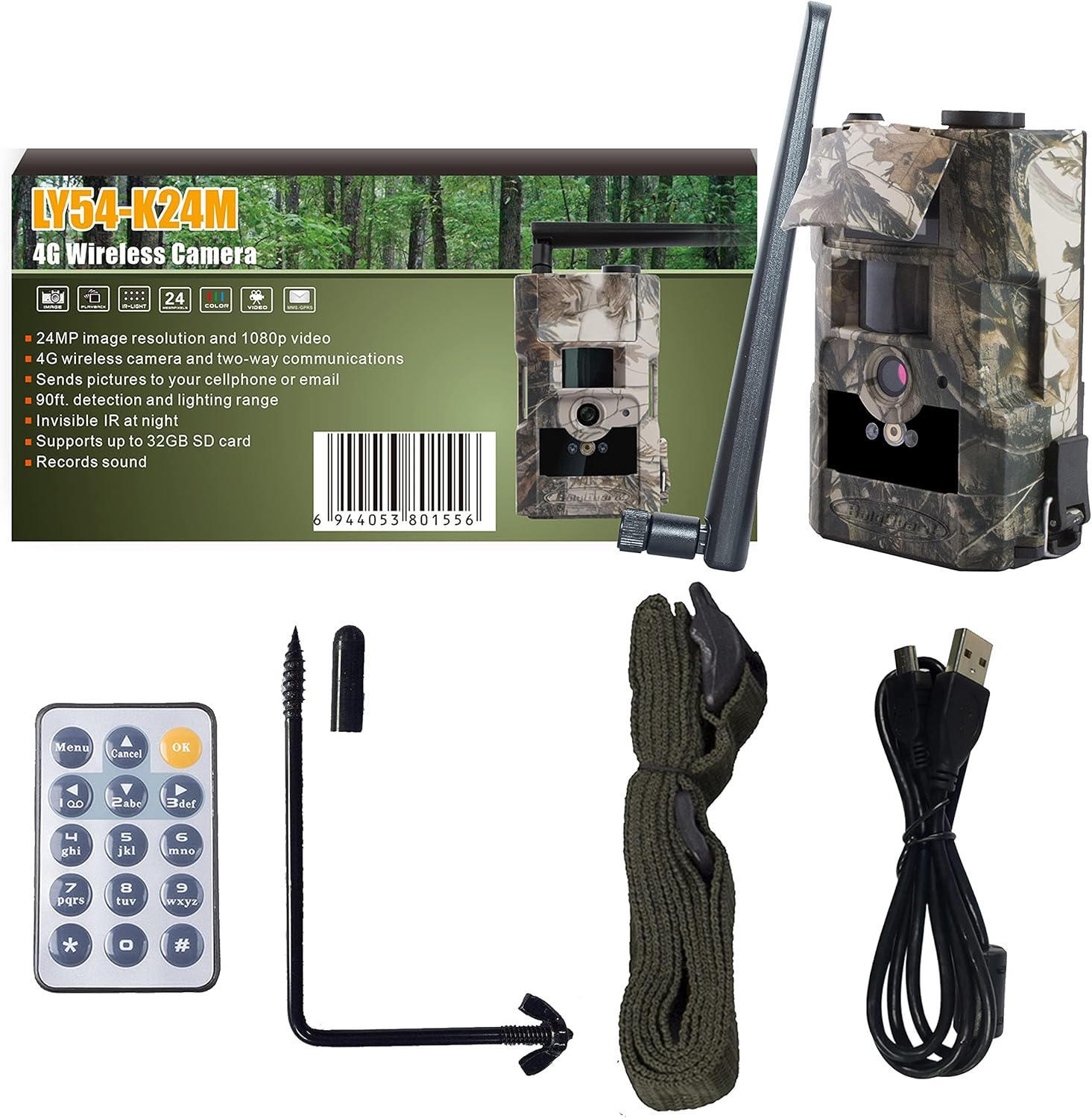
Image 1.1: Package contents of the Bolyguard LY54-K24M 4G Trail Camera.
2. Setup
2.1 Battery and SD Card Installation
- Open the camera's battery compartment.
- Insert the required batteries (not included) according to the polarity indicators.
- Insert a compatible SD card (up to 32GB, not included) into the SD card slot. Ensure it is inserted correctly until it clicks into place.
2.2 Antenna Attachment
Screw the provided antenna firmly into the antenna port on the top of the camera. Ensure it is securely attached for optimal signal reception.
2.3 Mounting the Camera
Use the included mounting strap or bracket to secure the camera to a tree or other stable surface. Position the camera to cover the desired surveillance area.
2.4 Initial Configuration
To configure the camera settings, connect the camera to a computer using the supplied USB cable. Ensure the SD card is inserted into the camera. Use the BolyGuard configuration software (BMC CONFIG) to adjust parameters such as date/time, capture mode, resolution, and 4G transmission settings.

Image 2.1: Configuring the camera settings using the BolyGuard software on a laptop.
3. Operating Instructions
3.1 Powering On/Off
Locate the power switch on the camera. Slide it to the 'ON' position to power on the camera. Slide it to 'OFF' to power it down.
3.2 Capture Modes
The camera supports various capture modes, including photo, video, and photo+video. These can be configured via the BMC CONFIG software. The camera will automatically capture images or videos when motion is detected within its sensor range.
3.3 4G Communication
The LY54-K24M can send captured photos and videos via 4G network to mobile phones or computers. Supported reception modes include GPRS email (recommended), MMS email, and Molnus cloud service. Configure these settings in the BMC CONFIG software, including APN settings for your SIM card provider.
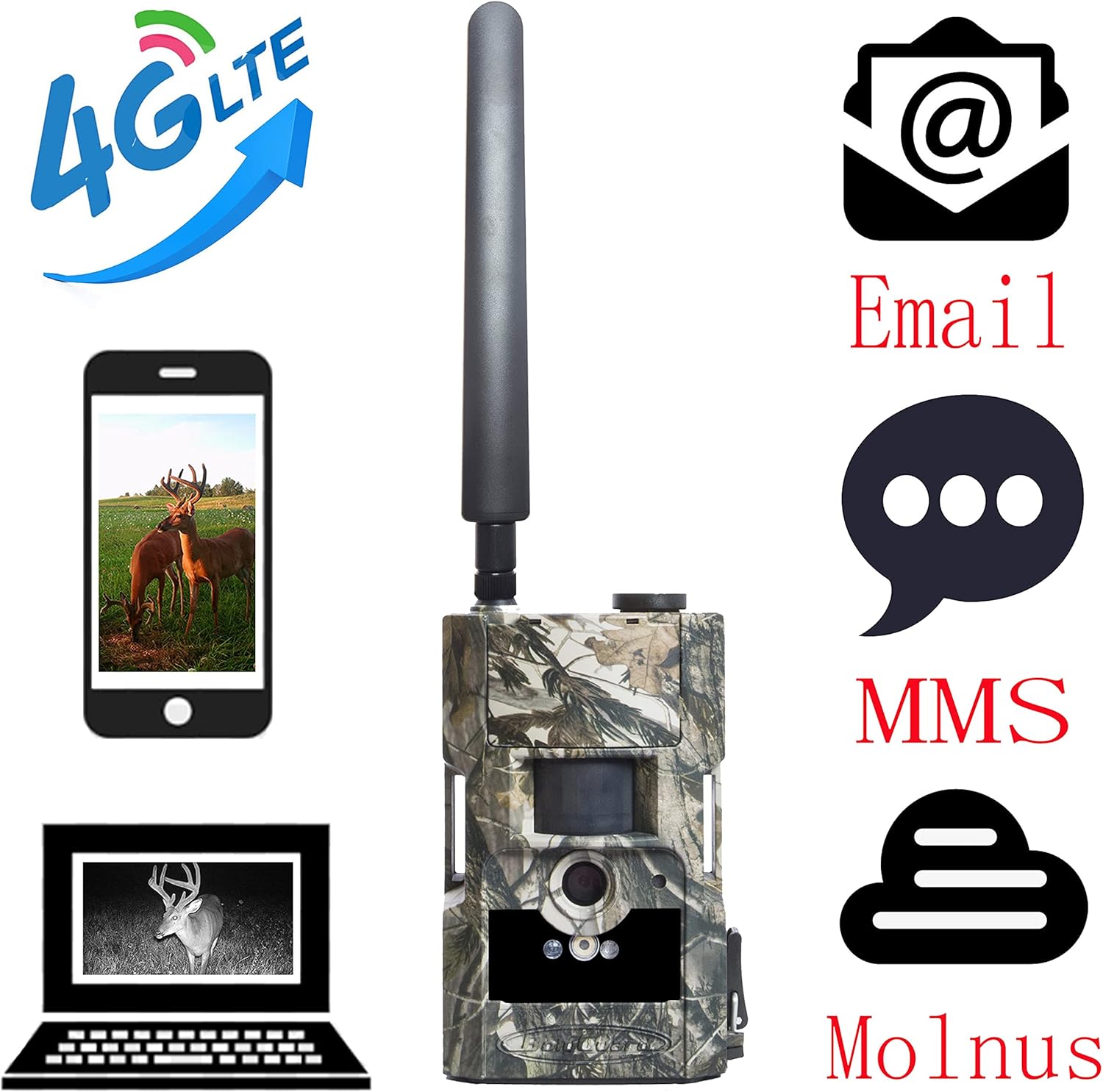
Image 3.1: 4G communication options for the Bolyguard LY54-K24M camera.
3.4 Night Vision
The camera features 30-meter night vision using 28 invisible 940nm LED lights. This allows for clear image and video capture in low-light or complete darkness without disturbing wildlife. The camera automatically switches to night vision mode when ambient light levels are low.

Image 3.2: Examples of day and night vision captures.
3.5 Using the Remote Control
The included remote control can be used to access the camera's menu, change basic settings, and manually trigger photo or video capture from a short distance. Refer to the remote control's specific buttons for their functions.
4. Maintenance
4.1 Cleaning
Regularly clean the camera lens and PIR sensor window with a soft, dry cloth to ensure optimal image quality and motion detection. Avoid using abrasive cleaners or solvents.
4.2 Battery Replacement
Replace batteries when the low battery indicator appears or when performance degrades. Always use fresh, high-quality batteries of the specified type.
4.3 SD Card Management
Periodically format the SD card using the camera's menu or a computer to maintain optimal performance and prevent data corruption. Back up important files before formatting.
4.4 Weather Protection
Although the camera is IP66 rated for water and dust resistance, ensure all ports and compartments are securely closed to prevent moisture ingress, especially during heavy rain or snow.
5. Troubleshooting
5.1 Camera Not Powering On
- Check if batteries are inserted correctly with the correct polarity.
- Ensure batteries have sufficient charge. Replace with new ones if necessary.
- Verify the power switch is in the 'ON' position.
5.2 No Images/Videos Captured
- Ensure the SD card is properly inserted and not full.
- Check the camera's settings to confirm it is in the desired capture mode (photo/video).
- Verify the PIR sensor is not obstructed and sensitivity settings are appropriate for the environment.
5.3 4G Transmission Issues
- Confirm the SIM card is active and has sufficient credit/data.
- Check the APN settings in the BMC CONFIG software to match your network provider.
- Ensure the camera has good 4G signal strength in its location.
- Verify email or Molnus settings are correctly configured.
5.4 Poor Image/Video Quality
- Clean the camera lens.
- Check the resolution settings in the camera's configuration.
- Ensure the camera is stable and not subject to vibrations during capture.
6. Specifications
| Feature | Specification |
|---|---|
| Model Number | LY54-K24M |
| Image Sensor | 5 MP Color-CMOS |
| Image Resolution | 24 MP |
| Video Resolution | 1080p HD |
| Night Vision Range | 30 meters (28 x 940nm LEDs) |
| Connectivity | 4G, USB |
| Storage | Supports up to 32GB SD card |
| Waterproof Rating | IP66 |
| Power Source | Battery Powered |
| Dimensions (L x W x H) | 8 x 3 x 10 cm |
| Weight | 470 grams |
7. Warranty and Support
The Bolyguard LY54-K24M 4G Trail Camera comes with a one-year warranty from the date of purchase. This warranty covers manufacturing defects under normal use. For technical support, troubleshooting assistance, or warranty claims, please refer to the contact information provided with your purchase or visit the official Bolyguard website.

Image 7.1: Bolyguard one-year warranty information.
