
Introduction
Thank you for choosing the Qaba Kids Desk and Chair Set. This manual provides essential information for the safe assembly, operation, and maintenance of your new desk and chair set. Please read all instructions carefully before use and retain this manual for future reference.
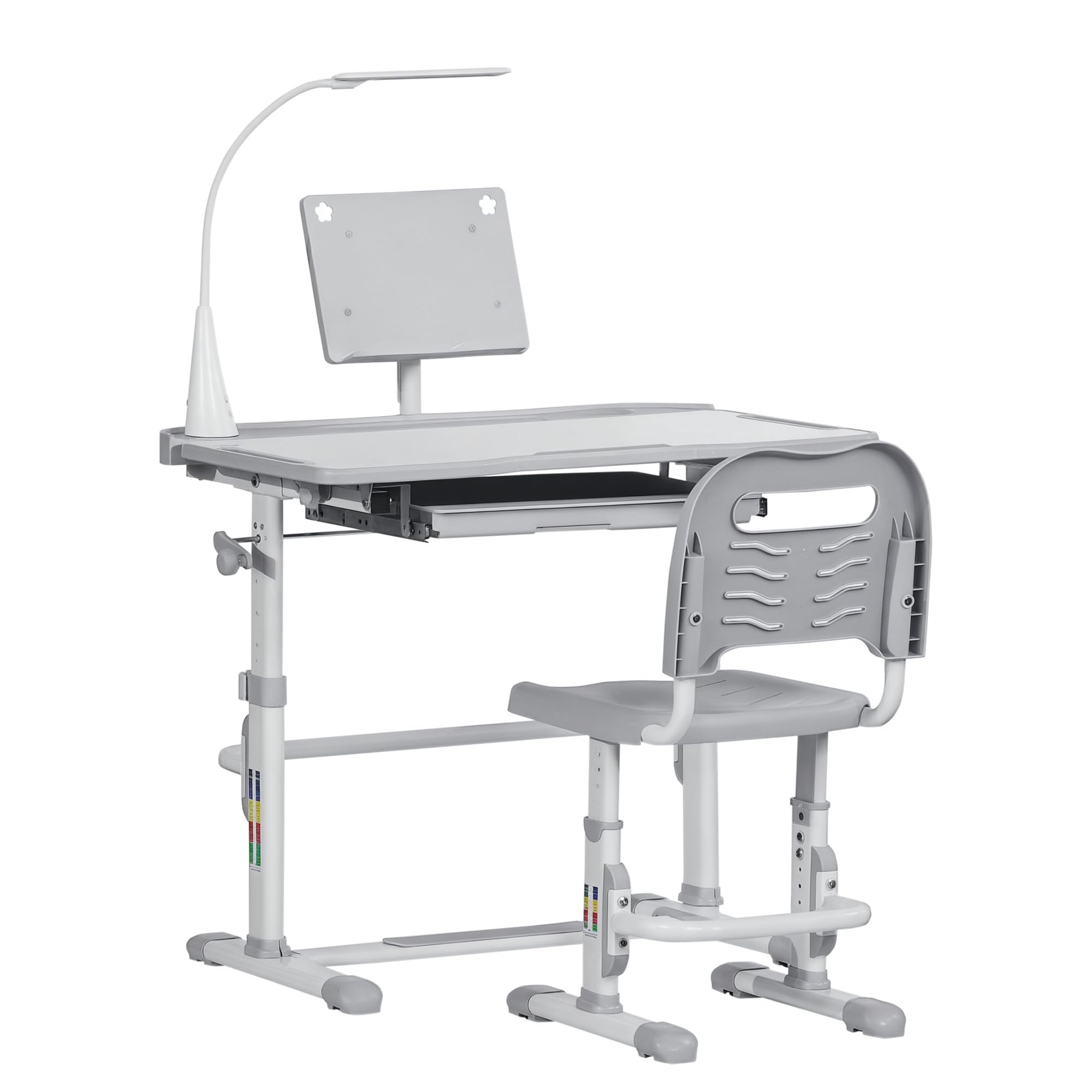
Image: The Qaba Kids Desk and Chair Set, featuring a height-adjustable desk with a tilting desktop, an LED lamp, and a matching ergonomic chair, positioned in a child's study area.
1. Setup and Assembly
Assembly is required for this product. Please ensure all components are present before beginning. Refer to the included assembly guide for detailed step-by-step instructions. Once assembled, follow the steps below for initial adjustments.
1.1. Dimensions Overview

Image: Diagram illustrating the dimensions of the Qaba Kids Desk and Chair Set. The desk measures 31.5"L x 19.5"W with a height adjustable from 32.25" to 41". The chair measures 14"L x 17.25"W with a backrest height adjustable from 24.75" to 28.75" and seat height from 11.75" to 15.75".
1.2. Height Adjustment
The desk and chair are designed with adjustable heights to accommodate children as they grow. This ensures an ergonomic setup for various ages.
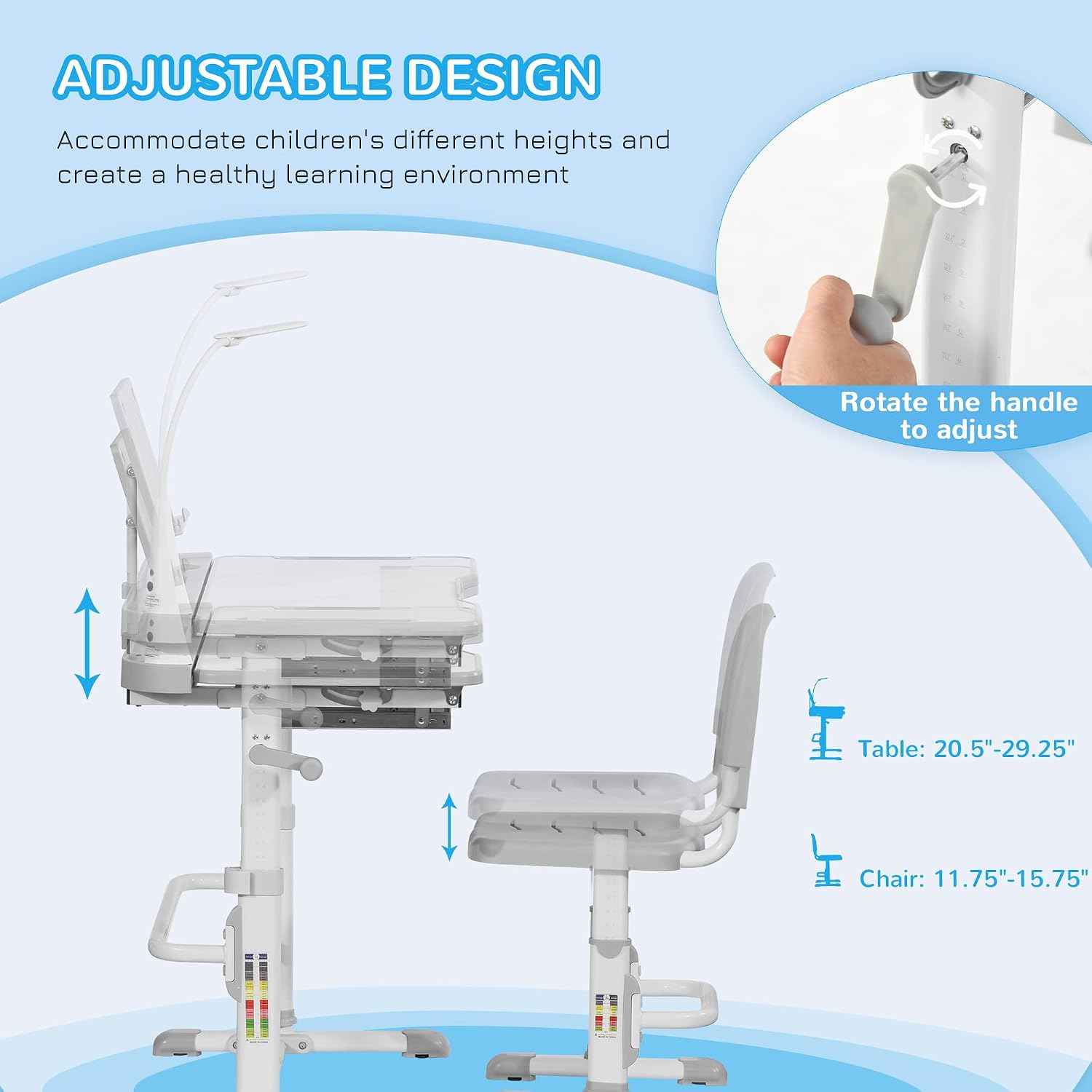
Image: A diagram demonstrating the adjustable height feature of the desk and chair. Arrows indicate vertical adjustment, and an inset shows a hand rotating a crank handle to adjust the desk height. The table height adjusts from 20.5"-29.25" (this seems to be the seat height in the image, but the text refers to table height, so I will clarify based on product features) and chair seat height from 11.75"-15.75".
- Desk Height: To adjust the desk height, locate the adjustment mechanism on the desk legs. Rotate the handle as shown in the diagram to raise or lower the desktop. Ensure both sides are adjusted evenly for stability. The tabletop adjusts from 31.5" to 41.25" (from the product features).
- Chair Height: Similarly, adjust the chair height using the mechanism on the chair legs. The chair height (top of backrest) adjusts from 23.5" to 28.75", and the seat height adjusts from 11.75" to 15.75".
After adjustment, ensure all locking mechanisms are securely fastened to maintain stability. The grips at the bottom of the desk and chair feet are designed to remain steady on the ground.
2. Operating Instructions
This section details the various functions and features of your Qaba Kids Desk and Chair Set.

Image: A young child seated comfortably at the Qaba Kids Desk and Chair Set, engaged in reading. The desk is set up with the tilting desktop and LED lamp in use.
2.1. Desktop Tilt Function
The desktop can be tilted to various angles to provide an optimal surface for different activities, reducing strain from slouching.

Image: A diagram illustrating the tiltable desktop feature, showing three recommended angles: 0-10° for writing, 10-20° for reading, and 20-45° for drawing. The mechanism allows for smooth adjustment up to 45°.
- Adjustment: To tilt the desktop, locate the release mechanism (usually a lever or knob) on the side of the desk. Adjust the desktop to the desired angle and ensure it locks securely into place.
- Recommended Angles:
- Writing: 0-10 degrees
- Reading: 10-20 degrees
- Drawing: 20-45 degrees
2.2. LED Light Operation
The integrated LED lamp provides adjustable illumination for various tasks, designed with eye protection in mind.

Image: A child using the desk with the LED lamp providing illumination. An inset shows the lamp's control panel with buttons for power and mode selection, indicating three color temperature levels: 3500K, 4500K, and 6000K, designed for eye protection.
- Power On/Off: Press the power button on the lamp base to turn the light on or off.
- Color Temperature Adjustment: Press the mode button (often labeled 'M') to cycle through the three available color temperature settings: 3500K (warm white), 4500K (neutral white), and 6000K (cool white). Choose the setting most comfortable for the current activity.
2.3. Storage and Organization Features
The desk is equipped with several features to help keep the workspace tidy and organized.

Image: An exploded view diagram highlighting the various features of the Qaba Kids Desk, including the LED lamp, reading board, cup holder, pen slot, pen box, drawer, and footrest bar.
- Drawer: A wide drawer is located under the desktop for storing workbooks, folders, notebooks, and other supplies.
- Pen Slots: Two dedicated slots are provided for pens and pencils, keeping them within easy reach.
- Cup Holder: A built-in cup holder helps prevent spills.
- Pen Box: An additional pen box offers more storage for writing instruments or small accessories.
- Reading Board/Tablet Holder: A retractable reading board or tablet holder can be pulled up to support books or tablets, further preventing slouching during reading.
- Footrest Bar: The integrated footrest bar provides comfortable support for feet.
- Bag Hook: A hook is provided on the side of the desk for hanging backpacks or bags.

Image: Close-up view of the bag hook located on the side frame of the Qaba Kids Desk, showing a black strap hanging from it.
3. Maintenance
Proper care and maintenance will extend the life of your Qaba Kids Desk and Chair Set.
- Cleaning: Wipe surfaces with a damp cloth. Avoid abrasive cleaners or harsh chemicals that may damage the finish.
- Regular Checks: Periodically check all screws and fasteners to ensure they are tight. Re-tighten if necessary to maintain stability.
- Avoid Overloading: Do not exceed the recommended weight capacities for the table and chair.
4. Troubleshooting
This section addresses common issues you might encounter.
| Problem | Possible Cause | Solution |
|---|---|---|
| Desk/Chair feels wobbly | Loose fasteners; uneven surface | Check and tighten all screws and bolts. Ensure the desk and chair are on a flat, stable surface. |
| Height adjustment mechanism is stiff | Dust or debris in mechanism; lack of lubrication | Clean the adjustment mechanism. Apply a small amount of silicone-based lubricant if needed. |
| Desktop tilt is not holding position | Locking mechanism not engaged; worn parts | Ensure the tilt locking mechanism is fully engaged. If the issue persists, contact customer support. |
| LED lamp not turning on | Power connection issue; lamp malfunction | Check if the lamp is properly plugged in. If it still doesn't work, contact customer support. |
5. Product Specifications
Key specifications for the Qaba Kids Desk and Chair Set.
- Brand: Qaba
- Model Number: 312-059GY
- Table Dimensions: 31.5"L x 19.5"W x 32.25"-41"H (Adjustable)
- Chair Dimensions: 14"L x 17.25"W x 24.75"-28.75"H (Adjustable backrest height)
- Chair Seat Height: 11.75"-15.75" (Adjustable)
- Weight Capacity (Table): 176 lbs
- Weight Capacity (Chair): 220 lbs
- Suitable Age: 6-12 Years Old
- Material: Alloy Steel, Engineered Wood, Polypropylene
- Color: Grey
- Item Weight: 33 Pounds
- Required Assembly: Yes
- Included Components: Desk, Chair, LED Light Kit
6. Warranty and Support
Qaba products are manufactured with quality and care. This product comes with a standard manufacturer's warranty against defects in materials and workmanship under normal use. Please refer to your purchase documentation for specific warranty terms and duration.
For technical assistance, missing parts, or warranty claims, please contact Qaba customer support through the retailer where the product was purchased or visit the official Qaba website for contact information.
When contacting support, please have your model number (312-059GY) and proof of purchase readily available.


