
1. Product Overview
The ANENG PN200 is a versatile digital clamp meter multimeter designed for accurate measurement and troubleshooting of electrical systems. It combines the functions of a clamp meter and a multimeter, offering a wide range of measurement capabilities for both AC and DC circuits.

Image: ANENG PN200 Digital Clamp Meter highlighting its multiple functions including AC/DC Voltage, AC/DC Current, Max Count, Backlit Screen, Hertz, Resistance, Capacitance, Diode/Buzzer, Data Retention, Automatic Shutdown, NCV, and Relative Measurement.
2. Package Contents
Your ANENG PN200 package includes the following items:
- 1x ANENG PN200 Digital Clamp Meter
- 2x AAA Batteries
- 1x Combination Test Lead Set (includes 4 connection sockets, 2 PVC cables, 2 copper needles, 2 U-shaped inserts, 2 meter pens, 2 alligator clips, 2 puncture needles)
- 1x Multimeter Test Lead Set
- 1x Charging Cable
- 1x Instruction Manual
- 1x Storage Bag
3. Setup
3.1 Battery Installation
- Locate the battery compartment cover on the back of the device.
- Slide the cover off to open the compartment.
- Insert the two AAA batteries, ensuring correct polarity (+/-).
- Slide the battery compartment cover back into place until it clicks securely.
3.2 Connecting Test Leads
- For voltage, resistance, capacitance, diode, and continuity measurements, insert the black test lead into the 'COM' (common) jack.
- Insert the red test lead into the 'VΩHz' jack.
- Ensure connections are firm before use.
4. Operating Instructions
The ANENG PN200 features a rotary dial for selecting measurement functions and dedicated buttons for additional features.
4.1 Function Selection
Turn the rotary dial to select the desired measurement function:
- V~: AC Voltage measurement
- V-: DC Voltage measurement
- A~: AC Current measurement (using clamp)
- A-: DC Current measurement (using clamp)
- Ω: Resistance measurement
- Hz: Frequency measurement
- Capacitance: Capacitance measurement
- Diode/Continuity: Diode test and Continuity check
- NCV: Non-Contact Voltage detection
4.2 Key Functions
- H/HOLD: Short press to hold the current reading on the display. Long press to activate/deactivate the backlight.
- REL: Used for relative measurement, setting the current reading as a reference point. For capacitance, press to zero out the meter before clamping.
- SET: Used to switch between different sub-functions within a main dial setting (e.g., AC/DC for current, Diode/Continuity).
4.3 Specific Measurements
Below are common measurement procedures:
AC/DC Voltage Measurement
- Turn the dial to 'V~' for AC voltage or 'V-' for DC voltage.
- Connect the test leads to the circuit points you wish to measure.
- Read the voltage value on the display.
AC/DC Current Measurement (Clamp)
- Turn the dial to 'A~' for AC current or 'A-' for DC current.
- Open the clamp jaws and enclose a single conductor (not a bundle of wires).
- Read the current value on the display.
- Note: For accurate DC current measurements, ensure to press the 'REL' button to zero out the meter before clamping.

Image: ANENG PN200 Digital Clamp Meter demonstrating high precision 600A AC/DC current measurement capability.
Resistance, Capacitance, Diode, Continuity, Frequency
- Turn the dial to the respective function symbol (Ω, Capacitance, Diode/Continuity, Hz).
- Connect the test leads to the component or circuit.
- For Diode/Continuity, use the 'SET' button to toggle between modes. A beep indicates continuity.
- For Capacitance, ensure the capacitor is discharged before measurement.
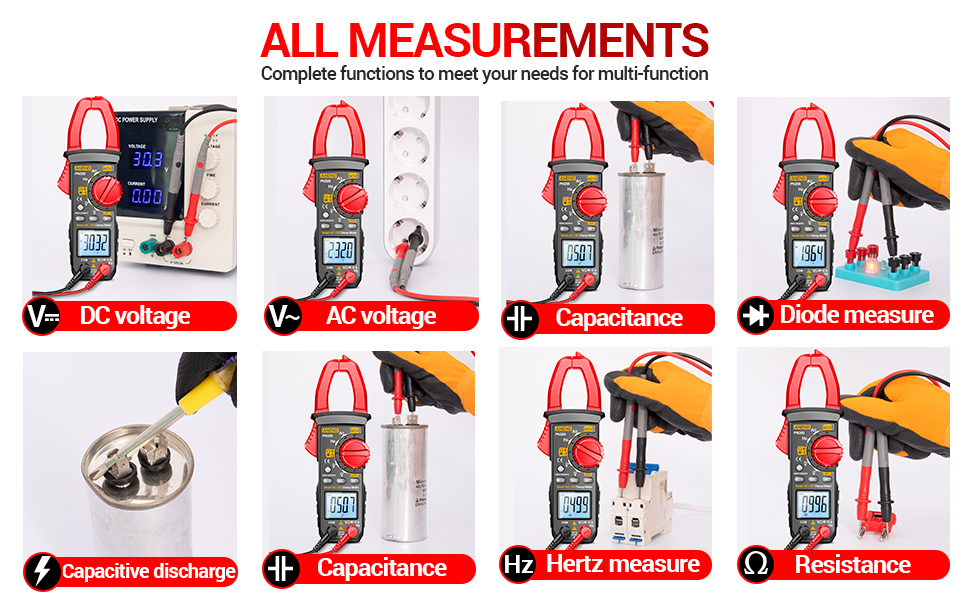
Image: ANENG PN200 Digital Clamp Meter displaying its comprehensive measurement capabilities including DC Voltage, AC Voltage, Capacitance, Diode, Capacitive Discharge, and Resistance.
Non-Contact Voltage (NCV) Detection
- Turn the dial to 'NCV'.
- Bring the top part of the clamp meter near an AC voltage source.
- The meter will beep and an indicator light will illuminate if AC voltage is detected.
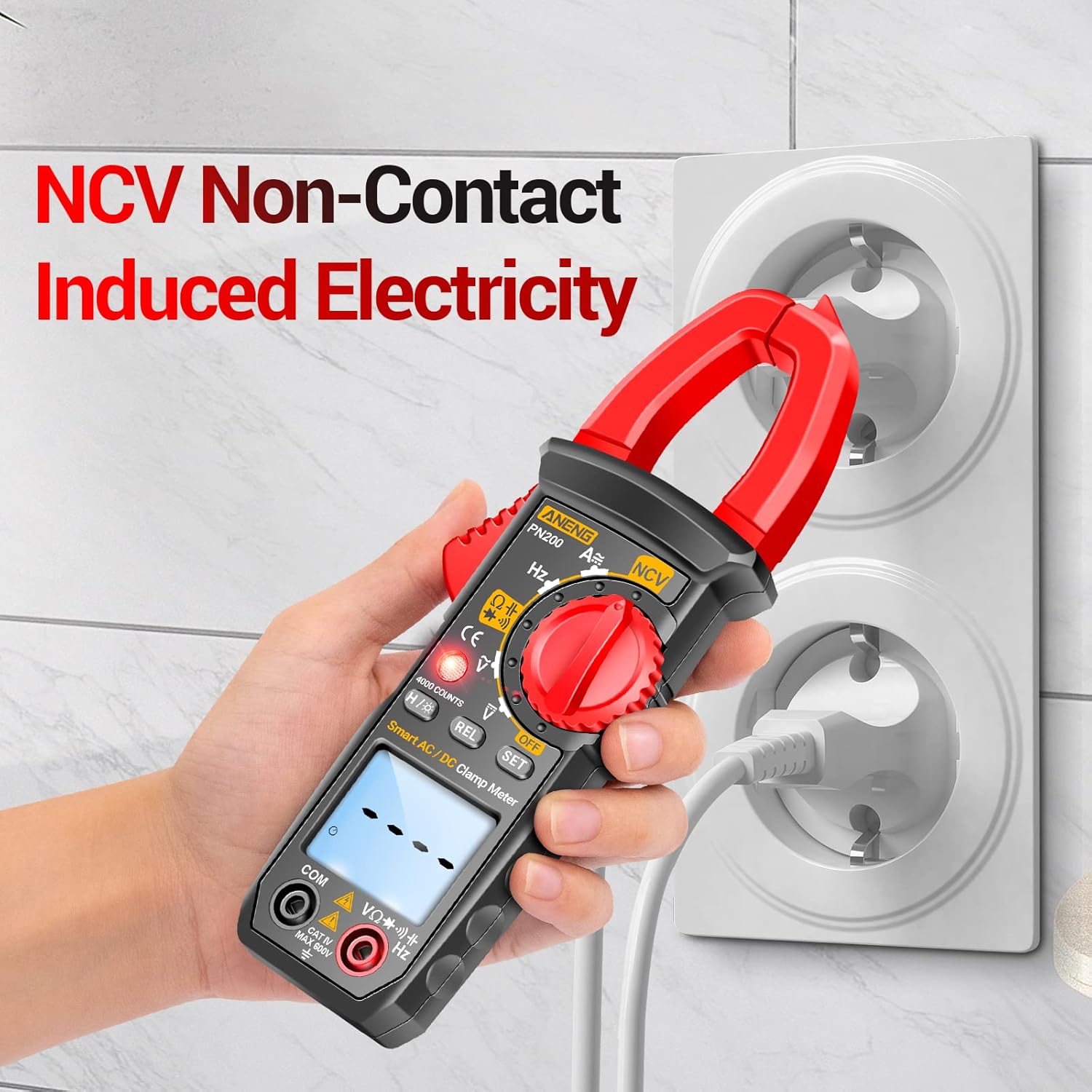
Image: ANENG PN200 Digital Clamp Meter detecting non-contact induced electricity from a wall outlet.
4.4 Official Product Video Demonstration
Video: An official product video from ANENG Stores demonstrating various features and operations of the PN200 Digital Clamp Meter.
5. Maintenance
5.1 Cleaning
Wipe the device with a dry, soft cloth. Do not use abrasive cleaners or solvents.
5.2 Battery Replacement
If the low battery indicator appears on the display, replace the AAA batteries as described in the Setup section.
5.3 Storage
Store the clamp meter and its accessories in the provided storage bag in a cool, dry place away from direct sunlight and extreme temperatures.


