
Introduction
This manual provides essential information for the safe and efficient operation of your AUNA Julie Ann Vintage Turntable. Please read these instructions thoroughly before using the device and retain them for future reference. This versatile system combines classic vinyl playback with modern audio features including a CD player, Bluetooth connectivity, USB playback, DAB+/FM radio, and an AUX input.
Safety Information
- Read all instructions before operating the appliance.
- Keep the appliance away from heat sources, direct sunlight, humidity, water, and any other liquids.
- Do not operate the appliance if it has been exposed to water, moisture, or any other liquids to prevent electric shock, explosion, and/or injury to yourself and damage to the appliance.
- Do not use the appliance with wet hands.
- Do not drop, impact, or shake the appliance.
- Repairs should only be performed by a qualified technician. Improper repairs may place the user at serious risk.
- Do not insert objects into any openings.
- Use only manufacturer-specified attachments/accessories.
- Unplug the appliance during lightning storms or when unused for long periods.
Package Contents
Please check that all items are present and in good condition:
- 1 x AUNA Julie Ann Turntable Unit
- 1 x Power Adapter
- 1 x Remote Control
- 1 x Multilingual User Manual (this document)
- Detachable Legs (pre-installed or separate, for optional use)
Product Overview
The AUNA Julie Ann combines a vintage aesthetic with modern functionality. Familiarize yourself with the main components and controls.

Figure 1: Front view of the AUNA Julie Ann Turntable, highlighting its multi-functional capabilities including FM/DAB+ radio, USB, AUX, and Bluetooth connectivity.
Key Features:
- 3-Speed Turntable: Supports 33 1/3, 45, and 78 RPM vinyl records.
- Auto-Stop Function: Automatically stops the platter when a record finishes playing to protect your vinyl.
- Integrated Stereo Speakers: Delivers clear audio with 9 Watts RMS (24 Watts Max) output.
- CD Player: For playing audio CDs.
- DAB+/FM Radio: Digital and analog radio reception.
- Bluetooth Connectivity: Wireless streaming from compatible devices.
- USB Port: For MP3 playback and potentially recording vinyl to MP3.
- AUX Input: Connect external audio sources via a 3.5mm jack.
- Ceramic Cartridge: Ensures reliable playback and sound quality.
- Detachable Legs: Allows for freestanding or tabletop placement.
Setup
- Unpacking: Carefully remove all components from the packaging. Retain packaging for future transport or storage.
- Placement: Place the unit on a stable, level surface. Ensure adequate ventilation around the unit. If using the detachable legs, securely attach them to the designated points on the bottom of the unit.

Figure 2: The turntable can be used freestanding with legs (73 cm height) or as a tabletop unit (23 cm height).
- Power Connection: Connect the power adapter to the DC IN port on the back of the unit, then plug the adapter into a standard wall outlet (230V AC).
- Speaker Connection: The unit features integrated stereo speakers. No external speaker connection is required for basic operation.
- Antenna Connection: For optimal DAB+/FM radio reception, ensure the included antenna is properly connected and extended.
Operating Instructions
1. Turntable Operation
- Open the dust cover.
- Place a vinyl record on the platter.
- Select the appropriate speed (33 1/3, 45, or 78 RPM) using the speed selector switch. For 45 RPM records, place the included 45 RPM adapter over the spindle.
- Release the tone arm lock.
- Gently lift the tone arm using the cueing lever and position the stylus over the desired track of the record.
- Lower the tone arm slowly onto the record using the cueing lever. The platter will begin to spin, and audio will play through the integrated speakers.
- At the end of the record, the auto-stop function will automatically stop the platter. Lift the tone arm, return it to its rest, and engage the tone arm lock.
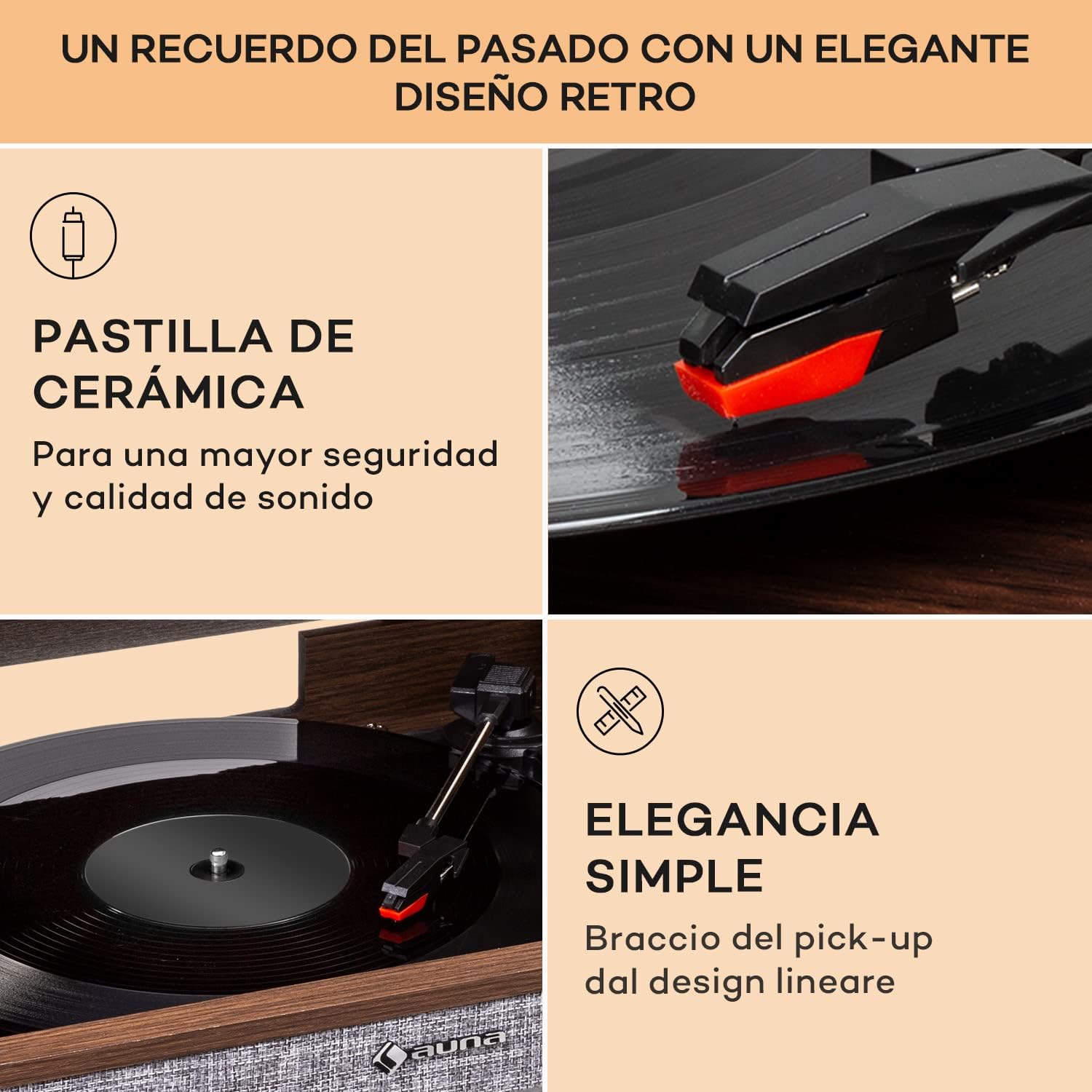
Figure 3: Detail of the ceramic cartridge and belt drive system, designed for gentle and stable record playback.
2. CD Player Operation
- Press the "CD" button to select CD mode.
- Press the "Open/Close" button to open the CD tray.
- Place a CD with the label side facing up into the tray.
- Press the "Open/Close" button again to close the tray. The CD will load, and playback will begin automatically or after a short scan.
- Use the "Play/Pause", "Stop", "Next Track", and "Previous Track" buttons on the unit or remote control to manage playback.
3. Bluetooth Connectivity
- Press the "Bluetooth" button to select Bluetooth mode. The display will indicate "BT" or a similar pairing message.
- On your smartphone, tablet, or other Bluetooth-enabled device, enable Bluetooth and search for available devices.
- Select "AUNA Julie Ann" (or similar name) from the list of devices to pair.
- Once paired, you can stream audio wirelessly from your device to the turntable's speakers.
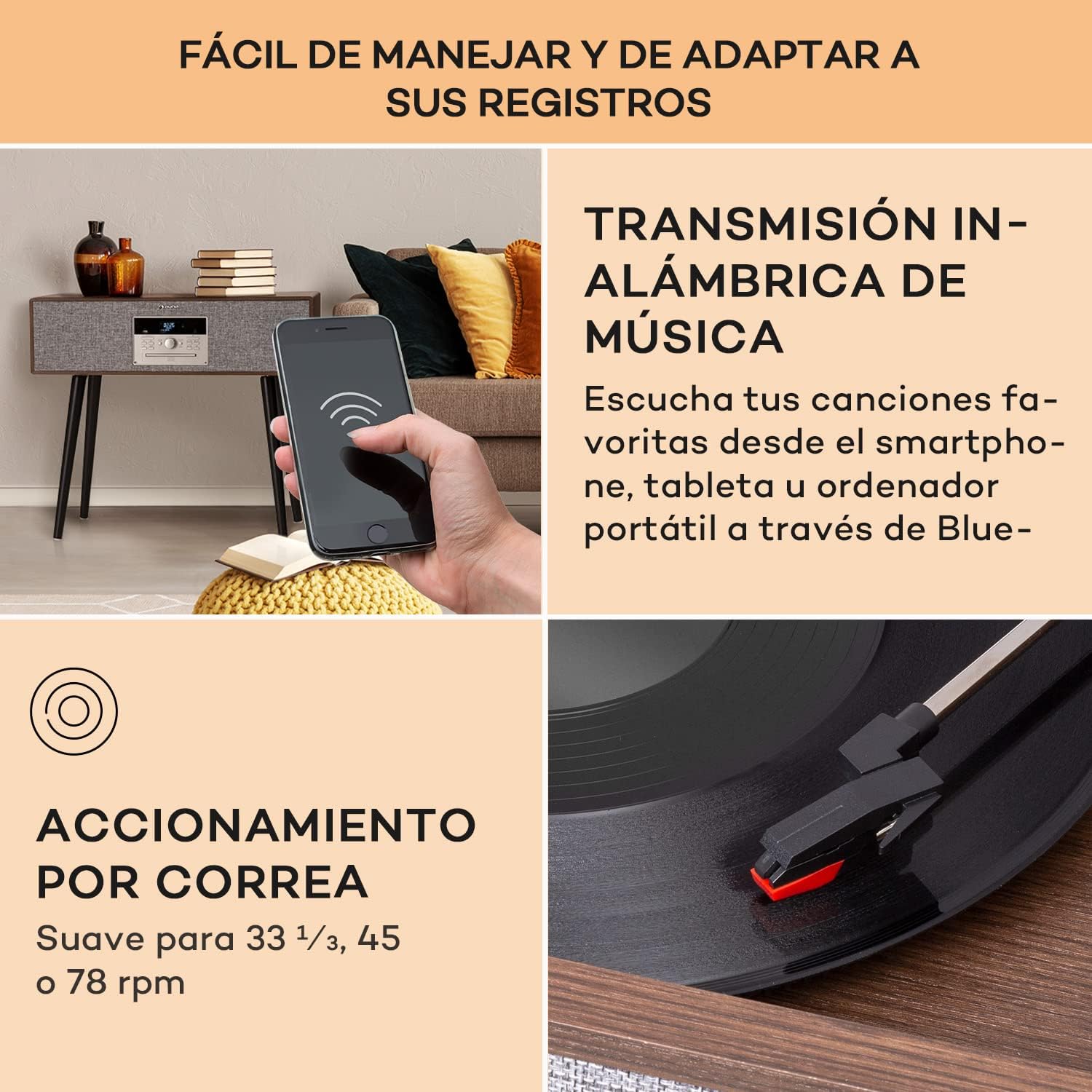
Figure 4: Wireless music streaming via Bluetooth from a smartphone to the turntable.
4. USB Playback and MP3 Conversion
- Insert a USB flash drive into the USB port.
- Press the "USB" button to select USB mode. The unit will automatically detect and begin playing compatible MP3 files.
- Use the control buttons to navigate tracks.
- MP3 Conversion (if supported): Refer to the display and control panel for options to record audio from vinyl or CD directly to a connected USB drive in MP3 format. Follow on-screen prompts.

Figure 5: The turntable supports converting vinyl records to MP3 files for digital archiving.
5. DAB+/FM Radio
- Press the "Radio" button to cycle between DAB+ and FM modes.
- For DAB+ Radio: The unit will automatically scan for available digital radio stations. Use the navigation buttons to select a station.
- For FM Radio: Use the tuning controls to manually or automatically scan for FM stations.
- Ensure the FM antenna is fully extended for best reception.
6. AUX Input
- Connect an external audio device (e.g., MP3 player, smartphone) to the AUX IN port using a 3.5mm audio cable.
- Press the "AUX" button to select AUX mode.
- Audio from the connected device will play through the turntable's speakers. Control playback from the external device.
Maintenance
- Cleaning the Unit: Wipe the exterior with a soft, dry cloth. Do not use abrasive cleaners or solvents.
- Stylus Care: Gently clean the stylus periodically with a soft brush designed for stylus cleaning, brushing from back to front. Avoid touching the stylus with your fingers.
- Record Care: Keep your vinyl records clean and free of dust to ensure optimal sound quality and prolong stylus life.
- Dust Cover: Keep the dust cover closed when not in use to protect the turntable from dust and debris.
Troubleshooting
| Problem | Possible Cause | Solution |
|---|---|---|
| No power | Power adapter not connected; power outlet not active. | Ensure power adapter is securely connected to the unit and a working power outlet. |
| No sound from speakers | Volume too low; incorrect mode selected; tone arm not lowered. | Increase volume. Select the correct input mode (Phono, CD, BT, USB, DAB/FM, AUX). Ensure tone arm is lowered onto the record. |
| Turntable not spinning | Auto-stop engaged; tone arm not moved over platter. | Ensure the tone arm is lifted from its rest and moved over the platter to activate the motor. |
| Poor radio reception | Antenna not extended or positioned correctly. | Fully extend and adjust the position of the FM antenna for better signal. |
| Bluetooth pairing issues | Device too far; Bluetooth not enabled on source device; unit not in pairing mode. | Ensure source device is within range and Bluetooth is enabled. Put the turntable in Bluetooth pairing mode. Disconnect from other Bluetooth devices. |
Specifications
| Feature | Detail |
|---|---|
| Brand | AUNA |
| Model Name | Julie Ann |
| Product Number / Manufacturer Reference | TTS14-Julie Ann WD |
| Turntable Speeds | 33 1/3, 45, 78 RPM |
| Special Features | Integrated Speaker, CD Recorder (if "Grabadora de CD" means recording), Adjustable Speed, Auto-Stop |
| Connectivity | Bluetooth, USB, AUX Input, DAB+/FM Radio |
| Compatible Devices | PC, Tablet, Smartphone, External Speakers, Headphones, MP3 Player |
| Power Output | 9 Watts RMS (24 Watts Max) |
| Power Source | AC Adapter (230 Volts AC) |
| Material | Plastic (with wood finish) |
| Color | Brown |
| Product Weight | 17 kg |
| Dimensions (with legs) | Approx. 81 x 45 x 73 cm (W x D x H) |
| Dimensions (without legs) | Approx. 81 x 45 x 23 cm (W x D x H) |
Warranty and Support
For warranty information, please refer to the warranty card included with your product or contact your retailer. For technical support or service inquiries, please visit the official AUNA website or contact their customer service department. Keep your purchase receipt as proof of purchase.
AUNA Official Website: www.auna.de (or relevant regional site)