
1. Introduction
Welcome to the user manual for your new artfone G6 4G LTE Dual-LCD Flip Phone. This guide provides essential information on setting up, operating, and maintaining your device. Designed for ease of use, the artfone G6 features large buttons, clear dual displays, and an SOS emergency function, making it ideal for seniors.
2. Package Contents
Please check the box for the following items:
- artfone G6 4G LTE Dual-LCD Flip Phone
- USB Cable
- Battery
- Charging Dock (if included with your specific package)
- User Manual (this document)
3. Product Overview
The artfone G6 is a user-friendly flip phone with several key features:
- Dual LCD Displays: An internal 2.4-inch QVGA screen and an external display for quick notifications.
- Large Buttons: 15mm large buttons for easy dialing and navigation.
- SOS Emergency Button: Located on the back for quick access to emergency contacts.
- Powerful LED Flashlight: Integrated for convenience in low-light conditions.
- USB-C Charging Port: Modern and reversible for easy charging.
- 3.5mm Headphone Jack: For private listening.
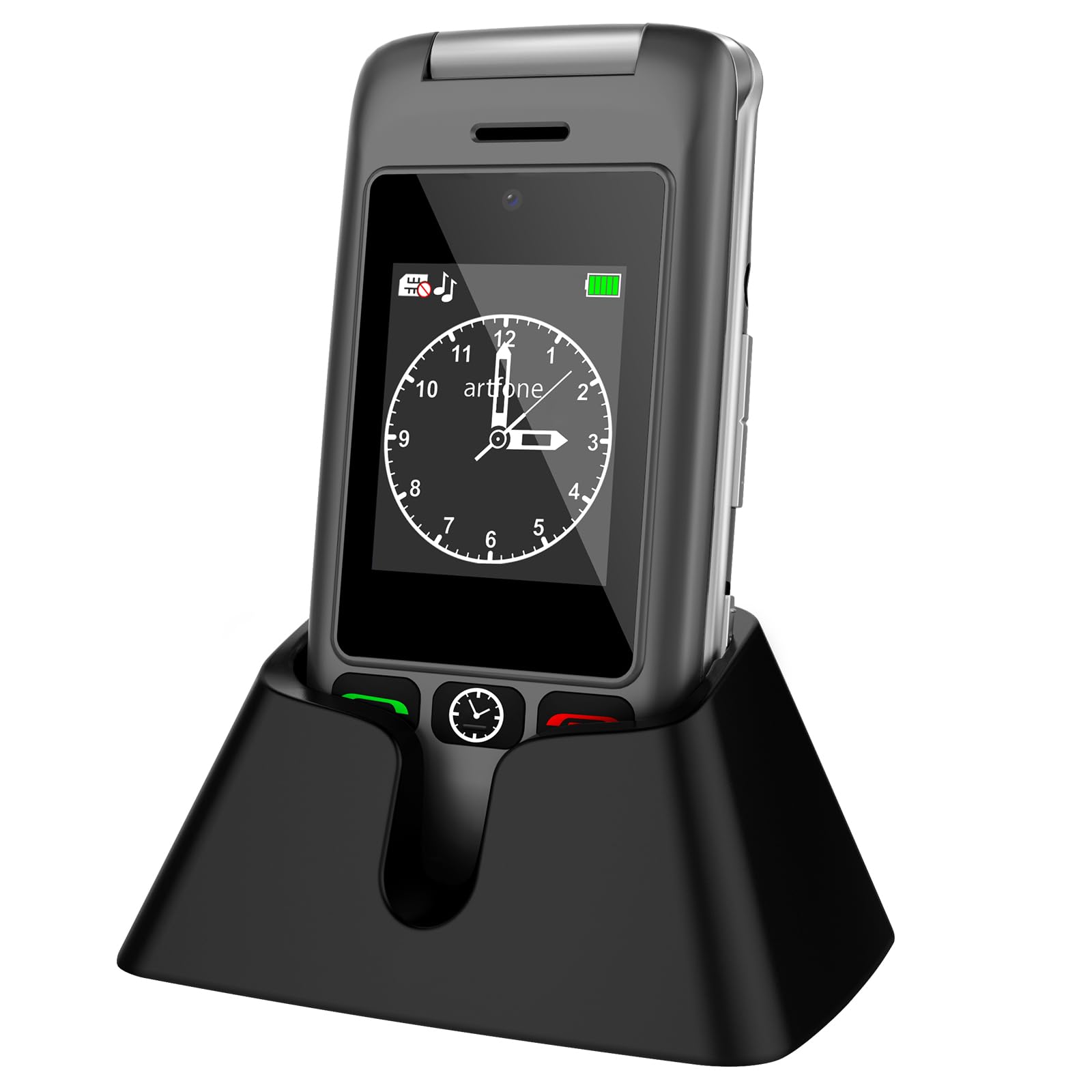
Image: artfone G6 Flip Phone in Gray, shown both open and in its charging dock.

Image: artfone G6 Flip Phone opened, displaying the large, easy-to-read keypad.

Image: artfone G6 Flip Phone illustrating its dual display feature, showing both the internal and external screens.
4. Setup
4.1 Installing the SIM Card and Battery
- Carefully open the back cover of the phone.
- Insert the Nano SIM card into the designated slot, ensuring the gold contacts face downwards and the notched corner aligns correctly.
- Place the battery into its compartment, aligning the contacts.
- Replace the back cover until it clicks securely into place.
Video: Instructions on how to insert the SIM card and battery into a flip phone. This video demonstrates the process clearly.
4.2 Powering On/Off
- To power on, press and hold the red 'End Call' button until the screen lights up.
- To power off, press and hold the red 'End Call' button until the power-off options appear, then select 'Power off'.
4.3 Language Selection
Upon first use or after a factory reset, you may need to select your preferred language. Navigate through the menu using the directional keys and confirm your selection (English, German, French, Italian, Spanish are supported).
5. Basic Operation
5.1 Making and Receiving Calls
- To make a call: Dial the number using the keypad and press the green 'Call' button.
- To receive a call: Press the green 'Call' button when the phone rings.
- To end a call: Press the red 'End Call' button.
5.2 SOS Emergency Function
The SOS button allows you to quickly contact pre-set emergency numbers. To set up:
- Go to 'Settings' > 'SOS Settings'.
- Add up to 5 emergency contact numbers.
- When activated, the phone will loudly alert and dial these numbers one by one until a connection is made.

Image: artfone G6 Flip Phone showing the dedicated SOS emergency button on the back of the device.
5.3 Flashlight
To activate the powerful LED flashlight, press and hold the dedicated flashlight button on the side of the phone. Release to turn it off.
5.4 FM Radio
The phone includes an FM radio function. Access it through the main menu. Headphones may be required for optimal reception.
6. Specifications
| Feature | Detail |
|---|---|
| Brand | artfone |
| Model Name | G6 |
| Operating System | Nucleus OS |
| RAM | 4 GB |
| Storage Capacity | 32 GB (expandable up to 64 GB with MicroSD) |
| Screen Size | 2.4 Inches (internal) |
| Resolution | 240 x 320 |
| Cellular Technology | 4G, LTE |
| SIM Card Type | Nano SIM (Single Slot) |
| Connectivity | Bluetooth |
| Battery Capacity | 1000 mAh Lithium-ion |
| Talk Time | Up to 5 Hours |
| Standby Time | Up to 24 Hours |
| Rear Camera Resolution | 2 Megapixels |
| Headphone Jack | 3.5 mm |
| Charging Port | USB-C |
| Weight | 100 Grams |
7. Troubleshooting
If you encounter any issues with your artfone G6, please try the following common solutions:
- Phone not turning on: Ensure the battery is correctly inserted and charged. Connect the phone to the charger for at least 30 minutes.
- No network signal: Check if the SIM card is properly inserted. Ensure you are in an area with network coverage. Contact your service provider if the issue persists.
- Poor call quality: Ensure the volume is adjusted correctly. Move to an area with better signal strength.
- Battery draining quickly: Reduce screen brightness, close unused applications, or limit background data usage. Ensure the phone is not exposed to extreme temperatures.
- Buttons unresponsive: Restart the phone. If the issue continues, contact customer support.
8. Warranty and Support
Your artfone G6 comes with a 2-year warranty from the date of purchase. This warranty covers manufacturing defects under normal use. It does not cover damage caused by misuse, accidents, unauthorized repairs, or normal wear and tear.
For technical support, warranty claims, or further assistance, please contact artfone customer service through the retailer where you purchased the device or visit the official artfone website for contact information.


