
OPT7 FBA-SIDEKICK-RIGID-SEQUENTIAL-60
OPT7 Sidekick 60" Aluminum LED Running Board Strobe Lights
Model: FBA-SIDEKICK-RIGID-SEQUENTIAL-60
Brand: OPT7
Introduction
This manual provides detailed instructions for the installation, operation, and maintenance of your OPT7 Sidekick 60" Aluminum LED Running Board Strobe Lights. Please read this manual thoroughly before installation and use to ensure proper function and safety.
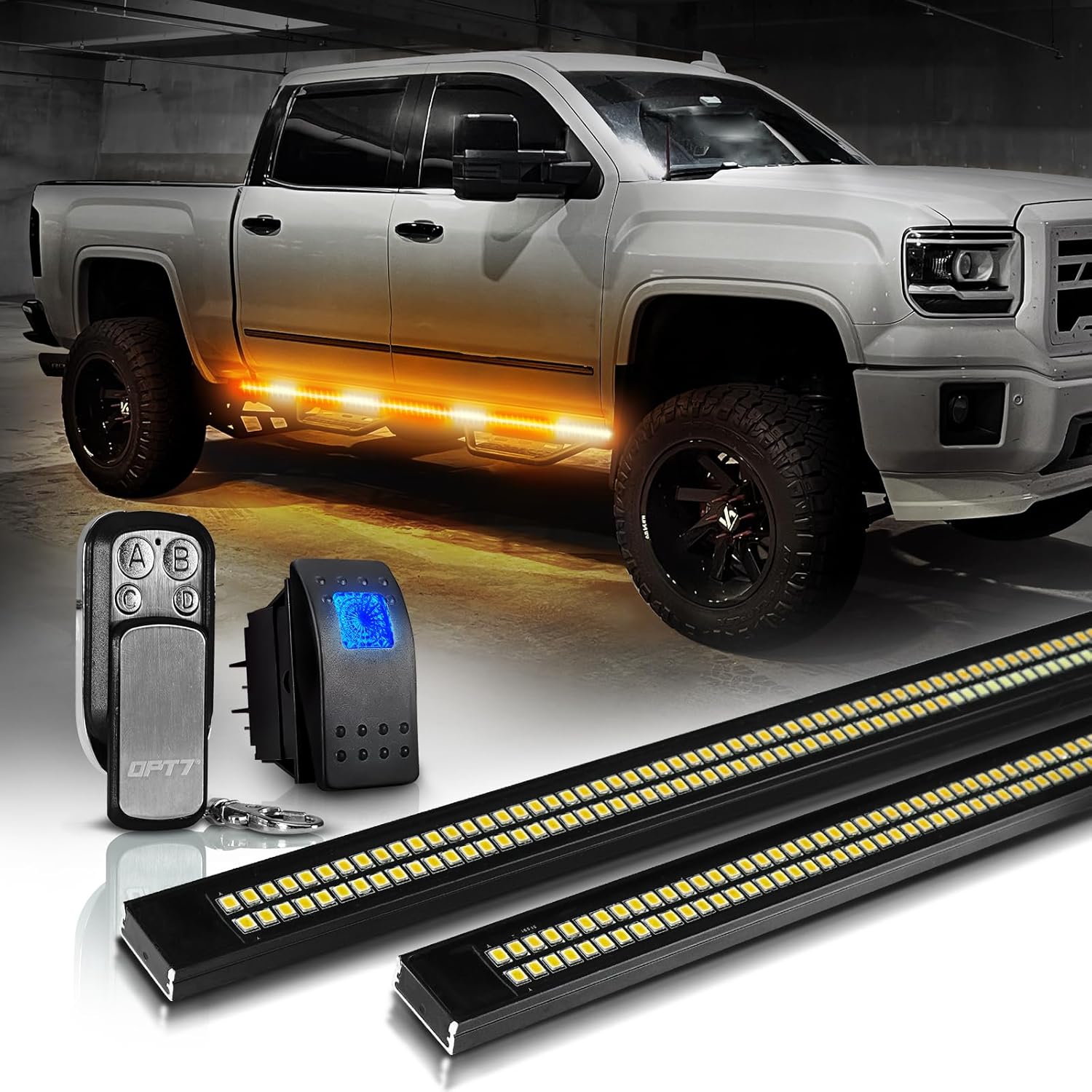
Image: OPT7 Sidekick LED Running Board Lights installed on a truck, showcasing the amber illumination along the running boards.
What's in the Box
Verify that all components are present before beginning installation:
- 2 x Running board light bars with warning modes
- 1 x 4-Button Keychain Remote
- 1 x Switch
- 1 x Control Box
- 6 x New and Improved Bracket Mounts
- 4 x Scotchloks
- 10 x Zip-ties

Image: A visual representation of all items included in the OPT7 Sidekick LED Running Board Lights package, such as the light bars, control box, remote, switch, and various installation accessories.
Safety Information
- Always disconnect the vehicle's battery before performing any electrical work.
- Ensure all wiring connections are secure and properly insulated to prevent short circuits.
- Mount the light bars securely to avoid detachment during vehicle operation.
- Consult a professional if you are unsure about any part of the installation process.
- Adhere to all local and federal regulations regarding vehicle lighting.
Setup and Installation
The OPT7 Sidekick LED Running Board Lights are designed for universal fitment on various trucks. The installation process involves mounting the light bars and connecting them to the vehicle's electrical system.
1. Mounting the Light Bars
- Identify suitable mounting locations along the running boards or undercarriage of your vehicle. Ensure the surface is clean and dry.
- Use the provided bracket mounts to secure the light bars. Position them to ensure optimal visibility and light distribution.
- Utilize the included zip-ties to manage and secure any excess wiring, keeping it away from moving parts and heat sources.

Image: Detail of the robust aluminum alloy construction of the OPT7 Sidekick light bar, emphasizing its durability.
2. Wiring Connections
Refer to the wiring diagram below for proper electrical connections. The kit includes 9.8 ft of wiring and Scotchloks for splicing.

Image: A clear wiring diagram illustrating how to connect the OPT7 Sidekick LED Running Board Lights to the vehicle's electrical system, including parking lights, turn signals, ground, and battery power.
- 12V (+) Parking Light: Connect to your vehicle's parking light circuit.
- 12V (+) Turn Signal (Amber): Connect to your vehicle's amber turn signal circuits (left and right).
- LED Light Bar #1 & #2: Connect the two light bars to the control box.
- Ground (-): Connect to a reliable chassis ground point on the vehicle.
- Battery 12V (+): Connect directly to the vehicle's 12V battery positive terminal.
The included rocker switch can be installed in the vehicle's cabin for convenient control of the light functions.

Image: An illuminated rocker switch integrated into a vehicle's interior, indicating its function for controlling the lights.
Operating Instructions
The OPT7 Sidekick lights offer multiple functions controlled via the included 4-button keychain remote and integration with your vehicle's signals.
Light Functions:
- Running Light: Provides a continuous amber illumination along the running boards when activated.
- Sequential Turn Signal: Synchronizes with your vehicle's turn signals, providing a sequential amber light pattern to indicate turns.
- Warning Modes: Offers various strobe and flashing patterns for emergency or warning situations.

Image: Visual representation of the three primary functions: running light, sequential turn signal, and warning modes, as displayed on a truck's running boards.
Remote Control Operation:
Use the 4-button keychain remote to select and adjust the warning modes.

Image: The 4-button keychain remote control, detailing its capabilities to select from 5 distinct strobe/flash modes and adjust between 3 speed options for the warning lights.
- Warning Modes: Select from up to 5 distinct warning modes (strobe/flash patterns).
- Speed Adjustment: Adjust the speed of the selected warning mode (High, Medium, Low).
Maintenance
The OPT7 Sidekick LED Running Board Lights are designed for durability and are weatherproof (IP67 rated). Regular maintenance is minimal but recommended to ensure longevity and optimal performance.

Image: A truck traversing water, highlighting the IP67 waterproof capability of the OPT7 Sidekick LED lights.
- Cleaning: Periodically clean the light bar surfaces with a soft cloth and mild soap to remove dirt and debris. Avoid abrasive cleaners.
- Connection Check: Annually inspect all wiring connections for corrosion or looseness. Ensure all mounting hardware remains secure.
- Damage Inspection: Check for any physical damage to the light bars or wiring, especially after off-road use or severe weather conditions.
Troubleshooting
| Problem | Possible Cause | Solution |
|---|---|---|
| Lights do not turn on. | No power, loose connection, blown fuse, faulty control box. | Check battery connection, inspect all wiring for secure fit, check vehicle's fuse box, test control box. |
| Remote control not working. | Dead remote battery, remote out of range, interference. | Replace remote battery, ensure remote is within operating range, try operating closer to the control box. |
| Only one light bar is working. | Loose connection to the non-working light bar, faulty light bar. | Check the connection between the control box and the non-working light bar. If connections are secure, the light bar may be faulty. |
| Sequential turn signal not functioning correctly. | Incorrect wiring to turn signal circuit. | Verify the turn signal wiring connections according to the diagram. |
Specifications
- Model: FBA-SIDEKICK-RIGID-SEQUENTIAL-60
- Item Dimensions (L x W x H): 60 x 2 x 2 inches
- Item Weight: 2.86 Pounds
- Material: Aluminum
- Color: Yellow (Amber)
- Form Factor: Bar
- Recommended Uses: Vehicle Exterior
- Auto Part Position: Outside
- Special Features: 5 warning modes, Aluminum casing, H/M/L speed adjust in warning mode, Parking light, Sequential turn signal light
- Water Resistance Level: IP67 Waterproof
- Remote Control Included: Yes (4-Button Keychain Remote)
- Number of Pieces: 2
- Automotive Fit Type: Universal Fit
- Wattage: 12 watts
Warranty and Support
OPT7 provides a one-year warranty for this product. This warranty covers manufacturing defects and ensures the product functions as intended under normal use.
For technical support, warranty claims, or any questions regarding your OPT7 Sidekick LED Running Board Strobe Lights, please contact OPT7 customer service. Refer to the official OPT7 website for the most current contact information.
Lifetime technical support is available to assist with any product-related inquiries.
Related documentsFBA-SIDEKICK-RIGID-SEQUENTIAL-60


Ask a question about this manual
Ask about setup, troubleshooting, compatibility, parts, safety, or missing instructions. Manuals+ will review the question and use this page’s manual context to help answer it.