Product Overview
The ProCase Smart Cover is designed to provide protection and enhanced functionality for your compatible iPad model. It features a slim, lightweight design, a translucent hard back shell, and supports auto Sleep/Wake functions. The cover can also be folded to create multiple viewing and typing angles.

Image: The ProCase Smart Cover in Darkblue, showcasing its design with an iPad. The image displays both the open cover with the iPad inserted and the closed cover from the back, highlighting its slim profile and translucent back shell.
Compatibility
This ProCase Smart Cover is specifically designed for the following iPad models:
- iPad (A16) 11th Generation 11-inch 2025 Release (Models: A3354, A3355, A3356)
- iPad 10th Generation 10.9-inch 2022 Release (Models: A2696, A2757, A2777)
Please verify your iPad model number on the back of your device before installation to ensure compatibility.

Image: A visual guide illustrating the specific iPad models compatible with this case, including the iPad (A16) 11th Gen and iPad 10th Gen, and explicitly showing models that are not compatible.
Setup and Installation
- Prepare your iPad: Ensure your iPad is clean and free of dust or debris.
- Align the iPad: Gently align your iPad with the hard back shell of the ProCase cover. Ensure the camera cutout and port openings match.
- Snap into place: Press firmly but gently around the edges of the iPad until it securely snaps into the hard back shell. You should hear a slight click as it locks into place.
- Verify fit: Check that all corners and edges of the iPad are fully enclosed by the case and that all ports and buttons are accessible.
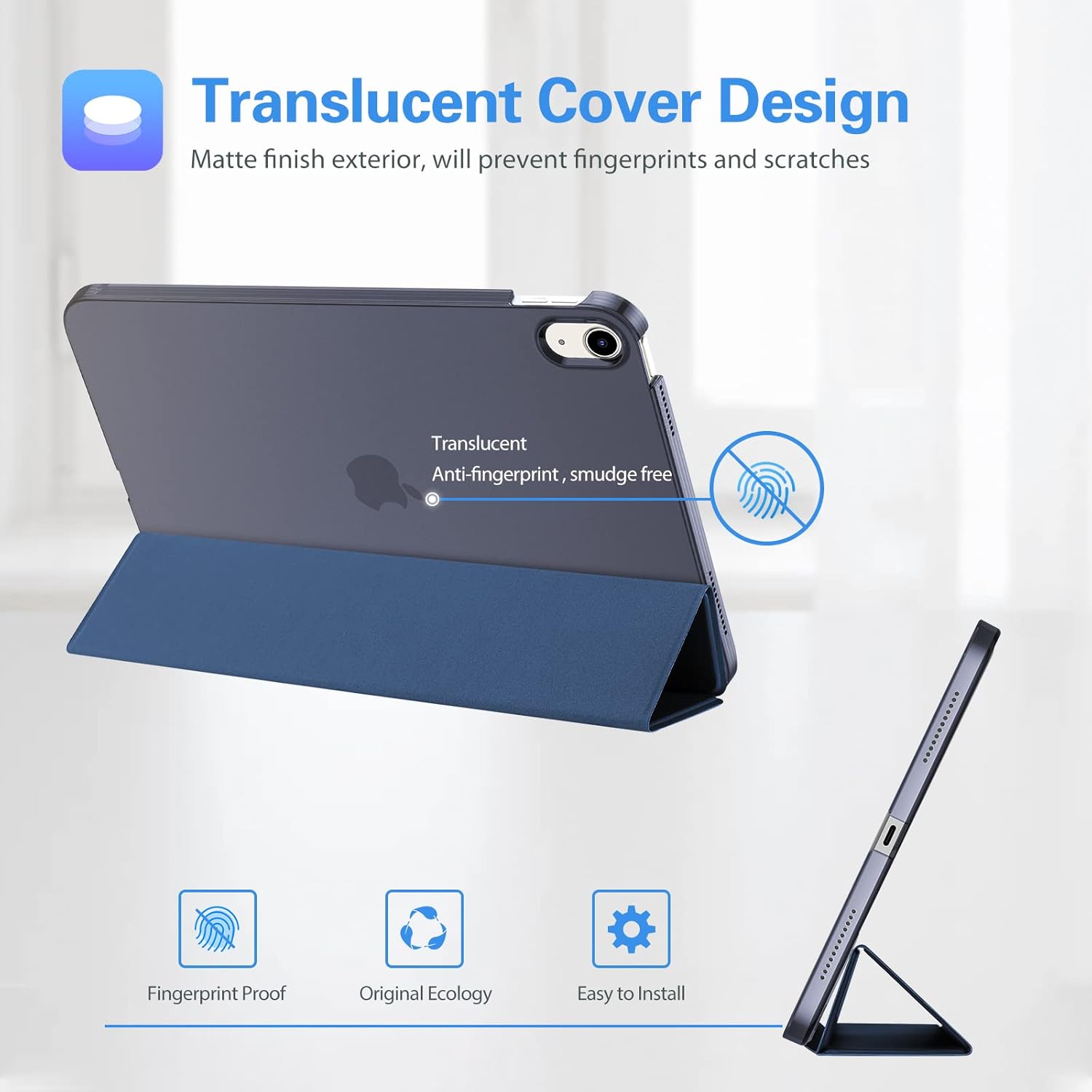
Image: A close-up of the translucent back cover, emphasizing its matte finish which helps prevent fingerprints and scratches. Icons indicate features like fingerprint proofing, original ecology, and easy installation.
Operating Instructions
Auto Sleep/Wake Function
The ProCase Smart Cover supports the auto Sleep/Wake feature. Simply open the cover to wake your iPad, and close it to put your iPad to sleep. This helps conserve battery life.
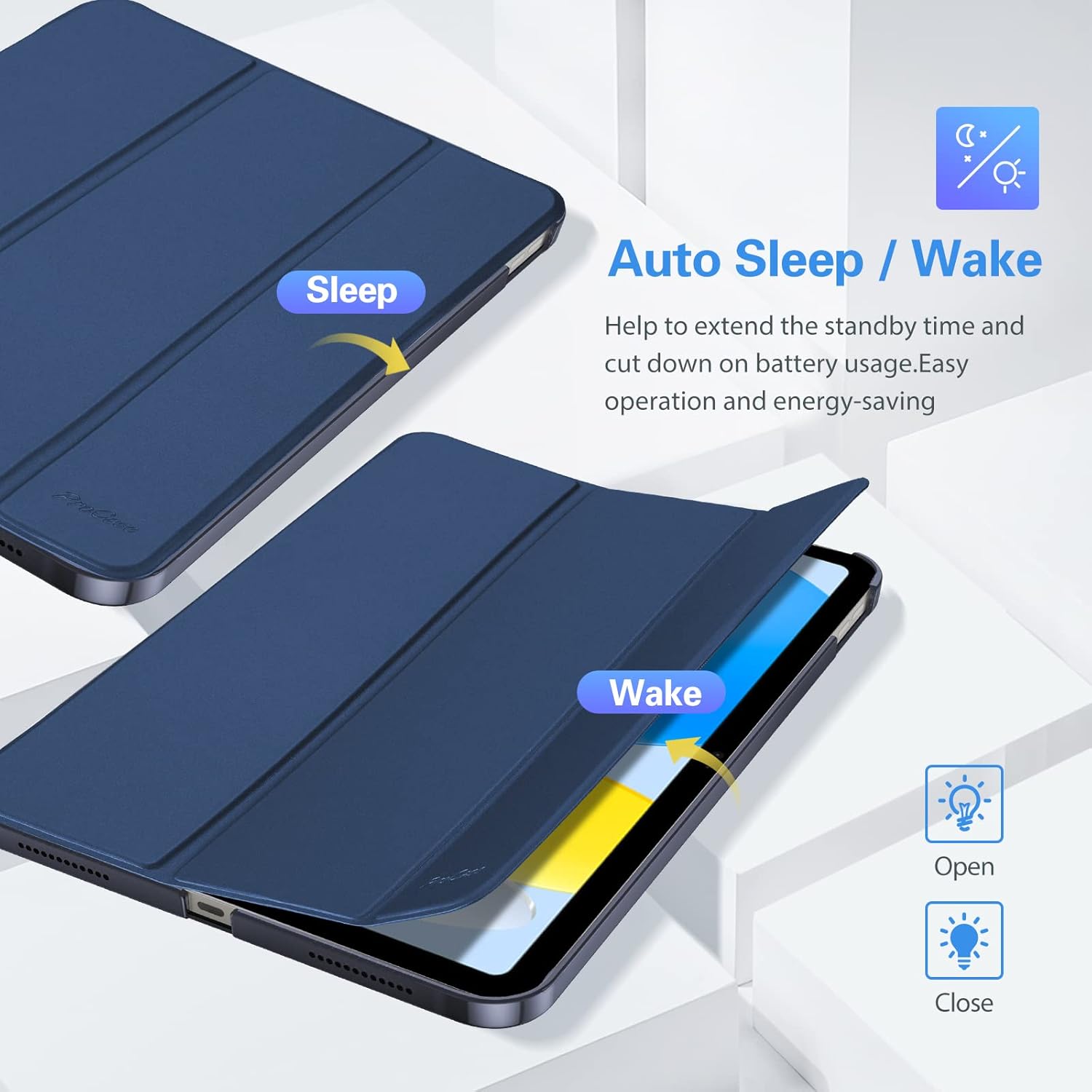
Image: A visual representation of the auto Sleep/Wake function, showing the iPad screen turning on when the cover is opened and turning off when closed, indicating energy saving.
Folding Stand Functionality
The tri-fold front cover allows for versatile positioning of your iPad:
- Viewing Angle (65°): Fold the cover into a triangular stand for comfortable video watching, FaceTime calls, or browsing.
- Typing Angle (30°): Fold the cover into a lower angle for ergonomic typing or drawing.

Image: Two iPads in the ProCase Smart Cover, demonstrating the two stable stand positions: a 65-degree viewing angle for media consumption and a 30-degree typing angle for comfortable input.
Magnetic Closing Clasp
The integrated magnet secures the case closure, keeping the cover firmly shut when not in use and preventing accidental openings.
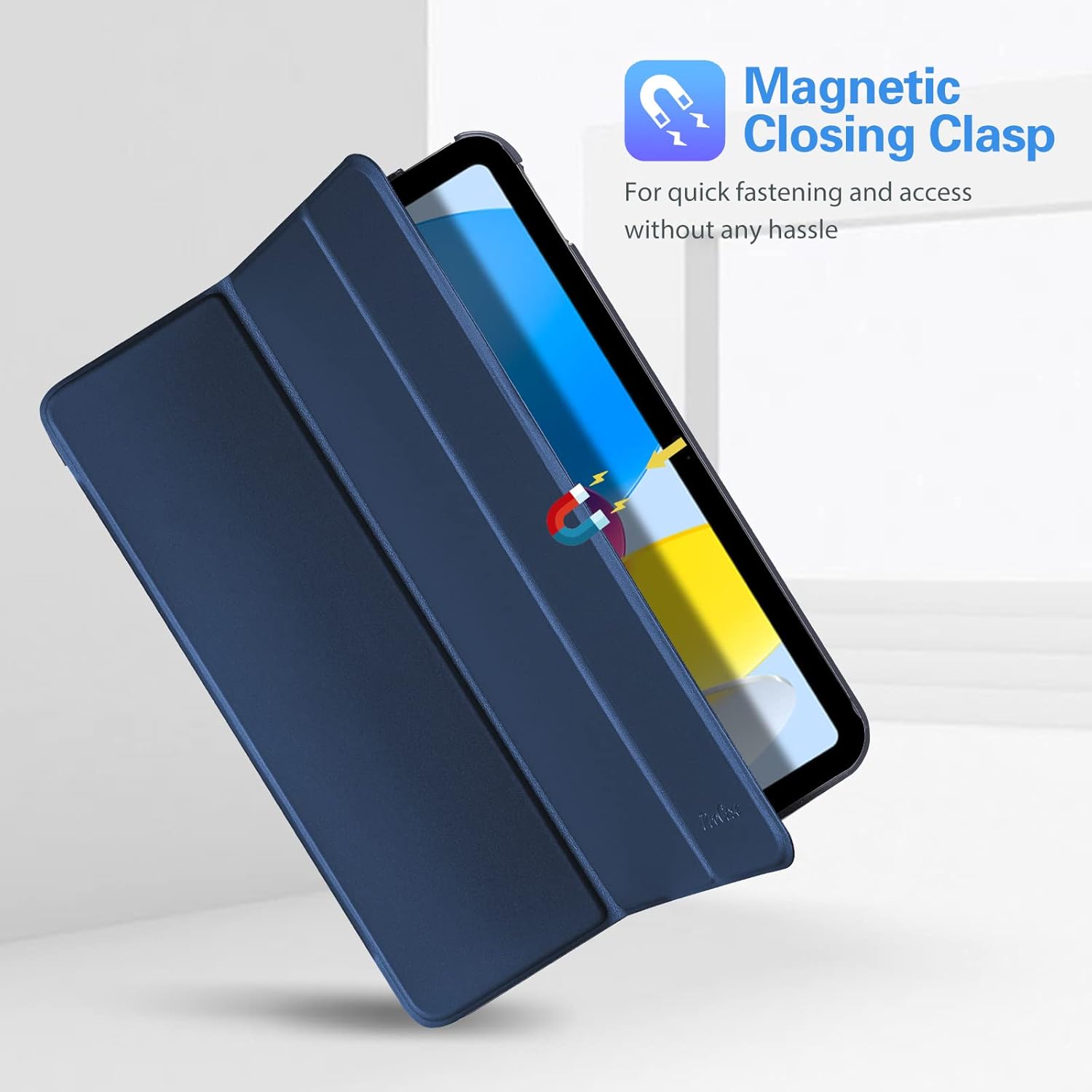
Image: A visual representation of the magnetic closing clasp, showing how the cover securely fastens to the iPad, ensuring quick and hassle-free access.
Precise Cutouts
The case features precise cutouts for all ports, buttons, speakers, and the camera, ensuring full access to all iPad features without needing to remove the case. It supports USB-C Pencil charging but does not support Smart Keyboard or 2nd generation Apple Pencil magnetic attachment/charging.

Image: Detailed views of the ProCase Smart Cover, showcasing precise cutouts for the camera, speakers, and charging port, ensuring full accessibility to all iPad features.
Maintenance and Care
To ensure the longevity and appearance of your ProCase Smart Cover, follow these care instructions:
- Cleaning: Wipe the exterior with a soft, damp cloth. For the translucent back, use a microfiber cloth to avoid scratches. Avoid harsh chemicals or abrasive cleaners.
- Storage: Store the case in a cool, dry place away from direct sunlight and extreme temperatures when not in use.
- Handling: While the case offers protection, avoid dropping your iPad from significant heights or exposing it to excessive force.
Troubleshooting
- Case not fitting correctly: Double-check your iPad model number against the compatibility section. Ensure the iPad is properly aligned and snapped into all corners of the case.
- Auto Sleep/Wake not working: Ensure the iPad's "Lock/Unlock" setting is enabled. Go to Settings > Display & Brightness > Lock/Unlock and toggle it on. If it's already on, try removing and re-inserting the iPad into the case.
- Difficulty with buttons/ports: Verify that the iPad is fully seated in the case and that the cutouts are perfectly aligned.
Specifications
| Attribute | Detail |
|---|---|
| Brand | ProCase |
| Model Number | PC-08363700 |
| Compatible Devices | iPad (A16) 11th Generation 11-inch 2025 Release (Models: A3354, A3355, A3356), iPad 10th Generation 10.9-inch 2022 Release (Models: A2696, A2757, A2777) |
| Product Dimensions | 11.22 x 6.1 x 0.47 inches |
| Item Weight | 7.8 ounces |
| Color | Darkblue |
| Special Features | Slim Fit, Hard Back, Translucent Frosted Back, Auto Sleep/Wake, Foldable Stand |
| Shell Type | Hard |
Official Product Videos
Watch these official videos from the seller for more details on the ProCase Smart Cover:
Video: "Procase iPad 10th Generation Case 10.9 inch 2022" - This video provides an overview of the case, demonstrating its features and fit for the iPad 10th Generation.
Video: "ProCase for iPad 10th Generation Case 2022 10.9 inch" - This video highlights the design and functionality of the ProCase for the iPad 10th Generation, showcasing its protective and user-friendly aspects.
Warranty and Support
For warranty information or technical support regarding your ProCase Smart Cover, please refer to the contact information provided with your product packaging or visit the official ProCase website. You can also visit the ProCase Store on Amazon for additional product information and customer service options.


