
1. Safety Information
Please read all instructions carefully before assembly and use. Retain this manual for future reference.
- Ensure not to exceed the maximum weight capacity of 300 lbs. Overloading can cause damage or injury.
- Adjust the chair according to the user's height and follow the assembly instructions precisely for safe use.
- Keep children away from the assembly area. Small parts may pose a choking hazard.
- Regularly check all bolts and screws to ensure they are tightened. Re-tighten if necessary.
- Do not stand on the chair.
- Use the chair only for its intended purpose as an office or desk chair.

Image: SGS BIFMA certified gas lift, indicating compliance with safety and durability standards.
2. Package Contents
Verify that all components are present before beginning assembly. If any parts are missing or damaged, please contact customer support.
- Backrest Assembly (1)
- Seat Cushion (1)
- Headrest (1)
- Armrests (2)
- Gas Lift Cylinder (1)
- Star Base (1)
- Casters (5)
- Mechanism Plate (1)
- Hardware Kit (Screws, Washers, Allen Wrench) (1)
- User Manual (1)
3. Assembly Instructions
Assembly typically takes 10-15 minutes. Follow these steps carefully.
- Attach Casters to Base: Insert the five casters into the holes at the end of each leg of the star base until they click securely into place.
- Insert Gas Lift: Place the gas lift cylinder into the center hole of the star base.
- Attach Mechanism Plate to Seat: Align the mechanism plate with the pre-drilled holes on the underside of the seat cushion. Ensure the lever is on the right side when facing the front of the seat. Secure with screws from the hardware kit using the provided Allen wrench.

Image: Underside view of the chair's mechanism plate, which attaches to the seat and controls adjustments.
- Attach Armrests to Seat: Secure the armrests to the sides of the seat cushion using the designated screws. Ensure they are firmly attached.
- Attach Backrest to Seat: Align the backrest with the mounting points on the seat cushion and armrests. Secure with screws.
- Attach Headrest: Insert the headrest into the top of the backrest until it is securely in place.
- Connect Seat to Gas Lift: Carefully place the assembled seat and backrest onto the gas lift cylinder, ensuring it is centered and fully seated.

Image: Front and back view of the fully assembled Flysky Ergonomic Office Desk Chair.
4. Operating Instructions
The Flysky Ergonomic Office Desk Chair offers multiple adjustments for personalized comfort.
4.1 Adjusting Chair Height
- To raise the seat: While standing, pull the lever located under the right side of the seat upwards. The seat will rise. Release the lever at the desired height.
- To lower the seat: While seated, pull the lever located under the right side of the seat upwards. The seat will lower. Release the lever at the desired height.

Image: Close-up of the height adjustment lever located beneath the seat.
4.2 Adjusting Recline and Tilt Tension
- Recline Function (90°-120°): Push the same lever used for height adjustment inwards to lock the backrest in an upright position (90° work mode). Pull the lever outwards to unlock the recline function, allowing the backrest to tilt back (up to 120° rest/sleep mode).
- Tilt Tension: Rotate the round knob located under the front-center of the seat. Turn clockwise to increase tilt tension (making it harder to recline) or counter-clockwise to decrease tension (making it easier to recline).

Image: Diagram illustrating the tilt and rocking function, showing the height lock lever and tilt tension knob.
4.3 Adjusting Headrest
- Height Adjustment: Gently pull the headrest up or push it down to adjust its vertical position (up to 3.2 inches).
- Angle Adjustment: Rotate the headrest forward or backward (up to 90°) to find the optimal angle for neck support.
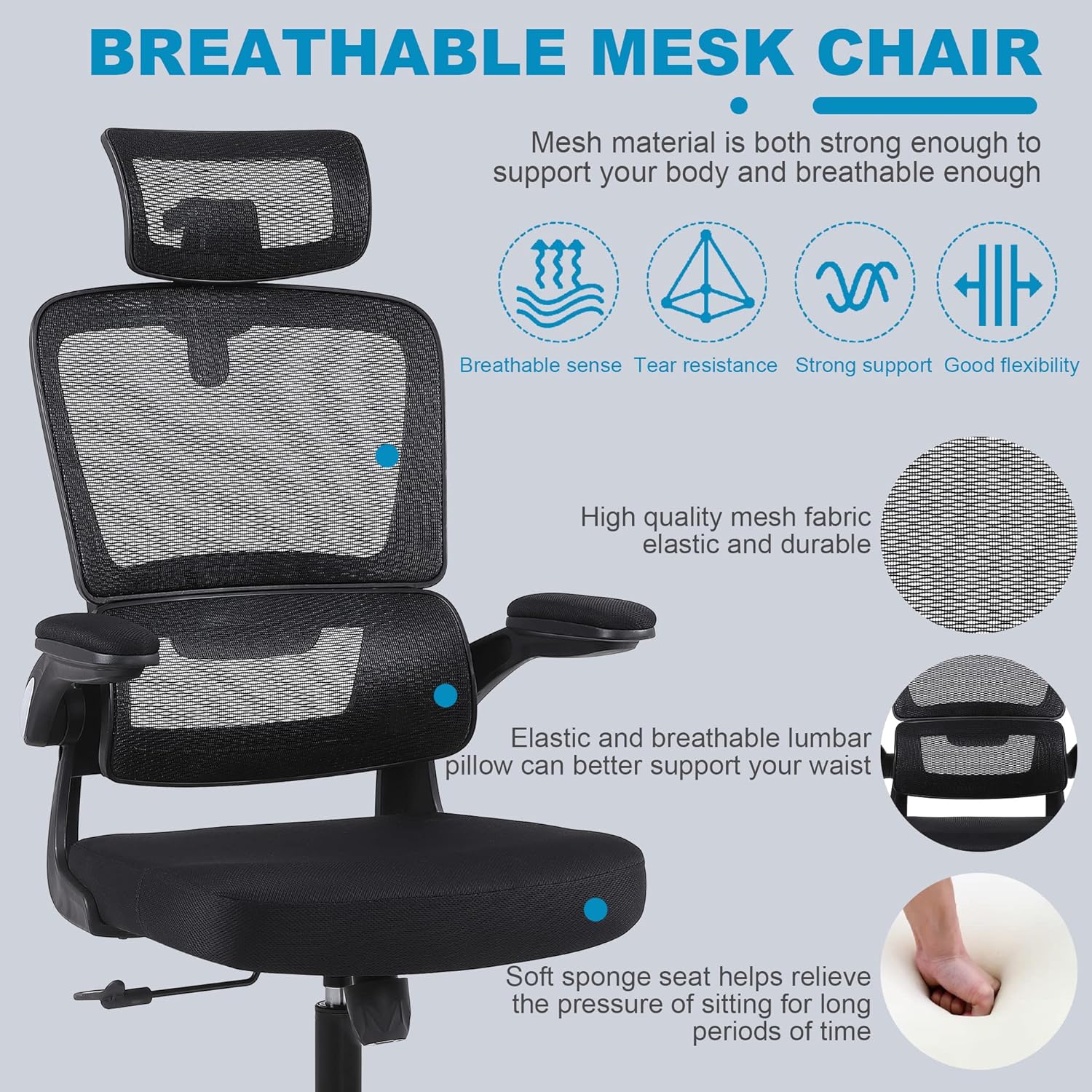
Image: Detailed view of the adjustable headrest, showing lift, down, forward, backward, and rotation capabilities.
4.4 Adjusting Lumbar Support
- The chair features a 3D self-adaptive elastic lumbar pillow designed to conform to your lower back. No manual adjustment is typically required for its position, as it flexes with your posture.

Image: Overview of ergonomic design, highlighting headrest, back support, lumbar support, and hip support.
4.5 Using Flip-Up Armrests
- To flip up the armrests: Gently lift the armrests upwards until they lock into a vertical position. This allows the chair to be pushed closer to a desk or stored more compactly.
- To lower the armrests: Pull the armrests downwards until they return to their horizontal position.

Image: Illustration of the flip-up armrest feature, showing the armrest in both down and up positions.
5. Maintenance
Proper maintenance will extend the life and appearance of your chair.
- Cleaning: Wipe clean with a damp cloth. For mesh areas, use a soft brush or vacuum cleaner to remove dust and debris. Avoid harsh chemicals or abrasive cleaners.
- Inspection: Periodically check all screws and bolts for tightness. Re-tighten as needed to prevent loosening and ensure stability.
- Caster Care: Keep casters free of hair and debris to ensure smooth rolling.

Image: Close-up of the breathable mesh fabric used for the chair's backrest and headrest.
6. Troubleshooting
Refer to this section for common issues and their solutions.
| Issue | Possible Cause | Solution |
|---|---|---|
| Chair wobbles or feels unstable | Loose screws or uneven assembly. | Check and tighten all screws, especially those connecting the seat, backrest, and mechanism plate. Ensure casters are fully inserted. |
| Chair does not adjust height | Gas lift lever not engaged correctly or gas lift cylinder malfunction. | Ensure the lever is fully pulled up. If the issue persists, the gas lift cylinder may need replacement. Contact customer support. |
| Casters do not roll smoothly | Debris caught in casters or damaged casters. | Remove any hair or debris from the caster wheels. If damaged, casters can be replaced. |
| Backrest does not recline or lock | Recline lever not engaged or tilt tension too high. | Pull the recline lever outwards to unlock. Adjust the tilt tension knob counter-clockwise to reduce tension. |
7. Specifications
Key technical specifications for the Flysky Ergonomic Office Desk Chair Model S5016.
| Feature | Detail |
|---|---|
| Model Name | S5016 |
| Brand | Flysky |
| Color | Mesh Black |
| Product Dimensions (D x W x H) | 28"D x 22"W x 42"H (Adjustable height) |
| Maximum Weight Recommendation | 300 Pounds |
| Item Weight | 20 pounds |
| Back Style | Mesh Back |
| Special Features | Adjustable Height, Arm Rest (Flip-Up), Ergonomic, Head Support, Rolling, Lumbar Support |
| Reclining Position Count | >=2 (90°-120°) |
| Fill Material | Mesh |
| Furniture Base Movement | Swivel |

Image: Diagram showing the key dimensions of the Flysky Ergonomic Office Desk Chair.

Image: Illustration of the chair's sturdy base, highlighting its 300 lbs weight capacity.
8. Warranty and Support
For warranty information, technical support, or to inquire about replacement parts, please contact Flysky customer service. Refer to the contact information provided with your purchase or visit the official Flysky website.
We are committed to assisting you with any questions or concerns regarding your product.


