1. Introduction
Thank you for choosing the RORRY D2 Portable Charger. This compact and versatile power bank is designed to keep your devices charged on the go. It features a 5000mAh battery, built-in Lightning and Type-C cables, and a dedicated wireless charging pad for Apple Watch. This manual provides essential information for safe and efficient use of your device.

Image 1.1: RORRY D2 Portable Charger with Apple Watch charging.
2. Product Overview
The RORRY D2 portable charger integrates multiple charging solutions into a single, compact unit.
Components:
- Apple Watch Wireless Charging Pad: For convenient wireless charging of your Apple Watch.
- Built-in Lightning Cable: For Apple iPhone, iPad, and AirPods.
- Built-in Type-C Cable: For Android devices, Nintendo Switch, and other Type-C compatible devices.
- USB-C Input/Output Port: Used for recharging the power bank and can also serve as an additional output for charging other devices.
- LED Indicator Lights: Four lights indicate the remaining battery capacity.
- Power Button: Activates the power bank and checks battery status.
- Carabiner: For easy attachment to bags or keys, enhancing portability.

Image 2.1: Internal components and features of the RORRY D2.

Image 2.2: Detailed view of the built-in cables and ports.
3. Charging the Power Bank
To ensure your RORRY D2 is ready for use, recharge it via the USB-C input port.
- Connect a compatible USB-C charging cable (not included) to the USB-C input/output port on the side of the power bank.
- Connect the other end of the cable to a USB power adapter (e.g., wall charger, computer USB port).
- The LED indicator lights will illuminate to show the charging progress. All four lights will be solid when fully charged.
Pass-Through Charging:
The RORRY D2 supports pass-through charging, allowing you to charge the power bank itself while simultaneously charging your devices. Simply connect the power bank to a power source and then connect your devices to the power bank.

Image 3.1: Pass-through charging in action.
4. Charging Your Devices
The RORRY D2 offers multiple ways to charge your electronic devices.
4.1. Apple Watch Wireless Charging
- Press the power button on the RORRY D2 to activate it.
- Place your Apple Watch directly onto the wireless charging pad on the top surface of the power bank.
- Ensure the Apple Watch is centered on the pad for optimal charging. The watch display will indicate charging status.

Image 4.1: Apple Watch charging wirelessly.
4.2. Using Built-in Cables
- Gently pull out the desired built-in cable (Lightning or Type-C) from its storage slot.
- Connect the cable to your compatible device.
- The power bank will automatically begin charging your device. If not, press the power button.
4.3. Simultaneous Charging
The RORRY D2 can charge up to four devices simultaneously:
- One Apple Watch via the wireless charging pad.
- One device via the built-in Lightning cable.
- One device via the built-in Type-C cable.
- One additional device via the USB-C input/output port (used as an output).

Image 4.2: Charging multiple devices simultaneously.
5. LED Indicator Lights
The RORRY D2 features four LED lights that indicate the remaining battery capacity:
- 4 Lights: 75% - 100% capacity
- 3 Lights: 50% - 75% capacity
- 2 Lights: 25% - 50% capacity
- 1 Light: 0% - 25% capacity
When charging the power bank, the lights will blink to indicate charging status and become solid when fully charged.
6. Safety Features
The RORRY D2 is equipped with multiple safety protections to ensure safe charging for both the power bank and your devices. It is PSE certified, meeting Japanese domestic safety standards.
- Overcharge Protection: Prevents the battery from being overcharged.
- Over-discharge Protection: Protects the battery from being fully depleted.
- High Temperature Protection: Monitors and regulates the device's temperature during operation.
- Over-voltage Protection: Safeguards against excessive voltage input.
- Short Circuit Protection: Automatically shuts off power in case of a short circuit.

Image 6.1: Safety protection icons.
7. Portability and Design
Designed for convenience, the RORRY D2 is lightweight and compact, making it an ideal travel companion.
- Compact Size: Measuring approximately 9.8 x 7.2 x 1.7 cm, it fits easily in a pouch or pocket.
- Lightweight: Weighing approximately 126g, it is lighter than many smartphones.
- Integrated Carabiner: Allows you to attach the power bank to your bag, backpack, or keys for easy access and to prevent loss.

Image 7.1: RORRY D2 attached to a bag.
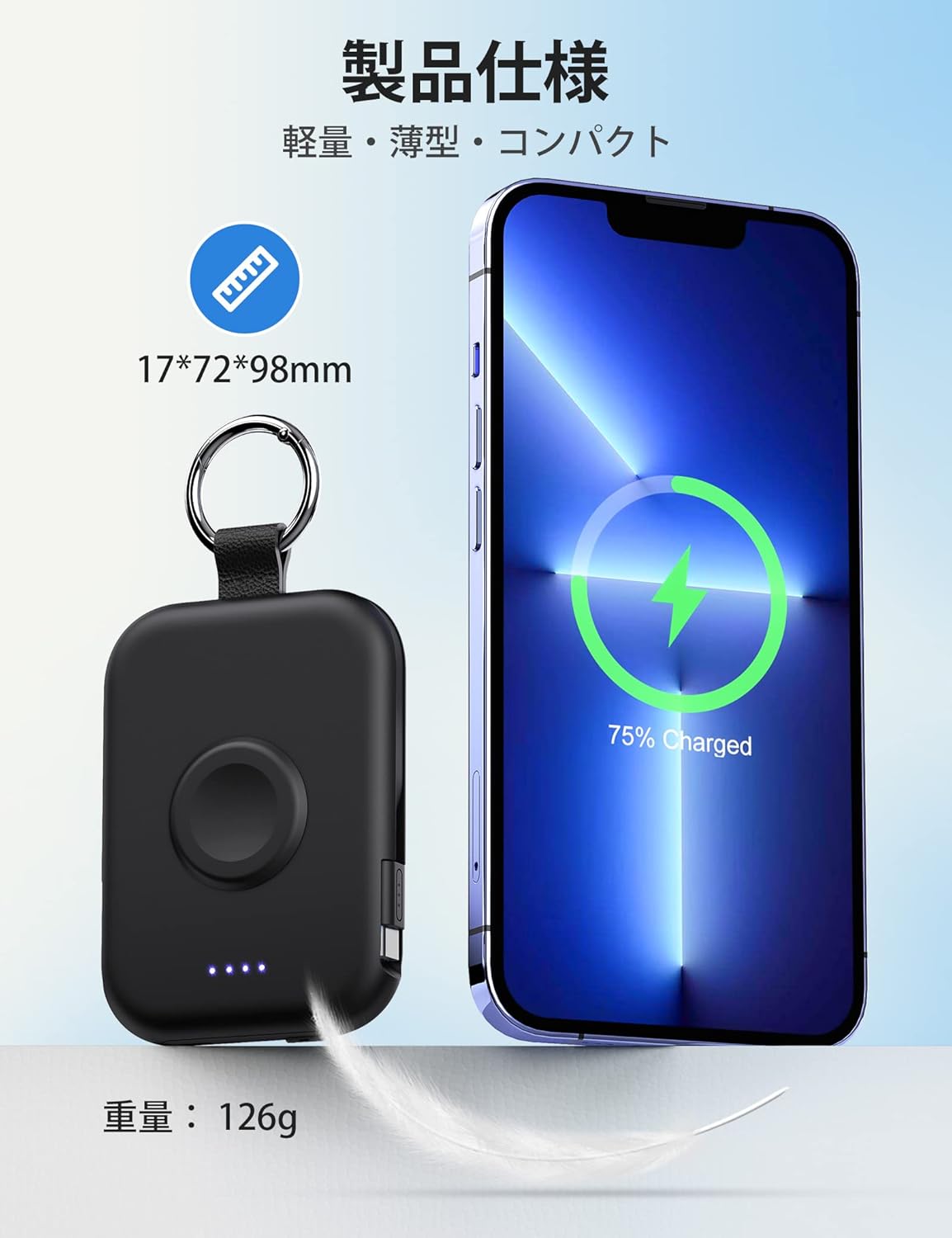
Image 7.2: Size and weight comparison.
8. Specifications
| Feature | Description |
|---|---|
| Model Number | D2 |
| Battery Capacity | 5000mAh |
| Dimensions | 9.8 x 7.2 x 1.7 cm |
| Weight | Approximately 126g |
| Built-in Cables | Lightning, Type-C |
| Wireless Charging | For Apple Watch (up to 3.5W Max) |
| Input/Output Port | USB-C |
| Compatibility | Apple Watch Ultra3/2/Ultra/11/10/9/8/7/6/SE/5/4/3 (all series), iPhone/iPad/AirPods (all series), Android, Nintendo Switch |
| Safety Certifications | PSE Certified |
| Features | Charging indicator lights, Carabiner, Pass-through charging |
9. Maintenance
- Keep the power bank dry and away from moisture.
- Avoid extreme temperatures.
- Do not drop, puncture, or disassemble the device.
- Clean the surface with a soft, dry cloth. Do not use harsh chemicals.
- Store in a cool, dry place when not in use for extended periods.
10. Troubleshooting
10.1. Device Not Charging
- Ensure the power bank is sufficiently charged (check LED indicators).
- Press the power button to activate the power bank.
- Check that cables are securely connected to both the power bank and your device.
- For wireless charging, ensure your Apple Watch is correctly positioned on the charging pad.
- Try using a different cable or port if available.
10.2. Power Bank Not Recharging
- Ensure the USB-C charging cable is properly connected to the power bank's input port and the power adapter.
- Verify that the power adapter is functioning correctly and plugged into a live outlet.
- Try a different USB-C cable or power adapter.
11. Warranty and Support
The RORRY D2 Portable Charger comes with a one-year warranty from the date of purchase. If you have any questions, concerns, or require assistance, please contact our customer support team. We prioritize your safety and satisfaction.
Contact Information: Please refer to the contact details provided with your product packaging or visit the official RORRY website for support.


