
Introduction
The VJOYCAR G20 is a versatile GPS speedometer designed to display digital driving speed directly on its HD screen. This head-up display (HUD) is universal for a wide range of vehicles, including cars, trucks, SUVs, ATVs, pick-up trucks, scooters, golf carts, buses, boats, trains, bikes, and motorcycles. It provides accurate speed readings in either kilometers per hour (KM/H) or miles per hour (MPH), collected directly from GPS satellites, ensuring independence from your vehicle's engine or OBD port. Unlike traditional HUDs, it does not require projection film on the windshield and avoids double imaging under direct sunlight.

The VJOYCAR G20 GPS Speedometer is compatible with a wide range of vehicles, including cars, trucks, and motorcycles, providing universal speed display.
Setup
The VJOYCAR G20 is designed for easy plug-and-play installation without the need for buttons, complex configuration, or extensive manual reading.
- Power Connection: Connect the provided USB cable to the device. If your vehicle has a USB port, plug the other end of the USB cable directly into it. If not, use a car adapter (not included) to power the device via your vehicle's cigarette lighter socket.
- Placement: Place the device on your dashboard in a position that offers clear visibility without obstructing your view of the road. The device comes with an adhesive pad for secure mounting.
- Initial GPS Acquisition: Upon first power-on, the device will automatically search for a GPS signal. This process may take 10 to 30 seconds. Ensure the vehicle is in an open area with a clear view of the sky for optimal signal acquisition. Once acquired, the device will begin displaying speed.

The VJOYCAR G20 connects via a simple USB plug-and-play cable, requiring no complex wiring.

The device is designed for easy placement on the car dashboard, providing a clear speed display.
Operating Instructions
The VJOYCAR G20 operates automatically once powered on and a GPS signal is acquired.
- Speed Display: The device will display your current driving speed in large, clear digits. The unit of speed (MPH or KM/H) is pre-set or automatically detected.
- Automatic On/Off: A built-in vibration sensor detects vehicle movement. When movement is detected, the device automatically powers on and displays speed. If the vehicle remains stationary for more than 3 minutes, the device will automatically power off to conserve energy.
- No Configuration: The G20 does not require any manual configuration or button presses during normal operation. It is designed for simplicity and ease of use.

The VJOYCAR G20 displays clear, digital speed readings in MPH or KM/H.

The device provides an accurate and easy-to-read speed display while driving.
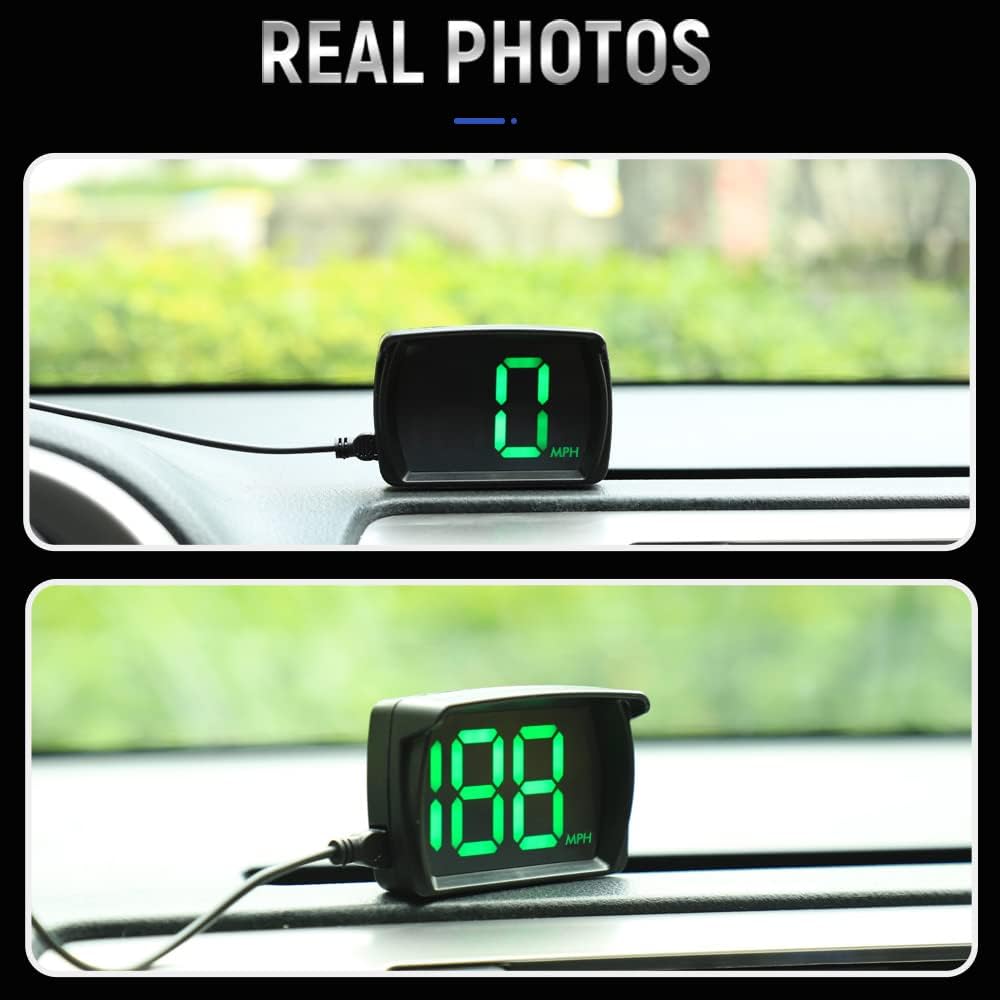
The VJOYCAR G20 uses GPS data for accurate and consistent speed readings, often matching or exceeding traditional dashboard displays.
Maintenance
To ensure the longevity and optimal performance of your VJOYCAR G20 GPS Speedometer, follow these simple maintenance guidelines:
- Cleaning: Use a soft, dry cloth to gently wipe the display and exterior of the device. Avoid using abrasive cleaners, solvents, or harsh chemicals, as these can damage the screen or casing.
- Environmental Conditions: While designed for automotive use, avoid exposing the device to extreme temperatures for prolonged periods. The automatic power-off feature helps conserve energy when the vehicle is stationary, reducing unnecessary wear.
- Cable Care: Handle the USB cable with care. Avoid sharp bends or excessive pulling, which can damage the cable or connectors.
Troubleshooting
If you encounter issues with your VJOYCAR G20, please refer to the following common solutions:
- No Speed Display / Slow GPS Acquisition: During first-time use or after being in an area with poor signal, it may take 10 to 30 seconds for the device to acquire a GPS signal. Ensure the vehicle is in an open area with a clear view of the sky. The device may not work effectively in enclosed environments like tunnels, underground garages, or dense urban areas with signal obstruction.
- No Double Image: The G20 is designed to prevent double images on the display, even under direct sunlight, eliminating the need for projection film. If you experience any display issues, ensure the screen is clean and free from obstructions.
- Device Not Powering On: Check the USB cable connection to both the device and the power source (vehicle USB port or car adapter). Ensure the power source is active.
- Inaccurate Speed Reading: The device relies on GPS signals for speed. Ensure a strong GPS signal is maintained. Minor discrepancies with the vehicle's built-in speedometer can occur due to different measurement methods, but the GPS reading is generally highly accurate.
Specifications
| Brand | VJOYCAR |
| Model Number | G20 |
| Material | Glass |
| Item Weight | 0.11 Kilograms |
| UPC | 610521672619 |

Detailed dimensions of the VJOYCAR G20 GPS Speedometer.

The VJOYCAR G20 package includes the main unit, a 2-meter USB cable, and a 3M adhesive pad for installation.
Warranty and Support
VJOYCAR is committed to customer satisfaction. If your HUD device is found to be defective, there is no need to return it to the retailer. Please contact VJOYCAR directly for assistance. We are always available to help and will arrange for a replacement if necessary.
For specific warranty terms and conditions, please refer to your purchase documentation or contact VJOYCAR customer support.


